Colorization Part III
Not to bore everybody with more talk about colorization, but here we are again.
I have long been a fan of Unmesh Dinda from PiXimperfect, and there is currently an article on Fstoppers' front page that goes to his recent video about a colorization technique worth looking at. If you work in Photoshop, his videos are worth your time. He may (as in my case) assume a level of Photoshop knowledge that may require repeated viewing.
Basically, Unmesh thinks that colorizing through Palette.FM is superior to Adobe's colorization neural filter. So I tried it out.
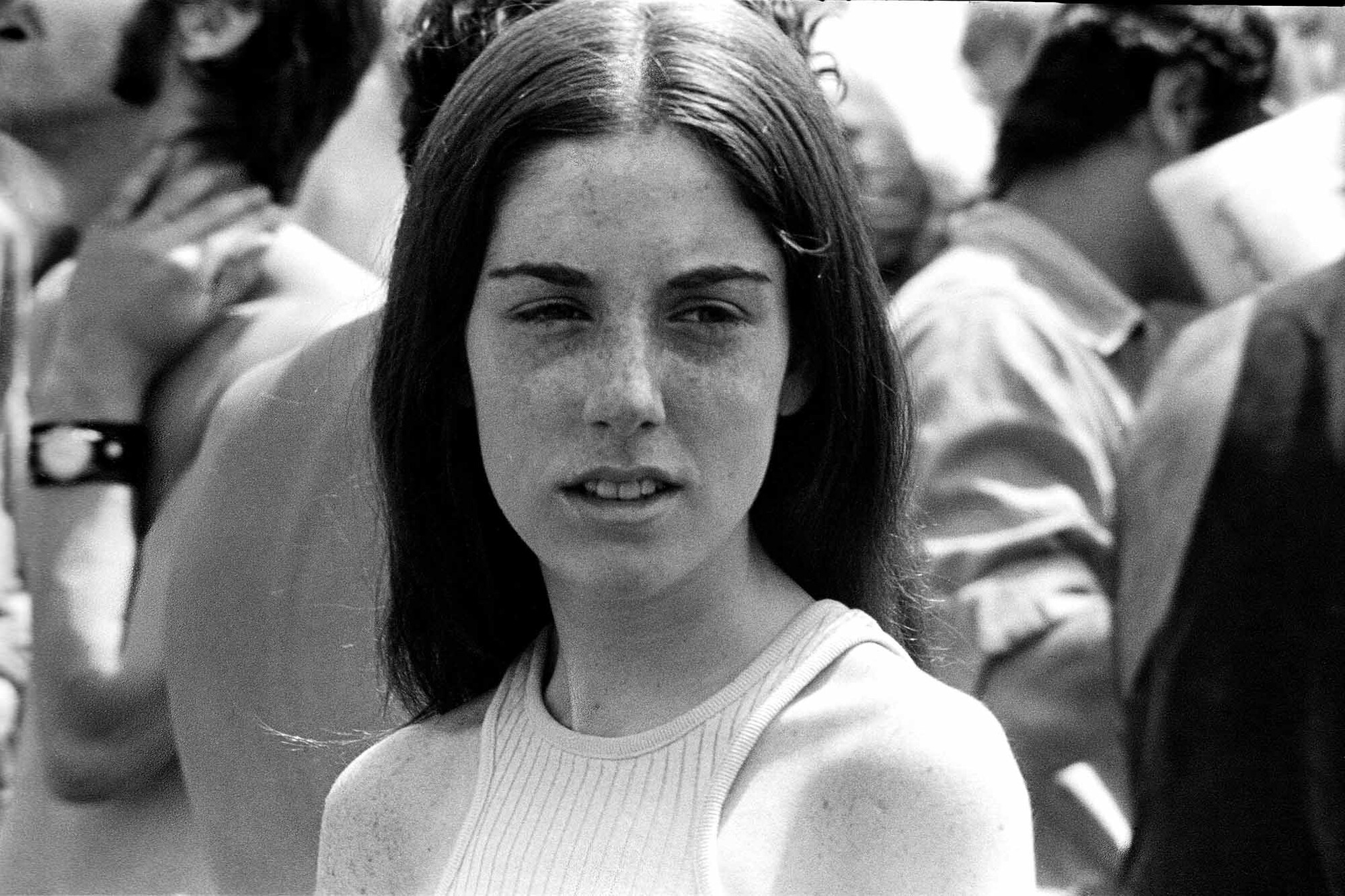
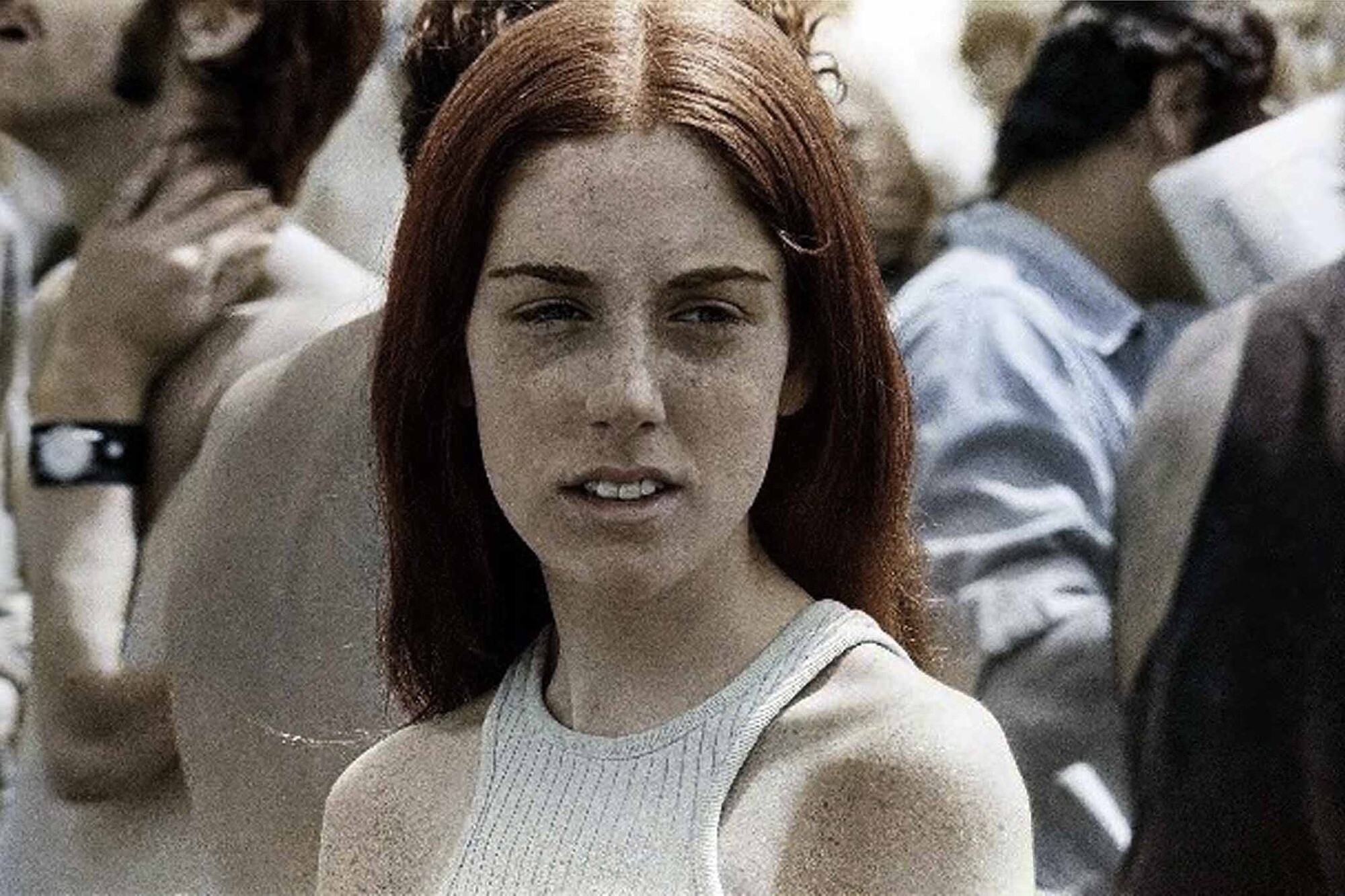
Image #1 is obviously the original B&W photograph from a Washington D.C. anti-war demonstration (not that that is relevant) in 1970. I did all the usual B&W adjustments and retouched as much dust and scratches as I could find.
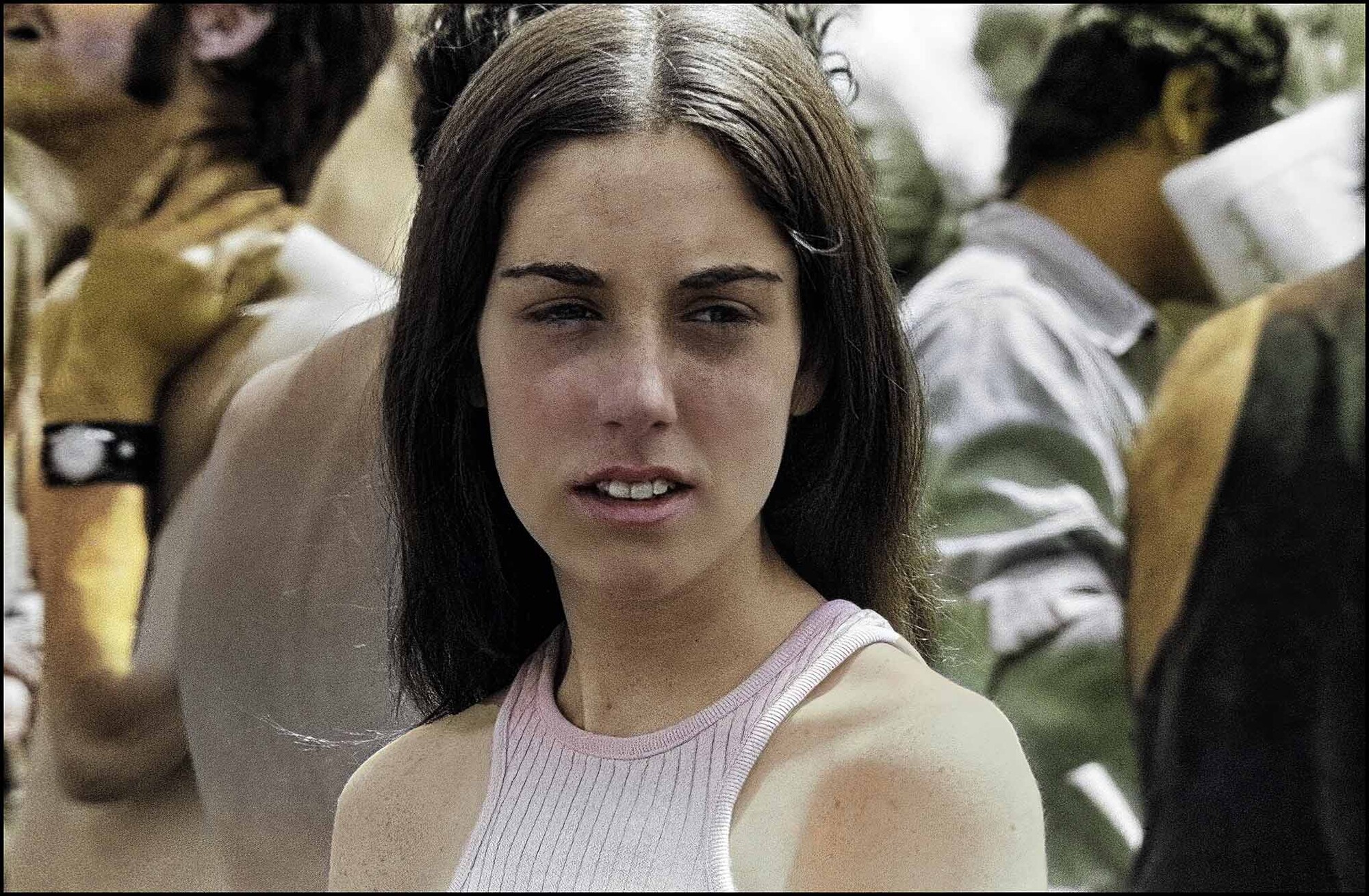
Image #2 is my first attempt at colorization using Adobe's neural colorization tool and other Photoshop adjustments. I was happy with this until I saw what Palette.FM did on image #3, which is clearly better.
Unmesh notes that the free download is pretty low resolution and that your original is likely to have many more pixels. A high-resolution download costs money. He showed a workaround, which worked really well and was quite easy.
Go Eagles!





1 Comment
Thanks for sharing this Andrew.
I feel the 3rd does seem the most authentic for that period after allowing the passage of time (fading etc), but perhaps the 2nd more representative of what may have come back as the film was first processed?
Unmesh seems to find these ways of working around these systems (I'm guessing this workaround follows other of his shortcuts).
Go Magpies (I'm betting that one has you stumped)