The rear screen on your camera was designed to be legible in a store, not in a parking lot at noon in July. That is the whole reason this category exists. An on-camera monitor buys you three things your camera cannot: a screen bright enough to judge focus and exposure in daylight, scopes that tell you the truth about your image instead of flattering it, and a preview of what your flat Log footage will look like after grading.
Three axes decide this purchase. Brightness, measured in nits, determines whether you can see anything outdoors. Recording determines whether the box is a screen or a screen plus a hard drive, and that choice roughly triples the price. Size and weight determine whether the thing lives happily on a gimbal or becomes the reason your rig sags. Ports matter too, and SDI separates the consumer tier from the professional one.
This guide covers eight monitors, from a bright 6-inch panel that costs less than a decent tripod head to a milled-aluminum reference display that costs more than most mirrorless cameras. Every specification below was checked against the manufacturer's current spec sheet and a live B&H listing, and every pick carries the one thing it does badly alongside the things it does well.
At a Glance
- Best Overall: Atomos Shinobi II
- Best Budget: FeelWorld FW568 PRO
- Best HDR and High-Brightness Monitor: SmallHD Ultra 5
- Best Recording Monitor: Atomos Ninja TX
- Best for SDI Workflows: Blackmagic Design Video Assist 5" 12G HDR
- Best Compact: Portkeys PT6
- Best for Vlogging: Neewer F700
- Best Value 7-Inch Monitor: Viltrox DC-A1
Best Overall: Atomos Shinobi II
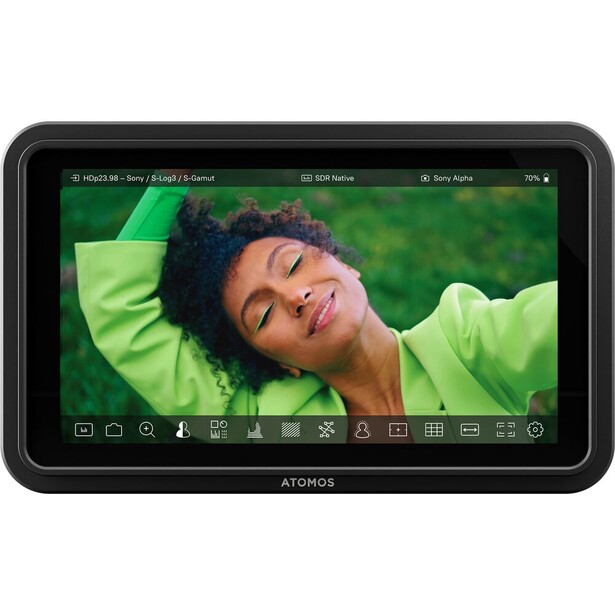
- Screen: 5.2-inch IPS touchscreen, 1920 x 1080, 10-bit (8+2 FRC), 427 PPI, Rec. 709
- Brightness: 1,500 nits
- Video I/O: HDMI 1.4 input only, up to 4K DCI/UHD at 30p or 1080p at 60p, no video output
- Recording: none, monitor only
- Power: single NP-F / L-series battery, dummy battery with DC input, or USB-C Power Delivery at 10 W
- Weight: 210 g
- Key tools: 3D LUTs, waveform, RGB parade, vectorscope, false color, focus peaking, USB-C camera control
- Price: $375 (B&H)
Most people shopping this category do not need a recorder. They need to nail focus in bright light and see what their Log profile is hiding, and the Shinobi II is the cleanest answer to that. At 210 g it weighs less than half what a SmallHD Ultra 5 does, it runs off a single NP-F brick or off USB-C Power Delivery, and the panel is a strong one for the size: 10-bit (8+2 FRC), 427 pixels per inch, a Rec. 709 gamut, and 1,500 nits.
The software is the reason it wins rather than the hardware. AtomOS gives you false color, waveform, vectorscope, and 3D LUT loading, so you can shoot Log and monitor through a Rec. 709 conversion instead of squinting at a washed-out image and guessing. The USB-C camera control is the feature that surprises people: on supported Canon, Fujifilm, Nikon, Panasonic, and Sony bodies the Shinobi II will trigger recording and change ISO, shutter, aperture, and white balance from the monitor, and it will push up to 13 W of USB-C power back to the camera over that same cable. The camera list has grown by firmware and now spans most recent Canon, Fujifilm, Nikon, OM System, Panasonic, Sigma, and Sony bodies, so check yours against Atomos' current compatibility page before you count on it.
Its limitation is real and worth being blunt about. The Shinobi II has an HDMI 1.4 input capped at 4K30 and no HDMI output at all. You cannot loop the signal to a second monitor or a recorder, and if you shoot 4K/60 the monitor will not take the feed. For a solo shooter that is usually fine, because the recording lives in the camera and nothing downstream needs the signal. For anyone building a rig where a director or a client also needs eyes on the image, it is a hard stop. If a full recorder is where you are heading anyway, our memory cards guide is worth reading before you commit to a media format. For everyone else, this is the monitor to buy first, so check the current price of the Atomos Shinobi II at B&H. Also consider the Atomos Shinobi 7 RX if you want a bigger, brighter 7-inch panel with a built-in wireless video receiver so a director can watch from across the room.
What We Like
- Excellent 10-bit panel at 1,500 nits in a 210 g body
- USB-C camera control removes a cable and a lot of fiddling
- Runs on NP-F batteries or a USB-C power bank
What Could Be Better
- No HDMI output, so no loop-through to a second display
- HDMI 1.4 input caps you at 4K30
- Costs more than twice what a competent budget monitor does
- No SDI, which rules it out of cinema-camera sets
Best Budget: FeelWorld FW568 PRO
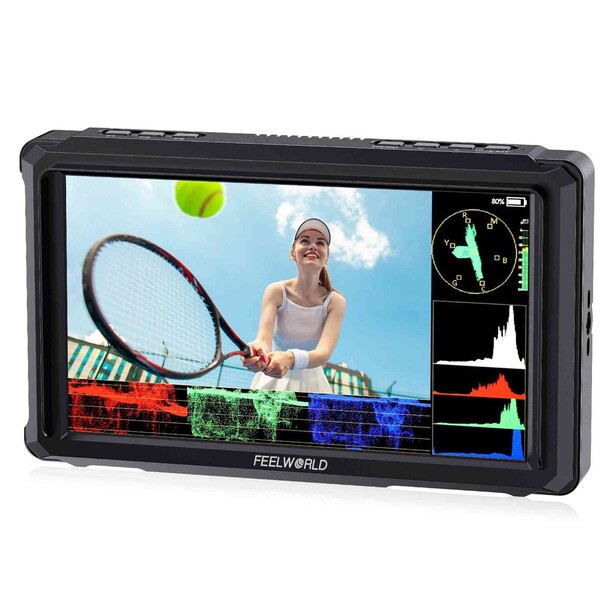
- Screen: 6-inch IPS, 1920 x 1080, 1000:1 contrast
- Brightness: 1,200 nits
- Video I/O: HDMI 2.0 input and output, up to 4K DCI and UHD at 60p
- Recording: none, monitor only
- Power: NP-F battery plate or DC 7-24 V input, with 8.4 V DC out to feed a camera
- Weight: 204 g
- Key tools: four de-log LUTs plus 32 loadable 3D LUTs, waveform, RGB and YUV parade, vectorscope, histogram, false color, HLG modes, focus peaking, 9:16 markers
- Price: $139.99 (B&H)
Look at what the FW568 PRO gives you for a fraction of the Shinobi II's price and the value case makes itself. You get a bigger screen at 6 inches, 1,200 nits, a full HDMI 2.0 input and output that will pass 4K/60 to a recorder or a second display, an NP-F battery plate, a removable sun hood in the box, and the entire scope suite: waveform, RGB and YUV parade, vectorscope, histogram, audio meters, false color. It loads up to 32 custom .cube LUTs on top of its four built-in de-log conversions, more than most working shooters will ever use.
The compromises live in the panel and the software polish, not the feature list. At 1,200 nits it is dimmer than the 2,000-nit-plus monitors below, and on a bright day you will be reaching for the included hood. The stated viewing angle of 80 degrees is narrow, so the image shifts off axis, which matters when the monitor is mounted high on a cage and you are looking up at it. The box is also thinner than the marketing suggests: you get the sun hood, a hot shoe mount, and cables, but the NP-F battery is a separate purchase unless you buy one of the kit SKUs.
What it does well is the thing that matters most for a first monitor: it makes your focus and exposure decisions visible. Peaking on a 6-inch 1080p panel is far more trustworthy than peaking on the 3-inch screen on the back of your camera, and at 204 g it stays out of the way on a gimbal. For a photographer moving into video who is not ready to spend real money on monitoring, check the current price of the FeelWorld FW568 PRO at B&H. Also consider the FeelWorld F6 Plus X if you would trade half an inch of screen and 4K/60 passthrough for 1,600 nits in a smaller 5.5-inch body.
What We Like
- Complete scope and LUT toolkit at an entry-level price
- HDMI 2.0 in and out, so 4K/60 passes through to a recorder
- Light enough for gimbal work at 204 g
What Could Be Better
- 1,200 nits is workable, not comfortable, in direct sun
- Narrow 80-degree viewing angle shifts color off axis
- Menus and touch response lag the premium brands
- No SDI
Best HDR and High-Brightness Monitor: SmallHD Ultra 5
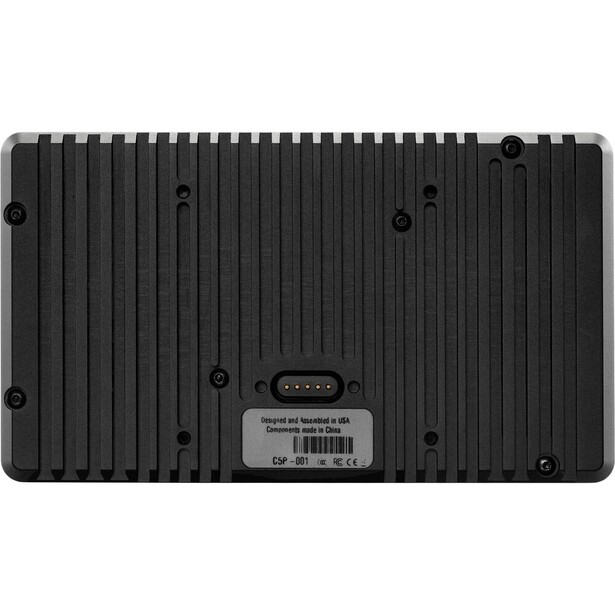
- Screen: 5-inch touchscreen, 1920 x 1080, 440 PPI, 10-bit 4:2:2, 100% DCI-P3
- Brightness: 3,000 nits
- Video I/O: 3G-SDI in and a second switchable 3G-SDI in/out, HDMI 2.0 in and out at up to 4K30
- Recording: none, monitor only
- Power: 2-pin locking input, 10-34 V DC, with optional Gold or V-mount micro battery plates
- Weight: 504 g (17.8 oz)
- Key tools: PageOS 5, 3D LUTs, scopes, false color, six 1/4"-20 mounting points, optional ARRI, RED, and Sony VENICE camera control licenses
- Price: $1,699 (B&H)
Nothing else in this guide is built like the Ultra 5. The housing is milled from a single block of aluminum, the front carries a row of large physical function buttons you can hit wearing gloves, and the panel puts out 3,000 nits with full DCI-P3 coverage and 10-bit 4:2:2 processing. You can hold this monitor up in open sun, at the beach, in snow, and still read shadow detail and judge skin tone, and full P3 coverage means the gamut you are judging on is the one a colorist will grade in.
PageOS 5 is the other half of the argument. SmallHD's interface builds custom "pages" you swipe between, so a focus puller can have peaking and a punch-in on one page and a waveform with a LUT applied on the next, and switch with one gesture instead of hunting through a menu tree. It also accepts optional camera control licenses for ARRI, RED (DSMC2, KOMODO, and V-RAPTOR), and Sony VENICE bodies, sold separately and delivered over the monitor's Ethernet and locking USB ports, which tells you who this product was designed for.
Then there is the price, more than most people spend on a camera body, and a set of caveats that sting at that price. It is 504 g, over twice the weight of the Shinobi II, and thick enough to change the balance of a small rig. It has no internal battery slot, so it wants a 2-pin locking cable from a V-mount or a D-tap, a whole power ecosystem to buy into. The SDI is 3G, not 12G, the HDMI caps at 4K30, and it ships on PageOS 5 while SmallHD's newer monitors have moved to PageOS 6. If you monitor outdoors for a living, none of that will stop you, so check the current price of the SmallHD Ultra 5 at B&H. Also consider the SmallHD Ultra 7 if you want the same idea at 7 inches and 2,300 nits, with 6G-SDI.
What We Like
- 3,000 nits and 100% DCI-P3, the brightest and most color-accurate panel here
- Milled aluminum body with large, gloved-hand function buttons
- PageOS 5 custom pages are the fastest interface on any field monitor
What Could Be Better
- Costs more than many camera bodies
- 504 g and no internal battery slot, so it needs an external power rig
- 3G-SDI and 4K30 HDMI ceilings look dated in 2026
- Still on PageOS 5 while newer SmallHD monitors run PageOS 6
Best Recording Monitor: Atomos Ninja TX
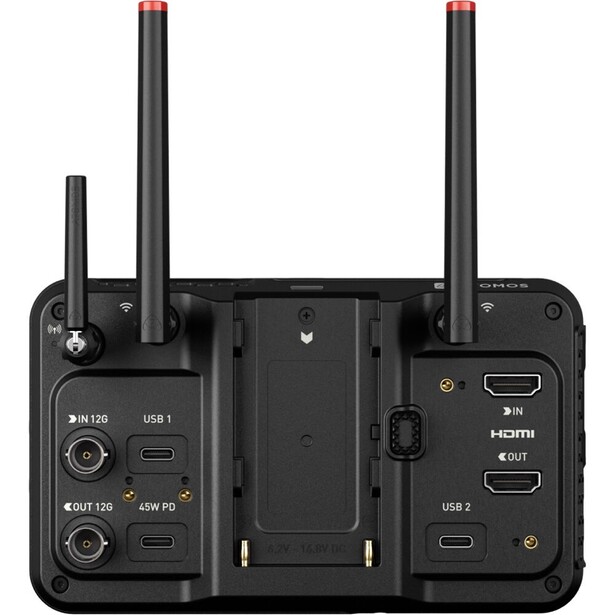
- Screen: 5.2-inch touchscreen, 1920 x 1080, Rec. 709
- Brightness: 1,500 nits
- Video I/O: HDMI 2.0 in and out at up to 4K60, 12G-SDI in and out
- Recording: Apple ProRes RAW, ProRes, Avid DNxHD/DNxHR, H.265, up to 6K/60 or 8K/30 raw, to CFexpress Type B or USB media
- Power: NP-F battery, USB-C PD, or D-Tap, 6.2-16.8 V DC, up to 30 W draw
- Weight: 400 g
- Key tools: AtomOS scopes and LUTs, Wi-Fi 6E Camera to Cloud upload, bundled NDI 6 HX3 license, AirGlu RF and Bluetooth timecode sync, USB-C camera control
- Price: $999 (B&H)
Atomos rebuilt its 5-inch monitor-recorder line around Wi-Fi, wireless timecode, and 12G-SDI, and the Ninja TX is the top of that family. The headline is what it will swallow: raw from a camera's HDMI or 12G-SDI port at up to 6K/60 or 8K/30, depending on what the body puts out, written straight to a CFexpress Type B card as ProRes RAW. That bypasses the camera's internal compression entirely and hands you a file with the latitude to push hard in a grade, which is the difference between recovering a blown window and living with it.
The rest of the box has caught up with how people work now. Every codec, ProRes RAW, ProRes, Avid DNx, and H.265, is included rather than sold as an unlock, which was a genuine irritant on the previous generation. Wi-Fi 6E is integrated for Camera to Cloud uploads to Frame.io, Dropbox, or Atomos' own ATOMOSphere platform, so proxies can be with an editor before you have struck the tripod, and an NDI 6 HX3 license is built in. It syncs timecode over AirGlu RF and Bluetooth, which quietly solves multi-camera sync without a Tentacle on every body. Camera control runs over USB-C on most recent Canon, Fujifilm, Nikon, Panasonic, and Sony mirrorless bodies, including tap-to-focus from the monitor.
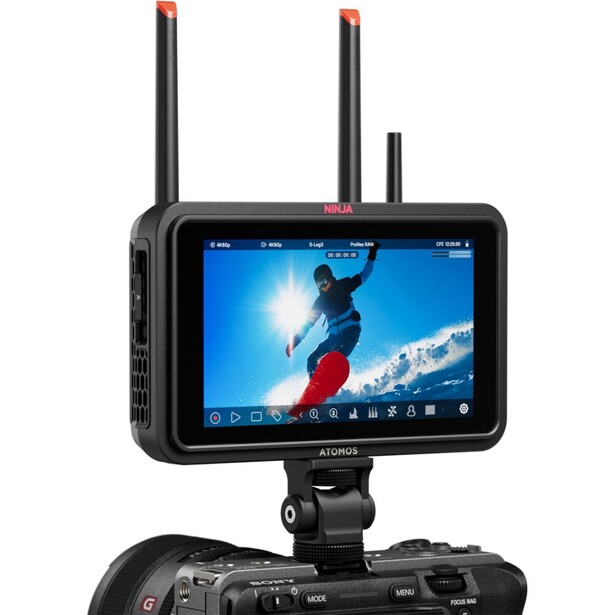
The costs are weight and power. At 400 g plus a battery plus a CFexpress card, this is no longer a light accessory, and up to 30 W of draw means you are feeding it seriously, not sipping off a USB-C bank. The 1,500-nit panel is the same brightness as the far cheaper Shinobi II, so you are paying for the recorder, not the screen. CFexpress Type B media is its own expense, and Atomos certifies specific cards. For a hybrid shooter who needs raw out of a mirrorless body that will not record it internally, this is the machine, so check the current price of the Atomos Ninja TX at B&H. Also consider the Atomos Ninja TX GO if you never touch SDI and want the same recorder and cloud workflow over HDMI alone for less money.
What We Like
- ProRes RAW recording at up to 6K/60 or 8K/30
- All codecs included, with no paid unlocks
- Camera to Cloud over Wi-Fi, a bundled NDI 6 HX3 license, and wireless timecode sync
What Could Be Better
- 400 g and up to 30 W, which demands a real power plan
- Panel brightness is identical to the far cheaper Shinobi II
- CFexpress Type B media adds meaningful cost
- Overkill for anyone whose camera already records the codec they need
Best for SDI Workflows: Blackmagic Design Video Assist 5" 12G HDR
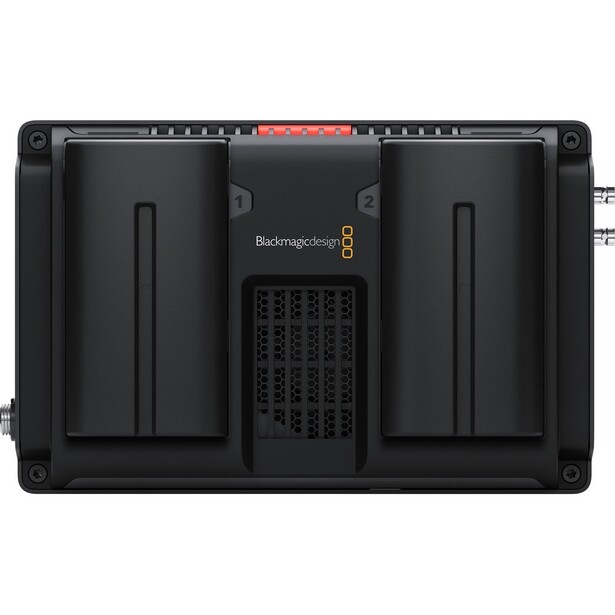
- Screen: 5-inch touchscreen, 1920 x 1080, wide P3 gamut
- Brightness: 2,500 nits
- Video I/O: 12G-SDI in and out on micro BNC, HDMI 2.0a in and out
- Recording: Blackmagic RAW, Apple ProRes, and Avid DNxHR to a single UHS-II SD card, 10-bit 4:2:2 up to 2160p60
- Power: 12 V DC or Sony NP-F style battery
- Weight: 410 g (14.5 oz)
- Key tools: HDR10 and HLG, waveform, parade, vectorscope, histogram, 3D LUTs, focus assist, USB-C external disk recording
- Price: $725 (B&H)
Cinema cameras, broadcast cameras, and switchers speak SDI, and SDI is a locking BNC connector that does not fall out when someone walks past your cable. The Video Assist 5" 12G HDR is the cheapest sensible way onto that side of the world. It takes 12G-SDI in and out, cross-converts to and from HDMI, handles HDR10 and Hybrid Log Gamma, and its 2,500-nit P3 panel is bright enough to work outdoors without apology.
The media strategy is the reason people love it. Instead of proprietary cards or a caddy, it records to a standard UHS-II SD card, and if you want longer takes you plug a USB-C SSD into the side and record straight to that. Blackmagic RAW is small on the card, holds up under aggressive grading, and drops into DaVinci Resolve with no transcode. The USB-C port doubles as a webcam output and as the connection for Blackmagic's Video Assist Utility, so the unit can go straight into a live stream when it is not recording.
Two limitations should shape your decision. The 5-inch version records to a single SD slot, so there is no spanning or simultaneous backup, and if a card fills mid-take, the take ends. The 7-inch model has dual slots, and for a paid job that alone justifies the upgrade. The hardware also shows its years: a plain menu interface rather than a customizable page system, no Wi-Fi or cloud upload, and 410 g of fairly chunky plastic. None of that stops it from being the right tool for an SDI camera and a Resolve timeline, so check the current price of the Blackmagic Design Video Assist 5" 12G HDR at B&H. Also consider the Blackmagic Design Video Assist 7" 12G HDR if you want dual SD slots and a 1920 x 1200 screen.
What We Like
- 12G-SDI in and out with cross-conversion to HDMI
- 2,500-nit P3 panel with proper HDR10 and HLG handling
- Records Blackmagic RAW to cheap SD cards or a USB-C SSD, straight into DaVinci Resolve
What Could Be Better
- Single SD slot on the 5-inch model, so no backup or spanning
- No Wi-Fi and no cloud upload workflow
- Interface is a dated menu system, not a customizable one
- 410 g and bulky next to modern rivals
Best Compact: Portkeys PT6
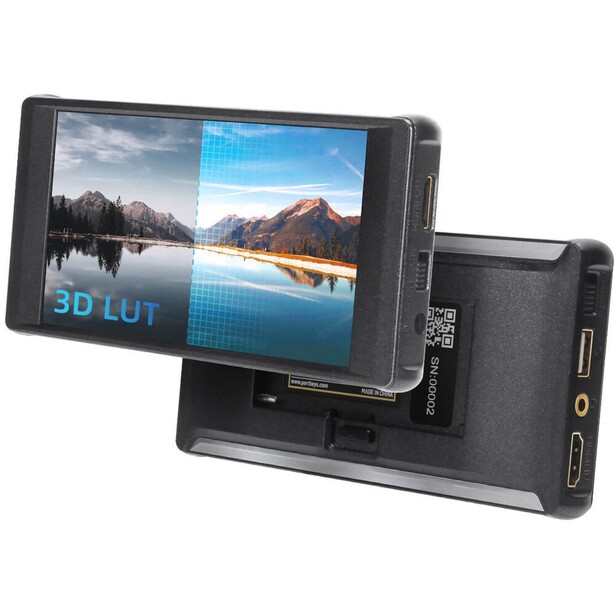
- Screen: 5.2-inch IPS touchscreen, 1920 x 1080, 10-bit (8+2 FRC), 100% DCI-P3, 1500:1 contrast
- Brightness: 600 nits
- Video I/O: HDMI input up to 4K DCI/24 or UHD/30, HDMI output up to 1080p60
- Recording: none, monitor only
- Power: 7-24 V barrel input, built-in dual plate for NP-F and Canon LP-E6, 6 W maximum draw
- Weight: 170 g without battery
- Key tools: 3D LUT monitoring and LUT output, waveform, histogram, false color, zebras, peaking, framing guides
- Price: $159 (B&H)
Weight is the tax nobody accounts for. Hang a 400 g recorder off the top of a mirrorless camera and a gimbal that balanced perfectly an hour ago will fight you, and a shoulder rig that felt neutral will pull forward by the end of a take. At 170 g without a battery and only 18.5 mm thick, the PT6 is the lightest full-featured option here, and the one that will change your gimbal's balance the least. Our gimbals guide covers the payload side of that equation.
What Portkeys did not do is strip the feature set to hit the weight. The panel is 10-bit (8+2 FRC) with 100% DCI-P3 coverage, a wider gamut than most of the budget field claims, and its 1500:1 contrast ratio beats the 1000:1 that most rivals here quote. You get 3D LUT monitoring and a LUT output that bakes the look into the loop-through feed, plus waveform, false color, zebras, and peaking. The dual battery plate takes NP-F bricks or the Canon LP-E6 batteries you probably already own, and at 6 W it runs a long time on either. Portkeys also gives you ARRI-style false color and anamorphic desqueeze at 1.33x, 1.5x, and 2.0x, which is more than the price suggests.
The brightness is the compromise, and it is not a small one. At 600 nits this is a dim monitor by 2026 standards, roughly a fifth of what the SmallHD Ultra 5 puts out and half of what the budget FeelWorld manages. Indoors, on a set, or in the shade, it looks lovely. Take it into open sun without the hood and you will be guessing. The HDMI output is also capped at 1080p60, so it will not pass a 4K feed downstream. Buy it because it is light and its color is good, not because you want to work in a field at noon, and check the current price of the Portkeys PT6 at B&H. Also consider the Portkeys BM5 III WR if you need 2,200 nits, 3G-SDI, and wireless camera control for a RED KOMODO or a Blackmagic Pocket body, and can accept an aluminum housing that weighs 376 g.
What We Like
- 170 g and 18.5 mm thick, the lightest real monitor here
- 100% DCI-P3 and 1500:1 contrast, unusual at this price
- Runs on NP-F or Canon LP-E6 batteries at only 6 W
What Could Be Better
- 600 nits is not enough for direct sunlight
- HDMI output limited to 1080p60
- Input tops out at 4K30, so no 4K/60 monitoring
- Plastic body rather than metal
Best for Vlogging: Neewer F700
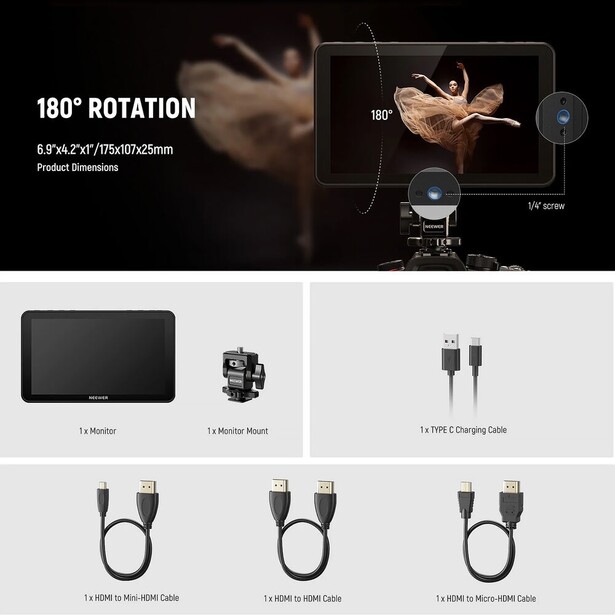
- Screen: 7-inch IPS touchscreen, 1920 x 1080, 1000:1 contrast, 160-degree viewing angle
- Brightness: 2,000 nits, with an ambient light sensor for automatic adjustment
- Video I/O: HDMI input and loop output, up to 3840 x 2160 at 30p or 4096 x 2160 at 25p
- Recording: none, monitor only
- Power: NP-F battery plate, DC 12-26 V, or USB-C, up to 22 W draw, with 8.4 V DC out for a dummy battery
- Weight: 445 g without batteries
- Key tools: 15 preloaded LUTs plus up to 60 custom 3D LUTs, waveform, vectorscope, histogram, false color, zebras, HDR modes, focus peaking
- Price: $229.99 (B&H)
Vlogging has a specific monitoring problem, and it is not the one a camera operator has. You are standing in front of the camera, often several feet away, and you need to know two things: that your head is in the frame and that your eyes are sharp. A 3-inch flip screen answers neither at conversational distance, and plenty of good hybrid cameras still ship without one. The F700 answers both, because a 7-inch panel at 2,000 nits is legible from across a room and outdoors, and its peaking overlay tells you the autofocus landed on your eye and not on the bookshelf behind you.
The ambient light sensor matters for the way solo creators shoot. It reads the room and pushes brightness up in sun and down indoors, so you are not walking back to the camera between takes. When we reviewed the F700, our reviewer found the screen easy to read in daylight without reaching for a sun hood at all, which is not something you can say about most panels in this price bracket. It ships with a cold-shoe mount and cables, and in some configurations a pair of NP-F750 batteries, and it loads 15 LUTs out of the box plus up to 60 of your own. There is also an 8.4 V DC output on the body, so a dummy battery can run your camera off the same NP-F brick that runs the monitor. The cold shoe mount is sturdy metal rather than plastic, and our reviewer had no trouble hanging the monitor straight off a camera's hot shoe, though he still recommended a cage once microphones and other accessories join the rig.
The costs are mass and a couple of missing conveniences. At 445 g before you add a battery, and closer to 860 g with two NP-F750 bricks on the back, it is more than twice the weight of the Shinobi II, and a 7-inch panel is simply a lot of surface area to carry on a handheld or gimbal rig. It is happiest on a tripod, a desk, or a static talking-head setup. Our reviewer also wanted two things the monitor does not do: firmware updates over USB-C, and playback of video and stills from an SD card. The HDMI loop-through is capped at 4K30, and there is no SDI. For a creator who films themselves, the screen size and price are hard to argue with, so check the current price of the Neewer F700 at B&H. If you are building the rest of that setup from scratch, Fstoppers' Introduction to Video: A Photographer's Guide to Filmmaking is a sensible starting point.
Read our full review: It's Not Just for Videographers: Photographers, Try the Neewer F700 Field Monitor
What We Like
- 7-inch, 2,000-nit screen you can actually read from in front of the camera
- Ambient light sensor adjusts brightness without you touching it
- Ships as a complete kit with mount, cables, and batteries in some configurations
What Could Be Better
- 445 g before batteries, and 860 g with two of them fitted
- HDMI loop-through capped at 4K30
- No firmware updates over USB-C and no SD card playback
- No SDI and no camera control
- Too big for handheld or gimbal work
Best Value 7-Inch Monitor: Viltrox DC-A1
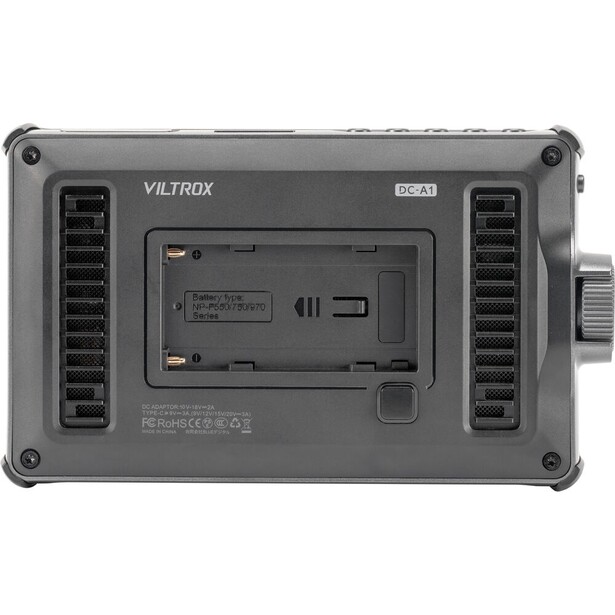
- Screen: 7-inch IPS touchscreen, 1920 x 1080, 8-bit, sRGB, 1000:1 contrast, 316 PPI, 170-degree viewing angle
- Brightness: 2,800 nits
- Video I/O: HDMI 2.0 input and loop output, up to DCI 4K at 60 Hz
- Recording: none, monitor only
- Power: NP-F 550/750/970 battery, USB-C at 9 V/3 A or higher, or DC 10-18 V
- Weight: 348 g
- Key tools: 3D LUTs, waveform, RGB parade, vectorscope, two false color modes, zebras, focus peaking, anamorphic desqueeze, sun hood and hard case included
- Price: $278 (B&H)
Here is the number that makes this pick difficult to argue with: 2,800 nits, on a 7-inch screen, for a fraction of what a SmallHD Ultra 5 costs. The DC-A1 is brighter than every monitor here except the Ultra 5, and it pairs that brightness with full HDMI 2.0 in and out at 4K/60, so you can loop the signal to a recorder or a client monitor without dropping frame rate. It arrives with a foldable sun hood, a hard case, an NP-F550 battery, a tilt-and-swivel mount, a screen protector, and cables in the box, which is rare in a category that usually sells you a monitor and then sells you everything that makes it usable.
The tool set is complete. Waveform, RGB parade, vectorscope, two false color modes, zebras, focus peaking with adjustable color and sensitivity, 3D LUT loading, and anamorphic desqueeze are all there, reachable through the touchscreen or a physical control wheel that still works in gloves. Power is flexible in the way that helps on location: an NP-F brick, a USB-C power bank at 9 V or better, or a DC barrel. When we reviewed it, the brightness was the thing that changed the day. Coming from a 1,000-nit monitor, our reviewer described the squinting and eye strain outdoors as simply gone once the DC-A1 and its sunshade were on the camera.
The one design decision worth knowing about is the built-in cooling fan, which keeps a 2,800-nit backlight from cooking itself but is an active moving part. It varies its speed with panel temperature, and on its low setting our reviewer found it nearly imperceptible, but at maximum brightness it gets noticeably loud, loud enough to land on an on-camera shotgun microphone. If your audio comes off a lavalier, it is a non-issue. The bundled battery is the other caveat: it is a 2,200 mAh cell that ran about an hour in our testing, so budget for a bigger NP-F brick if you shoot all day.
Where it gives ground is the panel itself. It is an 8-bit sRGB screen, not a 10-bit P3 one, so it is a tool for framing, focusing, and exposing rather than for judging final color. It is also a 7-inch, 348 g monitor, which is a lot of surface area to catch wind on a light tripod and too much to want on a small gimbal. Neither is a surprise at this price, and our reviewer's verdict was that it is a genuinely powerful tool priced remarkably well, particularly for someone new to video. For a solo shooter who works outdoors and needs to see the image, check the current price of the Viltrox DC-A1 at B&H. Also consider the FeelWorld LUT7S PRO if you need 3G-SDI alongside HDMI and a taller 1920 x 1200 panel, and can live with 2,200 nits instead of 2,800.
Read our full review: Viltrox DC-A1 Monitor Review: Budget Beast for Video
What We Like
- 2,800 nits, second only to the SmallHD in this guide
- HDMI 2.0 in and out at 4K/60, unlike most rivals
- Complete kit in the box, including sun hood and hard case
What Could Be Better
- 8-bit sRGB panel, so it is not a color-critical display
- Active cooling fan gets loud at maximum brightness and can reach an on-camera mic
- Bundled 2,200 mAh battery lasts only about an hour
- 348 g and 7 inches is too much for gimbal work
- No SDI and no camera control
How to Choose an On-Camera Monitor
Nits: The Only Spec That Decides Where You Can Work
A nit is one candela per square meter, and it measures how much light the screen throws at your eyes. The screen on the back of a mirrorless camera is a small fraction as bright as the panels here, which is why it washes out the moment you step into sun. Anything under 1,000 nits is an indoor monitor, and a sun hood is mandatory the moment you step outside. From 1,000 to 1,500 nits you can work outdoors on an overcast day and in the shade. Above 2,000 nits you can stand in open sun and read the image, and above 2,500 you can do it while judging shadow detail. Brightness is the spec people most often try to save on, then regret on their first outdoor shoot.
LUTs: What They Do and Why the Loading Matters
If you shoot Log or raw, your camera hands you a flat, gray, desaturated image on purpose, because it is preserving dynamic range for the grade. Monitoring that image directly is miserable and you will misjudge exposure and contrast every time. A 3D LUT is a small lookup table, usually a .cube file, that maps that flat signal into a normal-looking Rec. 709 image on the monitor only, leaving your recording untouched. Every monitor here accepts custom LUTs. What varies is how many, how you load them, and whether the monitor can bake the LUT into its loop-through output, which is what you want when a client is watching a second screen and should not see the flat file.
Recording Formats: When the Recorder Is Worth It
A monitor-recorder taps the clean signal coming out of your camera's HDMI or SDI port and writes it to its own media, bypassing whatever compression the camera would have applied internally. That gets you ProRes, Avid DNx, Blackmagic RAW, or ProRes RAW, all far easier to edit and more forgiving in a grade than a heavily compressed internal file. The honest question is whether you need it. Modern hybrid cameras record 10-bit 4:2:2 internally, and for most work that is plenty. The recorder earns its keep in three situations: when your camera cannot record raw internally but will output it over HDMI, when you need long unbroken takes internal media cannot hold, and when a client contract specifies a delivery codec. If none of those describe you, buy a brighter monitor and put the difference toward glass.
Ports, Weight, and Power
HDMI is a friction-fit connector that works fine until someone trips on the cable. SDI locks, runs long distances, and is what cinema and broadcast cameras use. If you are on a mirrorless camera, HDMI is all you will ever touch. Then weigh the thing: anything over roughly 300 g changes how a gimbal balances and how a handheld rig feels after twenty minutes, and the recorders here are all around 400 g before you add a battery. Finally, count your batteries. Most of these monitors take NP-F bricks, a few take USB-C Power Delivery, and the SmallHD wants a 2-pin locking cable from a V-mount. Decide which of those you already own before you decide which monitor you want.
What We're Looking For
We weigh usable brightness first, because a monitor you cannot see is not a monitor. After that comes the completeness of the exposure and focus toolkit, the honesty of the panel, the physical cost in weight and power draw, and whether the ports match the cameras a given buyer owns. Every specification here was verified against the manufacturer's current spec sheet and a live B&H listing, and prices are current B&H figures, which move. Most picks across our buying guides come from gear our writers have used and reviewed hands-on, and where a claim in an entry rests on the published specification rather than on our own shooting, the text is written from that specification and nothing is asserted about how the monitor behaved on a job we did not do.
Frequently Asked Questions
How Many Nits Do I Need in an On-Camera Monitor?
For indoor and shaded work, 1,000 nits is enough. For reliable outdoor use, aim for 2,000 nits or more, and 2,500 to 3,000 if you regularly shoot in open sun or snow. A sun hood makes a dimmer panel usable in a lot of situations, so factor one in before paying for the brightest screen available.
Do I Need a Recording Monitor or Just a Monitor?
Just a monitor, for most people. Current hybrid cameras record 10-bit 4:2:2 internally, which is enough for the majority of work. A recorder makes sense when your camera can output raw over HDMI but not record it internally, when you need takes longer than internal media allows, or when a client demands a specific delivery codec. Otherwise the money is better spent on brightness.
What Is a LUT and Do I Have to Use One?
A 3D LUT is a lookup table that converts your camera's flat Log image into a normal-contrast preview on the monitor without changing your recorded file. You do not have to use one, but if you shoot Log you should, because judging exposure and skin tone on a flat, gray image is guesswork. Load the LUT that matches your specific camera profile rather than a generic Rec. 709 conversion.
Will an On-Camera Monitor Work With My Camera?
If your camera has a clean HDMI output, yes. Almost all mirrorless and DSLR bodies do, though some burn menu overlays into the signal unless you enable a clean-output setting. Check the connector size, usually micro HDMI, and buy a right-angle or coiled cable with a strain-relief clamp, because the micro HDMI port is the most fragile part of the chain.
Fstoppers may earn a commission from purchases made through links in this article. Our picks are made independently by our editorial team.