A memory card is the only piece of gear in your bag that can lose the job. A lens can be soft, a body can be slow, a battery can die and be swapped, but a card that corrupts on ingest takes the wedding, the assignment, or the once-in-a-decade light with it. Most photographers are buying either far more card than their camera can use or far less than their camera needs, and the packaging is designed to keep them from noticing.
Three things decide this purchase. First, format: your camera has slots, and the slots dictate whether you are shopping for SD, microSD, CFexpress Type A, or CFexpress Type B. Second, sustained write speed, which is the number that determines whether a video clip stops mid-take or a burst stalls at frame 40, and which almost never matches the big number on the label. Third, what happens when the card fails, because they all eventually do, and warranty terms plus recovery software are the difference between a bad afternoon and a lost client.
Below are the cards worth buying in 2026, one per job, plus the reader that keeps the cards from becoming the slowest part of your day. Where a spec is capacity-dependent, and on these cards it very often is, we say which capacity we are quoting. None of our picks has come through Fstoppers for a formal hands-on review, so every claim here is drawn from current manufacturer specifications and the ratings printed on the cards themselves.
At a Glance
- Best Overall SD Card: SanDisk Extreme PRO SD UHS-II V90
- Best CFexpress Type B Card: Delkin Devices BLACK CFexpress Type B 4.0
- Best Value CFexpress Type B Card: ProGrade Digital CFexpress 4.0 Type B Gold
- Best CFexpress Type A Card: Lexar Professional GOLD CFexpress 4.0 Type A
- Best Budget SD Card: Lexar Professional SILVER PRO SDXC UHS-II
- Best microSD Card: SanDisk Extreme PRO microSD UHS-I
- Best High-Endurance Card for Long-Form Video: Angelbird AV PRO SD MK2 V90
- Best Card Reader: ProGrade Digital CFexpress Type B USB4 Single-Slot Card Reader
Best Overall SD Card: SanDisk Extreme PRO SD UHS-II V90
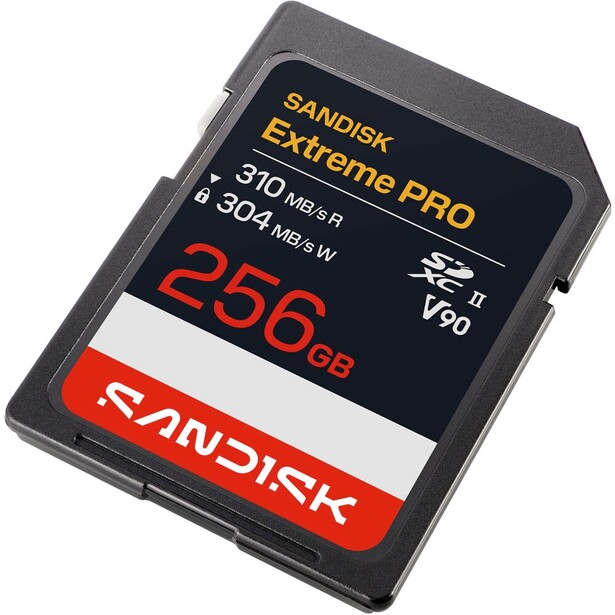
- Format: SDXC, UHS-II
- Capacities: 128 GB, 256 GB, 512 GB, 1 TB, 2 TB
- Rated speed: up to 310 MB/s read, up to 305 MB/s write (512 GB to 2 TB; 304 MB/s write on 128 GB and 256 GB)
- Minimum sustained write: 90 MB/s
- Speed classes: V90, U3, Class 10
- Durability: IP68 water and dust resistance, 6 m drop rating, -25 to 85 degrees Celsius operating range
- Warranty: limited lifetime, with a two-year RescuePRO Deluxe recovery software license included
- Price: $359.99 (B&H)
The current SanDisk Extreme PRO SD UHS-II V90 is not the card most people picture when they hear the name, and that matters. SanDisk quietly rebuilt this line, and the version shipping now is rated at up to 310 MB/s read and up to 305 MB/s write, where the outgoing model topped out around 260 MB/s on writes. It also climbs to 2 TB, which no SD card managed a couple of years ago. If you are cross-shopping listings, check the speeds printed on the card face before you buy, because both generations are still moving through retail channels and the older one is not the one you want.
What the write speed buys you is buffer recovery. A V90 card is defined by a guaranteed floor of 90 MB/s sustained write, which is the number that lets a camera keep recording 4K and 8K without dropping frames, but the difference between a good V90 card and a great one shows up in the ceiling, not the floor. When you fire a 20-frame burst of uncompressed raw and then want to fire another one four seconds later, the card that can absorb 300 MB/s clears the buffer twice as fast as one that manages 150. Photographers shooting sports, weddings, and wildlife on SD-slot bodies feel that constantly. Everyone else feels it on ingest, where the read speed halves the time you spend staring at a progress bar.
SanDisk is unusually specific about durability here: IP68 for water and dust, tested to survive drops from 6 meters, and an operating range from -25 to 85 degrees Celsius. Those numbers are worth more than they sound in a category where cards spend their lives in coat pockets, glove boxes, and the bottoms of camera bags. The limited lifetime warranty and the bundled RescuePRO Deluxe recovery license (free for two years, per SanDisk's data sheet) make a corrupted card a recoverable problem rather than a terminal one.
The catch is price. V90 cards cost several times what a good V60 card costs per gigabyte, and if your camera cannot saturate a UHS-II bus, or if you shoot stills in short bursts and 4K in modest bit rates, you are paying for headroom you will never touch. Check whether your body even has a UHS-II slot before you spend here, because plenty of otherwise excellent cameras still ship with UHS-I slots that will cap this card at around 100 MB/s. If your body does have UHS-II and you shoot fast, check the current price of the SanDisk Extreme PRO SD UHS-II V90 at B&H. Also consider the Sony SF-G TOUGH UHS-II SDXC if you want a one-piece, ribless card body with no write-protect switch to snap off, at 300 MB/s read and 299 MB/s write.
What We Like
- Among the fastest write speeds available on any SD card
- Capacities now run to 2 TB
- IP68 rating and a 6 m drop rating, both specified rather than implied
- Lifetime warranty plus a bundled recovery-software license
What Could Be Better
- Expensive per gigabyte next to V60 alternatives
- Wasted entirely on a UHS-I camera body
- The older, slower generation is still on shelves under the same name
- SD as a format is now the slow slot in most pro bodies
Best CFexpress Type B Card: Delkin Devices BLACK CFexpress Type B 4.0
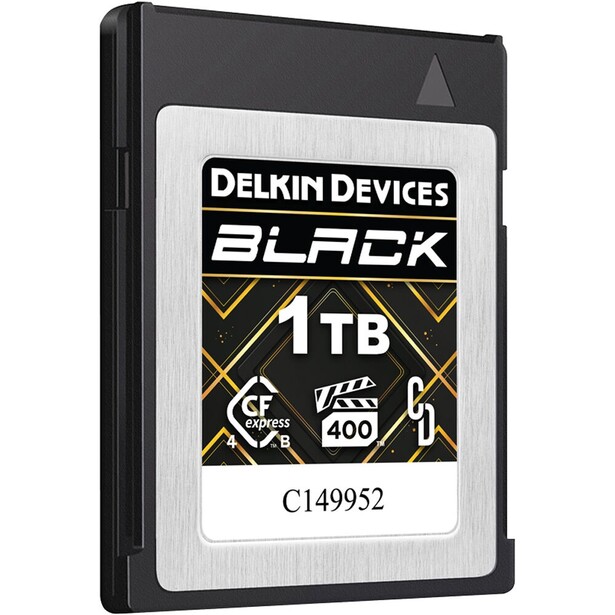
- Format: CFexpress Type B, PCIe 4.0
- Capacities: 512 GB, 1 TB, 2 TB
- Rated speed: up to 3,700 MB/s read, up to 3,220 MB/s write (2 TB)
- Minimum sustained write: 2,040 MB/s
- Speed classes: VPG400
- Durability: shockproof, waterproof, rated for temperature extremes
- Warranty: lifetime, with a 48-hour advance replacement guarantee
- Price: $899.95 (B&H)
Pick a CFexpress Type B card on the sustained number and the warranty, in that order, and the Delkin BLACK 4.0 is the card that satisfies both. Delkin rates a minimum sustained write of 2,040 MB/s, roughly five times what any current camera can ask of a card, and it carries VPG400 certification, meaning the card is guaranteed by the standard never to drop below 400 MB/s while recording video. Those are two different promises and both matter. VPG400 is the one a camera checks; the 2,040 MB/s figure is the one that decides whether an internal 8K raw codec keeps rolling. A handful of rivals publish a higher floor still (Lexar's DIAMOND 4.0 claims 3,200 MB/s), but nothing shipping today can use it, and none of them match what Delkin does when a card dies.
The warranty is the reason working photographers keep coming back to Delkin. The BLACK line carries a lifetime warranty with a 48-hour replacement guarantee: register the card, and Delkin ships the replacement before it receives the failed one. Nobody else in this guide will do that. On a shoot with a deadline, a card that fails on Thursday and is replaced by Saturday is a fundamentally different product from one that fails on Thursday and requires a two-week RMA. That is not a spec, and it is the single most persuasive thing about this card.
The performance ceiling, up to 3,700 MB/s read and 3,220 MB/s write on the 2 TB, is currently theoretical inside a camera. No shipping camera implements the CFexpress 4.0 host interface, so a 4.0 card in a Nikon Z9 or a Canon EOS R5 Mark II negotiates down to CFexpress 2.0 speeds and performs about like a good 2.0 card. That is not a reason to avoid 4.0. The moment you plug the card into a USB4 reader, the full speed is real, and offload time on a full 1 TB card falls from painful to trivial. You are also buying a card that will not be the bottleneck when 4.0-capable bodies arrive.
What you give up is money. This is the most expensive card in this guide per gigabyte, and if you shoot compressed raw stills and 4K video, a lesser card will never once let you down. There is also nothing to gain from its headroom in-camera today, which makes it a purchase justified on offload speed and warranty terms rather than frames per second. For anyone recording 8K raw, 6K ProRes, or long high-frame-rate takes internally, that math still works, so check the current price of the Delkin Devices BLACK CFexpress Type B 4.0 at B&H. Also consider the Lexar Professional DIAMOND CFexpress 4.0 Type B if you want the highest published sustained-write floor in the format, at 3,200 MB/s, and can live with capacities that stop at 1 TB.
What We Like
- A published minimum sustained write of 2,040 MB/s, well beyond what any camera can demand
- VPG400 certified, so the camera trusts it for high-bit-rate video
- Lifetime warranty with a 48-hour advance replacement
- Full CFexpress 4.0 speed on offload with a USB4 reader
What Could Be Better
- Most expensive card here per gigabyte
- No shipping camera can use CFexpress 4.0 speeds in-camera yet
- Top-line read and write figures apply only to the 2 TB card
- Overkill for anyone shooting compressed raw and standard 4K
Best Value CFexpress Type B Card: ProGrade Digital CFexpress 4.0 Type B Gold
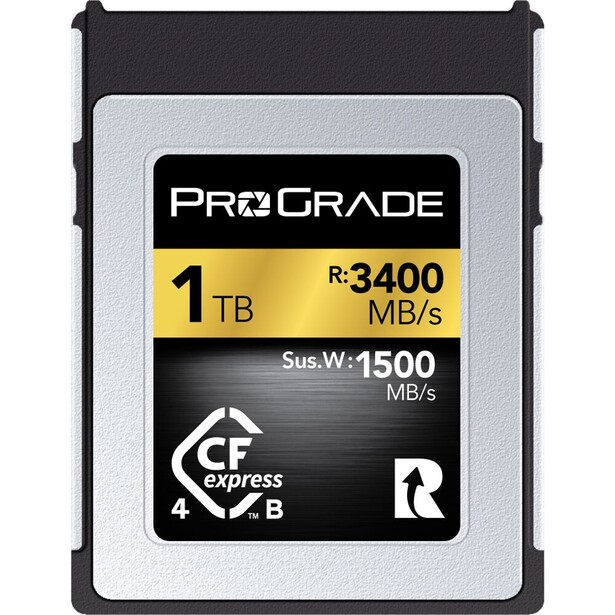
- Format: CFexpress Type B, PCIe 4.0
- Capacities: 240 GB, 512 GB, 1 TB, 2 TB
- Rated speed: up to 3,400 MB/s read, up to 3,000 MB/s burst write (512 GB and up; the 240 GB card is rated 3,100 MB/s read and 1,600 MB/s write)
- Minimum sustained write: 1,500 MB/s (1 TB and 2 TB), 850 MB/s (512 GB), 700 MB/s (240 GB)
- Speed classes: no VPG certification published for the Gold line
- Durability: thermal throttle control, shockproof, X-ray proof
- Warranty: three years, with support for the Refresh Pro maintenance utility (sold separately)
- Price: $749.99 (B&H)
Most photographers do not need a VPG400 card, and this is the entry that says so out loud. The ProGrade Gold 4.0 is the card to buy if you shoot stills at high frame rates, record 4K and 6K in normal compressed codecs, and want your ingest to be fast. It reads at up to 3,400 MB/s, bursts to 3,000 MB/s on writes, and holds a 1,500 MB/s sustained write on the 1 TB and 2 TB capacities. Nothing a Z8, a Z9, or an R5 Mark II records internally will trouble that.
ProGrade is worth understanding as a company. It was founded by former Lexar and SanDisk executives, it sells primarily to professionals, and it publishes per-capacity sustained-write figures rather than one flattering headline number, which is more than most of its competitors do. That transparency is why its cards turn up in so many working kits. Its cards also work with Refresh Pro, a utility ProGrade sells separately that performs a low-level rewrite of every cell on the card, restoring speed on a card that has been filled and formatted a few hundred times and running a genuine health check while it is at it. No other card maker in this guide offers a comparable tool.
Read the sustained-write column before you pick a capacity, because this card is not one product. The 240 GB version drops to a 700 MB/s sustained write and the 512 GB to 850 MB/s, less than half what the 1 TB manages. Buying the small card to save money quietly buys you a slower card, and on the highest internal video bit rates that difference is the difference between recording and not. If your budget forces you down to 512 GB, you are still fine for anything short of 8K raw, but know what you bought.
The honest weaknesses are the three-year warranty, which is short in a category where lifetime coverage is normal, and the absence of a published VPG rating on the Gold line, which means some cinema cameras that gate their highest codecs on VPG certification will refuse to enable them. Check your camera's approved-card list if you shoot ProRes raw or an equivalent. For everyone shooting stills and mainstream video codecs, this is the most card per dollar in the format, so check the current price of the ProGrade Digital CFexpress 4.0 Type B Gold at B&H.
What We Like
- Enough sustained write for any current in-camera codec at 1 TB and up
- Per-capacity specs published honestly rather than hidden
- Works with ProGrade's Refresh Pro utility, which restores speed and checks card health
- Meaningfully cheaper than the VPG400 flagship cards
What Could Be Better
- Sustained write falls sharply on 240 GB and 512 GB cards
- Three-year warranty where rivals offer lifetime
- No published VPG rating, which some cinema cameras require
- Full speed still needs a USB4 reader to be visible
Best CFexpress Type A Card: Lexar Professional GOLD CFexpress 4.0 Type A
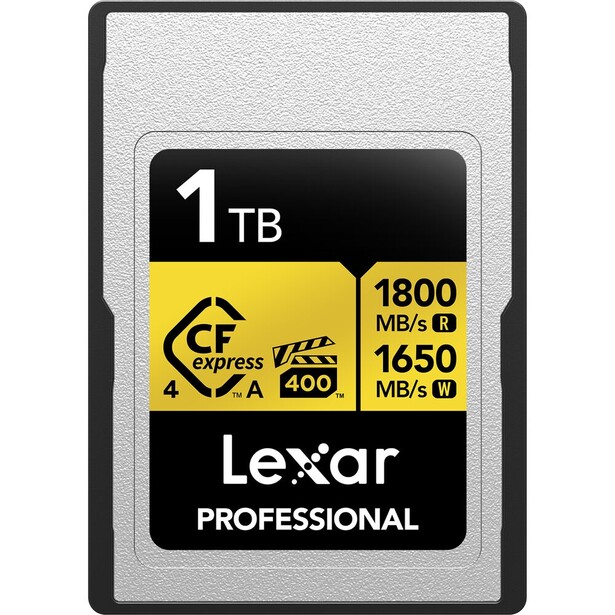
- Format: CFexpress Type A, PCIe 4.0
- Capacities: 256 GB, 512 GB, 640 GB, 1 TB, 2 TB
- Rated speed: up to 1,800 MB/s read, up to 1,650 MB/s write
- Minimum sustained write: 1,400 MB/s (640 GB and up), 1,000 MB/s (256 GB and 512 GB)
- Speed classes: VPG400
- Durability: IP68, 5 m drop rating, shock and bend resistant, -12 to 72 degrees Celsius operating range
- Warranty: limited lifetime, with the Lexar Recovery Tool included
- Price: $299.99 (256 GB) to $1,199.99 (2 TB) (B&H)
CFexpress Type A remains a Sony-only story. If you shoot an a1, an a1 II, an a9 III, an a7S III, an a7R V, an a7 IV, an FX3, or an FX6, this is your slot, and it is a format that has spent years being both slower and more expensive than Type B for no reason other than physics and market size. The Lexar GOLD 4.0 Type A is the card that finally makes it feel less punitive: VPG400 certification, a 1,400 MB/s sustained write at 640 GB and above, and capacities that now reach 2 TB, at prices that undercut the first-party option.
Be clear about what the 4.0 label does and does not buy you in a Sony body. No current Sony camera implements the CFexpress 4.0 host interface, so in-camera the card behaves like a very good 2.0 card, and in a high-speed body like the a1 or a7R V the top cards cluster closely together on real-world buffer-clearing speed. Where the 4.0 card pulls decisively away is on the desk. Paired with a USB4 or Thunderbolt reader, it offloads at roughly double the rate of a 2.0 Type A card, which on a 1 TB card after a long day is an hour of your life back per week.
The VPG400 badge is the part that would make me buy this over a cheaper Type A card. Sony's high-bit-rate internal codecs, and the S&Q modes on the FX-series bodies, lean on guaranteed sustained write, and the cards that carry no VPG rating are the ones that produce the recording-stopped message on a hot day at the end of a long take. Lexar backs the card with a limited lifetime warranty and a recovery tool, and rates it IP68 with a 5 m drop rating.
What is not good is the price per gigabyte, which remains roughly double a Type B card of the same capacity, and there is no fixing that: the Type A card is smaller, thermally tighter, and made in far lower volumes. The other caveat is the narrow operating range, an unusual -12 to 72 degrees Celsius, which is tighter than the SD cards here and worth knowing if you shoot in real cold. If you are on a Sony body with Type A slots, this is the card to standardize on, so check the current price of the Lexar Professional GOLD CFexpress 4.0 Type A at B&H. Also consider the Sony CEA-G Series CFexpress Type A TOUGH if you would rather buy first-party and want Sony's TOUGH shell, which is also VPG400 and now runs to 1.92 TB.
What We Like
- VPG400 certified, which Sony's high-bit-rate codecs actually use
- 2 TB capacity in a format that used to top out far lower
- Roughly double the offload speed of a 2.0 Type A card on a USB4 reader
- Lifetime warranty and a bundled recovery tool
What Could Be Better
- Costs about twice as much per gigabyte as Type B
- No Sony camera can use its 4.0 speeds in-camera yet
- Sustained write drops to 1,000 MB/s at 256 GB and 512 GB
- Narrow -12 to 72 degrees Celsius operating range
Best Budget SD Card: Lexar Professional SILVER PRO SDXC UHS-II
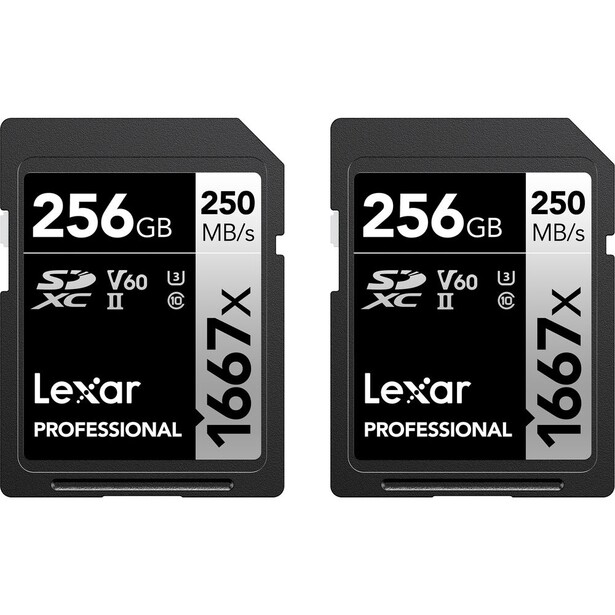
- Format: SDXC, UHS-II
- Capacities: 128 GB, 256 GB, 512 GB, 1 TB
- Rated speed: up to 280 MB/s read, up to 160 MB/s write (256 GB to 1 TB; 120 MB/s write on 128 GB)
- Minimum sustained write: 60 MB/s
- Speed classes: V60, U3, Class 10
- Durability: 0 to 70 degrees Celsius operating range, -25 to 85 degrees Celsius storage
- Warranty: limited lifetime
- Price: $84.99 (128 GB) to $499.99 (1 TB) (Amazon)
Here is the uncomfortable truth about V90: most photographers do not need it. A V60 card guarantees a 60 MB/s sustained write, which covers every consumer and prosumer video codec on the market, including 4K at 120p on the cameras that offer it, and the Lexar SILVER PRO is the V60 card to buy. It runs on the UHS-II bus, so it reads at up to 280 MB/s, and it writes at up to 160 MB/s from 256 GB upward, roughly half the SanDisk V90's write speed for a fraction of the money.
Run the comparison in the way that matters, which is not read speed. Shooting 24 MP compressed raw files at 10 fps, this card absorbs the stream without ever filling the buffer. Shooting 45 MP uncompressed raw at 20 fps, it will fill and stall, and the SanDisk will not. That single distinction is the whole argument, and it means the decision is not about budget at all. It is about what you photograph. A landscape, portrait, product, or travel photographer will genuinely never notice the difference between this and a V90 card costing several times more, and the money is better spent on a second card so you are not carrying a single point of failure.
The 128 GB card is the one to skip. Its write speed drops to 120 MB/s, and given the small savings over 256 GB, there is no reason to take the penalty. Lexar backs the line with a limited lifetime warranty and runs its cards through its own quality lab against more than 1,100 devices, which is a real advantage for anyone using an older or unusual body where card handshakes can be temperamental.
Its limitations are exactly the ones you would predict. The write speed means a slower buffer clear on a high-resolution body, the operating range starts at 0 degrees Celsius rather than dropping below freezing, and there is no headline durability rating of the kind SanDisk and Lexar's own ARMOR line advertise. If you want the toughness without moving up to V90, the Lexar ARMOR GOLD SDXC UHS-II is the same V60 class in a stainless-steel shell rated IP68 and drop-tested to 5 meters, at up to 280 MB/s read and 205 MB/s write. For the photographer who just wants a fast, reliable card and no lecture about it, check the current price of the Lexar Professional SILVER PRO SDXC UHS-II at Amazon.
What We Like
- V60 is enough for almost every camera and codec sold today
- UHS-II read speeds keep ingest quick
- Far cheaper per gigabyte than a V90 card
- Limited lifetime warranty and broad camera compatibility testing
What Could Be Better
- 160 MB/s write stalls the buffer on high-resolution burst shooting
- The 128 GB card is slower still, at 120 MB/s
- Operating range starts at 0 degrees Celsius
- No IP rating or drop rating published
Best microSD Card: SanDisk Extreme PRO microSD UHS-I
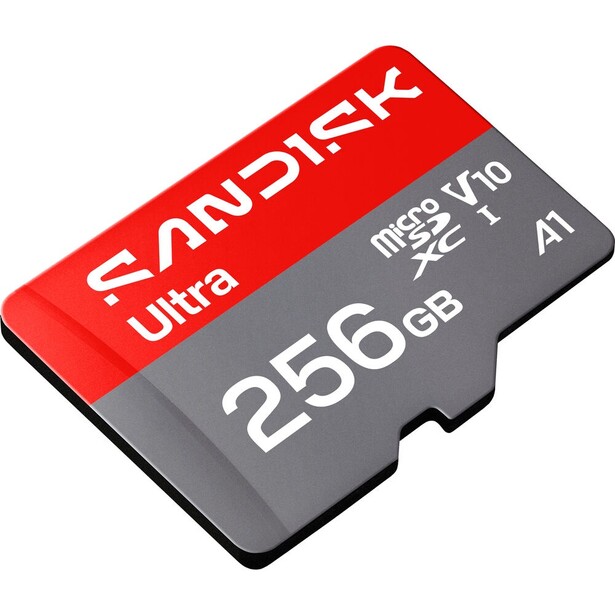
- Format: microSDHC and microSDXC, UHS-I
- Capacities: 32 GB, 64 GB, 128 GB, 256 GB, 512 GB, 1 TB, 2 TB
- Rated speed: up to 250 MB/s read, up to 170 MB/s write (256 GB to 1 TB); 250 MB/s read and 150 MB/s write on the 2 TB; 250 MB/s read and 120 MB/s write on the 128 GB; slower still below that
- Minimum sustained write: 30 MB/s
- Speed classes: V30, U3, A2, Class 10
- Durability: waterproof, shockproof, X-ray proof, magnet proof, temperature proof
- Warranty: limited lifetime
- Price: $59.99 (B&H)
Drones, action cameras, gimbals, pocket cameras, and increasingly the small cinema bodies that photographers buy as a second unit all take microSD, and the format is a minefield of counterfeits and inflated claims. The SanDisk Extreme PRO microSD is the safe answer, and the current generation is quicker than the one it replaces: up to 250 MB/s read and 170 MB/s write, where the previous version was rated 200 MB/s and 140 MB/s. Buy from an authorized dealer, not a marketplace listing that is 60% cheaper than everyone else, because microSD is the format counterfeiters target hardest.
The specification that matters here is not the headline read speed, which relies on a proprietary extension beyond the UHS-I bus and only appears with a compatible reader. It is the A2 rating, which guarantees 4,000 read and 2,000 write IOPS, and V30, which guarantees a 30 MB/s sustained write floor. V30 is the level DJI, Insta360, and GoPro specify for their highest bit rates, and it is where cheap cards fail. A card that tests fine on a big sequential file will still drop frames on a drone recording 5.1K if its random write performance collapses under load.
The 250 MB/s read speed also makes this a reasonable card to leave in a phone or a handheld gaming device, and SanDisk rates the whole line as waterproof, shockproof, X-ray proof, magnet proof, and temperature proof, backed by a limited lifetime warranty. Buy at 256 GB or above if you can. The 2 TB capacity is now real but writes at 150 MB/s, the 128 GB card drops to 120 MB/s, and the 64 GB and 32 GB cards are slower again on both read and write.
The limitation is the format itself. microSD is a UHS-I bus, and no amount of engineering changes the fact that the fastest microSD card is slower than a mid-tier full-size SD card, sustained write included. If you have the choice between a microSD slot and a full-size slot on a camera, take the full-size one every time. And handle the cards like the tiny, losable objects they are: keep them in a case, and never let one live loose in a pocket with keys. For everything that only takes microSD, this is the one to buy, so check the current price of the SanDisk Extreme PRO microSD UHS-I at B&H.
What We Like
- Current generation is faster than the version it replaces
- A2 rating means real random-write performance, not just sequential
- V30 floor meets what DJI, GoPro, and Insta360 actually specify
- Runs to 2 TB with a lifetime warranty
What Could Be Better
- UHS-I bus caps the format well below full-size SD
- Top read speed needs a proprietary-capable reader to appear
- Write speed falls away on the 2 TB card and on every capacity below 256 GB
- The most counterfeited card format on the market
Best High-Endurance Card for Long-Form Video: Angelbird AV PRO SD MK2 V90
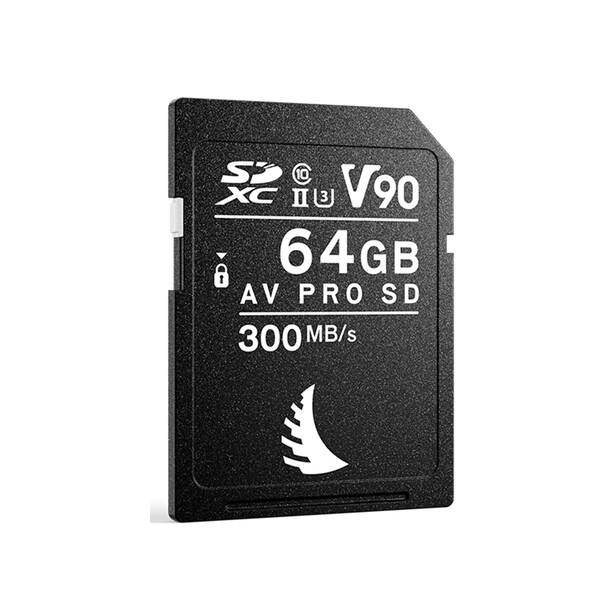
- Format: SDXC, UHS-II
- Capacities: 64 GB, 128 GB, 256 GB, 512 GB
- Rated speed: up to 300 MB/s read, up to 280 MB/s write
- Minimum sustained write: 260 MB/s (Angelbird's own rating; the V90 class floor is 90 MB/s), alongside a 280 MB/s sustained read
- Speed classes: V90, U3, Class 10
- Durability: -25 to 85 degrees Celsius operating range, plus rated protection against water, dust, shock, X-ray, magnetic fields, and ESD
- Warranty: three years, including a free data-recovery service
- Price: $279.99 (B&H)
Long takes are where cards actually break. A card that hits 300 MB/s for two seconds and then falls to 90 for the rest of the clip will pass every benchmark and still ruin a two-hour interview, which is why Angelbird's AV PRO SD MK2 V90 is worth its price to video shooters. Angelbird publishes a sustained write speed, not just a peak: 260 MB/s, held. That is a rare number to see printed, and it is the entire product.
The Austrian company builds cards for broadcast and cinema rental houses, which shows in the details. There is a mechanical write-protect switch that actually works, wear leveling to spread cell usage across the card so no single block dies early, ECC error correction, and a deliberately low power draw, which keeps the card cooler in a hot body during a long record. The three-year warranty includes a free data-recovery service, activated within 30 days of purchase, which is a more concrete promise than a bundled software license.
Its use case is specific: a camera with an SD slot as its primary or only slot, being asked to record long-form video. Documentary shooters, event and conference filmers, wedding videographers running a locked-off second body, and anyone using a Fujifilm, Panasonic, or Nikon body without a CFexpress slot are the people who will feel the difference. A photographer shooting stills gets almost nothing from it that the SanDisk V90 does not also provide, for less money.
The weaknesses are honest ones. Capacity stops at 512 GB, which is small for anyone filling a card with long clips, and the three-year warranty is short next to the lifetime coverage SanDisk and Lexar offer. It is also expensive per gigabyte, and its rated read speed of 300 MB/s is slightly behind the newest SanDisk, so ingest is marginally slower. If you are recording long-form video into an SD slot and want the card that will not surprise you at the 40-minute mark, check the current price of the Angelbird AV PRO SD MK2 V90 at B&H.
What We Like
- Publishes a real sustained write figure of 260 MB/s, not just a peak
- Wear leveling, ECC, and low power draw for long records
- Free data-recovery service included with the warranty
- Built for the broadcast and rental market, and it behaves like it
What Could Be Better
- Capacity tops out at 512 GB
- Three-year warranty where rivals offer lifetime
- Expensive per gigabyte
- Adds little for a stills-only photographer
Best Card Reader: ProGrade Digital CFexpress Type B USB4 Single-Slot Card Reader
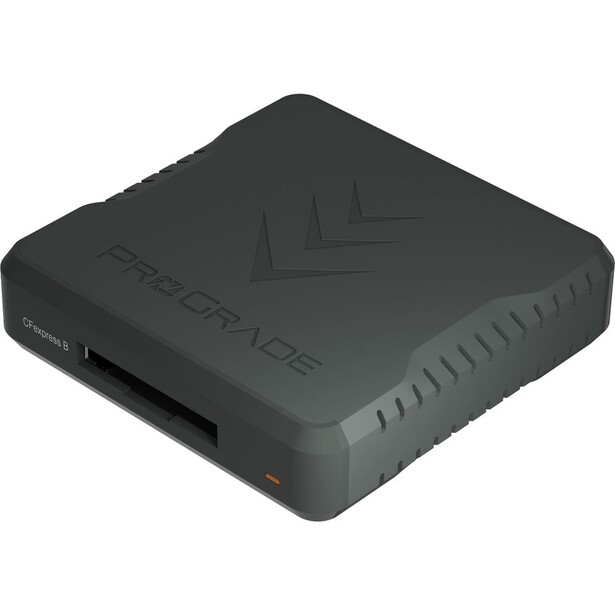
- Slots: one CFexpress Type B
- Interface: USB4, USB-C
- Maximum throughput: 40 Gb/s, up to 5,000 MB/s
- Compatibility: CFexpress Type B 4.0 and 2.0 cards
- Extras: magnetic base with adhesive mounting plate, LED transfer indicator, 0.8 m USB4 cable included
- Warranty: two years
- Price: $104.99 (B&H)
Buying a 3,000 MB/s card and reading it through the free dongle in the box is the most common self-inflicted wound in this category. The reader is the bottleneck, and it is invisible: nothing on screen tells you that your USB 3.2 Gen 1 reader is capping a 3,400 MB/s card at 500 MB/s. The ProGrade USB4 reader is the fix, running the full 40 Gb/s USB4 bus for throughput up to 5,000 MB/s, which is more than any CFexpress 4.0 card can currently produce.
This is the piece that makes a CFexpress 4.0 card worth buying today. Since no camera can exploit 4.0 speeds in-camera, the only place the newer standard pays you back is on ingest, and it only pays you back through a reader that can keep up. The difference is not subtle. Offloading a full 1 TB card over a 10 Gb/s connection takes something like a quarter of an hour; over USB4 it is a few minutes. On a multi-card day that compounds into an hour you get to spend editing instead of watching a progress bar.
ProGrade's practical touches earn their keep. The reader has a magnetic base and ships with an adhesive metal plate, so it sticks to the back of a laptop lid or the side of a desk instead of dangling off a cable and yanking a card mid-transfer, which is a genuine way to corrupt a file. The cable in the box is a USB4 cable, which sounds trivial until you learn that a lot of USB-C cables physically fit and quietly negotiate a slower link.
The obvious limitation is the single slot, and a single format at that. If you shoot a two-slot body with a CFexpress card and an SD card, this reader handles half your workflow, and you will still need something for SD. ProGrade sells a dual-slot CFexpress Type B and UHS-II SDXC reader that solves the format problem but runs on USB 3.2 Gen 2, capping out at 1,250 MB/s, so it trades away most of the speed advantage. You also need a USB4 or Thunderbolt port on the computer for any of this to matter, which rules out older machines. For anyone with a modern laptop and CFexpress cards, this is the single cheapest speed upgrade available to your workflow, so check the current price of the ProGrade Digital CFexpress Type B USB4 Single-Slot Card Reader at B&H.
What We Like
- USB4 removes the reader as a bottleneck entirely
- Magnetic base keeps the reader anchored during transfers
- A USB4 cable in the box, not a mystery USB-C lead
- Backward compatible with CFexpress 2.0 Type B cards
What Could Be Better
- One slot, one format
- Requires a USB4 or Thunderbolt port to reach full speed
- Two-year warranty
- You will still need a second reader for SD
How to Choose a Memory Card
Start with the slot, because it is not a preference. Open your camera's card door and look. Most enthusiast bodies take SD. Most current professional bodies take one CFexpress Type B card and one SD card. Sony's professional bodies take CFexpress Type A, a format nobody else uses, which is why Type A cards cost what they do. Action cameras, drones, and pocket cameras take microSD. There is no cross-compatibility worth discussing, other than the fact that a Type A slot in a Sony body also accepts an SD card at SD speeds.
What the Speed Ratings Actually Mean
Card labels advertise a peak read speed in enormous type, and it is close to the least useful number on the card. What you care about is sustained write: how fast the card keeps absorbing data indefinitely, not for the first burst. The Video Speed Class ratings express exactly this. V30 guarantees a minimum sustained write of 30 MB/s, V60 guarantees 60 MB/s, and V90 guarantees 90 MB/s. Those are floors, not targets, and a V90 card that writes at 300 MB/s and one that writes at 120 MB/s both carry the same badge. The class tells you the guaranteed minimum; the manufacturer's rated write speed tells you the practical ceiling.
Match the class to the job. Stills, even fast bursts on a 24 MP body, are handled by V30. Standard 4K video is comfortable on V60. V90 earns its price on high-resolution uncompressed raw bursts, where buffer clear time is the constraint, and on the highest 4K and 6K bit rates a camera offers into an SD slot. Beyond that the SD bus itself becomes the limit, which is what CFexpress exists to solve.
On CFexpress, the equivalent guarantee is VPG, the Video Performance Guarantee. VPG400 means the card will never drop below 400 MB/s of sustained write while recording. That certification is not decoration: some cinema cameras check for it and refuse to enable their highest codecs on a card that lacks it. If you shoot 8K raw, high-frame-rate 4K, or ProRes internally, buy a VPG400 card and check your camera's approved-card list. If you shoot stills and mainstream compressed video, it is headroom you are paying for and will never use.
The Specs That Matter Less Than You Think
CFexpress 4.0 is the current headline, and in-camera it does nothing. No shipping camera implements the 4.0 host interface, so a 4.0 card in a 2026 flagship negotiates down and behaves like a good 2.0 card. Where 4.0 pays off is on ingest through a USB4 reader, which roughly doubles or triples offload speed. The A1 and A2 ratings on microSD cards matter mainly to phones and handheld consoles running apps off the card, though A2's random-write floor is a decent proxy for a card that will not choke under a drone's write pattern.
Capacity deserves more thought than it gets, and not in the direction you expect. Bigger cards are usually faster, because more flash chips means more parallel writes, and several cards here carry sharply lower sustained-write specs at their smallest capacities. But a single enormous card is a single point of failure: fill a 2 TB card at a wedding and one corruption event takes the whole day. Two 1 TB cards hold the same footage, write just as fast, and cap your worst day at half a disaster. The same logic argues for using both slots on a two-slot body, set to backup rather than overflow.
Buying and Handling
Buy from an authorized dealer, because microSD in particular is among the most counterfeited products in photography and the fakes are convincing until the moment they are not. Format in the camera, never on the computer. Do not fill a card to the last frame, since flash performance degrades badly in the final few percent. Retire working cards every few years, because flash cells wear out on a schedule you cannot see. If you are building the rest of a kit around these, our cameras guide covers which bodies use which slots, and our portable SSDs guide covers where the files should live once the card is empty.
What We're Looking For
Our picks weigh sustained write speed over headline read speed, warranty and replacement terms over marketing durability language, and honest per-capacity specifications over one flattering number applied to a whole product line. Every specification in this guide was verified against the manufacturer's current published spec sheet at the time of writing, and where a spec varies by capacity, we say which capacity we are quoting. On testing, we are being straight with you: none of our picks has come through Fstoppers for a formal hands-on review, and we say so rather than implying a testing history we do not have. We have, however, reviewed the Lexar ARMOR GOLD and the Sony SF-G TOUGH that we suggest as alternatives. Where the text describes how a card behaves, that comes from the manufacturer's published specification and the card's rated speed class, and it is labeled that way. Most picks across our buying guides come from gear our writers have used and reviewed hands-on. Where we have not, as here, we say so.
Frequently Asked Questions
What Is the Difference Between V30, V60, and V90?
They are guaranteed minimum sustained write speeds: 30 MB/s, 60 MB/s, and 90 MB/s respectively. The rating tells you the floor the card will never fall below during video recording, not how fast it can go. V30 covers stills and standard 4K, V60 covers nearly all consumer and prosumer video, and V90 is for high-bit-rate video and uncompressed raw bursts where buffer clearing is the constraint.
Is a CFexpress 4.0 Card Worth Buying in 2026?
Yes, but not for the reason the packaging suggests. No shipping camera supports the CFexpress 4.0 host interface, so in-camera a 4.0 card performs like a good 2.0 card. The payoff comes on offload: paired with a USB4 reader, a 4.0 card transfers roughly two to three times faster than a 2.0 card, and it will be ready when 4.0-capable bodies arrive.
Do I Need a V90 SD Card?
Probably not. If you shoot stills and standard 4K video, a V60 card handles everything your camera produces, and the money is better spent on a second card for redundancy. V90 earns its price on high-resolution uncompressed raw bursts, where the faster write speed clears the buffer sooner, and on the highest SD-slot video bit rates.
What Does VPG400 Mean on a CFexpress Card?
VPG400 is a Video Performance Guarantee: the card will never drop below 400 MB/s of sustained write while recording video. It is a certification, not a marketing claim, and some cinema cameras check for it before enabling their highest codecs. If you record 8K raw or ProRes internally, buy VPG400. For stills and compressed video, it is headroom you will not use.
How Long Do Memory Cards Last?
Flash cells wear out with write cycles, and there is no warning light. A card used heavily by a working professional is worth retiring after three to five years even if it has never failed, and a card that has produced a single read error should be replaced immediately rather than reformatted and trusted. Keep the receipts, register cards that carry advance-replacement warranties, and never let one card hold the only copy of a job.
Fstoppers may earn a commission from purchases made through links in this article. Our picks are made independently by our editorial team.