

Memory cards are the most overlooked purchase decision in photography. We agonize over camera bodies for months, research lenses obsessively, and then grab whatever SD card is on sale at checkout. This approach works fine until you're shooting a wedding and your buffer locks up during the first dance, or you're recording an interview and the camera stops mid-sentence because your card couldn't keep up.
The specifications printed on memory cards look like alphabet soup, and manufacturers have done photographers no favors by creating overlapping rating systems that seem designed to confuse. This guide cuts through the marketing language to explain what actually matters, what's worth paying for, and how to avoid the mistakes that cost photographers shots and sanity.
Speed Ratings Decoded
If you've ever stared at a memory card and wondered why it has three different speed ratings printed on it, you're not alone. The storage industry has created multiple classification systems over the years, each one attempting to address different use cases, and all of them now appear simultaneously on modern cards. Understanding what each rating actually measures is the first step toward making informed purchases.
The oldest system is SD Speed Class, represented by a number inside a "C" symbol. Class 10 means a minimum sustained write speed of 10 MB/s. This rating was useful in 2006 when it was introduced, but modern cameras have long since outpaced it. Seeing Class 10 on a card today tells you almost nothing meaningful about its performance. It's the equivalent of advertising that a car can exceed 25 miles per hour.
UHS Speed Class came next, using a number inside a "U" symbol. U1 guarantees 10 MB/s minimum sustained write (identical to Class 10), while U3 guarantees 30 MB/s. This rating is more useful for stills photographers shooting moderate burst rates, but it still doesn't tell the whole story for demanding video work or high-resolution cameras with massive Raw files.
Video Speed Class is the most recent and most relevant rating for both video shooters and photographers who push their cameras hard. Represented by a "V" followed by a number, it indicates minimum sustained write speed in megabytes per second. V30 guarantees 30 MB/s at least, V60 guarantees 60 MB/s at least, and V90 guarantees 90 MB/s at the least. The key word here is "sustained." Unlike the maximum speeds that manufacturers plaster across packaging, Video Speed Class ratings represent the floor, not the ceiling. Your card will maintain at least this speed even during extended writes, which is exactly what matters when your camera is dumping data continuously.
The bus interface adds another layer of complexity. UHS-I, UHS-II, and UHS-III refer to the physical interface between the card and the camera, not the card's internal speed. UHS-I maxes out at a theoretical 104 MB/s, while UHS-II can reach 312 MB/s. Most V90 cards use UHS-II, and you won't realize V90-class performance in many UHS-I camera slots. When comparing cards, pay attention to both the Video Speed Class rating and the bus interface, because they work together to determine real-world performance.
One final note on speed specifications: the big number on the front of the package is often the maximum read speed, not write speed. Manufacturers highlight read speed because it's always higher and makes the card look faster. Read speed matters for transferring files to your computer, but write speed is what determines whether your camera can actually use the card effectively. Always check the fine print for write speeds, and be suspicious of cards that only advertise read performance.
Compatibility: Will This Card Even Work?
Before worrying about speed, you need to confirm that a card will actually function in your camera. The SD card family includes several capacity classes that aren't universally compatible with older hardware. SDHC cards hold up to 32 GB and work in virtually any camera made in the last 15 years. SDXC cards cover capacities above 32 GB up to 2 TB and require a camera that explicitly supports SDXC, which includes most cameras from roughly 2010 onward. SDUC is the newest standard, supporting cards above 2 TB, but adoption remains limited. If you're using an older camera body, check your manual before buying high-capacity cards. A camera that only supports SDHC won't recognize a 256 GB SDXC card at all.
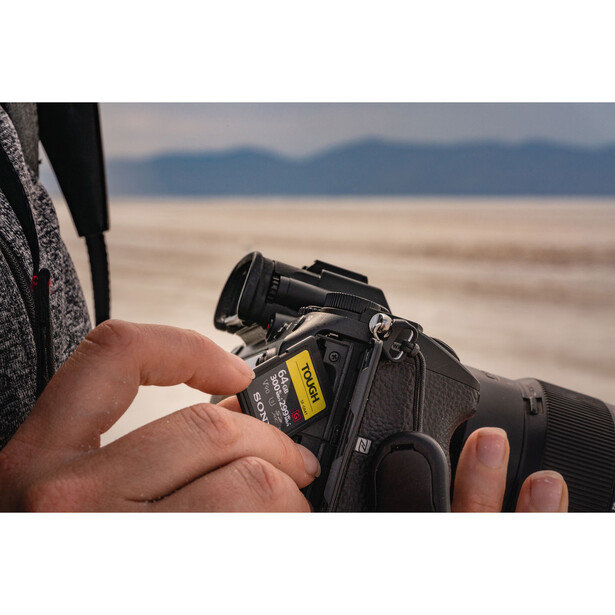
Some cameras maintain approved media lists for specific recording modes, particularly high-bitrate video formats and certain CFexpress implementations. Canon, Sony, and Blackmagic all publish compatibility lists for their most demanding recording options. If you're shooting 8K video or high-frame-rate Raw internally, check these lists before purchasing. A card that works perfectly for stills might not be certified for the video mode you need. For general photography and standard video recording, approved media lists are less critical, but they become essential when you're pushing formats to their limits.
For Stills Shooters
The relationship between card speed and stills performance is more nuanced than marketing materials suggest. Your camera's buffer is the intermediary between the sensor and the card, temporarily holding image data while it's written to storage. When you shoot a burst, images fill the buffer first. The card's write speed determines how quickly the buffer clears, which in turn determines how soon you can shoot another sustained burst if you've filled the buffer. A faster card means shorter recovery time between bursts, not faster individual frame rates.
This matters enormously for sports, wildlife, and event photographers who regularly shoot extended sequences. If your buffer fills and your card can't clear it quickly, you'll watch helplessly as the autofocus tracking indicator blinks while the camera refuses to fire. The solution isn't always a faster card, though. Your camera's card slot has a maximum throughput that no card can exceed. A flagship body with a CFexpress slot can leverage a 1,500 MB/s card. A mid-range mirrorless with a UHS-I slot often tops out well below the bus limit, typically in the 70 to 100 MB/s range, so faster cards may not help. Check your camera's specifications before investing in cards that exceed your slot's capabilities.
Raw file sizes also influence card requirements. A 24-megapixel camera produces files around 25 to 30 MB each, while a 61-megapixel body can generate uncompressed files exceeding 120 MB. Higher resolution cameras demand faster cards not because the burst rate is higher, but because each frame contains more data. If you've upgraded your camera body significantly, your old cards might no longer provide adequate performance even though they functioned perfectly with your previous system.
For Video Shooters
Video recording is more demanding than stills in one crucial way: there's no meaningful buffer headroom to mask sustained speed shortfalls. When you press record, data flows continuously from the sensor to the card for the entire duration of the clip. If write speed drops below the required bitrate for even a moment, recording stops. This is why sustained write speed, not maximum write speed, determines video reliability.
Card manufacturers advertise maximum speeds prominently, but these figures represent peak performance under ideal conditions, often using caching tricks that can't be maintained during extended writes. A card might burst to 250 MB/s for the first few seconds, then settle to a sustained rate of 70 MB/s as its cache fills. For stills, this burst speed helps clear buffers quickly. For video, it's irrelevant. You need a card that maintains adequate speed for minutes or hours at a time. If you're new to video work, the Introduction to Video: A Photographer's Guide to Filmmaking tutorial covers these fundamentals in depth.
Video Speed Class ratings directly address this concern. V30 guarantees 30 MB/s sustained and handles most 4K recording at standard bitrates. V60 supports higher bitrate 4K and some 4K 60p modes. V90 may be required for specific high-bitrate modes, though many demanding formats like internal Raw and 8K require CFexpress rather than SD cards entirely. Check your camera's per-mode media requirements rather than assuming a particular speed class will cover all recording options.
CFexpress has become the standard for cameras with the most demanding video capabilities, offering sustained write speeds that far exceed what SD cards can achieve. If your camera supports internal Raw video or very high bitrates, CFexpress is likely mandatory rather than optional for those modes.
CFexpress vs. SD
The transition from SD to CFexpress represents the biggest shift in camera storage since SD replaced CompactFlash in consumer bodies. CFexpress cards are dramatically faster, with sustained write speeds reaching several hundred megabytes per second. They're also dramatically more expensive, often costing three to four times as much per gigabyte as equivalent SD cards.
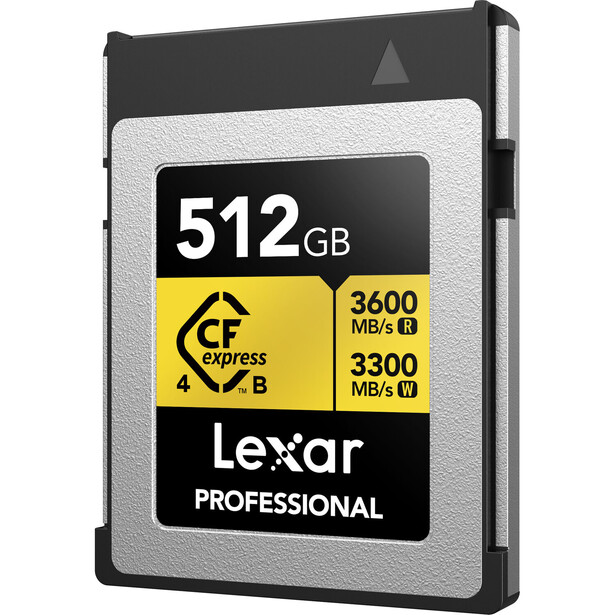
For cameras with dual card slots, your strategy depends on your priorities. Many photographers use CFexpress for the primary slot (capturing Raw or high-bitrate video) and SD for the secondary slot (backup JPEGs or overflow). This approach balances performance with cost. Others prefer matching cards in both slots for simpler inventory management and consistent performance. There's no universally correct answer, but thinking through your workflow before purchasing prevents accumulating cards you don't need.
Practical Advice
The most common speed complaint among photographers has nothing to do with their cards. It's their card readers. That V90 UHS-II card you bought specifically for faster transfers? It's only as fast as the slowest link in the chain. A UHS-II card in a UHS-I reader operates at UHS-I speeds. A fast reader connected via USB 2.0 bottlenecks at roughly 35 MB/s regardless of card capability. If you're going to invest in fast media, invest in a UHS-II card reader and cable that can actually deliver those speeds to your computer.
Counterfeit cards remain a genuine problem, particularly when purchasing from third-party sellers on major marketplaces. Fake cards report false capacities and speeds to your camera and computer, then fail catastrophically when you exceed their actual limits. Buy from authorized retailers or directly from manufacturers. If a deal seems too good to be true, it probably involves counterfeit media. The money you save isn't worth losing an irreplaceable shoot.
Format your cards in-camera, not on your computer. Camera formatting creates the optimal file structure for that specific body and reduces the risk of corruption or compatibility issues. Make formatting part of your pre-shoot routine, after you've verified that previous files are safely backed up elsewhere. For a comprehensive look at organizing and managing your image files after import, Mastering Adobe Lightroom covers the complete workflow from card to catalog.
Reliability and Risk Management
Dual card slots exist for a reason, and that reason is protecting your work. Mirroring mode writes identical files to both cards simultaneously, providing real-time backup at the cost of filling both cards at the same rate. Overflow mode fills one card before switching to the next, maximizing total capacity but offering no redundancy. Raw+JPEG split puts different file types on different cards, which provides partial redundancy while using storage efficiently. Your choice should reflect the stakes of the work. A paid client shoot justifies mirroring. Personal projects might not.
Memory cards fail. Not often, but often enough that every working photographer has a horror story. Minimize your risk by never removing a card while the access light is illuminated, never pulling a card mid-write, and never relying on a single high-capacity card for critical work. Multiple smaller cards mean that a failure only costs you a portion of a shoot rather than everything. Rotate your cards regularly so wear distributes across your inventory rather than concentrating on a single heavily-used card. Retire cards proactively after a few years of professional use rather than waiting for them to fail during a job.
Memory cards aren't exciting. Nobody follows card manufacturers on social media or watches unboxing videos for the latest V90 SD card. But these small, boring rectangles sit between your creative vision and its permanent existence. Understanding what you're buying, matching your cards to your actual needs, and managing them responsibly is foundational to professional practice. Get this right once, and you'll never think about it during a shoot again. Get it wrong, and you'll remember forever.






Join the Fstoppers community for free
-
Post comments and join in the discussions
-
Browse the site ad-free
-
Share your work and get featured in the community
-
Compete in the photo contests for fun and prizes
2 Comments
Outside of speed ratings, one thing that can't really be avoided is the need of a 0-100% write test to get info on sustained speeds as well as spotting any periodic behaviors such as spikes in response times.
For basic tests such as with crystal disk mark, often lower quality card can seem closer to a higher end card in a short benchmark but provide a far worse experience than a higher end one.
Some lower end cards will have writes that start high but then slow significantly after a few GB of writes. Ideally, it is good to have something that not only offers the read and write speed that you need, but also maintain the speeds.
While the absolute need for the sustained write speeds has become less important especially with newer cameras and newer card types, in the past especially with modded DSLR firmware, e.g., firmware mods for both Canon and Nikon DSLRs, you could do things like bypass record limits and increase data rates, though since those cameras didn't have much RAM, if a card and any weirdness with write speeds and you were pushing them to their limits, then video recordings would either fail or the camera would freeze up, while with a faster card, it would handle it fine.
These days, the sustained performance mainly helps to show which cards have higher quality NAND controllers and higher quality NAND.
My #1 reason for getting the fastest card available isn't the camera... It's the ability to transfer files faster. I make sure my PC has the fastest transfer rate possible as well. Just making a change in the adapter that my PC has which now has a 10GB transfer speed, reduced one import operation from ~2 minutes to ~20 seconds.
In the field, if I'm not shooting pre-capture at 120 fps, I don't notice nearly the difference as I do when i get back to my PC. Then you might be transferring a day's worth of pictures, not a burst of 10 images. I hate waiting!
Alex, it would be good to address the PC or MAC adapter end of the transfer process. That gets almost as confusing as the SD variations!
Thanks for the article!