Every portable SSD sold today advertises a big number on the box, and almost none of them can hold that number for the length of a real card offload. A drive rated at 2,000 MB/s will happily write the first 100 GB or so at full speed, then fall off a cliff when its fast cache fills and the flash underneath has to do the work itself. That gap between burst speed and sustained speed is the single most useful thing to understand before you spend money on storage, because a wedding shooter dumping 400 GB at the end of a night lives entirely on the wrong side of it.
The second thing worth knowing is that the fastest USB drives on the market cannot go full speed on a Mac. The 20 Gb/s USB 3.2 Gen 2x2 standard that Samsung, Crucial, and Lexar built their headline speeds on was never implemented by Apple, so on any Apple silicon Mac those drives fall back to 10 Gb/s and run at roughly half their rated pace. Windows machines with the right port get the full number. Thunderbolt and USB4 drives do not have that problem, and that is the real dividing line in this category. Every pick below tells you exactly where it lands on it.
Timing matters this year, too. NAND flash contract prices have climbed steeply through 2026 as AI data centers absorb supply, and portable SSD prices have followed. Buying the capacity you will need in 12 months, rather than the capacity you need this week, is unusually good advice right now. Two of the picks below, the TerraMaster D1 SSD Plus enclosure and the OWC Envoy Ultra, have come through Fstoppers for hands-on testing; the rest have not, and we say so plainly in each entry rather than implying a testing history we do not have.
At a Glance
- Best Overall: Samsung T9 Portable SSD
- Best Rugged: SanDisk Professional PRO-G40 SSD
- Best Budget: Samsung T7 Shield
- Best High-Capacity: Crucial X10 Portable SSD
- Best Thunderbolt 5: OWC Envoy Ultra
- Best Enclosure for a DIY Drive: TerraMaster D1 SSD Plus
- Best Pocket-Sized Drive: Lexar SL500 Portable SSD
Best Overall: Samsung T9 Portable SSD
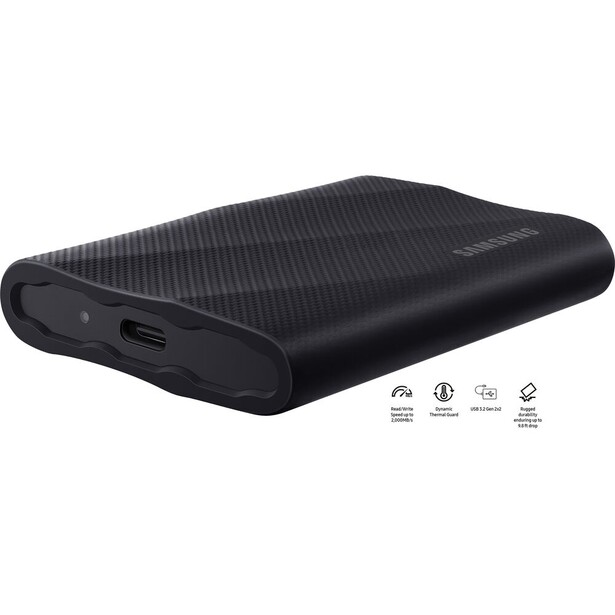
- Interface: USB-C 3.2 Gen 2x2, 20 Gb/s
- Rated speeds: 2,000 MB/s read, 1,950 MB/s write at 1 TB and 2 TB (2,000 MB/s write at 4 TB)
- Sustained write: up to 1,000 MB/s once the TurboWrite cache is exhausted (Samsung's own figure)
- Capacities: 1 TB, 2 TB, 4 TB
- Durability: drop-resistant to 3 m, rubberized shell, no IP rating
- Size and weight: 88 x 60 x 14 mm, 122 g
- Warranty: 5 years
- Price: $438.36 (B&H)
What separates the Samsung T9 from the pile of drives quoting similar numbers is the one spec almost nobody else prints: Samsung publishes a sustained write figure of 1,000 MB/s, meaning the speed the drive settles into after the fast cache is used up. That is the number that governs a card offload. Dump 256 GB of raw files from a day of shooting and the T9 will not stall out at 200 MB/s the way a cheaper drive does; it holds a floor you can plan around. Samsung backs it with a five-year warranty, and the drive has been in the field long enough that its reliability record is a known quantity rather than a hope.
The catch is the interface, and it is worth being blunt about it. The T9's 2,000 MB/s rating requires a USB 3.2 Gen 2x2 host, which Apple has never supported. Plug a T9 into any Apple silicon Mac and it negotiates down to 10 Gb/s, which caps real transfers at roughly 1,000 MB/s. That is not a defect, and it happens to land right on the drive's sustained write speed anyway, so on a Mac the T9 behaves like a drive that never slows down. On a PC with a 20 Gb/s port, the same drive doubles its read speed for anything you are pulling off it, which is where video editors working from the drive see the benefit.
The rest of the package is sensible rather than exciting. The rubberized shell survives a 3 m drop, but there is no IP rating, so it is splash-luck rather than splash-proof, and the drive is chunkier than the flat slabs from Crucial and Lexar. It ships with both USB-C to C and USB-C to A cables, includes 256-bit AES hardware encryption, and Samsung's Magician software handles firmware updates and drive health. We have not put a T9 through an Fstoppers review, so the case here rests on Samsung's published specifications and the drive's long, consistent record in the field.
Buy this one if you want a single drive that offloads cards fast and keeps doing it when the folder is enormous. If you need water resistance or you plan to run an editing timeline off the drive on a Mac, skip down the page. Otherwise, check the current price of the Samsung T9 at B&H.
What We Like
- Publishes a real sustained write figure, and it is a high one
- Five-year warranty
- Hardware encryption plus proper firmware and health software
- Both USB-C and USB-A cables in the box
What Could Be Better
- Full 2,000 MB/s speed is unreachable on any Mac
- No IP rating for dust or water
- Bulkier than its flat rivals
- Capacity stops at 4 TB
Best Rugged: SanDisk Professional PRO-G40 SSD
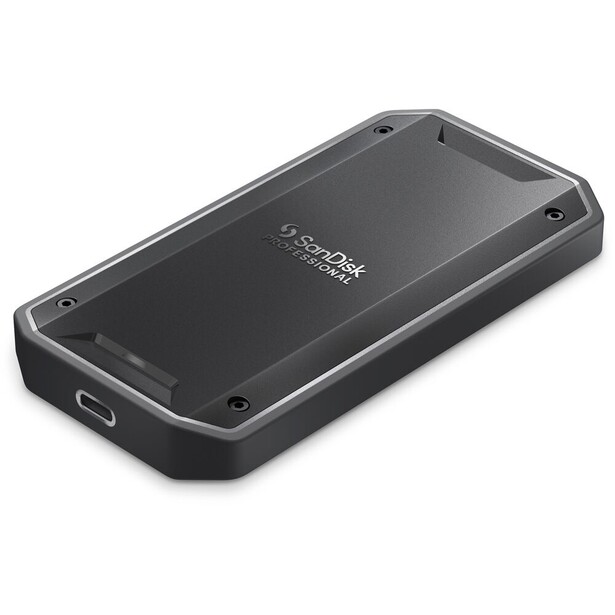
- Interface: Thunderbolt 3 (40 Gb/s) and USB-C 3.2 Gen 2 (10 Gb/s), dual mode
- Rated speeds: up to 2,700 MB/s read and 1,900 MB/s write over Thunderbolt at 1 TB and 2 TB (up to 3,000 MB/s and 2,500 MB/s at 4 TB); 1,050 MB/s read and 1,000 MB/s write over USB
- Sustained write: not published; the aluminum heat-sink chassis holds the 2 TB model near 1,830 MB/s through a full-drive write with no thermal throttling
- Capacities: 1 TB, 2 TB, 4 TB
- Durability: IP68, 3 m drop protection, 4,000 lb crush resistance
- Size and weight: 111 x 58 x 12 mm, 122 g at 2 TB
- Warranty: 5 years
- Price: $499 (B&H)
Ruggedness in this category is usually a rubber sleeve and a marketing claim. The PRO-G40 is the drive that actually earns the word: IP68, so it is dust-tight and survives immersion rather than merely shrugging off spray, plus 3 m drop protection and a stated 4,000 lb crush rating. Landscape and wildlife photographers who back up in the field, in weather, on the tailgate of a truck, are the people this exists for. It is also one of only three drives in this guide that reach full speed on a Mac, because it speaks Thunderbolt 3 rather than the Gen 2x2 standard Apple ignores.
The aluminum core is doing real work. The chassis is built as a heat sink around the NVMe drive, so the case stays under 50 degrees Celsius and the write speed holds near 1,830 MB/s through a full-drive write instead of collapsing when the cache runs dry. For anyone offloading a 512 GB CFexpress card in a hurry, that is the behavior that matters, and it is the reason this drive stays in working photographers' bags years after launch. We have not tested one at Fstoppers, so we write from its published specifications and its heat-sink design rather than our own measurement.
Two honest cautions. First, the dual-mode interface means the drive is only quick when it is plugged into a Thunderbolt port; connect it to a plain USB-C laptop and you get 1,050 MB/s, which is fine but no faster than a drive costing far less. Second, SanDisk's consumer Extreme and Extreme Pro V2 drives went through a well-documented run of sudden failures a few years ago, and while the PRO-G40 is a different product line that was not part of that mess, the episode is a reminder that no single drive is a backup strategy. Keep a second copy, on this drive or any other.
It is priced like professional gear rather than a commodity accessory. If you shoot outdoors and your storage has to survive whatever the day does to it, check the current price of the SanDisk Professional PRO-G40 SSD at B&H.
What We Like
- IP68 sealing, 3 m drop protection, and a 4,000 lb crush rating
- Thunderbolt 3 speed works fully on Macs
- Aluminum core keeps write speeds up through long transfers
- Five-year warranty
What Could Be Better
- Drops to 1,050 MB/s on a non-Thunderbolt port
- Expensive next to USB-only rivals
- Heaviest drive of its size here
- Thunderbolt 3, not the newer Thunderbolt 5
Best Budget: Samsung T7 Shield
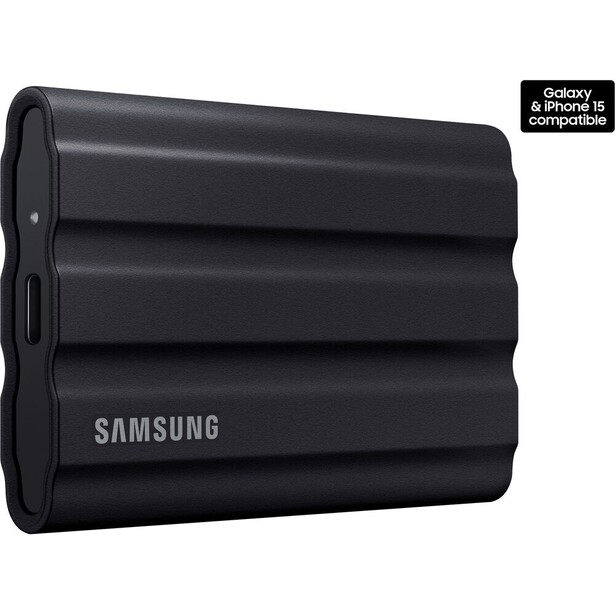
- Interface: USB-C 3.2 Gen 2, 10 Gb/s
- Rated speeds: 1,050 MB/s read, 1,000 MB/s write
- Sustained write: not published; the 2 TB model holds close to its rated speed through long writes, limited by the 10 Gb/s interface rather than the flash
- Capacities: 1 TB, 2 TB, 4 TB
- Durability: IP65, drop-resistant to 3 m
- Size and weight: 88 x 59 x 13 mm, 98 g
- Warranty: 3 years
- Price: $489.95 (B&H)
Here is the uncomfortable truth that makes the T7 Shield such a good buy: on a Mac, it is nearly as fast as drives costing twice as much. Apple silicon caps USB at 10 Gb/s, the T7 Shield is a 10 Gb/s drive, and its 1,000 MB/s write speed is not a burst figure that collapses. It is what the drive does, for as long as you keep feeding it. The 2 TB model writes at close to its rated speed until the transfer ends, held back by the port rather than the flash inside. A Mac user offloading cards will see nearly identical real-world times from this drive and from the T9 above it.
It is also the tougher of the two Samsungs. The T7 Shield carries an IP65 rating, so dust does not get in and a hose of water will not kill it, and the textured rubber body is rated to survive a 3 m drop. At 98 g it disappears into a jacket pocket. Samsung supplies the usual 256-bit AES hardware encryption and the Magician utility for firmware, and the drive has been on the market long enough to have a boringly good reliability record, which is exactly what you want from the cheap drive you throw in a bag.
What you give up is headroom. If you shoot on a Windows machine with a 20 Gb/s port, or you buy a Thunderbolt 5 laptop next year, the T7 Shield will never go faster than it does today, while the T9 and the Crucial X10 would. The warranty is three years rather than five, capacity tops out at 4 TB, and editing a 4K video timeline directly off it is possible but not pleasant. This is not a drive we have run through an Fstoppers review, and the recommendation rests on its published specifications and its long, consistent record in the field.
For a card-dump drive that lives in the bag, or a first SSD for someone stepping up from spinning disks, nothing here is a smarter use of money. Check the current price of the Samsung T7 Shield at B&H. Also consider the Crucial X9 if you want the same 1,050 MB/s class of performance for less money and can live with a weaker IP55 rating.
What We Like
- Effectively as fast as pricier drives on any Mac
- Write speed holds steady instead of collapsing mid-transfer
- IP65 sealing and 3 m drop resistance at a low price
- Long, unremarkable reliability record
What Could Be Better
- No headroom if you later move to a faster port
- Three-year warranty, two fewer than the T9
- Capacity stops at 4 TB
- Not fast enough to be a comfortable video editing scratch drive
Best High-Capacity: Crucial X10 Portable SSD
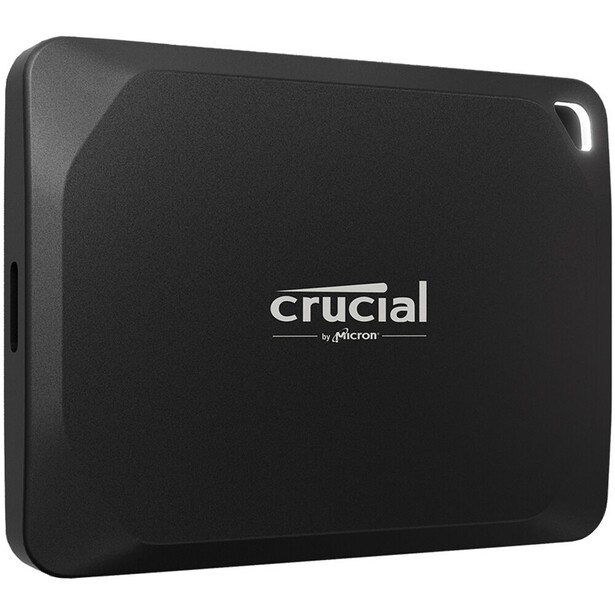
- Interface: USB-C 3.2 Gen 2x2, 20 Gb/s
- Rated speeds: 2,100 MB/s read, 2,000 MB/s write
- Sustained write: not published; the 4 TB model runs at full speed for about six and a half minutes, then falls to the 200 to 300 MB/s range as the QLC flash takes over
- Capacities: 1 TB, 2 TB, 4 TB, 6 TB, 8 TB
- Durability: IP65, drop-resistant to 3 m
- Size and weight: 65 x 50 x 9.8 mm, 42 g
- Warranty: 3 years
- Price: $524.99 (B&H)
No other drive here puts 8 TB in a body the size of a credit card. The Crucial X10 is 65 x 50 mm and under 10 mm thick, and it scales from 1 TB all the way to 8 TB, which makes it the obvious answer for a photographer who wants an entire year of work, or an entire trip's raw files plus a working Lightroom catalog, on one object that fits in a shirt pocket. It carries an IP65 rating and 3 m drop protection, so it is not a fragile capacity-first compromise, and per terabyte it is the cheapest ready-made drive in this guide.
Crucial gets there with QLC flash, and you need to understand what that costs you. QLC stores more bits per cell, which is why 8 TB fits in a pocket, but it is slow to write to natively. The X10 hides that behind a large fast cache, and the cache is genuinely big: the 4 TB model holds roughly two thousand megabytes per second of write speed for about six and a half minutes straight before the cache fills and the drive drops into the 200 to 300 MB/s range. Six and a half minutes at that speed covers a very large card offload. It does not cover dumping four cards back to back at the end of a long shoot, and if you do that regularly, the T9 or the OWC drive below will finish the job while the X10 is still crawling.
The other limits are ordinary. It is a USB 3.2 Gen 2x2 drive, so Mac users get 10 Gb/s and roughly half the rated read speed, and the warranty is three years rather than five. No Fstoppers reviewer has shot with one, so this pick is built on Crucial's published specifications and the documented behavior of its QLC flash. Buy it as an archive drive, a trip drive, or the single volume that holds everything you might want to open on a plane. Do not buy it as the drive you write to hardest, every day, in a hurry. Check the current price of the Crucial X10 at B&H.
What We Like
- Up to 8 TB in a drive that weighs about as much as a lens cap
- Cheapest cost per terabyte of the ready-made drives here
- IP65 and 3 m drop protection despite the size
- Very large write cache before the slowdown hits
What Could Be Better
- QLC flash means sustained writes eventually fall to a crawl
- Half speed on any Mac
- Three-year warranty
- Not the drive for back-to-back card dumps
Best Thunderbolt 5: OWC Envoy Ultra
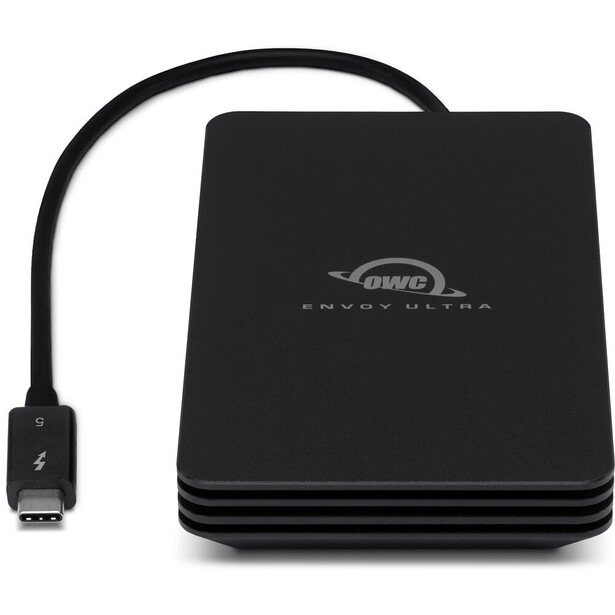
- Interface: Thunderbolt 5 (80 Gb/s), backward compatible with Thunderbolt 4, Thunderbolt 3, and USB4
- Rated speeds: over 6,000 MB/s on Thunderbolt 5; up to 3,800 MB/s on Thunderbolt 4 or USB4; up to 2,800 MB/s on Thunderbolt 3
- Sustained write: 1,350 MB/s at 2 TB and 1,700 MB/s at 4 TB (OWC's own figures)
- Capacities: 2 TB, 4 TB, 8 TB
- Durability: IP67, crushproof aluminum body, fanless
- Size and weight: 130 x 76 x 20 mm, 340 g
- Warranty: 5 years
- Price: $699.99 (B&H)
If you bought a Mac with an M4 Pro or M4 Max chip, or any recent Thunderbolt 5 PC, the OWC Envoy Ultra is the drive that finally uses the port. OWC rates it above 6,000 MB/s, and on an M4 Pro MacBook Pro our own test saw reads and writes consistently above 5,200 MB/s, roughly five times what a Mac can pull from a Samsung T9. That turns an external drive into something you can genuinely edit from: 100 MP raw files scrub without lag, and a video timeline runs off the external as if it were internal storage.
OWC also publishes sustained write figures, which almost nobody does, and they are honest ones: 1,350 MB/s at 2 TB and 1,700 MB/s at 4 TB. Those are the numbers that govern a big card dump once the cache is done, and they are the highest floor of any drive in this guide. The body is IP67 and crushproof aluminum with no fan, and the Thunderbolt cable is built into the drive rather than being a thing you forget in a hotel room, which OWC also uses to seal the enclosure. An 8 TB version arrived in early 2026, making this the largest bus-powered Thunderbolt 5 drive you can buy.
The compromises are physical and financial. At 340 g and 130 mm long it is the biggest, heaviest drive here by a wide margin, a lot of object for 2 TB. It is the most expensive per terabyte in this guide, and the integrated cable that makes it waterproof also means a damaged cable is a bigger problem than a lost one, though OWC sells a replacement. We tested the Envoy Ultra on an M4 Pro MacBook Pro, but the sustained write figures above are OWC's rather than ours. If your machine does not have Thunderbolt 5, skip it: on Thunderbolt 4 you are paying a premium for speeds a cheaper USB4 enclosure will match. If it does, and you want to edit from an external drive rather than merely store on it, check the current price of the OWC Envoy Ultra at B&H.
What We Like
- Genuinely internal-drive speeds on a Thunderbolt 5 machine
- Highest published sustained write floor here
- IP67, crushproof, and fanless
- Available up to 8 TB, bus-powered
What Could Be Better
- Large and heavy compared to every other drive here
- Most expensive per terabyte in this guide
- Wasted money on anything short of Thunderbolt 5
- Built-in cable cannot simply be swapped for a spare
Best Enclosure for a DIY Drive: TerraMaster D1 SSD Plus
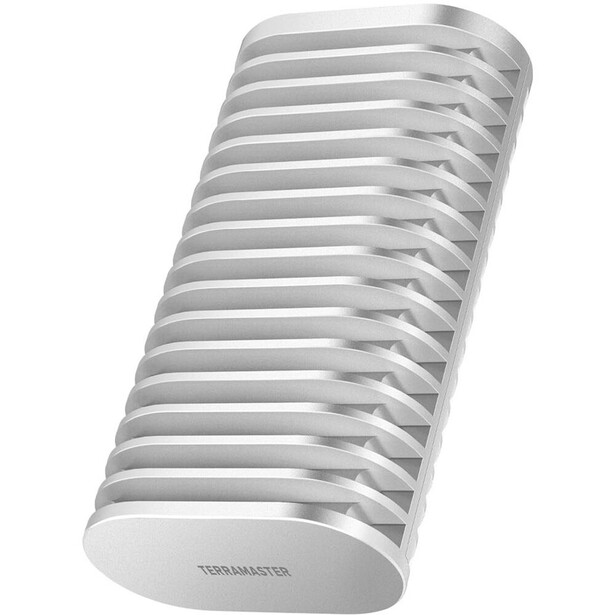
- Interface: USB4, 40 Gb/s, compatible with Thunderbolt 5, 4, and 3 hosts
- Rated speeds: up to 3,641 MB/s read and 3,498 MB/s write in TerraMaster's own testing with a Samsung 990 Pro installed
- Sustained write: determined by the NVMe drive you install; a TLC drive with a good heat spread will hold well over 1,000 MB/s
- Capacities: takes one PCIe 3.0, 4.0, or 5.0 M.2 2280 NVMe drive, up to 8 TB
- Durability: fanless aluminum housing, no IP rating
- Size and weight: 112.5 x 60 x 33 mm, 246 g (empty)
- Warranty: 2 years
- Price: $89.99 (B&H)
Buying an enclosure and a bare NVMe drive is the cheapest route to fast storage, and in a year when finished portable SSDs have gotten expensive, that gap has widened. The TerraMaster D1 SSD Plus is the enclosure we would start with. It is a USB4 40 Gb/s box, which means it runs at full speed on every modern Mac and on any Thunderbolt or USB4 PC, with none of the Gen 2x2 asterisks that hobble the pre-built drives above. TerraMaster's own testing with a Samsung 990 Pro inside puts it at 3,641 MB/s read and 3,498 MB/s write, and when we reviewed it with that same Samsung 990 Pro installed, we measured speeds close to 3,400 MB/s, which lands near enough to the claim to call it honest. That is roughly three times what a Mac gets from a T9.
It is fanless, so it is silent, and the aluminum body is the heat sink, which matters because a fast PCIe 4.0 NVMe drive in a sealed box will throttle if the enclosure cannot shed heat. This is where our review time paid off: across several hours of continuous transfers and editing straight off the enclosure, performance held up with only a minor, expected drop rather than the collapse that a poorly cooled box produces. Installation is a single screw, and the practical upside is control: you choose the flash. Put a TLC drive in it and you get sustained write speeds that hold, rather than accepting whatever QLC compromise a manufacturer picked for you. That is a real advantage for anyone who offloads huge cards, and it is the argument for going the DIY route at all.
The tradeoffs are the ones you would expect, and one of them is serious. There is no IP rating and no drop rating, and our reviewer's biggest complaint was concrete about why: there is no rubber gasket and no sealed USB-C port, so dust and water are a genuine threat and he would not put it in a location kit. This is a desk and camera-bag drive, not a drive for a rainy hillside. The warranty is two years rather than five, it is bigger and heavier than a purpose-built portable SSD once you factor in the drive inside, and you are now the person responsible if the NVMe you chose runs hot or fails.
For a photographer who already has a spare NVMe drive from a laptop upgrade, or who wants to control exactly which flash their files land on, this is the best value in the guide. Check the current price of the TerraMaster D1 SSD Plus at B&H. Also consider the OWC Express 1M2 80G if you own a Thunderbolt 5 machine and want an 80 Gb/s enclosure that can push past 6,000 MB/s with the right drive inside.
Read our full review: TerraMaster D1 SSD Plus: Fast Field Storage
What We Like
- Full USB4 speed on Macs, with no Gen 2x2 caveat
- You choose the flash, so you control sustained write behavior
- Fanless aluminum body that actually cools the drive
- Cheapest path to fast, large storage
What Could Be Better
- No IP or drop rating
- Two-year warranty on the enclosure only
- Bulkier than a pre-built drive of the same capacity
- Drive choice, cooling, and failures are all on you
Best Pocket-Sized Drive: Lexar SL500 Portable SSD
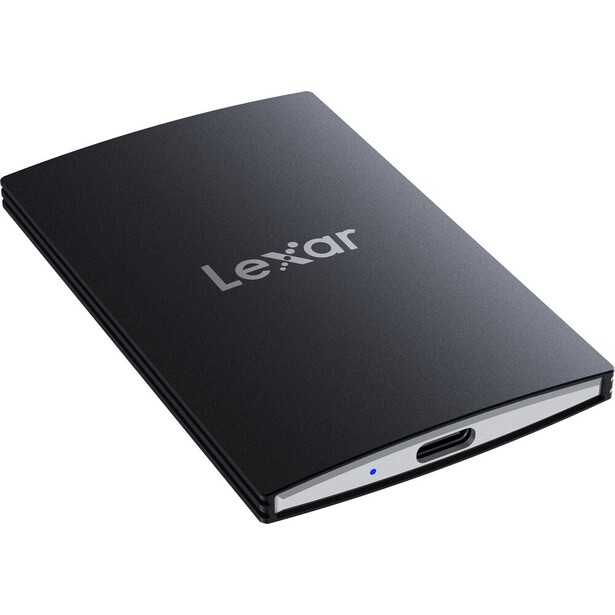
- Interface: USB-C 3.2 Gen 2x2, 20 Gb/s
- Rated speeds: 2,000 MB/s read, 1,800 MB/s write
- Sustained write: not published; holds near 1,800 MB/s for about 90 seconds, then oscillates between roughly 1,400 MB/s and under 800 MB/s for the rest of a long write
- Capacities: 1 TB, 2 TB, 4 TB
- Durability: IP54, drop-resistant to 2 m
- Size and weight: 85 x 54 x 7.8 mm, 43 g
- Warranty: 5 years
- Price: $399.99 (B&H)
At 7.8 mm thick and 43 g, the Lexar SL500 is the drive you carry when you were not planning to carry a drive. It is thinner than most phones and slips into the same pocket as a passport, which is the entire point: the backup you actually have with you beats the better drive sitting at home. Lexar also sells it in a magnetic set that snaps onto the back of any MagSafe iPhone, meaning an iPhone 12 or later, and it will take Apple ProRes recorded straight out of an iPhone 15 Pro or newer, which is a genuinely useful trick for a photographer shooting client behind-the-scenes video on a phone.
Performance is real, with a caveat. Underneath is TLC flash rather than the QLC in the Crucial X10, so its floor is higher, but its cache is much smaller. It writes at close to 1,800 MB/s for about a minute and a half, then bounces between roughly 1,400 MB/s and something under 800 MB/s for the remainder of a sustained write. That is fine for a 64 GB or 128 GB card and mediocre for a 512 GB CFexpress dump. Like the other Gen 2x2 drives here, it runs at 10 Gb/s on any Mac, which in practice hides most of that variability behind the port limit.
The IP54 rating is the weakest of any sealed drive in this guide, good for dust and light splashes and nothing more, and the 2 m drop rating is likewise the lowest here. Do not treat this as a field drive. Treat it as the second copy that lives in a coat pocket, the drive you hand a client with the selects on it, the one you throw in a carry-on because it weighs nothing. Fstoppers has not reviewed one, so the speeds above come from Lexar's specifications and the documented behavior of its TLC flash and cache.
The five-year warranty is unexpected at this size, and it is the reason we would pick it over the many thin, anonymous drives in the same shape. Check the current price of the Lexar SL500 at B&H.
What We Like
- 7.8 mm thick and 43 g, so you actually bring it
- TLC flash, so the write floor is respectable
- MagSafe-compatible version takes ProRes straight off an iPhone 15 Pro or newer
- Five-year warranty
What Could Be Better
- Small cache, so sustained writes get choppy
- IP54 is the weakest sealing here
- 2 m drop rating, the lowest of any pick
- Half speed on a Mac, like every Gen 2x2 drive
How to Choose a Portable SSD
Start with the port on your computer, because it decides which numbers on the box are real. Apple silicon Macs do not implement USB 3.2 Gen 2x2, so any drive advertising 2,000 MB/s over that standard will run at 10 Gb/s and deliver about 1,000 MB/s. If you are a Mac user, either accept that ceiling and buy a cheap 10 Gb/s drive like the T7 Shield, or step up to a Thunderbolt or USB4 drive that Apple does support. Windows users with a 20 Gb/s port get the full advertised speed and should read the specs at face value. Buying a 20 Gb/s drive for a Mac is the most common way people waste money in this category.
Then look past the burst number to the sustained write speed, which is the spec that governs how long you sit there after a shoot. Every SSD keeps a fast cache, a region of flash written in a quick, simple mode, and every drive is fast until that cache fills. What happens next is the difference between drives. Samsung publishes a 1,000 MB/s floor for the T9. OWC publishes 1,350 MB/s at 2 TB for the Envoy Ultra. The Crucial X10's QLC flash falls to 200 to 300 MB/s once the cache is gone, which is more than an order of magnitude slower than its headline. If you routinely dump 400 GB after a wedding, that difference is measured in minutes of your life, repeated every week.
Flash type is the shortcut for predicting this. TLC drives hold higher floors and cost more per terabyte. QLC drives get you to 6 TB and 8 TB for less and are perfectly good for archives, catalogs, and libraries you mostly read from, but they are the wrong tool for a hard-writing offload workflow. If a manufacturer does not tell you which it is, and most do not, the giveaway is capacity per dollar.
Sealing and drop ratings are worth paying for only if your work actually goes outside. IP68, as on the PRO-G40, means dust-tight and immersion-proof. IP65 means dust-tight and hose-proof, which covers rain. IP54 means dust-resistant and splash-resistant, which covers a coffee scare and not much else. All of them survive being dropped from bag height. None of them survives being your only copy of a job, which is the last piece of advice: a portable SSD is one leg of a backup, never the backup. Pair it with a second drive or a network drive at home, and use fast, reliable cards in the camera in the first place, which our memory cards guide covers in detail. If you are ready to build a real archive rather than a shelf of drives, our NAS guide is the next step.
One 2026 note on timing. NAND flash prices have risen sharply this year, and portable SSDs have gotten meaningfully more expensive rather than cheaper. There is no sign of relief before the end of the year, so the usual advice to wait for a better deal does not apply. Buy the capacity you need, buy it once, and buy slightly more than you think you need.
What We're Looking For
We weigh sustained write speed above burst speed, because offloading cards is what photographers actually do with these drives, and a manufacturer that publishes a sustained figure earns credit for it. We check that the advertised interface is one your computer can actually use, since a Mac cannot reach the headline speed on most USB drives sold today. We factor in sealing and drop ratings against the way each drive will realistically be used, warranty length, and cost per terabyte at current prices. Every specification here was verified against the manufacturer's current documentation and a live retailer listing at the time of writing. On testing, we are being straight with you: one of these seven products, the TerraMaster D1 SSD Plus, has been through a full hands-on Fstoppers review, and the claims we make about it come from that testing. We also tested the OWC Envoy Ultra on an M4 Pro MacBook Pro. The other five have not been tested, and we say so in each entry rather than implying a testing history we do not have. Where the text describes how one of those drives behaves under a long write, that follows from the manufacturer's published figures and the drive's flash and cache design. Most picks across our buying guides come from gear our writers have used and reviewed hands-on. Where we have not, we say so.
Frequently Asked Questions
What Is Sustained Write Speed, and Why Does It Matter?
Sustained write speed is how fast a drive writes once its fast cache is full, and it is the speed that determines how long a real card offload takes. Every SSD writes quickly at first. A drive rated at 2,000 MB/s may hold that for 100 GB, then fall to 300 MB/s. For a photographer dumping 400 GB after a shoot, the sustained figure, not the headline, is the number that matters.
Why Is My Portable SSD Slower on a Mac?
Because Apple never implemented USB 3.2 Gen 2x2. Drives such as the Samsung T9, Crucial X10, and Lexar SL500 reach their advertised speeds of 2,000 MB/s and up only through that 20 Gb/s standard, and on an Apple silicon Mac they fall back to 10 Gb/s, or about 1,000 MB/s. Thunderbolt and USB4 drives, like the OWC Envoy Ultra and the PRO-G40, do not have this limitation.
Is Thunderbolt 5 Worth It for Photography?
Only if your computer has a Thunderbolt 5 port and you edit directly from the external drive. At more than 6,000 MB/s, a Thunderbolt 5 drive feels like internal storage, which is a real benefit for scrubbing large raw files or a video timeline. For simply storing and offloading files, a good 10 Gb/s drive costs a fraction as much and finishes the job at nearly the same time.
Should I Buy an Enclosure and My Own NVMe Drive?
Yes, if you want the best speed per dollar and do not need weather-sealing. A USB4 enclosure like the TerraMaster D1 SSD Plus runs at full speed on any modern Mac, and choosing your own TLC NVMe drive gives you a higher sustained write floor than most pre-built drives. You take on the cooling and the failure risk in exchange.
How Many Portable SSDs Do I Need?
At least two, with the same files on both, if the work is paid. A single portable SSD is not a backup; it is one copy that can be dropped, lost, or fail without warning. The standard practice is two copies on location, one of which travels separately from the cards, and a third copy at home on a NAS or desktop drive as soon as you land.
Fstoppers may earn a commission from purchases made through links in this article. Our picks are made independently by our editorial team.