



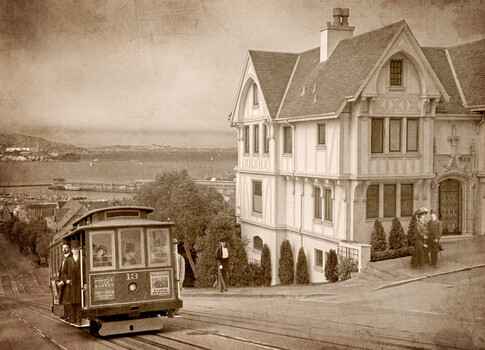








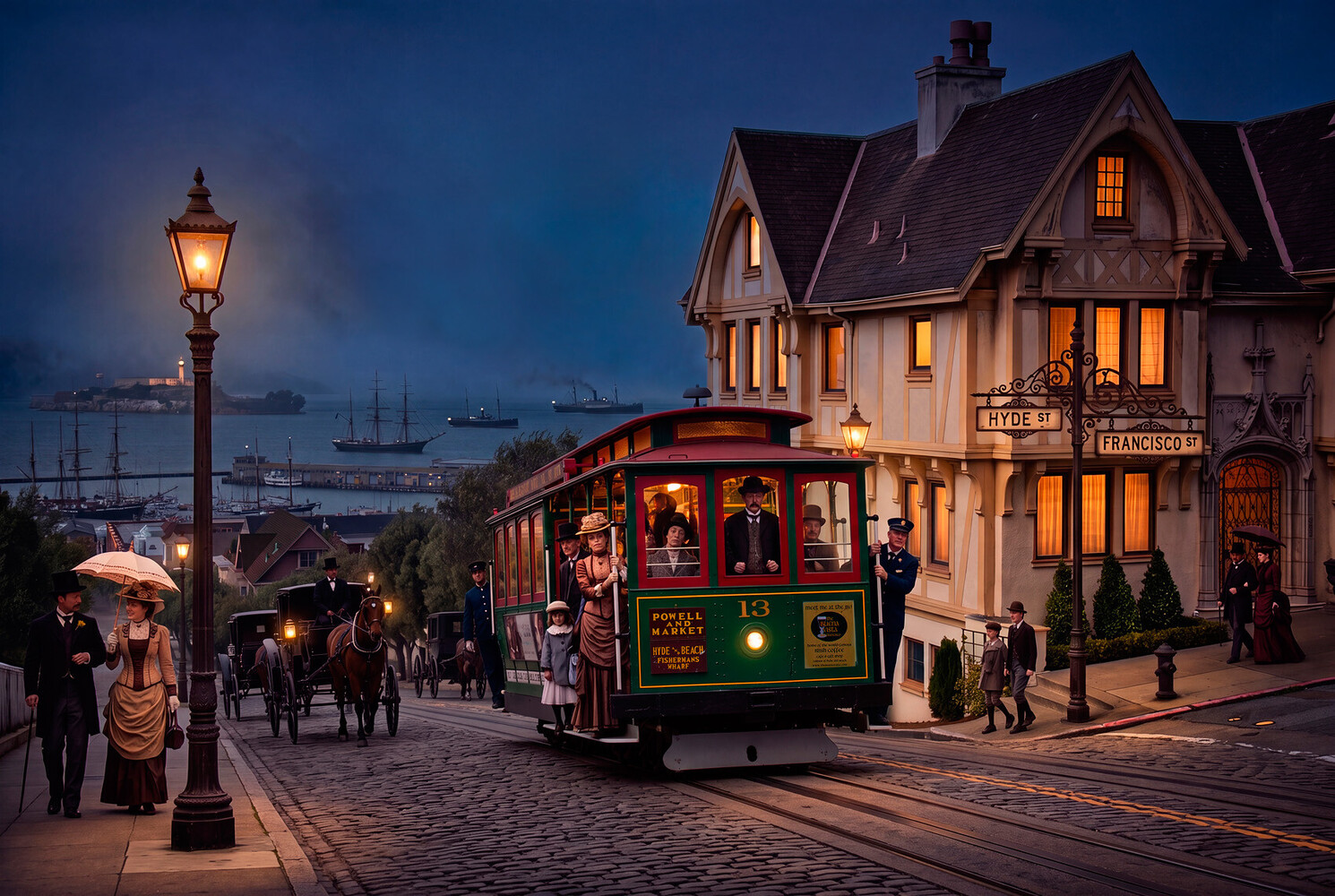
I previously entered a version of this San Francisco photo that I had edited in Photoshop to look like a Victorian era scene. I admitted that there was no use of AI to create that sepia toned image, but wondered what sort of results I could obtain with an AI image generator. Curiosity got the better of me, so I opened a NoteGPT account and submitted the original photo (shown in my comment below), using Nano Banana 2 with instructions to eliminate cars and people, and replace them with Victorian era elements. Lastly, change day to night.
One thing I did not realize at the beginning was that the use of an AI image generator was more expensive than I thought. The "Pro" plan that I purchased indicated I could generate 50 high-quality images. What they did not mean by that was 50 high-resolution images. High-resolution yielded only about 3 images for my $9.99 plan. When I went to revise the image it had produced a third time, I got a message saying I needed to buy more credits. So I quit with what it gave me, and chose to edit the rest in Photoshop. The biggest problem was that AI put exhaust smoke above the cable car. Cable cars are not powered with engines... they're pulled by a cable, so I had to get rid of that smoke. AI also put some words/letters on the front of the cable car that made no sense, at least that I could recognize in English, so I replaced the sign and poster on the front of the cable car. I might have moved the cable car to the left a bit if I had more credits. The image balance feels weighted too heavy to the right. Alas, I'm out of credits so maybe another time for that.
Thoughts on the AI image:
The work it does is really impressive. It took AI roughly three minutes to produce a 5056 x 3392 image. I spent three days to make my sepia version which is a much simpler image. AI essentially took my image and created a whole new picture. The detail is good. Getting to this same result could take me three months doing it manually in Photoshop, even if I knew exactly what it should look like before I started. AI added things I never would have thought of. However, additional AI edits can be unpredictable. In a low-resolution image, I asked for AI to reduce the size of the lamp post by 20% and it shrunk it by over half. It listens sometimes like a teenager. And then there's the perception of reality. This image looks fake. It looks like a Thomas Kinkade print, with his idyllic cottages and glowing lights. If I knew more about AI inputs, I suspect I could fix that, although many of the AI commercial product images I've seen also appear to have that same saturated too-good-to-be-real look. AI would undoubtedly be worth learning if I were much younger and deciding on a career path. As it is, it's cool, interesting, and can do amazing things... but I simply don't feel like it's my creation. It's not like getting out with a camera, arranging composition, and seeing the post-processing through to my style and liking. It's computer graphics, not photography.
Click on the thumbnails below to comment and rate each image.
Click here to learn about the Fstoppers rating system and what each star value means.
4 Comments
San Francisco, California. The original photo shot with a Nikon D800E.
so good
Get rid of the tiny people under the Hyde sign and this will be a banger image!
Thank you, Marian. There are a few things about the size of the people in relation to the objects around them that look disproportional. The tiny people look too small, or the street sign next to them looks too large... probably a combination of both. In my original, the street sign is not as high as in the AI version. And unless it's a really large front door to the house, the couple on the far right look kind of small as well. I have the same issue with the couple on the left, except in their case, they look about right but the lamp post looks too large.