
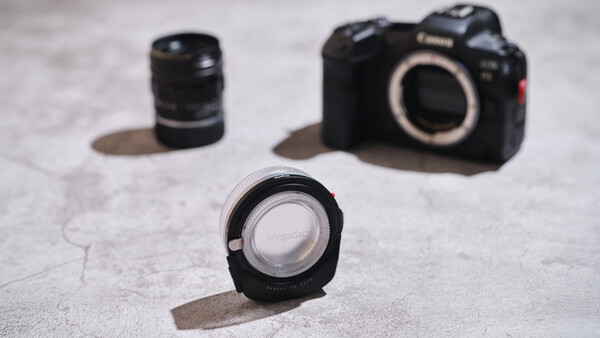
For a long time, I considered myself a manual focus purist—not because manual glass should strictly be used manually, but because there simply wasn't a way for me to autofocus it with my existing systems. It really isn't much of an issue; with constant practice, gauging distance and nailing critical focus can become second nature. But once you stop practicing, it takes some time to get that muscle memory back. It becomes increasingly frustrating because it means I can't fully enjoy the output of my favorite M lenses, especially with the near misses. Thankfully, with the Megadap M2RF promising full autofocus capabilities, I can now bring those favorite lenses back into regular rotation without the fear of missed focus.
Build Quality
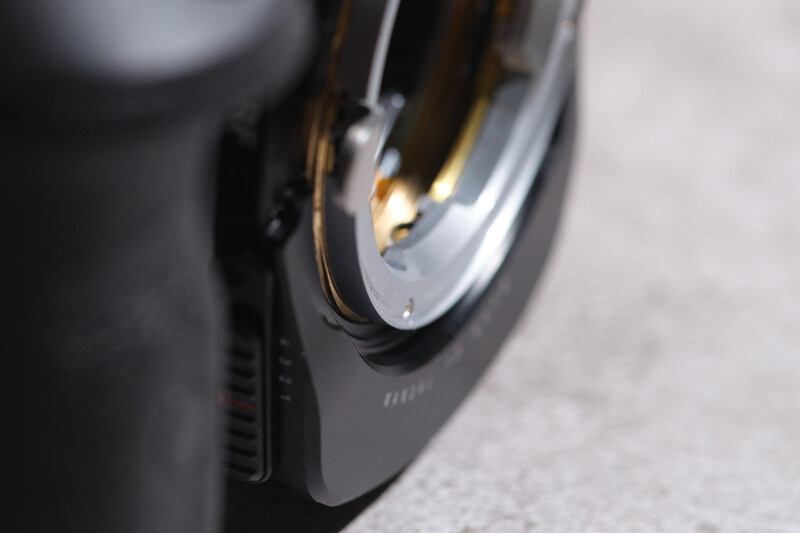
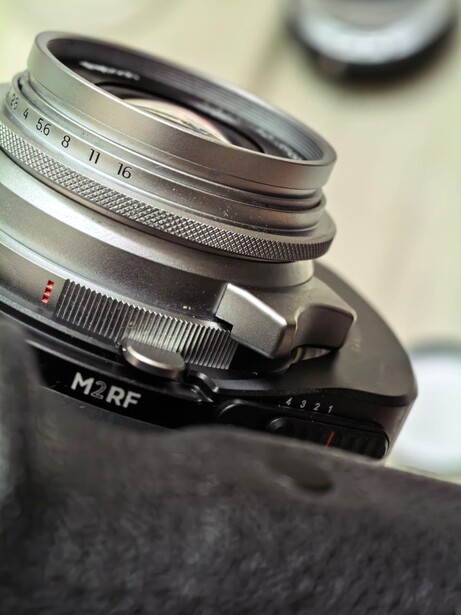
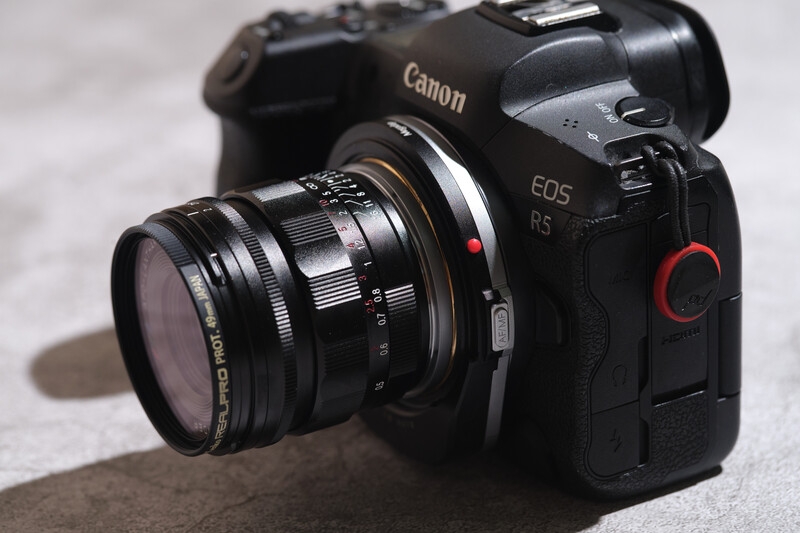
When holding the Megadap M2RF adapter, it is immediately clear that it is pretty well built. By my measurement, it weighs about 183 g with both caps on. It is also slightly larger than your standard pass-through mounting ring, measuring about 3” x 2.7”—with a thicker bottom, assuming that is where the internal gearing and electronic brains reside. Because of this thicker lower housing gear section, the adapter will not clear low-profile cages like SmallRig's rotatable horizontal-to-vertical mount. This is a purely electronic helicoid adapter that does not contain any optical correction glass, so there is no need to worry that image quality will be affected.
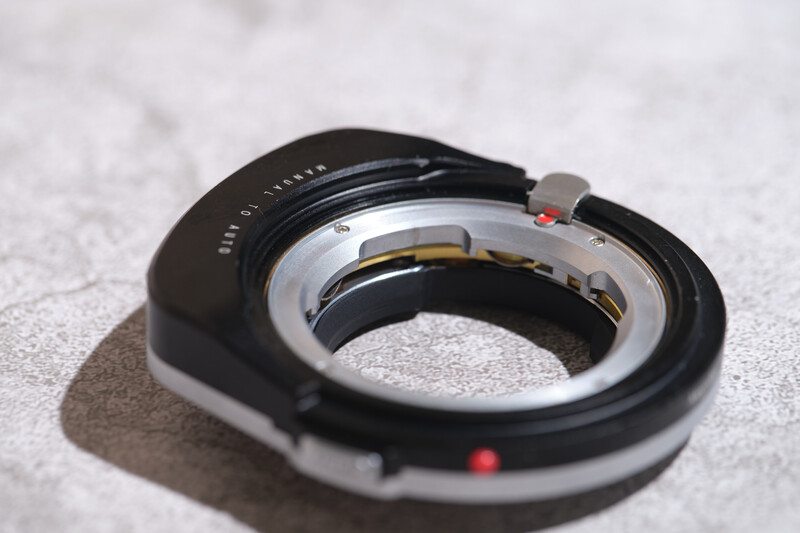
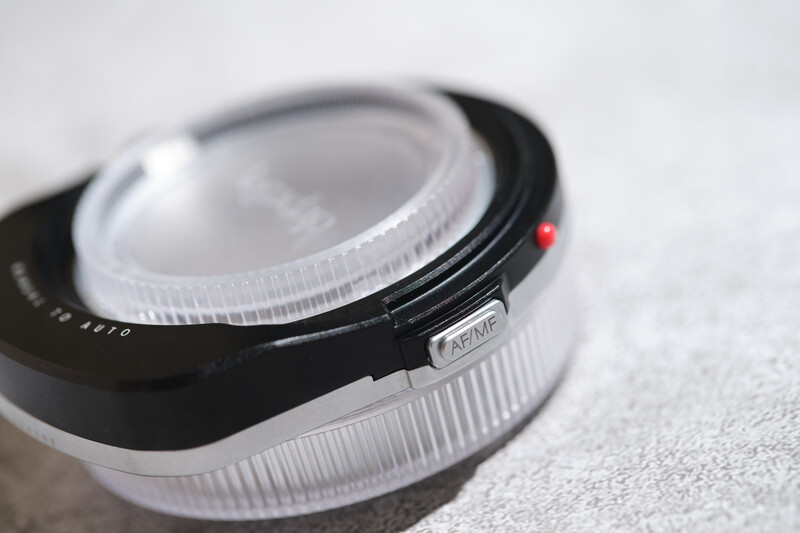
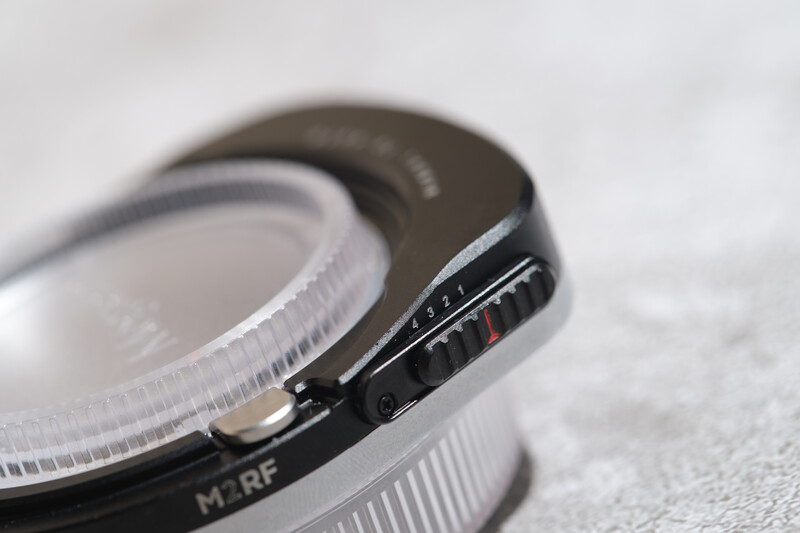
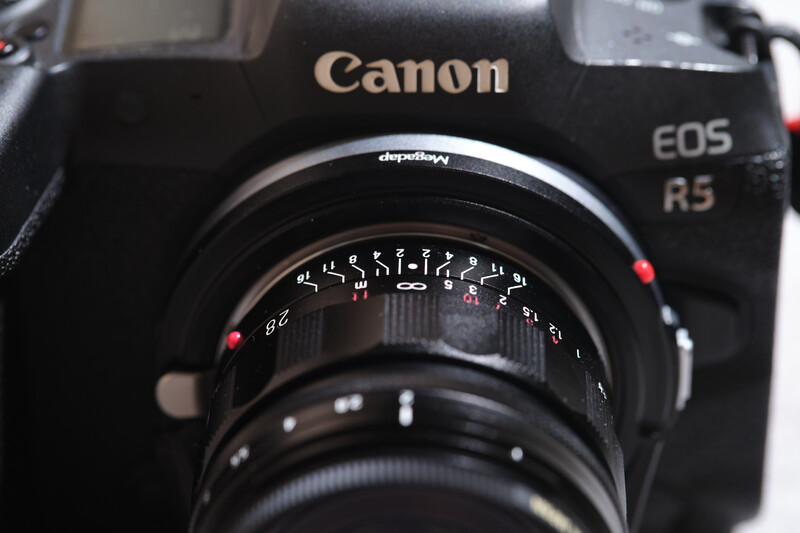
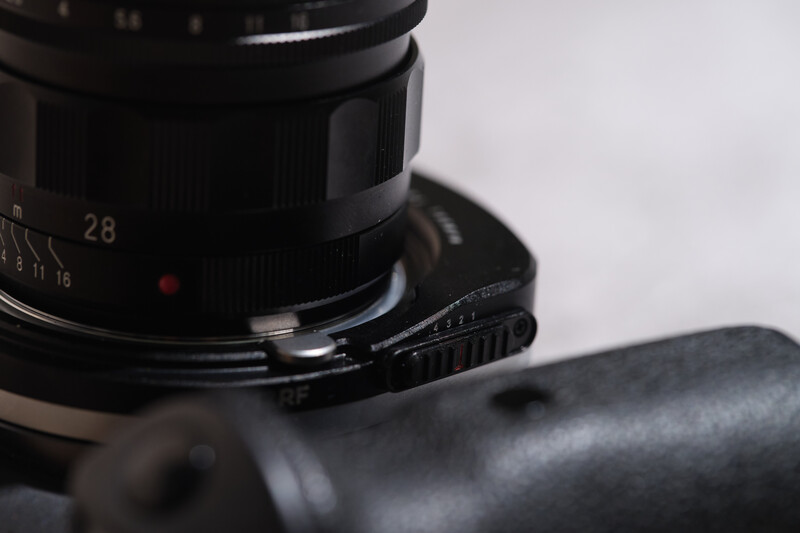
The primary outer housing is machined from black anodized aluminum, with the back half of the adapter finished with silver matte pearl nickel electroplating, which, in Megadap's words, gives it a premium aesthetic matching the look and feel of Leica SL/TL cameras. The semi-translucent caps on both ends also give it a rather sleek look. Control-wise, it is quite minimal. You can find a small AF/MF button on the right and a 4-step aperture lever on the lower left. If I have to nitpick, the AF/MF button is a little too stiff to register feedback. Over at the back, you can find gold-plated contacts that are abrasion- and corrosion-resistant to ensure stable communication with the Canon RF body. Behind the AF/MF button is where you find Megadap’s proprietary magnetic contacts for firmware updates and profiling. It is magnetized so that you don't have to remember which are the positive and negative terminals. A USB-C connection would have been better, since it is universally adopted and we do not have to worry about losing the cable.
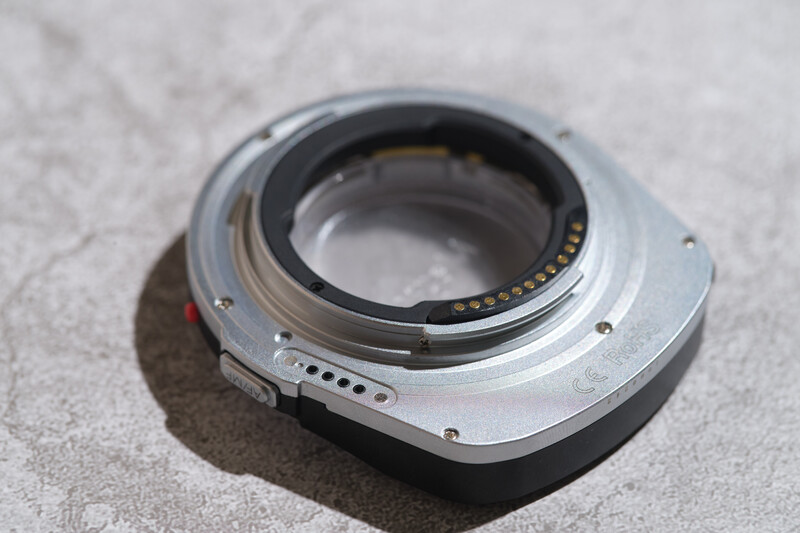
At the front lies the M-lens mount. There are no electronic contacts here, so communication is really only between the Canon RF body and the adapter itself. I wish there were an optical reader to natively recognize Leica 6-bit-coded lenses automatically. Since there are no electronic contacts on the M-mount side, this adapter also works when you stack multiple adapters, as long as they end up as M-mount and are below the weight limit of 500 g. For example: M42 to EOS (EF mount), EOS to LM mount, and finally the M2RF adapter. Though, be mindful that exceeding this 500 g threshold runs a real risk of causing permanent mechanical damage to the helicoid drive system, as explicitly warned by the manufacturer. Generally, I would not recommend mounting DSLR optics, as they usually have longer physical focus and heavier optical elements; the M2RF’s 4.5 mm helicoid travel is simply insufficient to move SLR optics through a complete focus range, leaving you restricted primarily to telephoto-distance focus. From my testing, it works surprisingly well with my Zeiss 50mm f/1.4 Planar ZF, though with a slight bit of compromise on the minimum focus distance. It is only able to focus down to 0.6 m instead of the usual 0.45 m from the default infinity position unless you rotate the lens barrel manually.
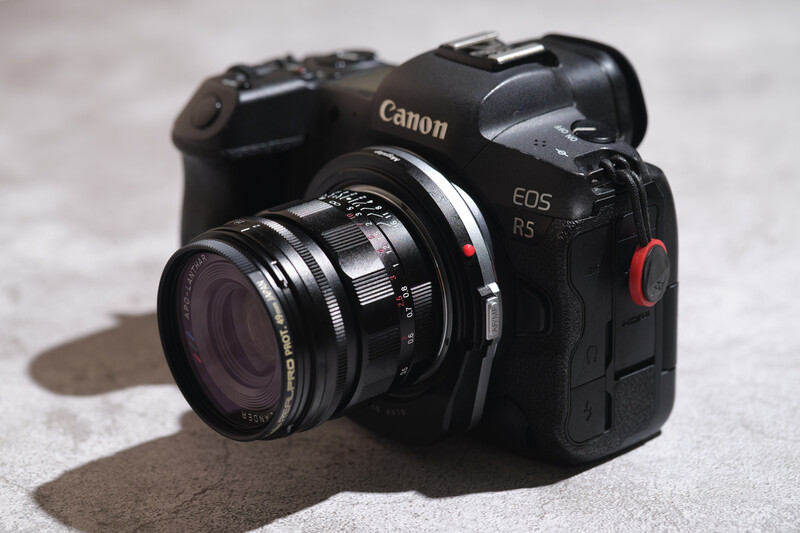
The mechanical tolerances at both the camera-side RF mount and M mount are quite precise, as the focal plane still remains planar. With the adapter at its default lowest position, there is also no issue in achieving true infinity focus. Note that because of the spacing tolerance in the internal gearing mechanism, the adapter does exhibit some minor wobble from the gearing when you intentionally shake it. I also tried pulling the lens out, but it is rock solid and does not budge at all, proving its solid build. And in case you are wondering, the sealing seems to be pretty well done, as there is no visible light leak even when fully extended. There is also no rubber gasket at the rear end of the adapter to further protect the electronics. While many traditional Leica M-mount lenses do not offer weather sealing, their fully mechanical nature means they can easily be opened up and cleaned. However, I would appreciate some form of extra gasket protection on the adapter since internal electronics are involved.
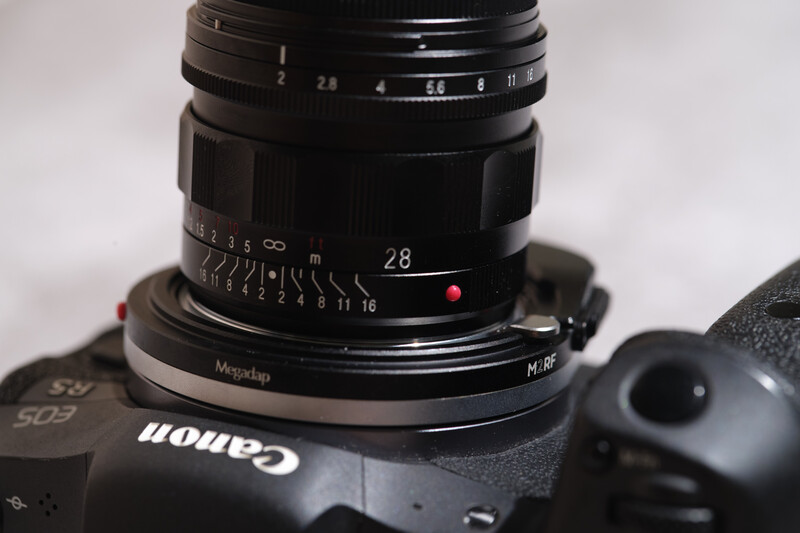
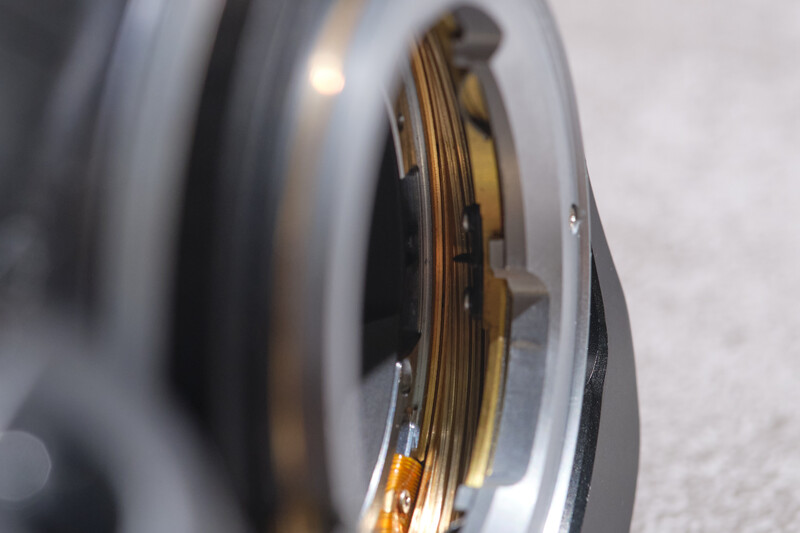
Inside the housing, the autofocus functionality relies on an electronic helical drive system driven by a custom coreless motor. Positioning and movement are controlled by a combination of dual Hall effect sensor detection, providing high-precision motor control and accurate physical barrel displacement tracking. Autofocus is achieved by extending the bayonet mount outward by 4.5 mm, and by default, the bayonet M-mount will sit at its lowest position, which is recessed by roughly 2 mm. While it doesn’t sound like much, when you combine it with a thicker bottom, it does make it harder to mount smaller lenses. It would be good if there were an option to set the default shutdown position at the outermost position, making mounting easier. Now, here is a problem that I discovered that could not be solved due to its physical design. Lenses with shorter barrels and thicker focusing tabs cannot be mounted because the adapter's thicker lower housing physically blocks them. Even if you trick the adapter by extending it before mounting, it will still not be able to reach infinity focus. Based on my testing, the Thypoch Ksana 35mm f/2 Asph is one of them.

Features
As you may already know, the core attraction of the M2RF adapter is its ability to convert manual M-mount lenses into fully functional autofocusing lenses using the autofocus system on Canon RF-mount bodies. It achieves this through its motorized helicoid drive, physically moving the lens position. And because the system integrates directly into Canon's processing architecture, you retain access to native Canon Dual Pixel AF capabilities, including continuous autofocus (AF-C), alongside native Subject Detection, Eye Detection, Face Priority, and general tracking modes.
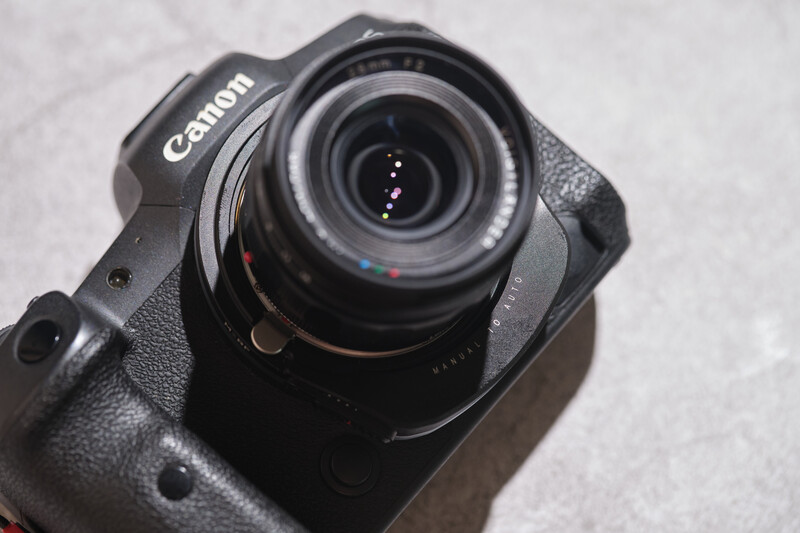
Besides adding autofocus, the physical outward extension of the adapter acts as an extension tube, allowing the lens to focus closer than its native limits. Megadap claims that at full extension, it is capable of pushing the 0.7 m minimum focus distance on rangefinder lenses down to 0.3 m. You can activate this macro mode by tapping the AF/MF button to enter manual focus, then double-tapping the button again to fully extend the adapter.
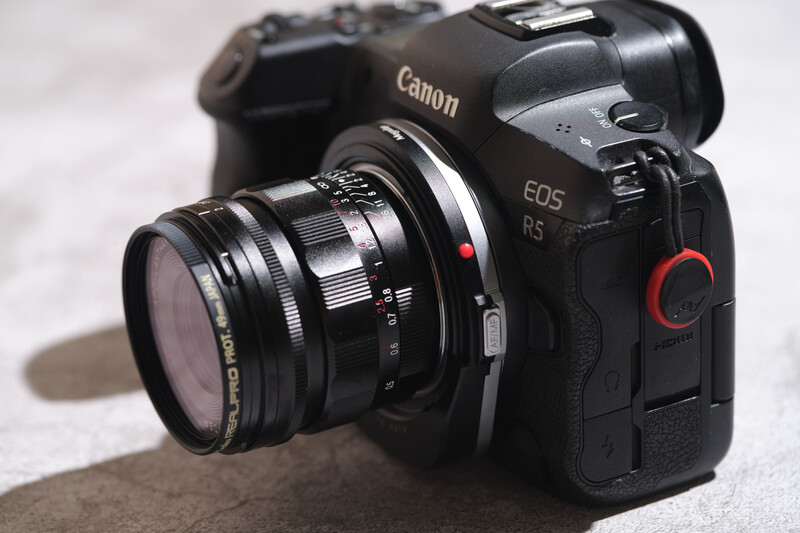
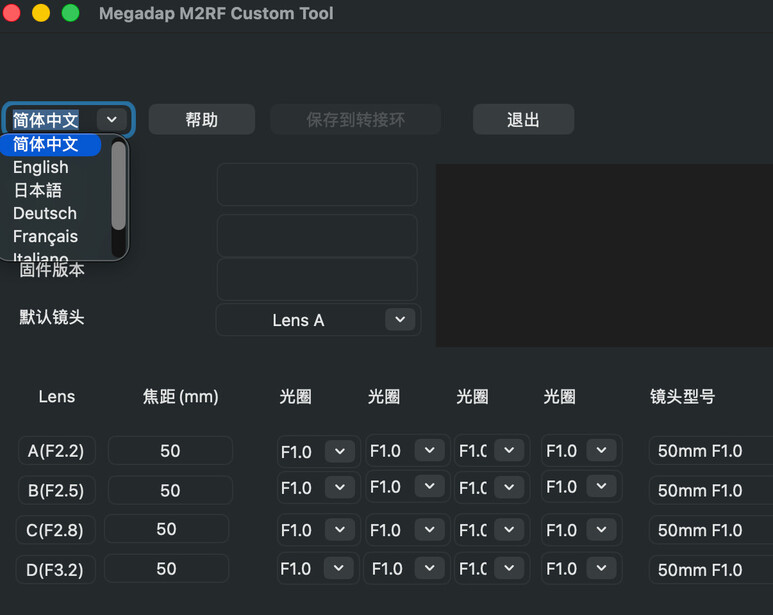
Other than enabling autofocus on manual M lenses, the Megadap M2RF also offers full EXIF data logging; metadata such as focal length, lens profile names, and aperture values are saved directly into your image files. Though you will have to input the profile parameters manually into the adapter using Megadap’s dedicated desktop software, which is thankfully compatible with both macOS and Windows. The desktop software is where you enter and modify up to four distinct lenses in the adapter’s internal memory, preset aperture values, and even perform future firmware updates.
Real-World User Experience
Come to think of it, the introduction of the Megadap M2RF in a way represents one of the first times we have effectively had third-party, full frame autofocus lenses operating on the RF mount. In practice, the adapter integrates seamlessly into Canon's ecosystem. It does appear to make full use of my Canon R5’s native tracking capabilities. Putting speed comparisons aside, Face, Eye, and Subject Detection modes all function properly.
The autofocus execution is fast and accurate enough, without the typical hesitation or "hunting" behavior that we often associate with third-party adapters. Focusing with wider lenses also seems faster, likely because the depth of field is already wide enough, so there is not much movement needed for focusing. For some reason, I noticed that the autofocus performance is slightly better with continuous autofocus (AF-C) as well. While AF-C works decently well, the motor drive can be quite noisy. I might not use it for video applications where audio is critical, fearing that the mechanical whirring will be picked up by the microphones. Note that this adapter is only responsible for driving autofocus. Therefore, any optical flaw in the lens will still be carried forward.
In terms of tactile experience, it feels very similar to using an older Canon STM lens; it may not match the lightning-fast snap of native ultrasonic (USM) motors, but it is more than capable for everyday shooting. And crucially, unlike some older autofocus adapters for other mounts on the market, the M2RF does not require you to manually approximate the focus ring before letting the motor take over. You simply set the lens focus ring to infinity, and the adapter does the rest.
In the event that the autofocus struggles, a single press of the AF/MF button on the side of the adapter instantly switches control back to manual focus, and you can take over from there. The adapter does roll back to its default compressed position when you switch to manual focus, so if you are at the furthest end, it will take some time to roll back. This step is necessary so you can achieve infinity focus. Switching back and forth is seamless, though it's worth noting that toggling back into AF from MF requires the adapter to reacquire focus from its parked position. Rebooting will also set the adapter into the initial AF mode position (at infinity), which means losing the last AF position.
One of my favorite practical implementations is the dedicated macro mode. If you double-click the AF/MF toggle while in manual focus mode, the adapter fully extends itself and acts as a 4.5 mm extension tube. This brilliant feature pushes the standard 0.7 m minimum focusing distance of most M lenses down to an impressive 0.3 m. (Pro tip: If you rotate your lens barrel to its physical close-focus limit while the adapter is extended, you can get even closer.) Just remember to turn the lens barrel all the way back to infinity once you are done; otherwise, it may give a false-positive focus confirmation even if it is slightly off because there is no way the lens can achieve infinity focus optically. Always double-check your photos! Note that the close-focus mode does work in autofocus mode automatically, so you don’t have to always enter manual focus to trigger it—it is only for those who need manual focus control when shooting close-up subjects.
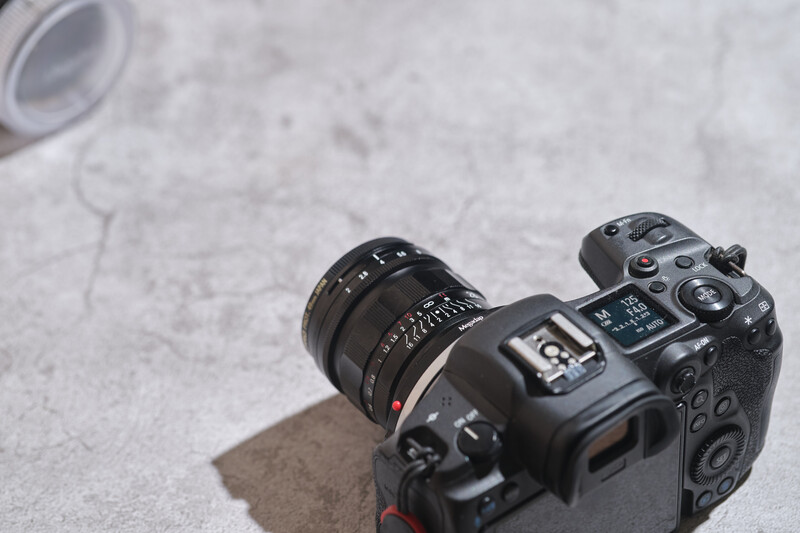
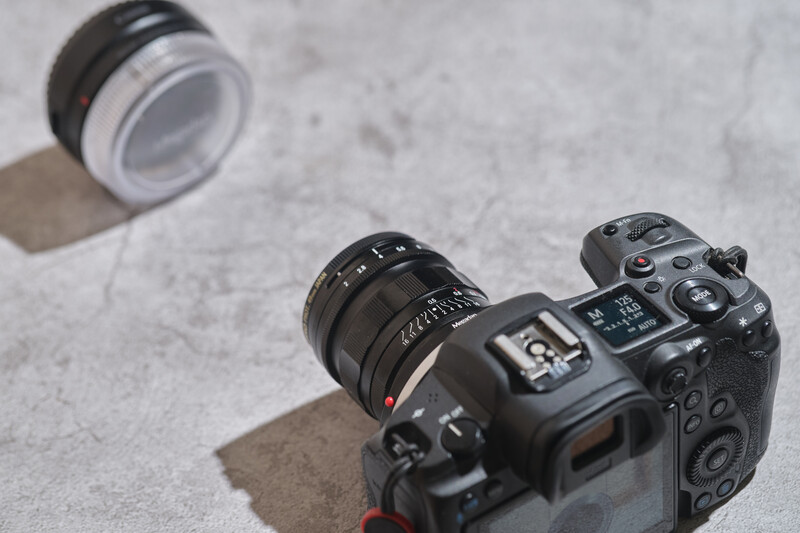
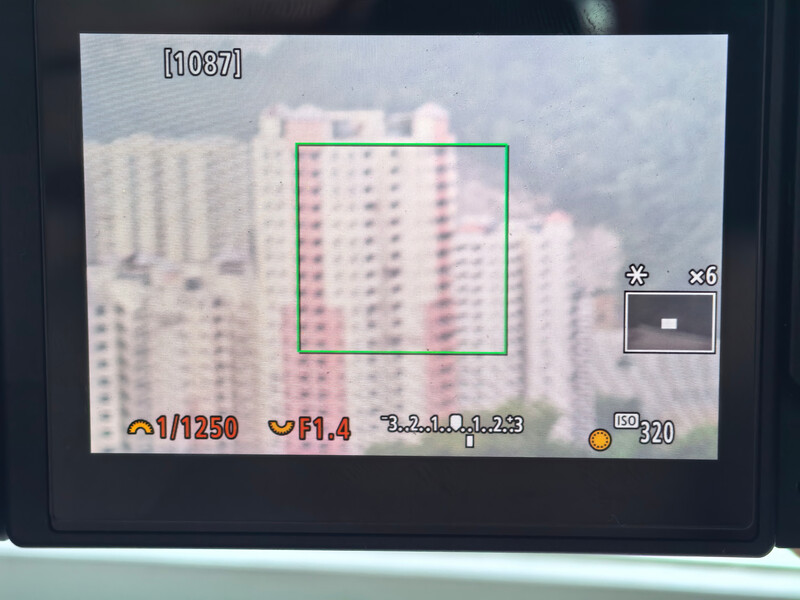
On the software and metadata side, the M2RF allows you to save up to four custom lens profiles, transferring lens names and four preset aperture values directly into your raw EXIF files. You no longer have to rely on memory to recall which lens and f-stop you were using. The physical 4-step aperture selector lever will sync the preset aperture value with the physical aperture to the camera's metering system. Switching the aperture value using the lever will automatically shift the camera’s ISO to maintain your exposure. Stopping down will increase the ISO, and opening up will lower the ISO even when you are on auto ISO. I do get why they do it, but personally, I am not a fan, since there are times when I don’t want my exposure to be constant.
Switching between those saved profiles in the field is needlessly convoluted—requiring you to hold the AF/MF button for three seconds, change the aperture (lens profile), take a dummy image, restart the camera, and take another picture to successfully change it. I would much prefer using the physical 1-4 toggle for profile switching and moving the ability to drive aperture metadata directly from the camera dial. On the bright side, focusing seems to work faster once you use the correct lens profile, and stabilization seems to work appropriately too. However, the default software language is in Mandarin, so you will have to click the top-left panel to change to English. There are a couple of steps involved to establish a connection and set the lens profile correctly, so I do recommend watching the tutorial video first before doing it.
The Megadap M2RF seems to draw some power once you mount it on the camera, as I noticed some internal gear movement—likely keeping tension on standby for a quicker startup. Megadap did advise me to remove the adapter from the camera after use, indirectly confirming a small power draw even when the camera is off. Since this adapter draws power from the camera, it can also contribute to higher battery consumption, reducing your camera’s battery life. The stability of the adapter also seems to drop (focus more slowly or become less responsive) when the battery level is low.
Now, let's talk about some technical considerations. While the concept is beautiful, there will be some optical implications when you choose to drive an entire optical block for focusing via an external motor. In this case, you will have to leave the lens parked at infinity while the adapter moves the entire lens block back and forth, bypassing any internal focusing mechanics built into the optical design—specifically lenses with floating lens elements (FLE). It isn’t that much of an issue for most vintage rangefinder lenses with "unit-focus" designs, meaning the entire optical block moves as one piece anyway.
However, high-end M-mount lenses utilize FLE systems, where specific internal glass elements shift independently to correct spherical aberrations and field curvature at close distances. Locking the lens at infinity and focusing via the adapter’s external helicoid negates these near-field corrections, potentially resulting in softer images with glowing aberrations at closer distances. It isn't a huge dealbreaker for most everyday shooting since lenses are optimized for infinity anyway. But it is worth noting that you are leaving a lot of potential on the table if you are shooting close-up with an FLE lens. You will get sharper results by physically turning the lens's focus ring to its minimum distance and letting the adapter handle the micro-adjustments.


Notice the micro contrast difference on the fibre strands.












Summary
What I Liked
- Exceptional Build & Mount Tolerance: Excellent physical construction with a tight, precise fit on both camera and lens mounts. There is zero play or wobble on the adapter body and no visible light leaks.
- Automated Lens Profiling & EXIF Logging: The ability to store custom lens profiles eliminates the old headache of manually tracking lens data. Lens profiles and aperture information pass directly into raw EXIF metadata.
- Autofocus Convenience for M-Mount Glass: Brings full autofocus functionality to vintage and modern manual M lenses, making them far more versatile and practical in fast-moving scenarios where manual focusing isn't convenient.
- Versatile Cross-Platform Stacking: Can autofocus other manual lenses, including DSLR-mount glass, as long as they are adapted to M-mount and stay under the 500 g weight limit. I find that it works surprisingly well for lenses up to 50mm with a minimum focus distance of around 0.6 m by default (lens focus barrel position at infinity).
- Self-Powered Operation: Draws power directly from the camera body through the mount contacts—no external batteries, dongles, or cables required.
- Full Tracking Capabilities: Seamlessly supports Canon’s native Eye, Face, and Subject Detection tracking modes.
- Fast & Accurate AF Execution: Autofocus speed is fast enough to lock onto subjects without back-and-forth hesitation.
- Infinity-Set Focus Workflow: Eliminates the need to manually approximate focus distance before letting the adapter drive. You simply set the lens focus ring to infinity and let the adapter handle the rest. The only situation in which you might want to turn the focus barrel is to focus closer or take advantage of the floating lens element design.
- Automatic Image Stabilization Sync: In-body image stabilization (IBIS) works effectively without requiring you to manually key in the lens's focal length.
- Macro Close-Focus Dual Capability: Functions as a variable extension tube, reducing minimum focusing distance down to as close as 0.3 m on Leica M-mount lenses for close-up shooting.
What Could Be Improved
- Park / Shutdown Position Option: An option to set the motor to park at its fully extended outward position when powered off would make mounting and unmounting smaller lenses significantly easier.
- Acoustic Motor Dampening: The focus motor drive could be quieter; a more silent drive mechanism in future iterations would be a welcome upgrade for discreet shooting.
- Firmware Refinement for False Positives: Future firmware updates need to address occasional false-positive focus confirmations when focusing on a distant subject with the lens slightly off the infinity position.
- Weather-Sealing Protection: Lacks weather-sealing gaskets at the mount interface. Even if vintage M glass isn't sealed, rubber gaskets could protect the camera and adapter's internal electronics from moisture ingress.
- Standardized USB-C vs. Proprietary Magnetic Interface: Uses a proprietary magnetic USB cable for firmware updates and profile configuration rather than a standard USB-C port. Losing this custom cable prevents you from updating firmware or managing lens profiles.
- Power Efficiency: The internal drive mechanism does noticeably increase the camera’s battery consumption; improving motor energy efficiency would help extend battery life and improve the adapter’s performance consistency.
- Overly Complex Lens Profile Switching: Swapping between stored lens profiles involves a convoluted sequence of actions (holding the AF/MF button for 3 seconds, altering the aperture on the camera, taking a dummy photo, restarting the camera, and taking another photo to successfully change it). I think implementing the dedicated 1-4 physical switch for profiles, native camera dial control for aperture metadata, or an integrated aperture control ring on the adapter would streamline the workflow immensely.
- Future Support for Leica 6-Bit Optical Coding: Adding an optical reader to recognize native Leica 6-bit-coded lenses automatically would potentially remove the need to manually cycle through profile presets entirely.
- Mount Recess Interference with Short-Barrel / Tabbed Lenses: The recessed front housing design physically blocks certain compact lenses featuring larger focus tabs or short barrels from mounting. A slimmer front profile would resolve clearance issues.
- Cage & Collar Compatibility: The bulky lower housing overhang prevents the use of a SmallRig rotatable horizontal-to-vertical mount adapter. A more compact outer silhouette could potentially solve this.
Final Thoughts
Ultimately, the Megadap M2RF breathes an entirely new level of versatility into M-mount lenses. At $399, it takes lenses that traditionally required slow, methodical pacing and simply makes them easier to use across a much wider variety of shooting situations. This allows photographers dealing with weaker eyesight to still enjoy the beautiful optical rendering of their favorite glass.
Megadap deserves a lot of praise for having the engineering courage to tackle such a specific market gap. It is an incredibly ambitious product that does exactly what it promises. However, as is the nature of any first-generation technology, there are undeniable areas that require refinement—from motor sound dampening and power efficiency to designing a more streamlined, tactile workflow for switching lens profiles. Still, despite its quirks, it is a brilliant tool that fundamentally changes how we can use manual optics on modern mirrorless bodies. I am genuinely excited to see what the next iteration looks like, and I can only hope they plan to expand this technology to other systems—an L-mount version, perhaps?




Join the Fstoppers community for free
-
Post comments and join in the discussions
-
Browse the site ad-free
-
Share your work and get featured in the community
-
Compete in the photo contests for fun and prizes
1 Comment
Note: There is a new software that is way more intuitive in handling the profiling of the adapter!
https://megadap.net/m2rf-manual/