Ask whether the Epson EcoTank Photo ET-8550 or the Canon imagePROGRAF PRO-1100 makes better prints, and you'll get answers about gamut volume, D-max, and how many centuries pigment inks last. Those figures steer where hundreds or thousands of dollars go, yet they say surprisingly little about how a print looks once it's framed and hanging.
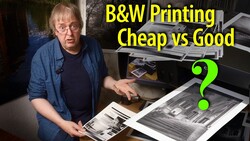
A lot of what gets said about print quality is meaningless, and yet some of it isn't. That's the tension Keith Cooper works through, starting with a Premier Premium Photo MicroPore Luster paper he profiled on an Epson EcoTank Photo ET-8550. He built the profile from about 3,000 patches read on an X-Rite i1iSis. The paper printed cleanly, with no pizza wheel marks or grooves. It showed a slight gloss differential when he tilted it under a low, glancing light. His test image is a ProPhoto RGB file from a Fujifilm GFX100S. He has printed it as large as 60 x 80 inches. Plenty of its dark, rich colors light up as out of gamut in Photoshop. The print still looks fine, and Cooper calls the gamut warning "a very blunt tool." If that gray overlay has ever made you nervous about hitting print, his test is a good reason to trust your eyes a bit more.
Printer-versus-printer questions get the same scrutiny. The Canon imagePROGRAF PRO-1100 is a 17-inch pigment printer. The ET-8550 tops out at 13 x 19-inch sheets. So comparing the two starts with how big you want to print, before quality even comes up. A closer matchup pits the ET-8550 against the Canon imagePROGRAF PRO-300, and there each one wins on different papers. Cooper prefers the Epson's mostly dye-based inks for deep-sky astronomy images on metallic and glossy stock, where the colors seem to glow. Canon's newer ink sets, in the Canon imagePROGRAF PRO-310 and the PRO-1100, do improve on their predecessors. The improvements just aren't the kind most people would ever notice. Longevity only enters his thinking if he's selling into a market that cares about it, and then he'd print on a pigment machine like the Epson SureColor P5000.
Photoshop's gamut warning flags any pixel the chosen printer profile can't reproduce exactly. It treats a color that misses by a hair the same as one that misses by a mile. What actually lands on paper depends on the rendering intent you choose when you print. Perceptual compresses the image's full color range to fit inside what the paper can hold. That keeps the relationships between colors intact, at the cost of a slight overall shift. Relative colorimetric leaves in-gamut colors untouched and moves the outliers to the nearest printable value. That can flatten detail in saturated areas, but it keeps everything else accurate. Soft proofing lets you preview both options with the real paper profile before you spend ink. In Photoshop, you'll find it under View > Proof Setup. In Lightroom Classic, it's the Soft Proofing checkbox under the image in the Develop module. Flip between the two intents on a sunset or a deep red flower, and you'll see which one protects the tones you care about. Once you have a good profile for your paper, this habit carries from printer to printer.
Running costs shape how a printer gets used, even though they have nothing to do with how good its prints look. Cooper keeps the PRO-300 for specific tests. A full set of its cartridges costs enough to discourage casual experimenting. The bottle-fed ET-8550 gets used without a second thought. That doesn't make the Epson better. It changes what you're willing to try. He also advises choosing the printer first and the papers second. If you buy a printer to match a favorite paper, you may find the pairing performs poorly or that nobody has made a decent ICC profile for it. Cheaper printers can also limit the papers you're able to use at all.
The rest is in the video above, including why a deep D-max figure can hide crushed shadows and what Cooper makes of paper labels like luster, pearl, and oyster.




Join the Fstoppers community for free
-
Post comments and join in the discussions
-
Browse the site ad-free
-
Share your work and get featured in the community
-
Compete in the photo contests for fun and prizes
2 Comments
There was a lot of good information provided. One thing that was not brought up by Keith was the cost to unclog a printer nozzle..
The only problem I see with any Inkjet printer, is the nozzle clogging if you do not use a certain color ink, OR if you do not print enough...how do you get the clogged nozzle clean without using all your ink. I was looking at the Canon Image PROGRAF PRO-1100 and searching for the ink replacement, and found Canon PFI-4100 12 cartridge Ink Set of the PROGRAF PRO-1100...funny thing is, there was no price...and when you select 1 you find it, for $793.00 which I guess is chump change for all of us...