
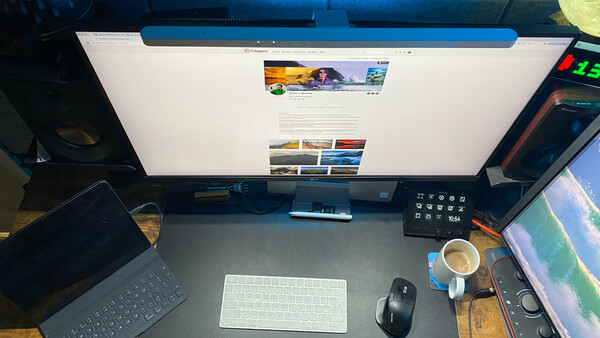
Having a comfortable and well-lit workstation is something that can vastly improve your time working at your desk, and while many of us spend hours every day working at a computer, lighting is probably something that most of us don't give a huge amount of thought to.
BenQ has been developing solutions for this for a number of years, with its ScreenBar range designed to provide light across your working area without the need for a traditional desk lamp sitting beside your monitor. The idea is actually quite simple: the light sits above your screen and directs the light down onto your desk rather than back toward the display.
This gives you a number of benefits. You don't have a desk lamp taking up valuable workspace, there is less chance of creating reflections on the screen, and you can adjust both the brightness and color temperature depending on the time of day and what you are doing.
The fact that the ScreenBar is powered via USB-C also means you don't need another power supply sitting underneath your desk, which helps keep everything a little cleaner.
Now that we are familiar with the concept and benefits, let's talk about BenQ's new iScreenBar.
Designed for the iMac, but Not Just for iMac Users
There is something I should explain before I go any further.
I don't actually own an iMac, but I am a Mac user.
So why am I reviewing the iScreenBar?
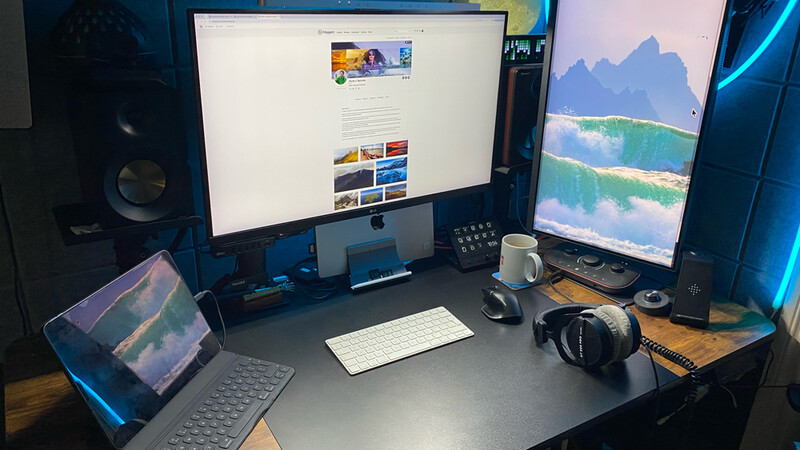
The reason is quite simple. I wanted to see whether this particular design would work on my setup for someone who isn't necessarily looking for another traditional desk lamp, but instead wants something that can sit directly on top of their existing screen and keep that minimalist look and feel.
That was the reason I wanted to try this version rather than one of the more traditional ScreenBar designs.
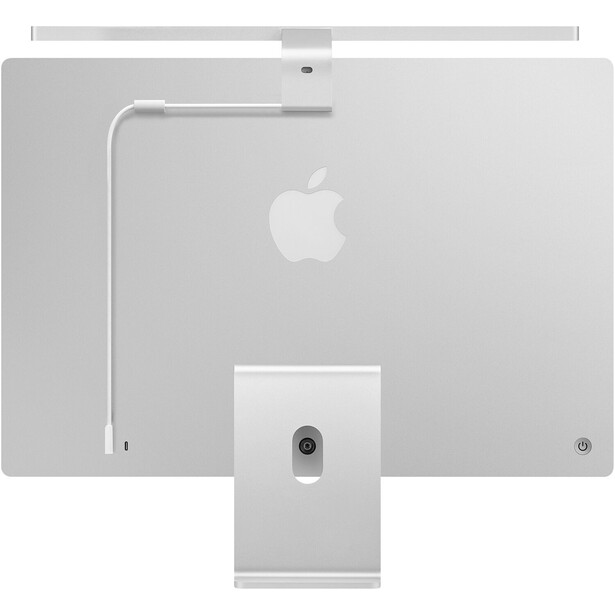
There is an important caveat here. BenQ officially designed the iScreenBar exclusively for compatible 24-inch iMac models from 2021 onward and does not support other monitors. Using it on another display, as I have done, is therefore outside its intended compatibility.
Obviously, I can't tell you how well it integrates with an actual iMac because I haven't tested it on one, and I don't want to pretend otherwise. What I can test is the actual light, the controls, the way it sits on my screen, and whether the overall concept works on my particular setup when you want a clean workstation without another lamp sitting beside the monitor.
The good news is that it does.
A Minimalist Design
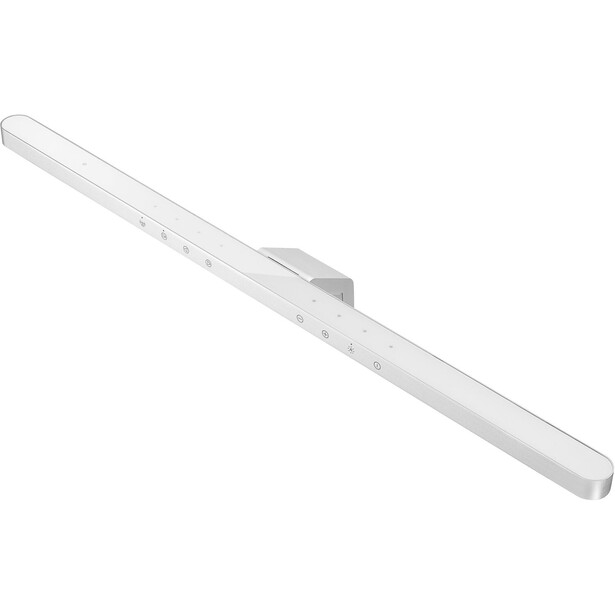
Right out of the box, the design of this unit looks like it came from the mind of an Apple designer. It has a sleek, simple profile, a touch panel, and an aluminum outer casing, and it doesn't look like something that has simply been added to the top of a computer screen.
That is important because if you are going for a minimalist workstation, the last thing you want is an accessory that immediately draws attention to itself.
The iScreenBar is quite understated, and even though I'm not using it on an iMac, I think the design works well on my own setup.
The materials also feel high quality. The aluminum casing gives it a solid feel without making it look bulky, while the mounting system holds the light securely in place on my setup.
The USB-C cable can also be routed neatly behind the screen, helping to keep cable clutter to a minimum. Again, this might seem like a small thing, but when you are trying to keep a desk clean and simple, these details do make a difference.
Simple Controls
Using the iScreenBar is also quite simple and intuitive, with minimalism remaining at the forefront.
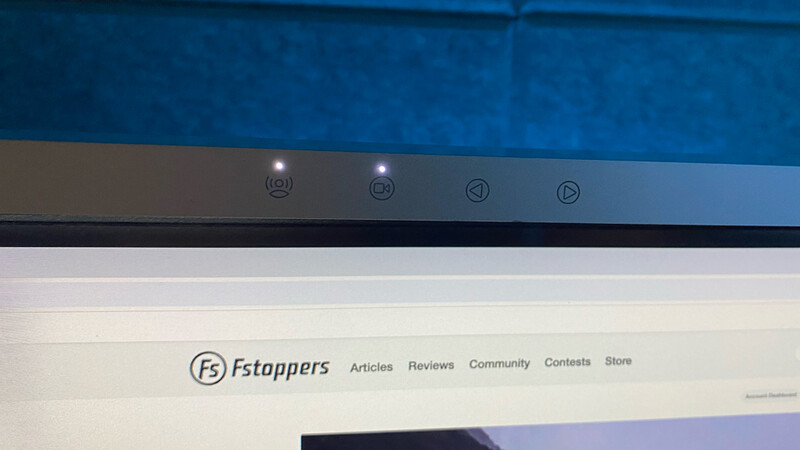
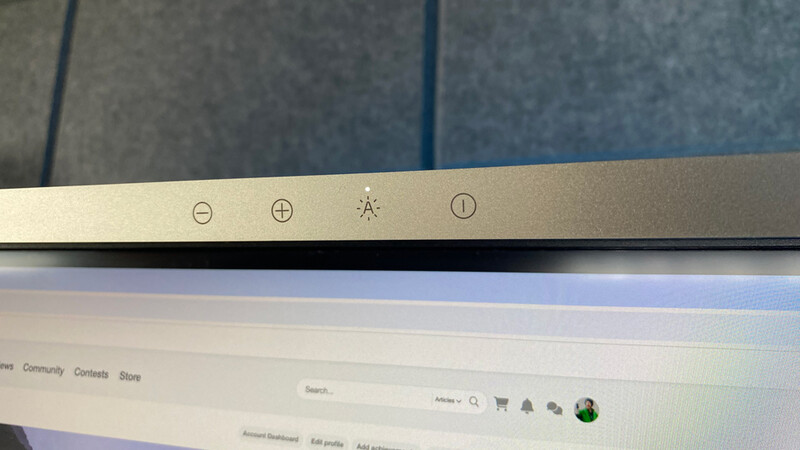
There are no physical buttons sticking out from the unit; instead, the controls are touch-activated, with the sensors sitting flush with the top of the light.
From here, you can adjust the brightness and change the color temperature from a cooler light through to something much warmer.
I have found the color adjustment particularly useful because I don't necessarily want the same type of light throughout the day. A cooler light works well during the day when I'm working, while a warmer setting is more comfortable later in the evening.
There is also a dedicated macOS application that provides additional control over the light and allows you to save settings, although the controls on the ScreenBar itself are probably what I would use most of the time.
Video Calls and Automatic Lighting
BenQ has also included a couple of additional features that make the iScreenBar more than just a light.
One of these is Video Mode, which changes the way the light is distributed during a video call. When activated, the center lighting area turns off and only the side light sources remain on, helping to keep direct light from interfering with the camera.
I haven't tested this with an iMac's built-in camera, so I can't really comment on that particular integration, but the idea makes sense if you regularly use your computer for video calls.
You also have presence detection, allowing the light to turn on when you approach your desk and switch off when you leave.
There is a small issue here, however. If you are sitting at your desk and don't move for several minutes, the system can interpret this as you having left. BenQ states that the presence detection may switch the light off after around three minutes without significant movement.
If you are editing an image and sitting relatively still, you could therefore find yourself reaching up to turn it back on or moving to activate the sensor.
It isn't a major issue, but it is something to be aware of.
The Important Part: The Light
Of course, all of the design and features don't really matter if the light itself isn't any good, and this is where the iScreenBar works particularly well.
The light is directed down onto the desk rather than toward the screen, and this is where BenQ's asymmetric optical design comes into play.
The result is a good spread of light across the working area without creating reflections on the screen.
This is particularly important for me because I spend a lot of time working with photographs, and the last thing I want when editing is a desk lamp reflecting back at me from the display.
With the iScreenBar, I don't get that problem.
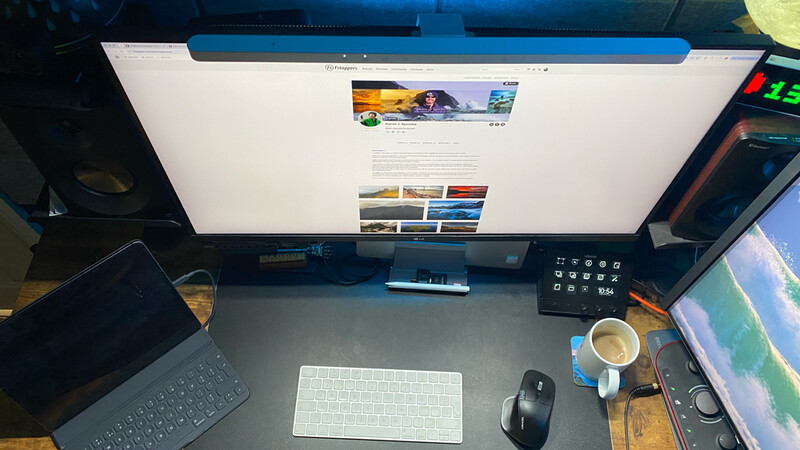
The light spreads across the desk well, illuminating the area around the keyboard and mouse without creating an obvious bright spot directly in front of you. It also doesn't feel as though you are sitting underneath a spotlight, which is something I have experienced with other desk lighting.
BenQ specifies a 500 lux coverage area of around 85 cm by 50 cm, which is more than enough for the area immediately in front of a typical monitor.
For me, however, the lack of screen glare is the biggest advantage.
Why I Think It Works for Photographers
As a photographer, I spend a lot of time sitting in front of a computer editing images, and this is probably where I appreciate having the iScreenBar most.
I don't want a bright lamp shining across the room while I am working, but I also don't want to sit in a dark room with the monitor being the only source of light.
The iScreenBar provides something in between.
It illuminates the area around the keyboard and desk without flooding the room with light, and being able to adjust the color temperature means I can change it depending on when I'm working.
I wouldn't suggest that this replaces proper lighting when you are doing critical color work, because it doesn't. But that isn't really what it is designed for.
For making the workstation more comfortable to use, it does a very good job.
Is It Worth the Price?
This is where things get a little more complicated.
The iScreenBar isn't a cheap desk light, with an MSRP of $189, and there are obviously much cheaper USB lights available.
But you aren't really buying a basic USB light here.
You are paying for the design, the optical system, the controls, the automatic features, and the fact that the whole thing is designed to sit above your screen rather than taking up space beside it.
For someone with a compatible iMac, there is also the additional integration with the computer, although, as I don't own an iMac, I can't tell you from personal experience how much difference that makes.
For me, the reason for choosing this model was slightly different.
I wanted something that would sit on top of my existing screen and give me the clean, minimalist setup that I was looking for.
And in that respect, it works on my setup.
Final Thoughts
I think BenQ has made an interesting decision with the iScreenBar by designing a ScreenBar specifically around the iMac. After using it on my own setup, though, I found that the basic concept can work elsewhere under the right circumstances, even though BenQ officially supports the iScreenBar only on compatible iMac models.
What I can tell you is that the actual concept works very well on my setup.
The design is clean, the controls are simple, the light has a good spread, and, most importantly for me, it doesn't create glare across the screen.
There are cheaper ways of lighting your desk, and if all you want is something to illuminate a keyboard, then you certainly don't need to spend $189.
But if you have a compatible iMac and want something that sits above the screen, takes up virtually no desk space, and keeps the whole workstation looking clean and uncluttered, then the iScreenBar is worth considering. If you don't own a compatible iMac, BenQ does not officially support the iScreenBar on other displays, so my experience should not be taken as a general compatibility claim.
That was really what I wanted to find out when I started using it.
Would an iMac-specific ScreenBar actually work for someone who simply wanted the same minimalist approach for their own setup?
In my particular case, the answer is yes.





Join the Fstoppers community for free
-
Post comments and join in the discussions
-
Browse the site ad-free
-
Share your work and get featured in the community
-
Compete in the photo contests for fun and prizes
No comments yet