This week marks the return of the Sundance Film Festival to Park City, Utah. The festival showcases dozens of new documentaries, shorts, and feature presentations, as well as a variety of panels of interest to independent filmmakers. According to Adobe, 85% of films at the festival will have used Adobe Creative Cloud tools, so it comes as no surprise that Adobe chose this week to announce new features in its flagship editing program, Premiere Pro.
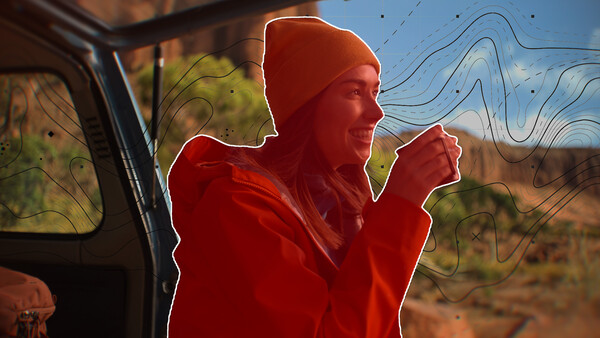
As we have come to expect in 2026, the latest additions to Adobe’s Creative Cloud tools are AI-based. I edit video using Apple’s Final Cut Pro, and I have been unable to master the masking process in that program, so the most interesting announcement for me was a new, AI-powered Object Mask in Premiere Pro. In the press demo provided by Adobe, the feature appeared easy to use and allowed the creator to simply hover over and click an object to select it for masking.
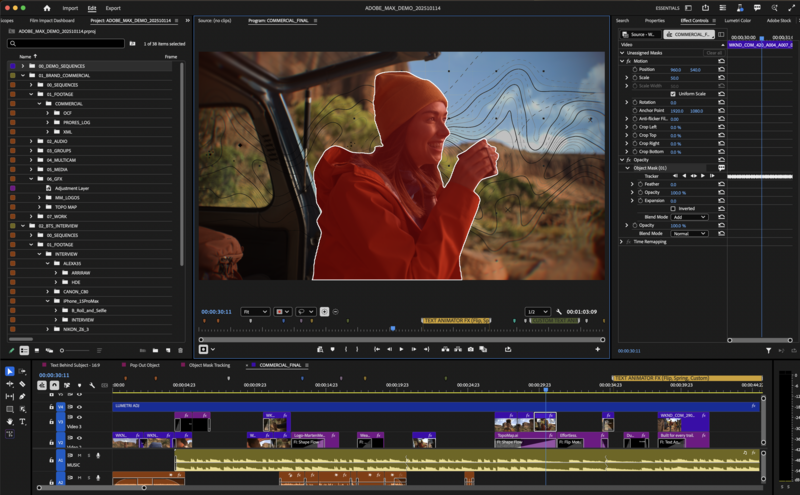
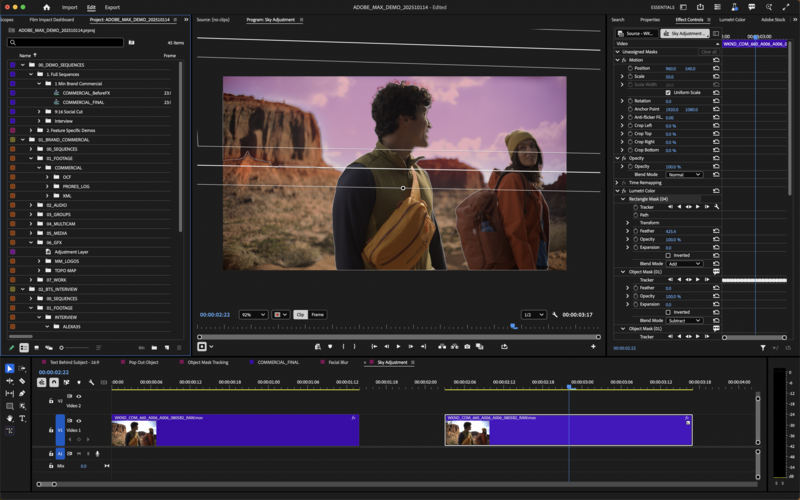
Like other recent AI-based additions to the Creative Cloud suite, the improved masking feature makes it possible for you to create high-level effects without extensive knowledge of editing software. I noticed some similarity between the Mask interface and Photoshop layers, so if you know how to blend layers in Photoshop, you will be comfortable blending objects in Premiere Pro.
Another announcement was about seamless integration between Adobe Firefly Boards and Premiere Pro. Firefly Boards is a platform for creating mood boards and storyboards. Creators often mix a variety of graphics, photographs, and movie clips into their Firefly Boards. Before today’s announcement, if you wanted to add elements from a Firefly Board into Premiere Pro, you would download the asset and add it to your Premiere Pro project. Today’s update allows you to transfer elements from a Firefly Board directly into Premiere Pro.
An update to Adobe's Frame.io integration allows you to access clips stored in your Frame.io account without leaving Premiere Pro. A new Adobe Stock panel has also been added to Premiere Pro, allowing you to easily add photographs and video clips from Adobe’s extensive, fully licensable stock library. There are over 90,000 free assets, including pictures, video clips, templates, and music files, in addition to millions of paid options.
More minor improvements designed for a smoother workflow include:
-
An easier way to adjust fade-ins and fade-outs on video clips
-
Support for Nikon R3D NE files
-
A faster startup time to launch Premiere Pro
These updates are available today. For additional information about these updates and other announcements, including upgrades to After Effects, visit the Adobe Blog.



Join the Fstoppers community for free
-
Post comments and join in the discussions
-
Browse the site ad-free
-
Share your work and get featured in the community
-
Compete in the photo contests for fun and prizes