
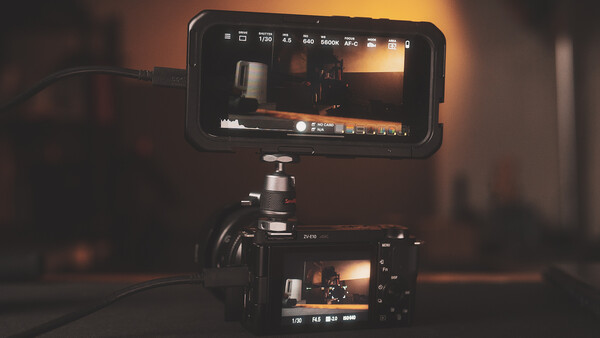
Even if you take out the cameras on your smartphone, it can still play a huge role in making life easier for you when you shoot. In every step of your creative process, your phone can be a tool to make everything easier.
Smartphones really have become very useful tools for photographers and creators. And no, this does not only pertain to taking photos with your smartphone. With all of the multiple camera features aside, there are so many other ways that your smartphone can aid you in your workflow whether it be directly during the process of shooting, in other parts of the creative process, or even the business side of the craft. While the included video and the examples seen in this article are specific to iPhones, these tools and accessories have applicable variants for any kind of smartphone.
1. Multi-Functional Cases
Cases are perhaps the most obvious and most universal accessories that anyone gets for smartphones. Most people consider style and protection when choosing them, and they don’t necessarily prioritize in that order. But for a photographer, there are some additional features that we might want to consider when choosing cases, especially when they can help us in any step of the creative process.
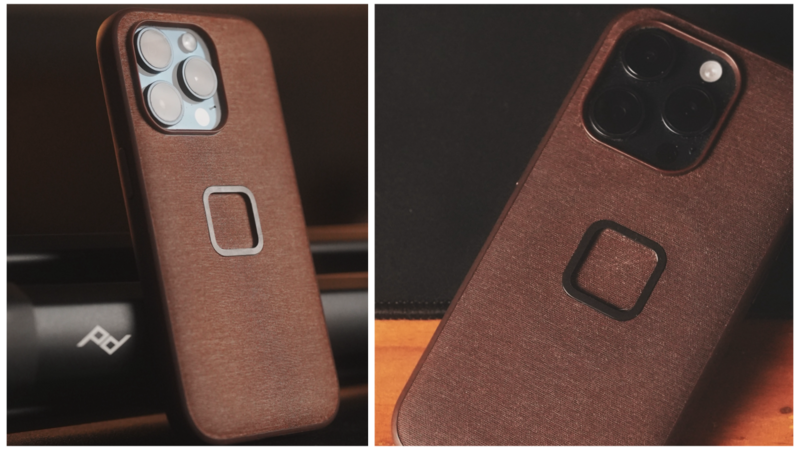
Ever since I started using iPhones again roughly around two years ago (after being an Android user for over a decade), the first accessory that I purchased was the Peak Design Everyday Case, which, to be honest, was only because of the minimalist design (and this new one because of the new colors for the iPhone 15 series). However, after two years of using it, I can say that it is very durable for everyday use. Of course with the PD Everyday case came the compatibility with the PD mobile tripod, the creator kit which allows the user to mount it on a tripod (or a GoPro mount) using the Slimlink port, bicycle, motorcycle, and car mounts, as well as lifestyle accessories like the magnetically attached wallet. More than anything, it is the selection of accessories that make the Peak Design case a more functional choice for iPhone, Google Pixel, and Samsung Galaxy users.
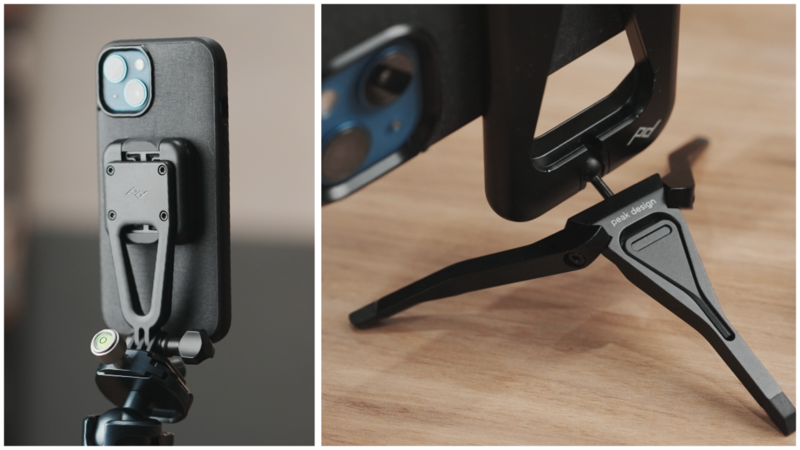
Another notable smartphone case would be the ones from Magbak that make use of stronger magnets than the usual MagSafe compatible cases along with slim and versatile magnetic mounting plates. While their cases don’t necessarily have photography-centric accessories, the magnetic mounting plates allow the user to get creative when it comes to mounting their phones on necessary surfaces.
2. Smart(er) Chargers
iPhones don’t come with chargers anymore, and other brands have also followed suit. While this makes sense for some users who already own chargers from their older phones, there will inevitably be people who will need to purchase chargers separately. While you may be thinking that this is such an obvious point, it is also an opportunity to make more practical and more functional choices.
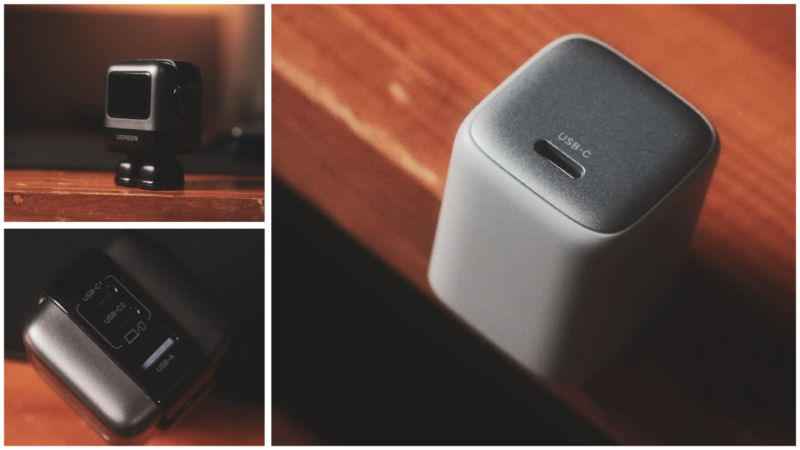
Right: 30W GaN single charger for smartphones
GaN (Gallium Nitride) chargers offer more efficient, safer, and faster charging while also usually being more compact than the more common silicon-based chargers. Simply put, this technology now allows us to use chargers that are more powerful but also more compact, more efficient because of the possibility of charging multiple devices at once, and also more protective of the batteries that we use that can result in longer-lasting devices.
For anyone who only uses a smartphone, obviously a single 30 W GaN charger would be enough. However, for photographers who need to charge their phones along with camera batteries and/or tablets, 65 W GaN chargers with multiple ports offer a more efficient and easy-to-carry option. At the same time, for users who’d like to charge larger devices such as laptops and multi-slot camera battery hubs along with their mobile devices a more powerful 140 W charger would be a practical option.
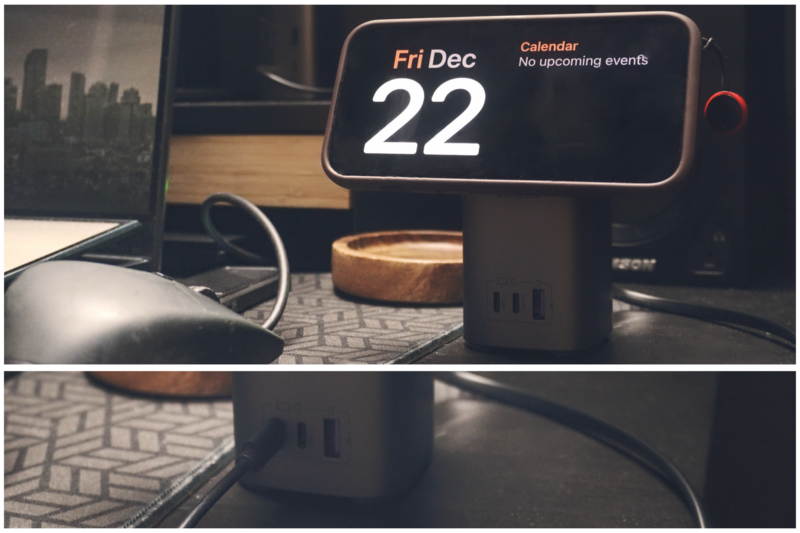
For iPhone users, this 100 W MagSafe desk stand/charger can charge your phone without cables while maintaining comfortable viewing angle with the tilting MagSafe mount while also charging other devices like your laptop, tablet, or camera batteries while you work on your desk.
3. Smartphone Cages
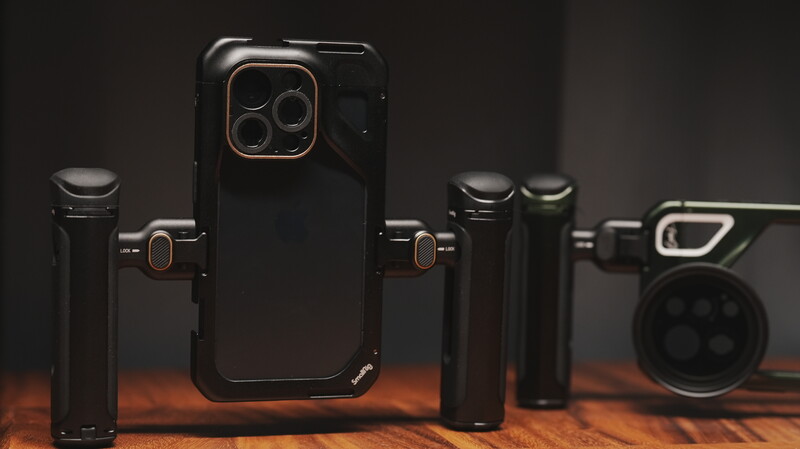
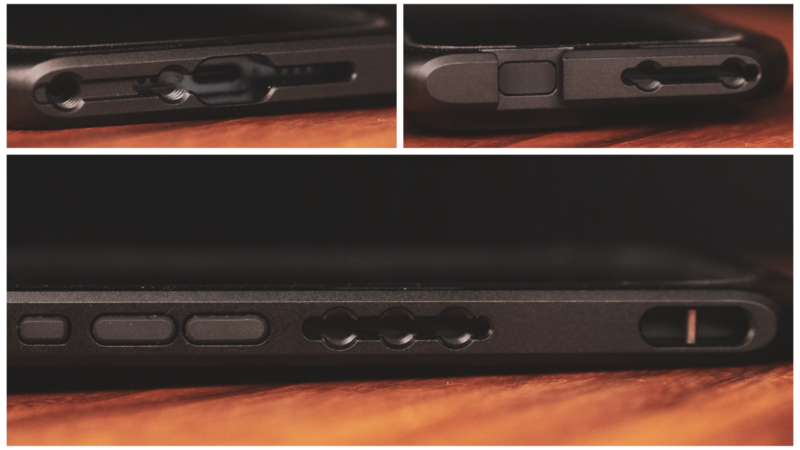
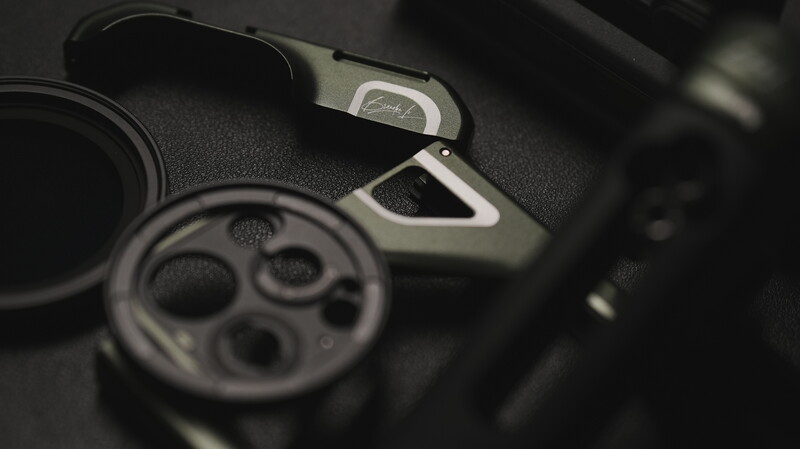
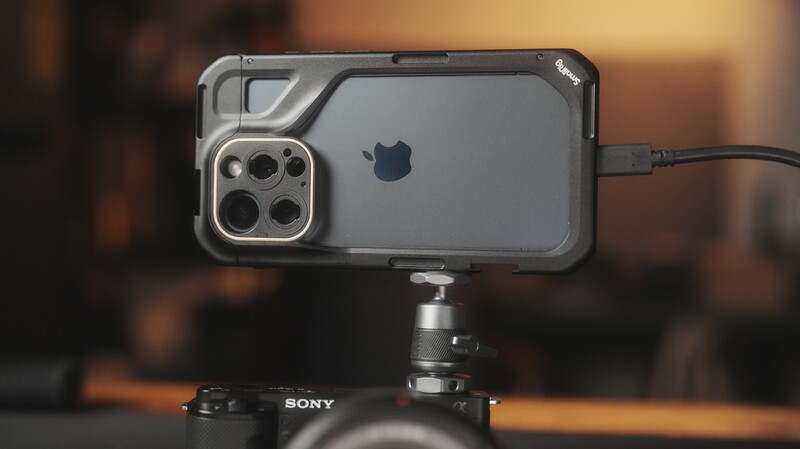
They come with a range of 1/4” and 3/8” threads for any accessory that you might want to attach, a pair of cold shoe ports for compact light sources and other compatible tools, as well as ways to mount external lenses and filters for the smartphone’s cameras.
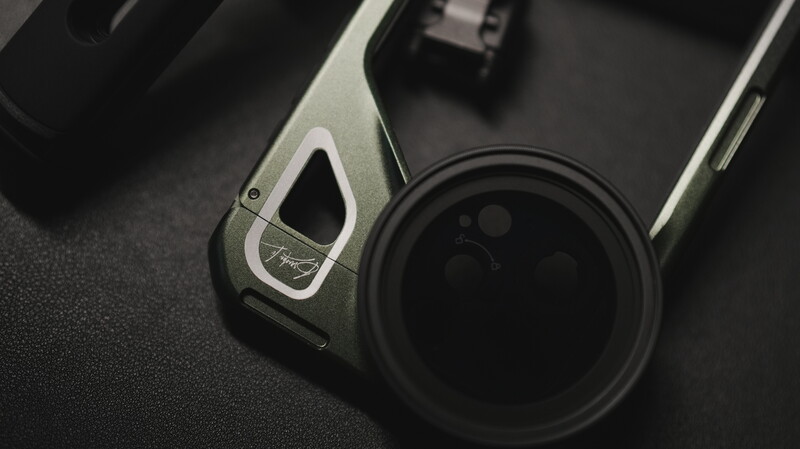
The cages for the iPhone 15 Pro even includes handles with a remote shutter and the cage for the iPhone 15 Pro Max (Brandon Li edition) that comes with a unique innovative design even includes a 1-5 stop magnetic variable ND filter for taking mobile filmmaking to the next level.
While I personally don’t substitute my larger cameras with that on my phone, I find the smartphone cages useful for turning the phone into a convenient tool alongside my camera. Whenever I’m shooting anything that requires constant monitoring for framing and placement, my smartphone (and sometimes my tablet) become a crucial part of my workflow. By using apps such as Sony’s Imaging Edge mobile app or Creators’ app or alternatively, this app called Monitor+, I can turn my phone into a larger screen for my camera that I can bring around me while I adjust and rearrange certain parts of the setup. These apps function wirelessly through Wi-Fi and Bluetooth which makes it convenient for controlling the camera remotely.
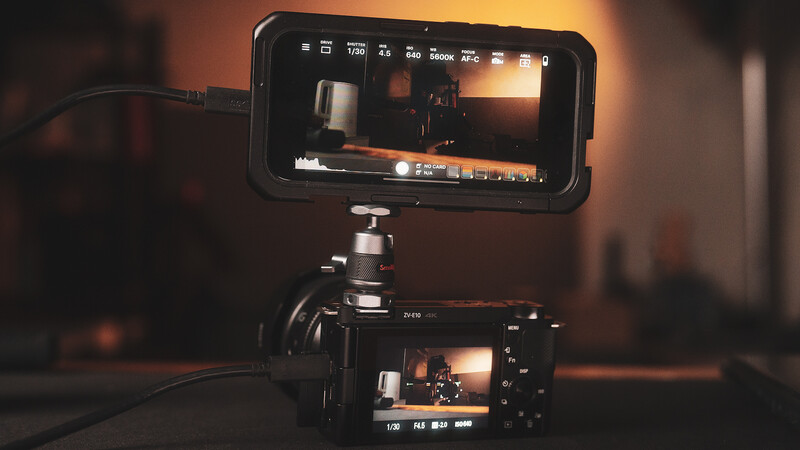
However, you can also optimize the functionality using Monitor+ through a wired connection via USB-C which would give you little-to-no latency that is good for faster paced shooting. The smartphone cage acts as a way to securely attach the phone-monitor onto the camera when not shooting remotely, it can also be a way to keep the screen visible even in trickier angles, or it can be mounted onto the tripod using a more versatile friction arm for whatever purpose it offers.
4. Storage Solutions
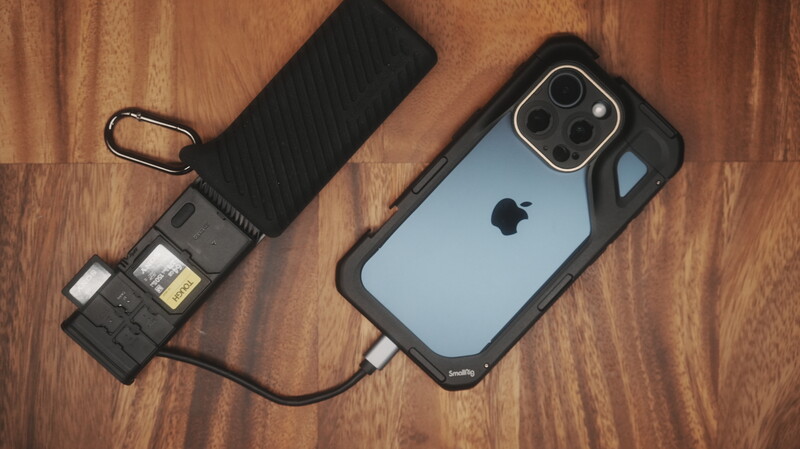
Since smartphones are now more capable not just in terms of shooting better photos and videos but also in terms of post-processing on the go, it is very likely that we would have to deal with larger files altogether. That’s why even though smartphones now come in 512 GB or even 1 TB, the versatility of USB-C connectivity now allows us to use storage tools more efficiently.
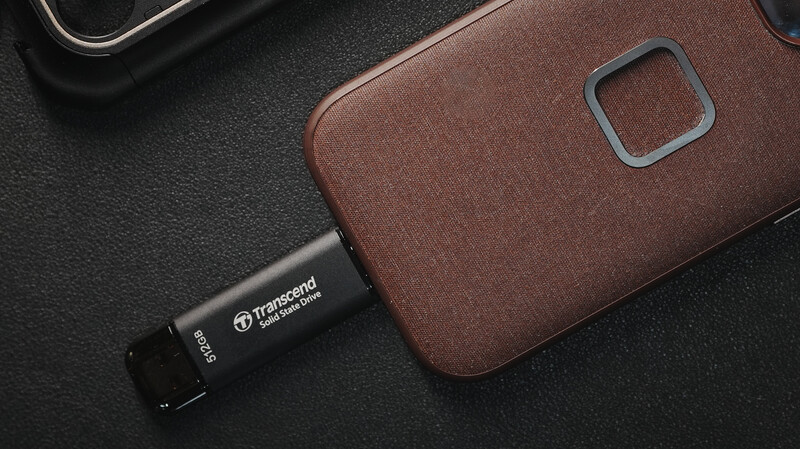
Following Apple’s switch to USB-C, iPhones can now (just like Android devices always have) access portable hard drives and solid state drives (SSDs). Some devices can now shoot and write directly onto a portable drive to spare the on-board storage from heavier files. In particular, this Transcend portable SSD that comes in the familiar form of a thumb drive offers the most compact and easy-to-use storage expansion for such phones. As mentioned, most portable storage devices are compatible with such features, but this particular one is the easiest to keep mounted while the phone is in use, whether it be recording videos or while editing on a mobile app.
Smartphones have now become both viable portable imaging devices and multi-functional accessories. These compact computers aid us not just in shooting but in every step of the creative process. With the universality of USB-C connectivity and the expansive capabilities offered by innovative software developers, the humble smartphone has now become more like a digital Swiss Army knife.



Join the Fstoppers community for free
-
Post comments and join in the discussions
-
Browse the site ad-free
-
Share your work and get featured in the community
-
Compete in the photo contests for fun and prizes
1 Comment
great information, planning do shoot more with the new iphone :)