A laptop screen is a compromise you accept in the field and regret at home. It is too small to cull a wedding on, too dim to judge shadows on a sunlit porch, and its color drifts the moment you tilt the lid. A portable monitor fixes the first two problems for the price of a decent prime lens, and the good ones fix the third as well. The hard part is that this category is a swamp: hundreds of near-identical panels from brands you have never heard of, spec sheets that quote gamut numbers nobody audits, and a handful of genuinely excellent displays hiding among them.
Three axes decide this purchase. The first is color, and specifically whether the panel is factory calibrated to a standard you can name, or just marketed with a big percentage. The second is brightness, because a 250-nit screen is useless outdoors and most portable monitors are 250-nit screens. The third is what you are actually carrying: weight, thickness, whether it needs a stand, and whether it can hang off a tripod next to your camera during a tethered shoot. Resolution matters less than any of those three, which is not what the marketing wants you to believe.
Every specification below was checked against the manufacturer's current spec page in July 2026. Where a maker's color claim is an uncalibrated panel-gamut number rather than a verified accuracy figure, we say so in that pick rather than repeating the brochure. None of these displays has come through Fstoppers for a hands-on review, so we write from verified specs, and we flag which panels ship factory calibrated with a color report and which leave accuracy up to you. If your screen never leaves a desk, our monitors for photo editing guide is the one you want instead.
At a Glance
- Best Overall: espresso Pro 15
- Best Budget: ASUS ZenScreen MB16ACV
- Best OLED: ViewSonic VX1655-4K-OLED
- Best for Color Accuracy: ViewSonic ColorPro VP16-OLED
- Best Lightweight: ASUS ZenScreen OLED MQ16AHE
- Best Touchscreen: ASUS ProArt Display PA169CDV
- Best Laptop-Attached Second Screen: Mobile Pixels Duex Float 2 Pro
Best Overall: espresso Pro 15
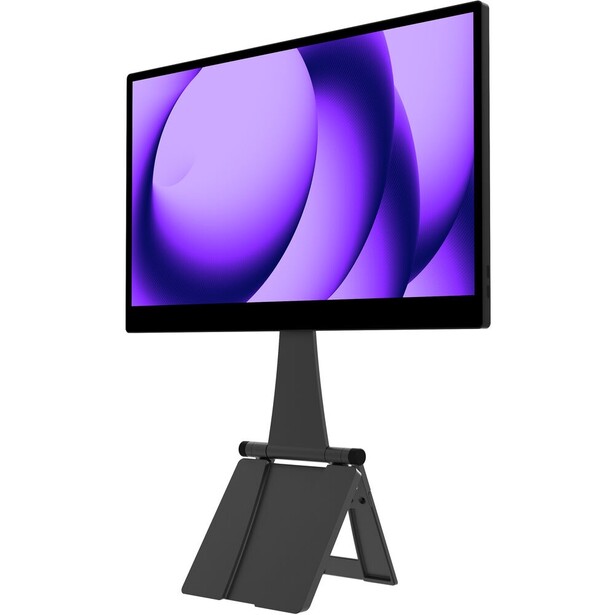
- Screen: 15.6-inch IPS, 16:9, multi-touch, hardened glass
- Resolution: 3840 x 2160
- Brightness: 550 nits
- Color: 100% Adobe RGB claimed, 10-bit (8-bit plus FRC), 1,500:1 contrast
- Refresh and response: 60 Hz
- Ports: 2x USB-C
- Weight and thickness: 800 g, 9 mm
- Price: $699 (B&H)
Brightness is the spec that separates a portable monitor you use from one that lives in a drawer, and the espresso Pro 15 is rated at 550 nits, roughly double what the cheap end of this category manages. That is the difference between reviewing selects on a shaded patio and squinting at a mirror. Around that panel espresso built the only chassis here that feels like camera gear: anodized aluminum, 6H hardened glass across the face, 9 mm thick, 800 g. The magnetic Stand+ included in the box holds the screen in landscape or portrait and raises it to laptop-lid height, which is the posture you actually want when the monitor is doing the looking and the laptop is doing the typing.
It is 4K across 15.6 inches, which works out to 282 pixels per inch, dense enough that you are judging the photograph rather than the pixel grid. The panel is a glossy touchscreen, so pinch-to-zoom in Lightroom works the way it does on an iPad, and the glass is the same reason you should think hard about where you put it. Under a window or a softbox it mirrors the room.
Now the honest part, and it is the reason this monitor does not also win the color-accuracy slot. espresso markets the Pro 15 as covering 100% of Adobe RGB, but that is an uncalibrated panel-gamut claim, not a guaranteed accuracy figure. The display reaches 10-bit only through frame rate control on an 8-bit base, it ships with no factory color report, and it has no hardware calibration, so any profile you build lives in the operating system rather than in the monitor. That makes it a screen for culling and client review, not for final grading against a print target. Buy this as the best-built, brightest, most usable portable display you can carry, and do your critical color work on a calibrated screen, or profile this one yourself with a colorimeter before you trust it.
It also runs entirely off USB-C, and a 4K panel at 550 nits is a real load on a laptop battery. On a long location day, plan on feeding the pass-through port from a power bank rather than draining the machine you are editing on. For a working photographer who wants one screen that goes from a hotel desk to a client's kitchen table and looks professional in both places, this is the one to get, so check the current price of the espresso Pro 15 at B&H. Also consider the espresso Display 15 if you want the same aluminum and glass build at 1080p for considerably less, accepting that it drops the touch layer and runs at 300 nits.
What We Like
- 550 nits, the only display here bright enough to work with outdoors
- Aluminum and hardened glass build that survives a camera bag
- Magnetic Stand+ included, with portrait and landscape positions
- 4K touch panel at 282 ppi
What Could Be Better
- Measured gamut and Delta E fall short of the 100% Adobe RGB claim
- No hardware calibration
- Glossy glass reflects any light source behind you
- Draws serious power from a laptop over USB-C
Best Budget: ASUS ZenScreen MB16ACV
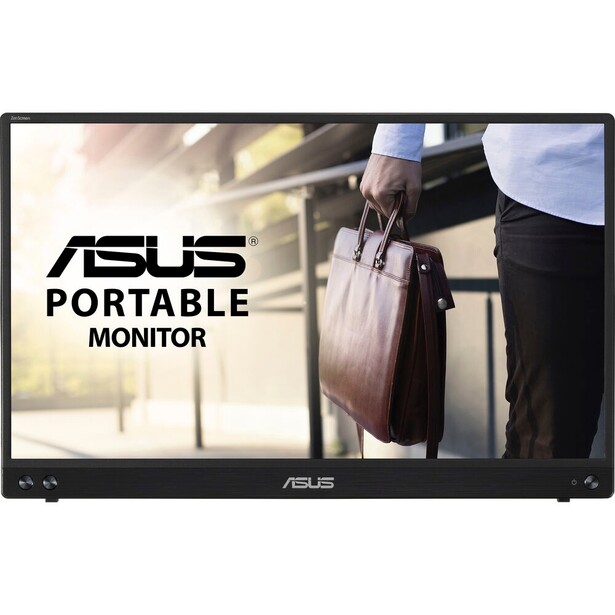
- Screen: 15.6-inch IPS, 16:9, anti-glare
- Resolution: 1920 x 1080
- Brightness: 250 nits
- Color: 260,000 colors, no published gamut coverage, 800:1 contrast
- Refresh and response: 60 Hz, 5 ms
- Ports: 1x USB-C (DisplayPort Alt Mode)
- Weight and thickness: 900 g, 10 mm
- Price: $179 (B&H)
Not everybody needs a color-managed second display. Plenty of photographers just want more pixels of screen real estate on the road, somewhere to park the Lightroom filmstrip or a tethering app while the main window keeps the image. The ZenScreen MB16ACV is the cheapest way to do that from a brand with a warranty department. It is a plain 15.6-inch 1080p IPS panel with an anti-glare coating, a folding kickstand built into the back, and a 1/4-inch tripod socket, and it runs off a single USB-C cable that carries video and power together.
That tripod socket is the reason it makes this guide rather than one of the anonymous Amazon panels it competes with. Screw the MB16ACV onto a light stand and you have a client monitor beside the camera for the price of a memory card. The anti-glare finish also earns its keep at this price, because a matte 250-nit screen in a shaded room reads better than a glossy 250-nit screen anywhere.
ASUS is refreshingly unambitious about what this panel is. The spec sheet does not claim sRGB coverage at all, and it rates the display at 260,000 colors, which is the tell for a 6-bit panel with dithering. Contrast is a modest 800:1. Do not use it to judge skin tones, do not use it to make a print decision, and do not expect a raw file to look the same on it as it does on your calibrated desktop screen. At 250 nits it is also an indoor tool, and the single USB-C port means no HDMI input, so a camera's clean HDMI output cannot drive it and older laptops without DisplayPort Alt Mode cannot either. Check the compatibility list against your machine before you buy.
Judged as what it is, a cheap, light, well-made screen extender that also mounts to a stand, it does the job with no drama, so check the current price of the ASUS ZenScreen MB16ACV at B&H. Also consider the ViewSonic VX1655 if you need a mini HDMI input and speakers and can spend a little more.
What We Like
- The cheapest portable monitor here from a brand with real support
- 1/4-inch tripod socket turns it into a stand-mounted client screen
- Anti-glare coating, which matters more than resolution at this price
- Single-cable USB-C operation, no power brick
What Could Be Better
- No published color gamut and a 6-bit panel rated at 260,000 colors
- 250 nits and 800:1 contrast, so it is an indoor screen only
- One USB-C port and no HDMI input at all
- 1080p across 15.6 inches looks coarse next to the 4K picks
Best OLED: ViewSonic VX1655-4K-OLED
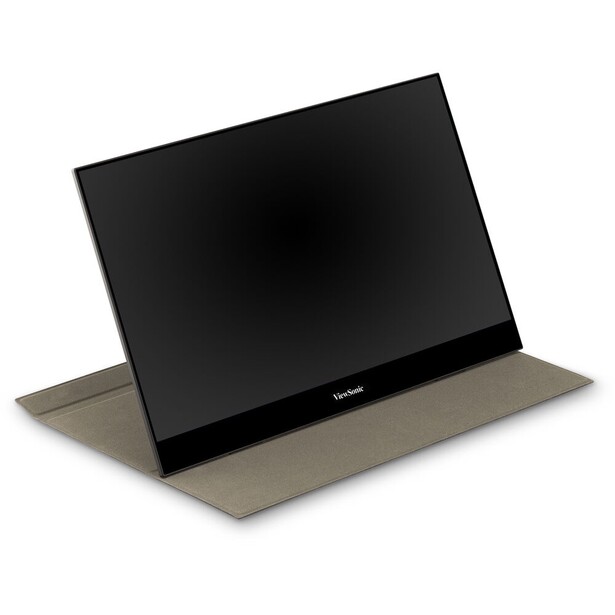
- Screen: 15.6-inch OLED, 16:9, glossy
- Resolution: 3840 x 2160
- Brightness: 400 nits typical, VESA DisplayHDR 500
- Color: 100% DCI-P3, 10-bit, 100,000:1 static contrast
- Refresh and response: 60 Hz, 0.05 ms GtG
- Ports: 2x USB-C (60W power delivery), mini HDMI 2.1, 3.5mm audio
- Weight and thickness: 680 g, 16 mm
- Price: $499.99 (B&H)
OLED earns its keep in photography for one reason: shadows. A self-emissive panel switches pixels off rather than dimming a backlight, so the crushed black in an underexposed frame stays black instead of glowing dark gray, and you can see whether there is anything recoverable down there. The VX1655-4K-OLED pairs that with a 4K panel and full DCI-P3 coverage, and at 680 g it is also the lightest display in this guide, which is a slightly absurd thing to be able to say about the best panel in it.
ViewSonic rates it at 400 nits typical with VESA DisplayHDR 500 certification for peak highlights, and the static contrast figure of 100,000:1 is an OLED number no IPS panel can approach. The stand is built into the chassis and folds out to 86 degrees, so there is no separate case to lose, and the two USB-C ports carry 60W of power delivery, enough that the monitor can feed a laptop rather than only drink from it. The mini HDMI 2.1 input is the other quiet advantage, because it means you can run a camera's HDMI out straight into it on a video shoot.
Two caveats, both real. The screen is glossy, and OLED plus gloss is a mirror in any bright room. Outdoors in open shade it is workable at 400 nits, in direct sun it is not. The second is burn-in, the standing OLED anxiety. ViewSonic does not advertise burn-in coverage the way ASUS does on its OLED ZenScreen, so if your workflow means a static Lightroom interface parked on the same panel for eight hours a day, hide the toolbars and let the screen sleep. Judged purely on the panel, nothing else in this guide matches it, and it prices accordingly, so check the current price of the ViewSonic VX1655-4K-OLED at B&H. Also consider the ViewSonic VX1655-4K, the IPS version of the same idea, if the price of OLED or the burn-in question puts you off.
What We Like
- OLED black levels make shadow judgment genuinely easier
- 4K resolution and 100% DCI-P3 coverage
- Lightest display in this guide at 680 g, with the stand built in
- 60W two-way USB-C plus a mini HDMI 2.1 input
What Could Be Better
- Glossy panel reflects everything
- No advertised burn-in warranty coverage
- 400 nits typical is not enough for direct sunlight
- Costs substantially more than the 1080p OLEDs in this guide
Best for Color Accuracy: ViewSonic ColorPro VP16-OLED
- Screen: 15.6-inch OLED, 16:9
- Resolution: 1920 x 1080
- Brightness: 400 nits typical
- Color: 100% DCI-P3, 10-bit, Delta E under 2, Pantone Validated, factory calibrated with a color report, 100,000:1 contrast
- Refresh and response: 60 Hz, 1 ms GtG
- Ports: 2x USB-C (40W power delivery), micro HDMI 1.4, 3.5mm audio
- Weight and thickness: 980 g, 6 mm panel
- Price: $299.99 (B&H)
Every portable monitor claims a color gamut. Almost none of them ship with a piece of paper proving they hit it. The ColorPro VP16-OLED does: it is factory calibrated, Pantone Validated, rated at Delta E under 2, and it arrives with an individual color report in the box. On a display you will use to show a client what their photographs look like, that document is worth more than an extra 2 million pixels.
ViewSonic clearly designed this one with photographers in the room. The folding stand has a tripod mount built into it, so the display goes on a light stand next to the camera during a tethered shoot without an adapter. The protective screen cover doubles as a shading hood, which is the single most useful accessory in the entire category and the thing every other maker forgets: a hood turns a bright hotel room from a color-judgment problem into a color-judgment environment. The two USB-C ports handle 40W of two-way power, and there is a micro HDMI input for a camera feed.
The compromise is resolution. This is a 1080p panel, and across 15.6 inches that is 141 pixels per inch, so you can see the pixel structure if you go looking for it and 100% crops are a coarser read than they are on the 4K screens here. It also carries some weight, 980 g, because the ergonomic stand and the hood are real hardware rather than a folded flap of plastic. The panel itself is 6 mm thick, which tells you where the weight went.
None of that touches the reason to buy it. If your portable display exists so that the color you approve on location is the color you deliver, resolution is the spec you trade away and calibration is the one you keep, so check the current price of the ViewSonic ColorPro VP16-OLED at B&H. One flag before you spend: this display has been on the market since late 2022 and has not been refreshed, so a successor would not be a surprise.
What We Like
- Factory calibrated and Pantone Validated, with a color report in the box
- Delta E under 2 and full DCI-P3 coverage on an OLED panel
- Tripod mount in the stand and a shading hood included
- 40W two-way USB-C power
What Could Be Better
- 1080p, 141 ppi, coarse next to the 4K picks
- 980 g, one of the heavier options here
- Micro HDMI 1.4 rather than a full-size or mini connector
- A mature product that is due for replacement
Best Lightweight: ASUS ZenScreen OLED MQ16AHE
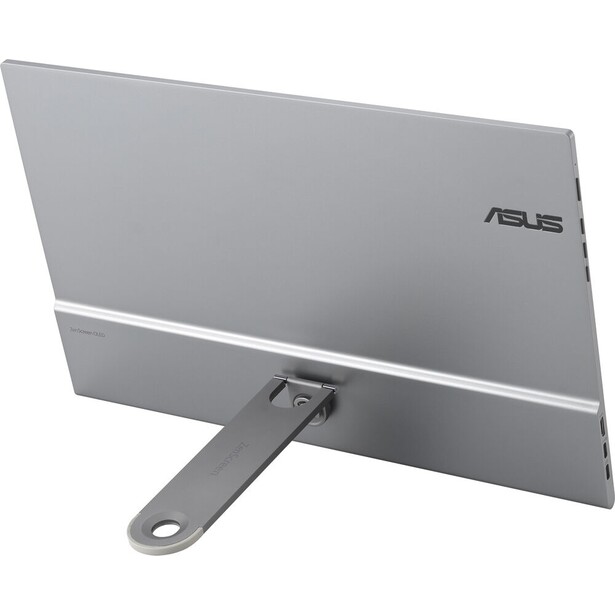
- Screen: 15.6-inch OLED, 16:9, glossy
- Resolution: 1920 x 1080
- Brightness: 400 nits typical
- Color: 100% DCI-P3, HDR10, 100,000:1 contrast
- Refresh and response: 60 Hz, 1 ms GtG
- Ports: 2x USB-C (one full function with 10W power delivery), mini HDMI
- Weight and thickness: 720 g without stand, 9 mm
- Price: $339 (B&H)
Weight is the spec that decides whether a portable monitor gets packed. At 720 g and 9 mm, the ZenScreen OLED MQ16AHE slides into the laptop sleeve of a camera bag next to the laptop and adds less mass than a 50mm lens. To be precise about it, the ViewSonic 4K OLED above is 40 g lighter still, but it is also 16 mm thick with a stand built into the chassis, and it sits a tier above this one on price. This is the one you carry without thinking about it.
The kickstand is detachable and rotates 360 degrees, so the screen works in portrait, which is the orientation you want for reviewing verticals and reading a shot list. Remove the stand entirely and there is a 1/4-inch thread on the back for a tripod or a light stand. A proximity sensor blanks the panel when you walk away, which saves power and, more usefully on an OLED, limits how long a static interface sits burning into the same pixels. ASUS backs that with a three-year warranty that explicitly covers panel burn-in, which is the strongest burn-in position anyone takes in this category and the reason we would put a Lightroom window on this OLED before the ViewSonic.
What you give up is resolution and a place to plug things in. It is 1080p, so 141 pixels per inch, and ASUS rates USB-C power delivery at 10W, which is the display drawing from your host machine rather than feeding anything back to it. Bring a power bank on a long day. It has no speakers at all, just a headphone jack, and the glossy OLED surface is a mirror in bright rooms in exactly the way the ViewSonic is. ASUS does not publish a Delta E figure for this model, unlike the MQ16AH version of the same panel, so treat the 100% DCI-P3 claim as a gamut number rather than an accuracy number.
For the photographer whose real requirement is that the screen is simply there, in the bag, every time, with OLED contrast when it comes out, this is the pick, so check the current price of the ASUS ZenScreen OLED MQ16AHE at B&H.
What We Like
- 720 g and 9 mm thick, genuinely bag-invisible
- Three-year warranty that explicitly covers OLED burn-in
- 360-degree detachable kickstand plus a 1/4-inch tripod thread
- Full DCI-P3 coverage and OLED contrast
What Could Be Better
- 1080p on a 15.6-inch panel
- 10W USB-C power delivery, so it leans on your laptop battery
- No published Delta E figure
- Glossy panel, no speakers
Best Touchscreen: ASUS ProArt Display PA169CDV
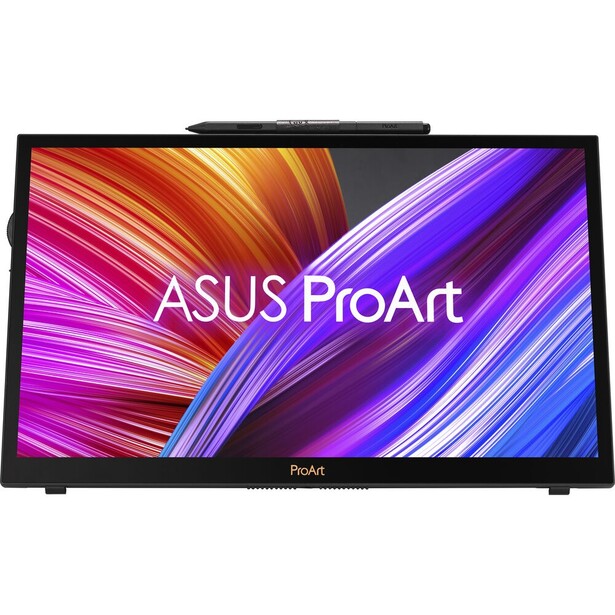
- Screen: 15.6-inch IPS, 16:9, anti-glare, 10-point touch with Wacom EMR pen
- Resolution: 3840 x 2160
- Brightness: 450 nits typical, VESA DisplayHDR 400
- Color: 100% sRGB, 92% Adobe RGB, 88% DCI-P3, Delta E under 2, Calman Verified, Pantone Validated, 1,200:1 contrast
- Refresh and response: 60 Hz, 10 ms GtG
- Ports: USB-C (DisplayPort Alt Mode, 15W power delivery), HDMI 2.0
- Weight and thickness: 1.07 kg, 12 mm
- Price: $649 (B&H)
Touch on a portable monitor is usually a checkbox. On the ProArt Display PA169CDV it is the entire point, because ASUS built a proper pen display and then made it portable. The bundled ProArt Pen uses Wacom EMR technology with 4,096 pressure levels and needs no battery, and the panel underneath it is 4K, anti-glare, and both Calman Verified and Pantone Validated at Delta E under 2. For anyone who masks, dodges, burns, or retouches on the road, that combination replaces a laptop plus a separate graphics tablet with one slab.
The stand is cleverer than it looks. A lower kickstand props the display up for ordinary second-screen use, and a second prop drops it to a shallow 17-degree angle, which is the angle you want when you are drawing on it rather than looking at it. There is an ASUS Dial in the corner that maps to brush size, zoom, or layer opacity in Photoshop and Lightroom, and once your hand learns it you stop reaching for the keyboard.
It is the heaviest of the slim picks at 1.07 kg, and the panel is a 60 Hz IPS with a 10 ms gray-to-gray response, the slowest in this guide and a long way from the 0.05 ms the ViewSonic OLED posts. The bigger constraint is power: the USB-C port supplies only 15W, so on many laptops you will want the HDMI input plus separate power rather than a single cable, and that is two cables in a bag that was supposed to be simplifying. The anti-glare coating, which is the right call for a display you rest your hand on, also slightly softens the 4K image compared with the glossy panels here.
Gamut coverage sits at 92% Adobe RGB rather than the full 100% espresso claims, but ASUS puts third-party verification behind its numbers where espresso does not, and 100% sRGB at Delta E under 2 is what most delivery actually targets. If you edit with a pen, nothing else here is in the conversation, so check the current price of the ASUS ProArt Display PA169CDV at B&H.
What We Like
- Battery-free Wacom EMR pen with 4,096 pressure levels included
- Calman Verified and Pantone Validated at Delta E under 2
- 4K anti-glare panel and a two-stage stand with a 17-degree drawing angle
- ASUS Dial is genuinely useful in Photoshop and Lightroom
What Could Be Better
- Heaviest of the slim picks at 1.07 kg
- Only 15W of USB-C power delivery, so it often needs a second cable
- 10 ms gray-to-gray response, the slowest panel in this guide
- 92% Adobe RGB, short of a full wide-gamut display
Best Laptop-Attached Second Screen: Mobile Pixels Duex Float 2 Pro
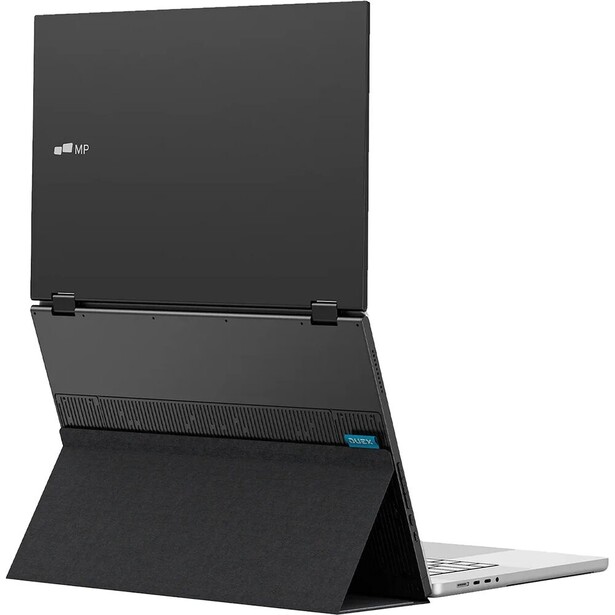
- Screen: 16-inch IPS, 16:10, anti-glare
- Resolution: 2560 x 1600
- Brightness: 350 nits
- Color: 100% sRGB, 72% NTSC, 1,200:1 contrast
- Refresh and response: 120 Hz, 8 ms
- Ports: 2x USB-C (65W pass-through charging), mini HDMI
- Weight and thickness: 1.32 kg (2.9 lb), 18 mm
- Price: $249.99 (B&H)
Every other display in this guide sits beside your laptop and eats table. The Duex Float 2 Pro stacks above it instead, mounting to the back of the lid with four magnets so the second screen floats over the first. On an airline tray table, a hotel desk, or the corner of a reception venue where you are culling between the ceremony and the dinner, that vertical stacking is the difference between working and not working. Mobile Pixels also ships a redesigned kickstand for when you would rather stand it up on its own.
The panel is better than the format suggests. It is a 16-inch 16:10 display at 2560 x 1600, which is 2.5K rather than the 1080p most laptop-attached screens settle for, it covers 100% of sRGB, and it runs at 120 Hz. The taller 16:10 shape is the right one for an editing interface, and the anti-glare finish makes it usable under the mixed overhead lighting you get in real venues. The USB-C ports handle 65W of pass-through charging, so the monitor can sit between your laptop and the wall rather than competing with it.
The weight is what it is. At 1.32 kg it is by far the heaviest thing here, roughly double the ASUS OLED, and hanging that off the back of a laptop lid stresses the hinge on thinner machines. Check your laptop's hinge before you commit to the magnet mount, and use the kickstand if there is any doubt. It is also 350 nits, so this is an indoor display, and its color is sRGB-only, so it is a workspace expander and a client-facing screen, not a grading monitor.
For the photographer whose problem is screen area rather than color fidelity, and who works in cramped places, nothing else here solves it as neatly, so check the current price of the Mobile Pixels Duex Float 2 Pro at B&H. Also consider the Mobile Pixels Duex Float 2, the 15.6-inch 1080p version, if you want the same trick for less money and less weight.
What We Like
- Stacks above the laptop instead of taking up table width
- 2560 x 1600 at 16:10, taller and sharper than most laptop-mounted screens
- 100% sRGB and an anti-glare finish
- 65W pass-through charging through the USB-C port
What Could Be Better
- 1.32 kg, the heaviest display in this guide
- Magnet mount puts real load on a thin laptop hinge
- 350 nits and sRGB-only, so it is an indoor productivity screen
- No wide-gamut or calibration credentials
How to Choose a Portable Monitor
Decide first what the screen is for, because the answer changes every other spec. If it exists to give you more room to work, buy area and resolution and stop caring about gamut. If it exists so that you can show a client an image and have that image be true, buy calibration and a hood and stop caring about resolution. Photographers get into trouble when they try to buy one screen that does both jobs, then discover that a 4K panel with a marketing gamut claim is not a color reference and never was.
On color, treat unverified percentages as noise. A DCI-P3 or Adobe RGB figure on a spec sheet is a claim about the panel's chemistry, not a promise about how the display was tuned, and the gap between the two is where most disappointment lives. What actually means something is third-party validation: a Delta E figure the maker will stand behind, a Pantone or Calman verification, or a factory calibration report in the box. Two picks here carry that kind of verification, and the ViewSonic ColorPro is the only one that puts a printed report in the box. If your candidate carries none of them, assume the color is approximately right and profile it yourself with a colorimeter, which our photo editing monitors guide walks through in more detail.
Brightness is the spec buyers underrate most. The category standard is 250 to 400 nits, and 250 nits is a screen you can only use in a controlled indoor room. If any part of your work happens near a window, on a porch, or on a shoot day outdoors, 550 nits is not a luxury and there is only one display in this guide that offers it. Panel finish compounds the same problem: glossy panels look richer and mirror the room, matte panels look flatter and stay readable. OLED buyers should know they are almost always buying gloss.
The specs that matter less than people think are resolution and refresh rate. A 4K portable monitor is lovely, but 1080p across 15.6 inches is roughly the pixel density of a standard desktop monitor, and it is fine for culling, for a filmstrip, or for a tethering window. Refresh rates above 60 Hz do nothing for a still photograph. Spend the money you save on power instead: check how many watts the USB-C port delivers, because a display that draws from your laptop rather than feeding it will end your editing session early, and a 4K panel at high brightness is genuinely hungry. If a 1/4-inch tripod socket appears on the spec sheet, take it seriously, since that one hole is what turns a second screen into an on-set client monitor. Our laptops guide covers the other half of that power equation.
What We're Looking For
We weigh color credibility first, meaning verifiable calibration rather than a gamut percentage on a box, then brightness and panel finish, then what the display costs you in weight, thickness, and battery drain, then the practical hardware that makes a monitor useful to a photographer specifically: a tripod socket, an HDMI input for a camera feed, a hood, a stand that works in portrait. Every specification here was verified against the manufacturer's current spec page in July 2026, and where a maker's color claim is a panel-gamut number rather than a verified accuracy figure, we say so rather than repeating it. On testing, we will be straight with you: none of these seven displays has come through Fstoppers for a hands-on review, and we say so rather than implying a testing history we do not have. Across our other buying guides, most picks come from gear our writers have used and reviewed hands-on. Where we have not, as here, we say so in the entry.
Frequently Asked Questions
Can You Edit Photos on a Portable Monitor?
Yes, for culling, sorting, retouching, and client review. For final color decisions, only on a display that is factory calibrated or that you have profiled yourself with a colorimeter, and even then a portable panel's brightness uniformity will not match a good desktop monitor. Treat the portable screen as the place you make most decisions and the desktop as the place you confirm them.
Is OLED or IPS Better for a Portable Monitor?
OLED wins on contrast and shadow detail, which is exactly what photographers look at, and it is usually thinner and lighter. IPS wins on brightness, on matte finishes, and on the fact that it cannot suffer burn-in. If you park a static editing interface on a screen all day, either buy an OLED with explicit burn-in warranty coverage or buy IPS.
How Many Nits Do You Need in a Portable Monitor?
Four hundred nits is the working minimum for a screen you will use in varied light, and 250 nits, which is what most budget models offer, restricts you to a controlled indoor room. If you plan to review images outdoors or near a window, look for 550 nits and a hood, and accept that no portable display is genuinely usable in direct sun.
Can a Portable Monitor Connect Directly to a Camera?
Only if it has an HDMI input, which several of these do and the cheapest one does not. A USB-C-only monitor needs a computer in the chain, because it expects DisplayPort Alt Mode rather than a camera's clean HDMI output. If you want to tether or preview straight from the body, check for a mini or micro HDMI port before you buy, and add a 1/4-inch tripod socket to the requirements list.
Will a Portable Monitor Drain My Laptop Battery?
Substantially, yes, especially a 4K panel running at high brightness. Displays with only 10W or 15W of USB-C power delivery pull everything they need from the host machine. Look for models with 40W or 60W two-way power delivery, which can be fed from a power bank or wall adapter and pass charge back to the laptop instead of competing with it.
Fstoppers may earn a commission from purchases made through links in this article. Our picks are made independently by our editorial team.