








"A Day in the Park"
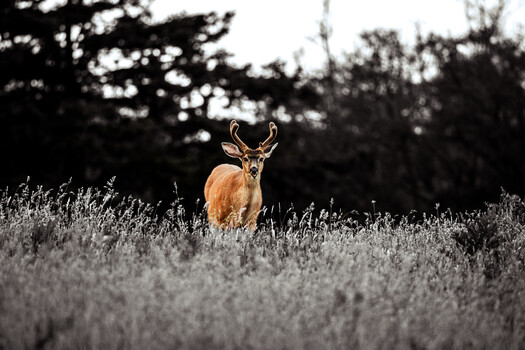
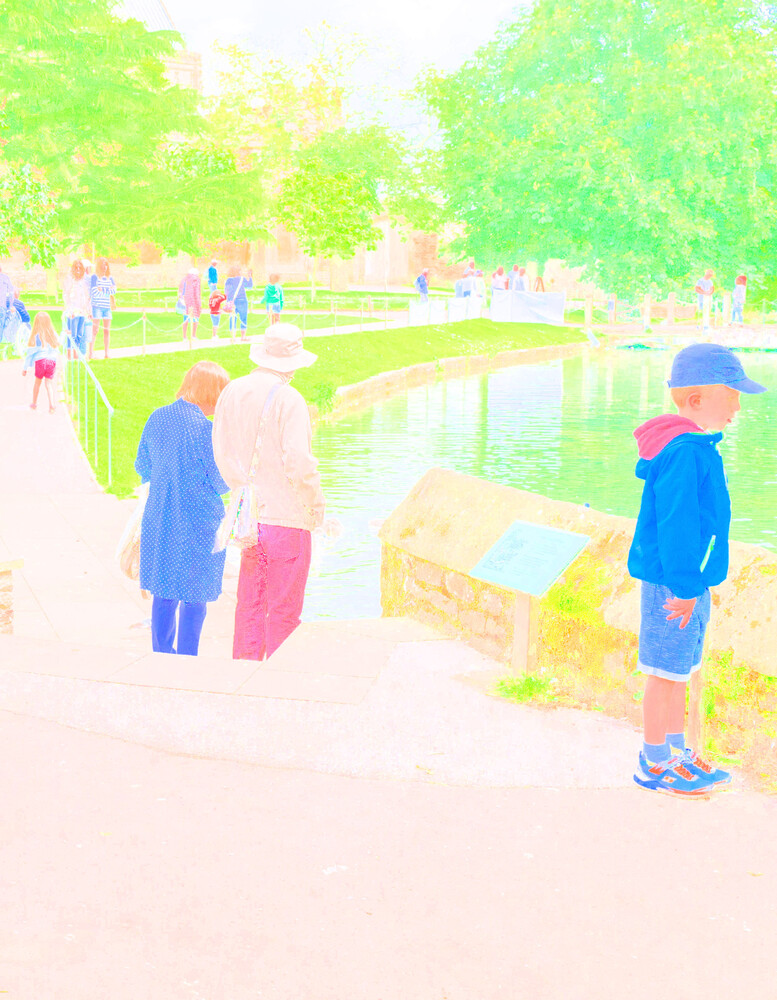
We are all familiar with black and white images which contain luminosity data and no colour data. The image above is the converse of that; it contains colour data but no luminosity data.
Most photo-editors contain easy-to-use tools to to create b&w images by removing the colour data, but few of them have easy-to-use tools for removing the luminosity data. I use GIMP to do this because it contains tools for using the HSV (Hue-Saturation-Value) colour model in which the “Value” (V) is a measure of luminosity. Setting V to its maximum effectively overwrites the original luminosity data leaving just the colour (hue and saturation).
Typically, most of the detail in the original image is in the luminosity data. This detail is
completely gone from the colour-only image, creating a ghostly effect in many cases. It leaves a lot to be filled in by the imagination of the viewer.
I have been using this technique for about fifteen years now. The images need careful selection, but I really enjoy some of the results. They are often very impressionistic and much brighter than the original photos.
The original photo for the image above was taken with a Panasonic GM1, 21mm lens at f/5.6, 1/400s, ISO 200, processed in Lightroom and GIMP.
Click on the thumbnails below to comment and rate each image.
Click here to learn about the Fstoppers rating system and what each star value means.
3 Comments
This is really nice, love the technique.
Thank you David.
I genuinely dislike the other two images you shared, but this one is fantastic. It looks like an illustration that you'd find in one of the books I had as a child, with the boy on the right being the clear protagonist of the story.
Thanks for your explanation of the technique, I am going to give it a try as well.