Adobe's April 2026 Lightroom update touches both Lightroom Classic and Lightroom, and the changes range from genuinely useful to head-scratching. If you batch-process photos or regularly move between Lightroom and Photoshop, at least a few of these updates will affect how you work.
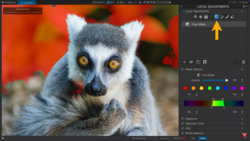
Coming to you from Matt Kloskowski, this detailed video walks through every new feature across both versions of Lightroom. The biggest Classic-only change fixes a long-standing frustration: running AI Denoise on a batch of photos used to lock you out of Lightroom Classic entirely while it processed. Now, while you still can't edit the photos being processed, Lightroom stays open and usable in the meantime. That's a real change if you shoot wildlife or any other high-volume work where you're syncing noise reduction settings across dozens of files at once.
Both versions of Lightroom also get new film-inspired presets, PSB (large document Photoshop file) support for cloud sync, and updates to the assisted culling feature. Kloskowski is upfront that he turned assisted culling off entirely and found it more annoying than useful for his wildlife and landscape work. He also covers a new Firefly-connected feature that lets you start a mood board directly from Lightroom Classic, and he doesn't hide his skepticism about it. There's also a new "safe space" collection type, where photos can be shelved away from feedback.
The two Lightroom desktop-only features are where things get more practically interesting. The AI-powered search has been around in a simpler form, but it now handles more natural, specific phrases, so you can search something like "bird with person in photo" without any keywording in place. Kloskowski mentions he has never used keywords and doesn't plan to, which makes this kind of semantic search genuinely useful rather than just a novelty. The other desktop update is the ability to set Photoshop export settings directly from Lightroom before sending a file over, including file format and color space. Previously, Lightroom desktop didn't give you those options at all. If you've been working in Adobe RGB and had to adjust settings on the Photoshop side every time, that friction is now gone.
Check out the video above for the full rundown from Kloskowski, including his live demonstration of the search feature and the Photoshop settings workflow.




Join the Fstoppers community for free
-
Post comments and join in the discussions
-
Browse the site ad-free
-
Share your work and get featured in the community
-
Compete in the photo contests for fun and prizes
1 Comment
So, LrC gets closer to feature parity with Lr while Lr gets a whopping two menial and kinda niche features. Besides absolute head-scratchers like assisted culling or mood board stuff.
If only Adobe would finally acknowledge that they don't have the whole market uncontestedly at their mercy anymore and adjust their business practices accordingly...