

Somewhere in every beginner photography forum, someone posts their first edited photo and asks for feedback. And somewhere in the replies, someone says: "You should really learn Photoshop." The implication is that Lightroom is training wheels, that serious photographers use Photoshop, and that the beginner will not produce professional-quality work until they learn layers, masks, blend modes, and frequency separation.
That advice made sense in 2012. In 2026, it is actively counterproductive for most photographers.
What Changed
The reason "learn Photoshop" used to be necessary advice is that Lightroom's tools were far more limited than they are now. Lightroom has had local adjustment brushes and gradients since version 2.0 in 2008, and it gained HDR merge and panorama stitching in 2015, so it was never true that all targeted or multi-exposure work required Photoshop. But the precision, intelligence, and range of what Lightroom could do locally was narrow enough that many common tasks, particularly precise subject masking, reliable object removal, and advanced retouching, still meant a roundtrip to Photoshop for most photographers.
What changed is not a single moment but a steady accumulation. Adobe's AI-driven Lightroom tools started appearing as early as 2017 with Sensei-powered Auto Settings, but the masking and retouching capabilities that most reduced the need for Photoshop accelerated sharply from 2021 onward, when Select Subject and Select Sky arrived, followed by Select People, Select Objects, and Select Background in 2022. The current version includes AI-powered masking that can select a subject, a sky, a background, or individual parts of a person (skin, eyes, teeth, lips, hair, clothing) with a single click. It includes content-aware removal that handles most object cleanup without a roundtrip. It includes AI denoise that rivals standalone tools like Topaz Photo AI and DxO PureRAW. It includes panorama stitching, HDR merge, advanced color grading with three-way color wheels, the Transform panel for architectural perspective correction, and local adjustments with brushes, gradients, and radial filters that can be stacked, combined, and refined with luminance and color range controls.

On top of that, Lightroom Classic provides a catalog-based organizational workflow that Photoshop is not designed around: integrated library management, collections, smart collections, tethered capture, the Book module, and a volume-oriented develop workflow built for processing hundreds of files with synchronized settings. Photoshop can handle metadata, batch operations, and printing through its own tools, but those workflows are bolted onto a pixel editor rather than built into an end-to-end photographic pipeline. It is not just an editing tool. It is a complete photographic workflow from import through delivery.
For most photographers shooting most genres, the work that used to require two applications now happens entirely inside one.
What Lightroom Handles by Genre
The strongest version of this argument is genre-specific, because it makes the claim concrete rather than abstract.
- Portraits and headshots. Lightroom Classic handles exposure, color, white balance, skin tone correction via HSL, skin smoothing via AI masking with texture and clarity reduction, eye brightening, teeth whitening, blemish removal, and background adjustment. For the kind of portrait work that many working portrait photographers deliver, Lightroom is the complete tool. The exceptions are high-level headshots and portraits and commercial beauty retouching, where clients expect frequency separation, pixel-level dodge and burn, and the kind of skin work that requires Photoshop's layer architecture. These are not things a new photographer should be learning; in fact, they'd probably be a distraction from true growth.
- Landscapes. Lightroom handles raw development, exposure blending via HDR merge, panorama stitching, sky masking for independent sky and foreground adjustment, graduated filters for horizon transitions, dehaze, and color grading. The exception is complex focus stacking (Lightroom can hand the selected files off to Photoshop, where the alignment and blending happens) and advanced sky replacement where the built-in sky mask is not precise enough. For the vast majority of landscape work, including the kind of images that win competitions and fill portfolios, Lightroom is sufficient.
- Weddings and events. Lightroom is not just sufficient here. It is the only practical option. A wedding photographer delivering 500 to 800 edited images from a single event needs batch processing, sync settings, auto-match, paste from previous, and the ability to move through hundreds of files at speed. Photoshop's file-by-file workflow is not designed for volume. Wedding and event photographers live in Lightroom. They may retouch a few of the marquee images from an event in Photoshop, but 99% of them go exclusively through Lightroom.
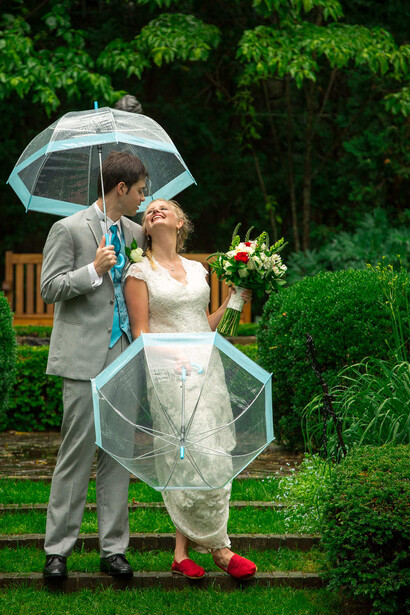
- Real estate and architecture. Lightroom handles perspective correction, white balance under mixed lighting, HDR merge for window pulls, and basic object removal. The exception is advanced techniques like Mike Kelley's method, which involves compositing flash-lit frames with ambient frames in Photoshop layers. If you are pursuing high-end architectural photography, Photoshop enters the workflow. If you are delivering standard real estate photos for MLS listings, Lightroom covers it.
- Street and travel. Lightroom handles everything. There is no common street or travel photography task that requires Photoshop.
- Product photography. Photoshop is more necessary here than most other genres. Clipping paths for white background isolation, compositing multiple lighting passes, and removing product imperfections at the pixel level are core product photography tasks that live in Photoshop. If you are shooting products for e-commerce or advertising, Photoshop is part of the workflow, not optional.
What Genuinely Still Lives Outside Lightroom
The article would be dishonest if it pretended Lightroom does everything. It does not. Photoshop remains the right tool for specific tasks, and knowing what those tasks are helps you understand when to learn it.
- Complex compositing. Combining elements from multiple images into a single frame: placing a product in a scene, replacing a sky with a specific image rather than a generic mask adjustment, removing or adding people, building a scene that did not exist in a single capture.
- Layer-based retouching. Frequency separation (separating skin texture from skin color for independent correction), pixel-level dodge and burn for sculpting light on a face, and the kind of precise cleanup that beauty and fashion clients expect. Lightroom's masking can smooth skin broadly, but it cannot separate texture from tone the way Photoshop layers can.
- Generative Fill and expansion. Extending a canvas, filling transparent gaps after an aggressive crop or perspective correction, or deliberately adding new image elements mostly remains outside Lightroom Classic's editing workflow. These tools are available in Photoshop, Adobe Firefly, and Adobe Express, but Photoshop is where they integrate most naturally with a layer-based photographic retouching process.
- Advanced selections. Isolating hair against a complex background, masking transparent objects, cutting a subject out of one image and placing them into another. Photoshop's Pen Tool, Select and Mask workspace, and Refine Edge tools handle these at a precision level that Lightroom's AI masking does not attempt.
- Graphic design with photographic elements. Adding text to images, creating marketing collateral, building social media templates, or combining photography with illustration. This is design work, not photographic editing, and Photoshop is the right tool for it.
The Prioritization Argument
The problem with "learn Photoshop" as beginner advice is not that Photoshop is a bad tool. It is a spectacular tool. The problem is sequencing.
A beginner who tries to learn both Lightroom and Photoshop simultaneously will learn neither well. Lightroom has a focused interface built around a photographic workflow: import, organize, develop, export. It teaches a way of thinking about image editing that is structured around the photograph as a whole. Photoshop has an open-ended, tool-based interface built around pixel manipulation. It teaches a way of thinking about image editing that is structured around layers, selections, and composites. The two mental models are different enough that learning them at the same time creates confusion rather than competence.

The more productive path: learn Lightroom first, and learn it deeply. Understand the develop module. Understand masking. Understand the catalog. Understand export settings. Build a workflow that handles your import, culling, editing, and delivery in one place. When you encounter a specific task that Lightroom cannot handle, and you will know because you will try and it will not work, learn that specific Photoshop skill at the point of need. This produces a photographer who is fluent in one tool rather than fumbling in two.
Over time, your Photoshop knowledge grows organically from the actual gaps in your Lightroom workflow rather than from a generic "learn Photoshop" directive that sends you into a tool with thousands of features, 90% of which you will never use for photography.
The Exception That Proves the Rule
If you are specifically pursuing high-end portraiture, fashion photography, product photography for advertising, or composite-heavy creative work, Photoshop is not optional. Those genres require layer-based editing at a level that Lightroom is not designed to provide. The Fstoppers Skin Retouching Course for Beauty, Fashion, and Portrait Photography exists precisely because that skill set demands dedicated instruction. It is a real discipline with real techniques that cannot be faked with Lightroom sliders.
However, for many, Lightroom Classic is the complete workflow. Photoshop is the specialist tool you reach for when a specific job demands it, not the baseline skill every photographer must acquire before they can call themselves serious.
If you are ready to build real fluency in the tool that handles 95% of photographic editing, the Mastering Adobe Lightroom tutorial covers the full workflow from catalog setup through the develop module, masking, batch processing, and export.



Join the Fstoppers community for free
-
Post comments and join in the discussions
-
Browse the site ad-free
-
Share your work and get featured in the community
-
Compete in the photo contests for fun and prizes
1 Comment
All yes so TRUE!! In the past, decades in digital time, PS and Lightroom were the only ones to use except for say a camera makers program. Both before 2010 were each $800+ and for each full update. but there were several less than a $100 editors. there was and still is Capture One that Sony offered for $20 when it brought out the A7 line in 2013. Now many more are offered.
PS was a very good starter due to its editing layers on top of each other and then merging but still a artist type of adding thing.
Capture One was/is very similar to Lr but in its beginnings Camera and Lens profiles were slow and offered white square plastic plates to do your own profiles as well as color profiles. It also did a PS and Lr thing where you can edit areas with any type slider. One very bad thing was you had to import a whole file and select one or more to edit all were saved in a separate file in your main file and yes yes you could export any way and where ever you wanted. But even today to view an image you have to import.
The one bad things about Lrc is about the same thing, where many import a whole file of images and select one at a time or edit a group all at once but leave in the catalog like forever. The problem with that is about every three years you need a faster computer with faster components like now Soft Drives instead of Hard Drives among other things and then having to transfer the catalog to the new system and this also happens between times with Lrc updates that make new catalogs on and on! Lrc is also handcuffed with the viewing of a single image on import yes you can view all images in a file and select one and if not liked delete from Lrc without deleting from your files.
One thing that DxO and On1 Photo Raw both have is you can just go to any file you keep in year and name and month and day and just see all and pick one to edit with no harm to the image and then you can either send to Lrc or in Lrc go to that file and import and exporting to another file system and then deleting from the Lrc catalog and empty it is faster and also no catalog to mess with, yes there are code colors you can use but you have all your images at the mercy of updates and a new system.
just saying something to think about. I love Lrc and is my main editor and last exporter.
One add that many may not know is under file is a plug manager for many of the plug in that you get and can not find. But on great Plug In is LensTagger this allows you to put settings in a non chipped lens image like old film lenses or even just lenses you have that are unchipped. You can do a whole file at one time. Sometimes Lrc will see the lens info but many do not know that Lrc also has the lens corrections for many unchipped lenses that can be seen under makers listed. A way to have the lens information right there instead of looking in your capture book for dates of capture files when you go back to some old images that with new Lrc abilities those images can be brought to life.
like this 2015 image using the Rokinon FE 14mm f/2.8 ED AS IF UMC that had a bad mustache on the left horizon that only after a year did anyone have the LC but Lrc had and with noise reduction on mutable image and LensTagger with the different SS/ISO's added in a 3 at +/- 1EV (camera noise control is off during) each image not only with noise but dead (white) and hot (red) pixels a forever edit with delete each but Lrc NR got rid of all with its NR before and HDR program.
I say BROVO to all the young programmers making Lrc better and better every day bringing old to life!