
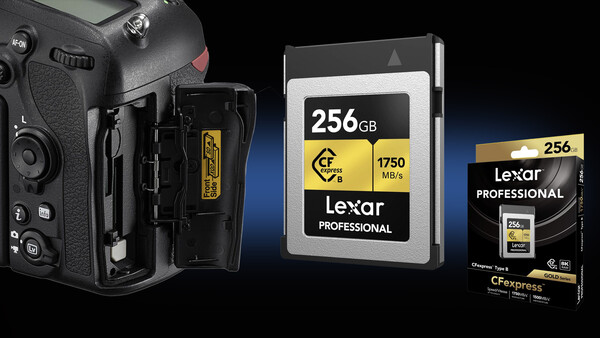
Buying memory cards used to be a simple decision: match the slot, pick a speed class, done. That's no longer the case, and not just because of price. Every memory purchase has become a longer-term investment rather than a one-off consumable buy, and getting that decision right matters more than ever. But what does this mean if you're thinking of upgrading your camera, for example, shooting on a Nikon DSLR with an aging XQD slot now, but with a mirrorless upgrade already on your mind? If, like me, you're in that position, the card you buy now needs to outlast the camera it's going into.
This information has probably not escaped any photographers by now: NAND flash memory prices have jumped significantly, with some almost doubling in price since late last year. This increase is driven by AI data centers putting pressure on global chip manufacturing. There is no expectation for those numbers to trend downward anytime soon, so anyone like myself in need of a storage upgrade should do so before prices climb even higher.
My Situation: a Nikon D850 Now, a Z-Series Camera Eventually
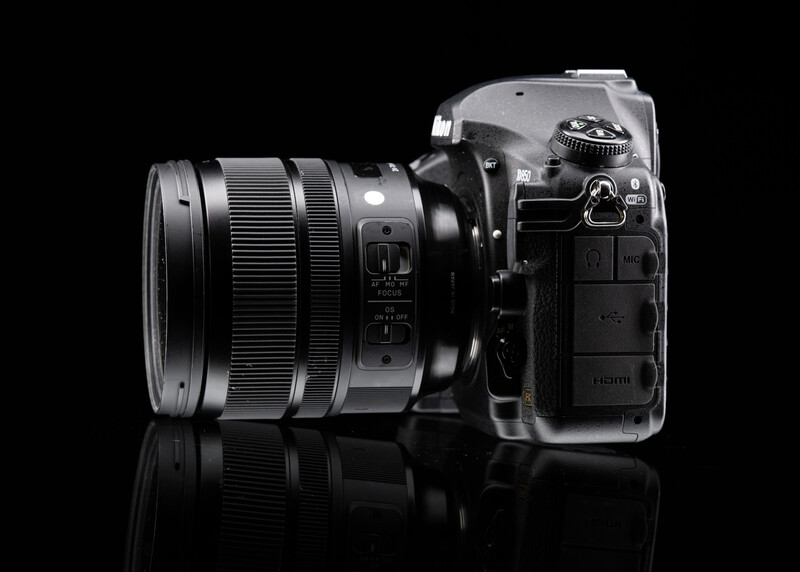
Although I have tried and tested many Nikon Z mirrorless cameras, my main camera is still the Nikon D850. Despite first being released in 2017, it is still an excellent workhorse, and one of the last great DSLRs before the industry's pivot to mirrorless. This camera uses an XQD card slot, which matches the shape and size of CFexpress Type B cards. I've shot with several Z bodies over the past few years, and the Nikon Z8 in particular has stood out to me, but it's just not quite enough of a leap over my current kit to justify the jump yet. So for now, I'm holding off, waiting to see what Nikon brings out next.
That puts me in an awkward middle ground that a lot of long-term DSLR shooters will recognize: I need to buy a new card today, but I don't want to buy something that becomes dead weight when I do eventually upgrade. The obvious safe choice would be another XQD card, since that's what my D850 was built around. But XQD is essentially a dead format. Camera manufacturers have shifted largely to CFexpress for high-end cameras, and no upcoming mirrorless camera releases use XQD. Buying another XQD card today means buying a card with no future in the industry.
Why This Matters Now More Than It Used To
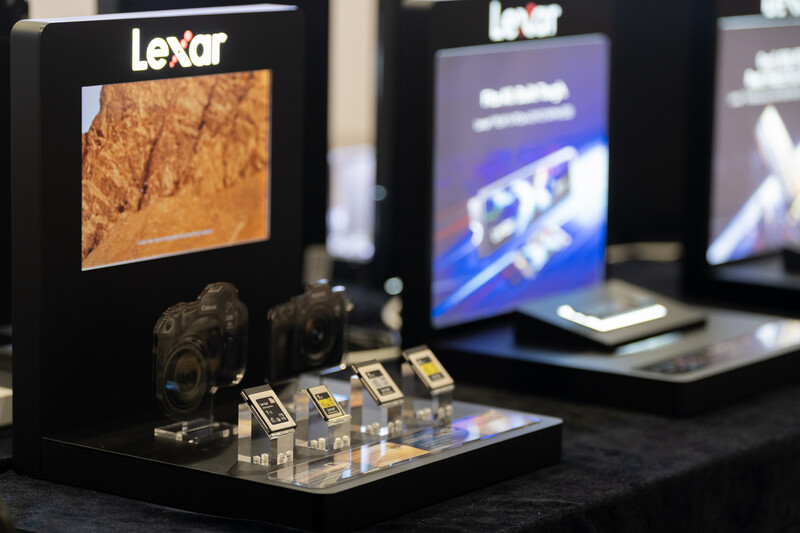
In the past, the "buy now or buy later" question for camera memory was mostly about getting a good deal based on storage and speed requirements. Today it's different. I visited Lexar earlier this year and discussed how NAND wafer production costs and demand have surged of late. CFexpress cards have been hit particularly hard by this: their larger physical size allows more NAND chips to be packed onto the card than an equivalent SD card, and their higher-performance controllers demand pricier, higher-grade NAND to sustain those speeds. Combined with a smaller, more specialized market than SD cards, that's left CFexpress prices climbing faster than most other formats. In other words, a card bought now will likely be cheaper than the same card bought in six months' time. And a card that can move with you into your next camera body is worth more than one that can't.
Making CFexpress Work in the D850
Luckily, a simple firmware update is all it takes to make my D850 compatible with CFexpress Type B cards alongside its existing XQD support. Despite having an XQD slot, the D850 (along with the D5, D500, and others) can use CFexpress Type B cards natively, because the two formats share an identical physical shape, so CFexpress Type B cards slot straight into an XQD bay with no adapter needed.
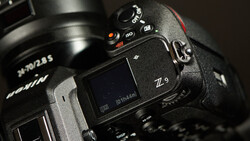
That compatibility means I can buy a CFexpress Type B card and run it in the D850 today, with the option to carry it straight over into a Z-series body when I eventually upgrade. CFexpress Type B is already the standard across Nikon, Canon, and Panasonic's high-end mirrorless systems, including Nikon's Z8 and Z9, so the card will have a home well beyond this camera. Sony is the notable holdout, using the smaller Type A format in its flagship bodies, so this route only future-proofs you if you stay within the Nikon system.
The upgrade is in the firmware. Out of the box, older D850 units won't recognize a CFexpress card, so you will need to update to at least firmware version 1.20, which Nikon released specifically to add CFexpress Type B support.
The Process Is Straightforward
- Download the latest D850 firmware file from Nikon's official download center for your region.
- Copy the firmware file to the root directory of a card formatted in the camera, making sure that it is not inside any folder.
- Insert that card into the primary slot and power on the camera.
- Go to Firmware version in the Setup menu and follow the on-screen prompts.
- Once complete, power off, remove the card, and power back on to confirm the new version is showing.
It's worth doing a factory reset before the update and saving your custom settings beforehand, so you can reload them afterward without conflicts. After that, the CFexpress card behaves exactly like an XQD card in the camera. Be clear about what you are and aren't gaining, though: the D850's EXPEED processor was never optimized for CFexpress, so in-camera buffer clearing stays roughly at XQD speeds. The immediate payoff is much faster card-to-computer transfers; the bigger payoff arrives later, in the next body.
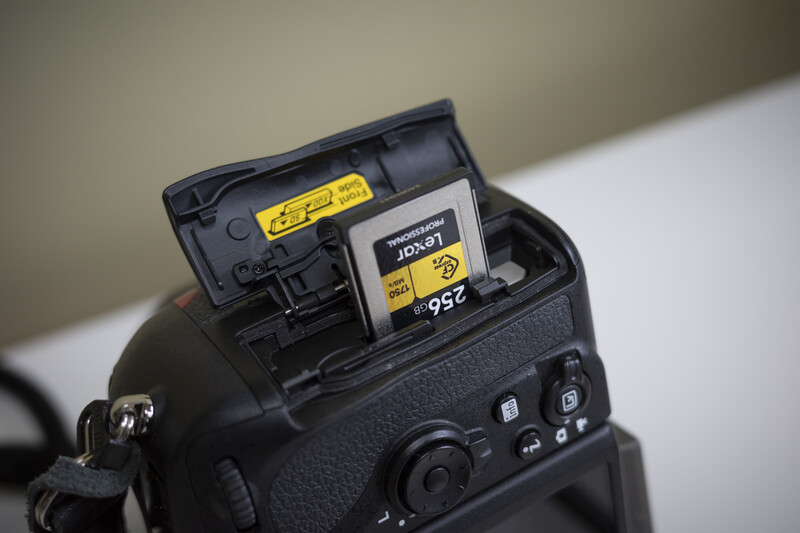
On a practical note, not every CFexpress card plays nicely with every firmware revision straight away. It's worth checking Nikon's compatibility list for your specific card before committing to that purchase.
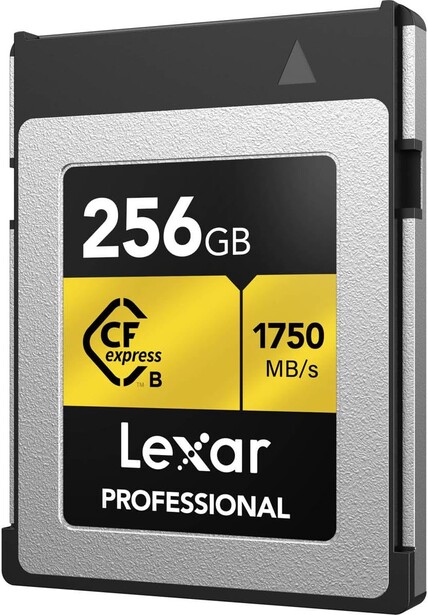
After deciding on the format, the next decision was which card at which capacity. Since incorporating moving image will be in the future of my work, I went with the 256 GB Lexar Professional CFexpress Type B Gold Series. The Lexar Gold Series cards enable effortless raw image capture and smooth 8K video capture. The cards are very durable, which is the real reason I stick with Lexar. Due to rigorous quality and testing methods, these cards are shockproof, widely temperature tolerant, and come with a limited lifetime warranty, which really is vital in the current pricing climate. If moving image is new territory for you, Introduction to Video: A Photographer's Guide to Filmmaking covers the ground worth knowing before you commit to the format.
Lexar CFexpress Type B Gold Series Key Tech Specs
- Capacity: 256 GB
- Interface: PCIe 3.0 x2 bus, NVMe
- Read speed: up to 1,750 MB/s
- Write speed: up to 1,500 MB/s
- Minimum sustained write speed: 1,000 MB/s
- Supports raw 8K video recording
- Operating temperature range: -10°C to 70°C (14°F to 158°F)
- Non-operating temperature range: -25°C to 85°C (-13°F to 185°F)
- Shock and vibration resistant
Why This Matters for the D850 Today and a Z-Series Body Later
For D850 use, this card is comfortably more than the camera needs. The D850's buffer and processing pipeline won't max out a card capable of these speeds, but that's the point of future-proofing. The headroom isn't wasted; it's there waiting for the body that can make good use of it. On a Z8 or Z9, the same card's 1,000 MB/s sustained write speed will matter for high-frame-rate bursts and 8K high-bitrate video, so nothing needs to be rebought when I do eventually upgrade. This type of future-proofing makes moving from DSLR to mirrorless less of a financial jump when the time comes.
Final Thoughts
If you're still shooting on a DSLR with an XQD slot, such as a Nikon D850, D6, D5, or D500, and mirrorless is somewhere in your imminent or not-so-imminent future, don't replace an aging XQD card with another XQD card. Update your firmware, buy CFexpress Type B instead, and let that purchase carry forward into whatever body you move to next. With NAND prices climbing through 2026 and not expected to ease anytime soon, a card that only works in your current camera is a more expensive mistake than it used to be, and a card that works in your next one too is the smart move in this market.




Join the Fstoppers community for free
-
Post comments and join in the discussions
-
Browse the site ad-free
-
Share your work and get featured in the community
-
Compete in the photo contests for fun and prizes
1 Comment
Lexar fails me all the time with Nikon D850, and D5, I upgraded to CFexpress, and I moved to the Angel Bird brand. I use the cards now with Z9, Z8, Komodo X and Z6II, I purchase directly with them rather than with B&H or Adorama, best brand and quick support team.
Also too many fakes SanDisk's on Amazon,