

Most photography blogs are beautiful graveyards. Gorgeous images, maybe a few words about the session, and then nothing. No traffic, no inquiries, no reason for Google to care. The photographer posts it, shares it once on Instagram, and moves on. Meanwhile, the blog sits there accomplishing exactly nothing for the business.
The irony is that blogging remains one of the single most effective marketing tools available to photographers in 2026. SEO-driven leads convert at several times the rate of outbound marketing like cold emails or paid ads. Your blog is a round-the-clock salesperson that works while you sleep, but only if you write posts that actual humans are searching for and that move those humans toward booking you. The good news is that this doesn't require you to become a full-time content creator. A single well-targeted post per week, written in about an hour, can transform your inquiry rate within a few months. Here's how to do it without losing your mind.
Stop Writing for Other Photographers
The most common blogging mistake in the photography industry is writing content that only appeals to other photographers. Posts titled "How I Edited This Wedding Gallery" or "My Favorite Lens Combo for Portraits" are interesting to your peers, but your peers aren't hiring you. Your clients are. And your clients are searching for things like "what to wear for engagement photos in the fall," "how to plan an elopement in Colorado," or "how much does wedding photography cost in Austin." The mental shift is simple but crucial: every post you write should answer a question that a potential client is actually typing into Google. Not a question you find interesting as a photographer, but a question that someone in the early or middle stages of planning a shoot, wedding, or session would genuinely need answered. When you provide that answer better than anyone else on the first page of results, you become the expert in their mind before they've ever spoken to you. By the time they reach out, they already trust you.
The Three Types of Posts That Convert
Not all blog posts are created equal when it comes to generating inquiries. After watching what works across the photography industry for years, three categories consistently outperform everything else.
Location and venue guides are the workhorses of photographer SEO. A post titled "The 10 Best Photo Locations in Nashville for Engagement Sessions" targets a specific, high-intent search query that couples are actively Googling while planning their shoot. You're not competing with national photography publications for this traffic; you're competing with other local photographers, most of whom aren't blogging at all. Write the definitive guide to shooting at a popular local venue or neighborhood, include your own images from sessions there, mention the best times of day and seasons for light, and you've created a page that will generate traffic for years. These posts also naturally include the geographic keywords that Google uses to connect searchers with local service providers, which means they double as local SEO engines.
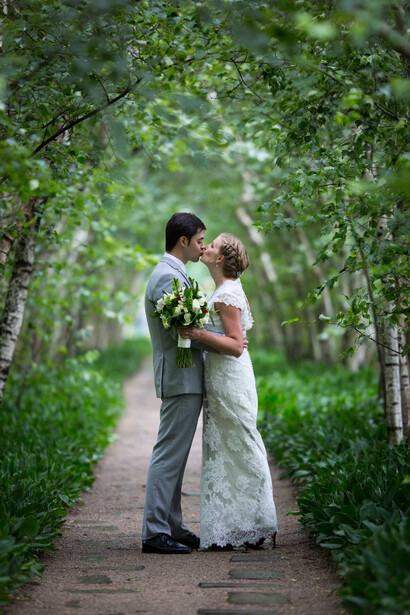
Client preparation posts answer the practical questions that people have before they book or before their session happens. "What to Wear for Family Photos," "How to Prepare for a Headshot Session," or "What Happens During a Boudoir Shoot" are all searches with real volume that your potential clients are making. These posts accomplish two things simultaneously: they attract new visitors through search, and they reduce the friction of booking by addressing anxieties and unknowns before the client even contacts you. A bride who reads your detailed guide on wedding day photo timelines and finds it genuinely helpful is far more likely to inquire than one who lands on a generic portfolio page.
Pricing and process transparency posts are the ones most photographers are afraid to write, which is exactly why they work so well. "How Much Does Wedding Photography Cost in [Your City]" is one of the highest-intent searches in the industry. People Googling that phrase are actively shopping. If you write a thoughtful post that explains what goes into your pricing, what different investment levels include, and how your process works, you'll attract the exact people who are ready to spend money. You don't have to list your exact rates if that makes you uncomfortable. Explaining ranges, what factors affect cost, and what clients can expect at different price points is more than enough to rank for these queries and position yourself as transparent and trustworthy. If you're looking to sharpen the business side of your photography alongside the marketing, Fstoppers' Making Real Money: The Business of Commercial Photography covers pricing strategy, client acquisition, and the financial fundamentals that support everything discussed here.
SEO in 30 Minutes, Not 30 Hours
SEO has a reputation of being complicated, and it certainly can be if you're trying to rank a national e-commerce site. For a local photography business, the fundamentals are straightforward, and you can handle them without hiring anyone or learning to code.
Start with keyword research, which sounds intimidating but really just means figuring out what people in your area are searching for. Open Google in an incognito window (that part is important), type the beginning of a phrase related to your work, and look at what Google suggests to autocomplete. "Nashville wedding photographer" might autocomplete to "Nashville wedding photographer cost," "Nashville wedding photographer packages," or "Nashville wedding photographer elopement." Each of those suggestions represents a real search query with real volume. Google is telling you what people are looking for. Pick one of those phrases and write a post that answers it thoroughly. If you want to go a step further, free tools like Google Keyword Planner or Ubersuggest will show you approximate monthly search volumes so you can prioritize the queries with the most traffic potential. But honestly, Google's autocomplete alone is enough to get started and will keep you supplied with post ideas for months.
Once you have your keyword, use it in four places: the post title, the first paragraph, one or two subheadings, and the URL slug. That's it. Don't stuff it awkwardly into every other sentence. Write naturally, answer the question thoroughly, and make sure those four elements include the phrase. Google's algorithm in 2026 is sophisticated enough to understand context and synonyms, so obsessing over exact keyword density is a waste of time. What matters is that your post is genuinely the best answer to the question on the internet, or at least the best answer in your local market.
The other SEO essential for photographers is image optimization, which most photographers ironically neglect. Every image on your blog post should have a descriptive alt text that includes relevant keywords (like "bride and groom first look at Cheekwood Estate Nashville") and should be compressed to load quickly. Page speed is a direct ranking factor, and photography websites are notorious for loading slowly because of uncompressed 8 MB images. Take a moment to run your images through a compression tool before you upload them. Aim for under 200 KB per image on blog posts. Your visitors won't notice the quality difference, but Google and their patience will reward the speed improvement.
Structure That Serves Both Readers and Search Engines
How you structure a post matters more than most photographers realize. A wall of text with no subheadings, no clear sections, and no logical flow will send readers bouncing back to Google within seconds, and that bounce signal tells Google your content wasn't helpful.
Use a clear hierarchy. Your post title is your H1, and it should contain your primary keyword. Break the body into sections with H2 subheadings that describe what each section covers. If a section is long enough to warrant further subdivision, use H3 headings within it. This structure helps Google understand what your post is about, and it helps readers scan for the information they need. Most people don't read blog posts linearly; they scroll, scan headings, and stop when they find what they're looking for. Make that easy for them.
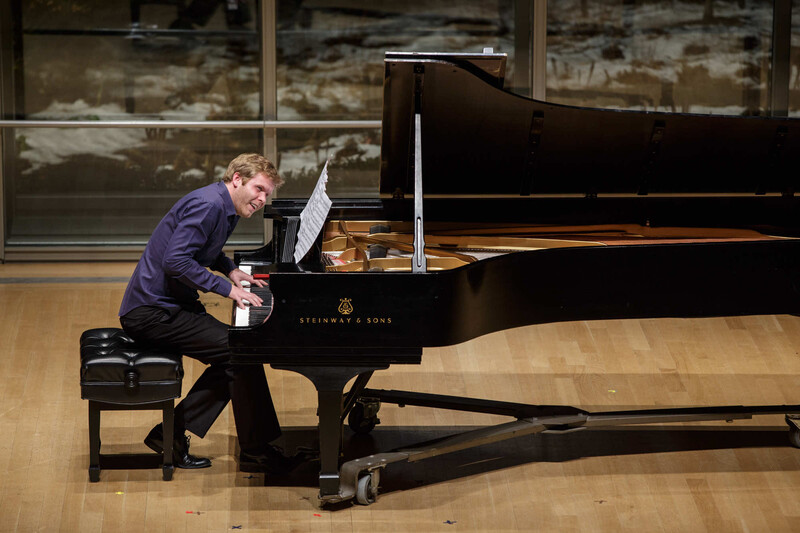
Every blog post should end with a clear call to action. Not a generic "contact me" link buried in the footer, but a specific, contextual invitation. If you wrote a guide to engagement photo locations in your city, end with something like: "Ready to book your engagement session at one of these spots? Here's how to get started." Link directly to your contact or booking page. The entire point of your blog is to move readers one step closer to hiring you, and if you don't explicitly ask them to take that step, most of them won't.
Internal linking is the final structural piece that most photographer blogs completely ignore. Every new post should link to two or three other relevant posts on your site, and ideally to your services or booking page. A venue guide should link to your "what to wear" post and to your pricing page. A pricing explainer should link to your portfolio and your contact page. This web of internal links keeps visitors on your site longer, exposes them to more of your work and expertise, and helps Google understand the relationship between your pages. It takes thirty seconds per link and makes a measurable difference over time.
The Sustainable Rhythm
The biggest reason photographer blogs fail isn't bad content or poor SEO. It's inconsistency. Someone writes five posts in a burst of motivation, then doesn't publish again for four months. Google rewards freshness and consistency. A site that publishes one solid post per week for a year will dramatically outperform one that publishes twenty posts in January and nothing for the rest of the year.
One post per week is the sweet spot for most working photographers. That's roughly 800 to 1,200 words, written in an hour or less once you have a system. Keep a running list of post ideas on your phone: every time a client asks you a question, that's a blog post. Every time you shoot at a new venue, that's a blog post. Every time you see a discussion in a Facebook group about what to wear or how to plan, that's a blog post. You will never run out of topics if you pay attention to what your clients actually want to know.
Batch your writing if possible. Sitting down once a month to outline four posts takes far less total time than context-switching into writing mode every week. Draft all four, then schedule them to publish weekly. The writing doesn't need to be literary. It needs to be clear, helpful, and specific. Your clients aren't grading your prose; they're looking for answers. Give them the answers, show them your work, and make it easy to take the next step. For wedding photographers in particular, Fstoppers' How to Become a Professional Commercial Wedding Photographer covers the full client pipeline from marketing to delivery.
The Compounding Effect
The reason blogging works so well for photographers is that it compounds. A post you write today will generate traffic next month, next year, and three years from now. A wedding venue guide published in February will show up in search results for every couple researching that venue from now until you take it down. Over time, each post becomes a small engine that drives a trickle of traffic, and dozens of those trickles become a stream that keeps your inquiry form active even during your slow season.
Most photographers who commit to this for six months will see a noticeable increase in inquiries from people who specifically mention finding them through a Google search or reading their blog. These leads tend to be higher quality than social media leads because the client has already spent time reading your content, absorbing your expertise, and self-selecting into your style and price range. They're not just inquiring; they're pre-sold.
Your Instagram following can vanish overnight if the algorithm changes. Your blog, on a domain you own, optimized for searches your clients are making, is the one marketing asset that actually belongs to you. Treat it like the business investment it is, and it will pay you back for years.




Join the Fstoppers community for free
-
Post comments and join in the discussions
-
Browse the site ad-free
-
Share your work and get featured in the community
-
Compete in the photo contests for fun and prizes
No comments yet