
Most articles like this one will tell you about Portrait mode. You know about Portrait mode.
Depending on which iPhone and AirPods you own, you may be able to default the camera to a 35mm-equivalent view, use your earbuds as a remote shutter, and change several settings that affect how your photos are captured and processed. The features and technical details below are documented by Apple. The practical recommendations are mine.
1. You Can Shoot Raw
On supported Pro models, your iPhone can capture Apple ProRAW, which saves images as DNG files that give you far more room to edit than a HEIF or JPEG. Push the exposure, recover the highlights, rebuild the white balance from scratch. The file will take it.
One clarification worth having, because the name invites a misunderstanding. In Apple's description, ProRAW "combines the information of a standard RAW format along with iPhone image processing." It can incorporate Apple's computational work, including Smart HDR, Deep Fusion, or Night mode when those are in play, so it is a hybrid rather than untouched sensor data. For iPhone photography that is usually a good trade, since computational stacking pulls more out of a small sensor than an unprocessed file could. It is just useful to know what you are holding.

If you want minimally processed sensor data instead, third-party apps can capture native Bayer raw. The catch is that on these quad-pixel sensors, Bayer raw is limited to the binned resolution, generally 12 MP, while ProRAW can produce 48 MP files on supported models and lenses.
On resolution:
- 48 MP ProRAW: maximum detail and cropping room, roughly 75 MB per file. Availability varies by model, lens, zoom level, lighting, and capture mode.
- 12 MP ProRAW: the same format, smaller, roughly 25 MB.
ProRAW does not work in Portrait mode, with Live Photos, or for video. ProRAW requires an iPhone 12 Pro or later Pro model, and the 48 MP option requires an iPhone 14 Pro or later. On the current iPhone 17 Pro, all three rear cameras are 48 MP.
Where to find it: Settings > Camera > Formats, then turn on Apple ProRAW or ProRAW & Resolution Control, depending on your model. Then select RAW from the format control at the top of the Camera app when you want to use it.
2. You Can Make the Camera Open at 35mm
On supported Pro models, the main camera opens at 1x, a 24mm equivalent. On iPhone Air, 1x is equivalent to 26mm. Either way, it is a wide, capture-everything focal length, chosen because it works for the birthday party and the group shot and the view from the hotel window.
On supported models, you can add 28mm- and 35mm-equivalent crop options for the main camera and make one of them the default. These use the main sensor rather than a separate lens, but the framing is what matters in practice. Apple's own numbers: the main lens can open at 1x (24 mm), 1.2x (28 mm), or 1.5x (35 mm). On the iPhone Air, the options are 1x (26 mm), 1.1x (28 mm), and 1.4x (35 mm).
Select the 35mm default (1.5x on supported Pro models, or 1.4x on iPhone Air) and the camera opens at that classic reportage and street focal length. It changes how you work. You stop trying to include everything and start deciding what belongs in the frame. Same phone, different camera.
Where to find it: first go to Settings > Camera > Formats > Photo Mode and select 24 MP. Then go to Settings > Camera > Main Camera (called Fusion Camera on some models), turn on the additional lenses, and choose your default. Apple currently offers this customization on iPhone 15 Pro through iPhone 17 Pro models and iPhone Air.
3. Your AirPods Are a Remote Shutter Release
New in iOS 26, and probably the most quietly useful thing Apple has shipped for photographers in a while.
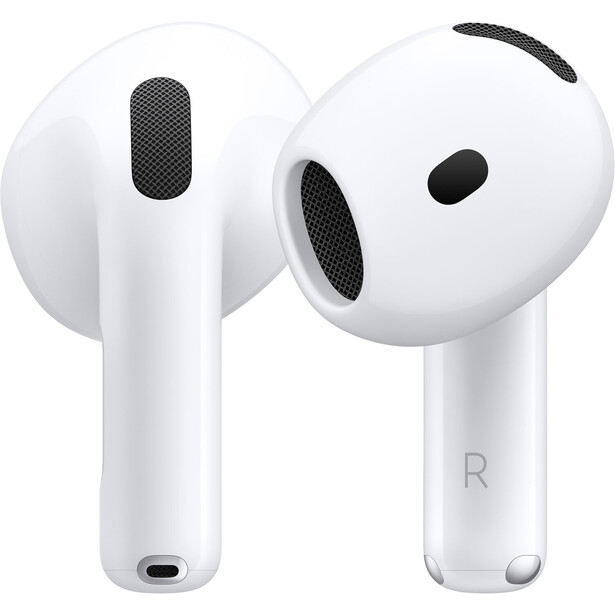
The AirPods you already carry can fire your iPhone's shutter, once they are in your ears and connected. Use the gesture you assigned, either press once or press and hold, on the stem, or on the Digital Crown if you have AirPods Max 2. In Photo mode, the camera normally starts a three-second timer with a feedback tone before taking the shot. In Video mode, use the gesture once to start recording and again to stop.
That is a remote release you already own and are already carrying. No Bluetooth trigger to buy and lose, no Apple Watch required. Set the phone on a wall or a small tripod, walk into your own frame, and take the picture without the ten-second sprint.
It goes beyond group photos. Because your hands never touch the phone at the moment of capture, you avoid introducing shake that way, which makes it useful for tripod-mounted Night mode shots, low light, and locked-off video.
Two things to know. It is off by default, so you will not stumble across it. And while a camera app is open, the gesture you assign gets borrowed from its usual job: choose Press Once and your media controls are unavailable while shooting, choose Press and Hold and the listening-mode and Siri gestures are temporarily unavailable. Everything returns to normal when you leave the camera.
Where to find it: Settings > tap your AirPods at the top > Camera Remote, then pick your gesture. Requires AirPods 4 or AirPods Pro 3 (or AirPods Pro 2) paired with an iPhone running iOS 26 or later, or AirPods Max 2 paired with an iPhone running iOS 26.4 or later, plus the latest AirPods firmware. It works in the Camera app and supported third-party camera apps.
4. You Can Tell the Camera to Remember Your Settings
You turn on ProRAW. You dial in exposure compensation. You set Night Mode where you want it. Then you swipe away to answer a text, come back, and the camera has reset to its defaults.
There is a menu that fixes this. Preserve Settings lets the camera remember what you chose instead of resetting each time you open it. Depending on your model, the settings you can preserve include:
- Exposure Adjustment (iPhone 11 and later)
- Apple ProRAW or ProRAW & Resolution Control
- Apple ProRes
- Night Mode
- Macro Control
- Portrait Zoom
- Action Mode
- Camera Mode, Photographic Style, Creative Controls, Depth Control, and Live Photo
If you shoot ProRAW, this one is worth enabling immediately. Otherwise you will eventually discover, after the fact, that the frame you cared about was captured in your default HEIF or JPEG format instead.
Where to find it: Settings > Camera > Preserve Settings.
5. There's a Setting That Trades Some Processing for Faster Consecutive Shots
Settings > Camera has a toggle called Prioritize Faster Shooting, and it is on by default. Apple describes it plainly: it "modifies how images are processed, allowing you to capture more photos when you rapidly tap the Shutter button."
In practice, when the phone detects several captures in quick succession, it can shift from its most intensive processing toward a more balanced mode in order to keep the shot-to-shot rate responsive. That is a real tradeoff, and for a lot of shooting it is the right one. A slightly less processed frame of your kid mid-jump beats a beautifully processed frame you missed entirely.
Turning it off may preserve more intensive processing during rapid sequences, at the cost of longer waits between consecutive shots. Apple does not document a difference for isolated, single-frame shooting, so this is a rapid-sequence decision rather than a universal quality switch. If you shoot a lot of fast sequences and you care more about the file than the shot-to-shot speed, it is worth knowing the toggle is there.
Where to find it: Settings > Camera > Prioritize Faster Shooting.
The Common Thread
Most of these settings exist because Apple has to choose defaults, and those defaults are not careless. They are tuned for the enormous number of people who want to raise a phone, tap once, and get a good picture, and for those people the defaults are almost certainly right.
The settings are all there, though. They are simply one menu deeper than anyone looks, waiting for the shooter who wants to make the call themselves.

Join the Fstoppers community for free
-
Post comments and join in the discussions
-
Browse the site ad-free
-
Share your work and get featured in the community
-
Compete in the photo contests for fun and prizes
2 Comments
I'm waiting for the first major camera manufacturer to make a flagship model that can make a phone call. I'd carry that sucker everywhere . . .
One thing phones can do is turn from vertical to horizontal orientation. Seems like most phone users don't know this based on all the vertical videos I see. Photos, too. Saw one yesterday of a group of people that was vertical, and cut off the people on the ends. It did include lots of foreground and sky, though.