FAFO
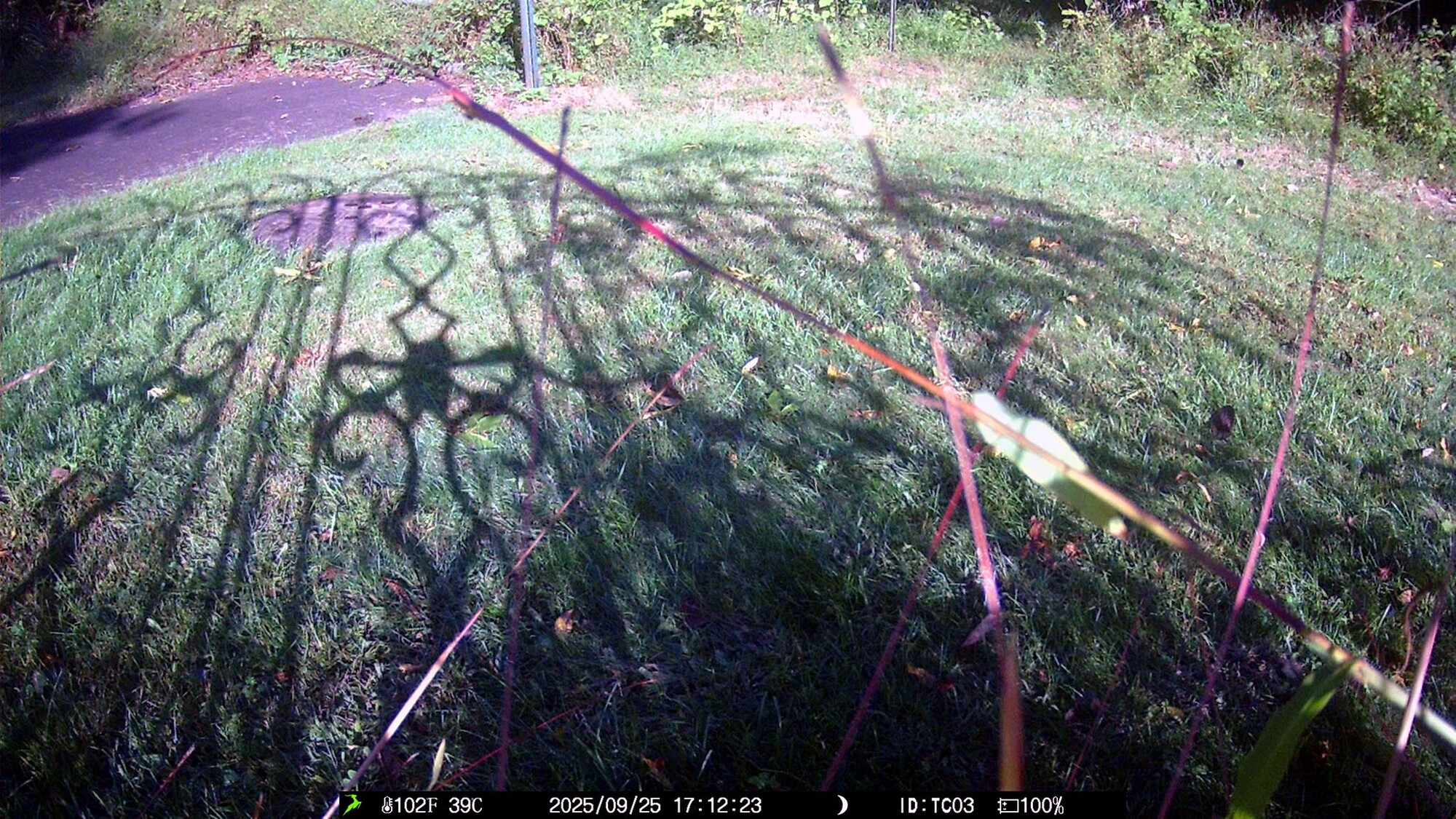
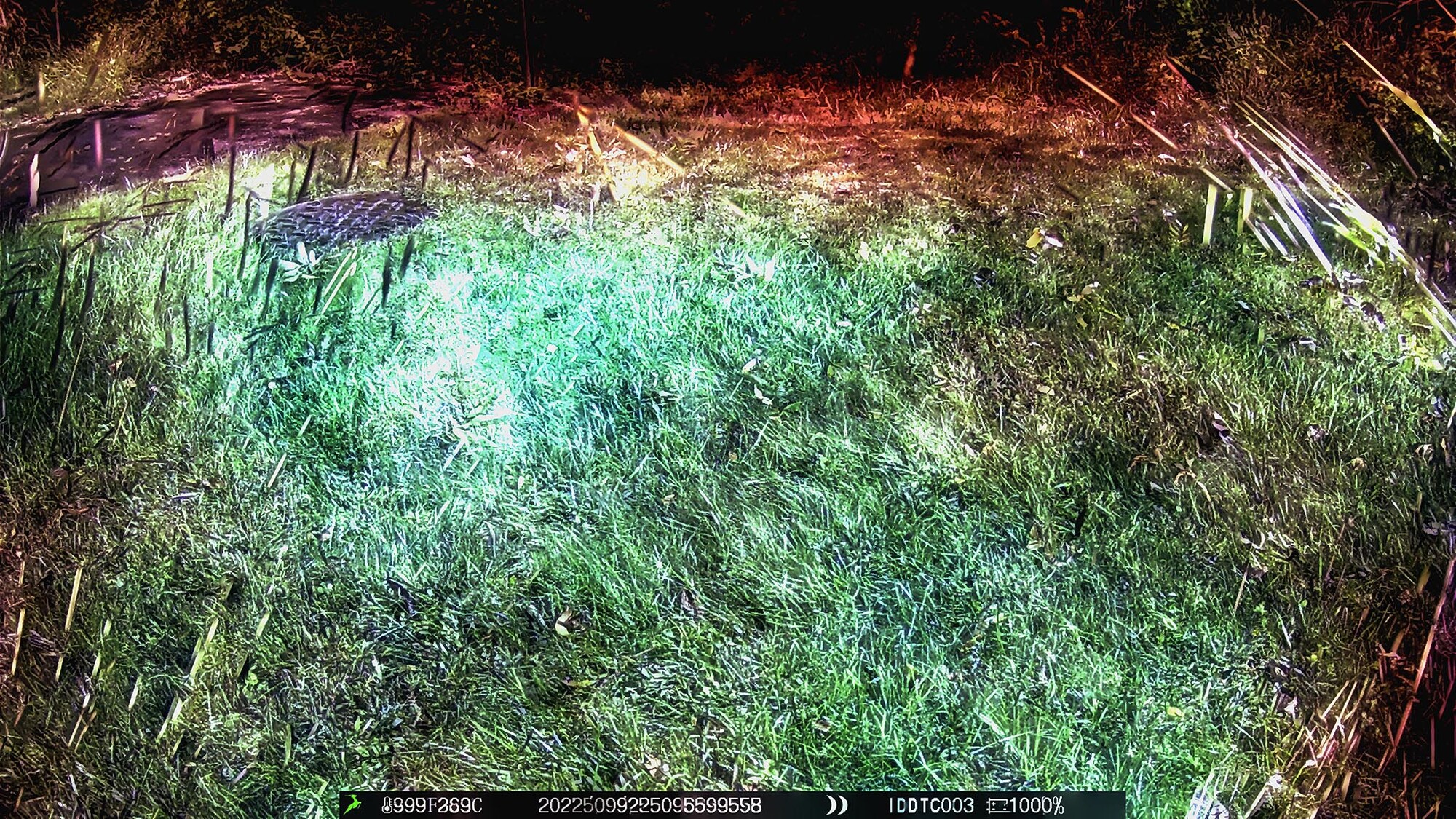
After the Eagles game (Yay! 4-0), Harry and I went out back and switched out the SD card in the trailcam. It had been in there since June, and I knew there would be a lot of images since deer, foxes, kids, and a whole lot of rabbits and squirrels race past there every day. I haven't had time to do a full perusal of all the images, but I had a FAFO moment. I took the 175 daytime images from the last three days and loaded them as layers. Then I used Photoshop's Auto Blend feature and merged all the layers. This is not what I expected.
#1 is one of the 175. #2 is the result of merging 175 images.







4 Comments
Wow! The ground is lava! Really interesting what PS did with your layers.
#2 is a great example of why trail cams are better than my R5. I couple never stack 175 images without breaking Photoshop.
I admit I had to search FAFO. Now, I not only that what the acronym means but also know it has a lot to do with my camera curiosity, shooting and editing style.
I really like the green elephant in your stacked photo.
Thanks for sharing, Andrew. It's great to see the results of your continued experiments and expands the knowledge of the group.
I find it interesting that blending in PS created such green and red color casts - do you (others?) have a logical explanation for this?
With so many layers I would expect the most static of features to be dominant with those more transient (animals, grasses swaying in the breeze) imperceptible. What did you expect to see yourself?
I am not sure how autoblend places value on the opacity of individual layers, but I know through exploring multi-layer composites myself that results are not linear. Just a thought, as I'm left wondering if each layer is being represented equally.
Keep on playing!
I have no ready explanation for the dramatic color shifts. I, too, was expecting the transient parts (shadows, branches, moving grass) to be barely perceptible. Maybe the camera was not as stable as I had thought? More experimenting is required.