Your Lightroom Classic workflow could be moving twice as fast with the right tools, but many people never discover the features that eliminate hours of tedious editing work. These AI-powered shortcuts and advanced masking techniques can transform how you approach photo editing by automating the repetitive tasks that slow you down.
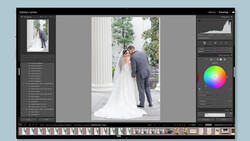
Coming to you from Gareth Evans with Park Cameras, this practical video walks through five specific Lightroom Classic tools that dramatically speed up your editing process. Evans demonstrates how adaptive profiles analyze your specific image and create tailored starting points rather than generic adjustments that work for any photo. He shows the adaptive color profile in action, explaining how you can dial the effect up or down with a simple slider while maintaining full control over all your other editing adjustments. The beauty of this approach lies in its independence from your normal sliders, meaning you get an intelligent foundation to build upon. Evans emphasizes that this isn't about replacing your creative decisions but giving you a smarter place to begin.
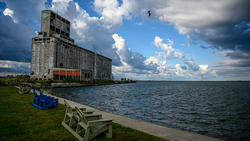
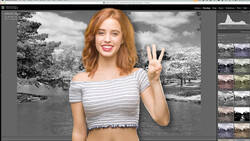
The video explores adaptive presets that target specific parts of your images without affecting the entire photo. Evans demonstrates adaptive subject presets that automatically find and enhance your main subject, plus adaptive sky presets that transform backgrounds with a single click. He shows how these presets create precise masks automatically, then allow you full control to modify the adjustments as needed. The adaptive portrait presets take this concept further by creating multiple masks simultaneously for facial skin, eyes, and teeth. Evans proves these aren't just gimmicks by showing real editing scenarios where they save significant time without sacrificing quality.
Evans also covers intersecting masks, a powerful technique where you can combine different mask types to create precise selections. He demonstrates creating a linear gradient that only affects the sky behind a subject, and radial gradients that brighten specific areas of a person while leaving everything else untouched. The lens blur tool gets attention for its ability to enhance shallow depth of field effects, particularly useful when you're working with kit lenses that don't naturally produce strong background separation. The AI masking capabilities round out the toolkit, showing how Lightroom can automatically detect and mask objects, people, and complex areas like skies behind intricate tree branches. That's just the start, so check out the video above for the full rundown from Evans.



Join the Fstoppers community for free
-
Post comments and join in the discussions
-
Browse the site ad-free
-
Share your work and get featured in the community
-
Compete in the photo contests for fun and prizes