Adobe has announced a substantial collection of AI-powered additions to Premiere and After Effects, with the updates focusing on generating media inside an edit, automating repetitive post-production work, improving audio cleanup, and expanding color-grading tools.
One of the biggest changes is a new Generative Media tool in Premiere that can create video, sound effects, soundscapes, and music without requiring editors to leave their timelines. Adobe is also bringing its AI Assistant to After Effects in public beta, where it can perform project-wide organizational and technical tasks using natural-language instructions.
Generative Media Comes Directly to the Premiere Timeline
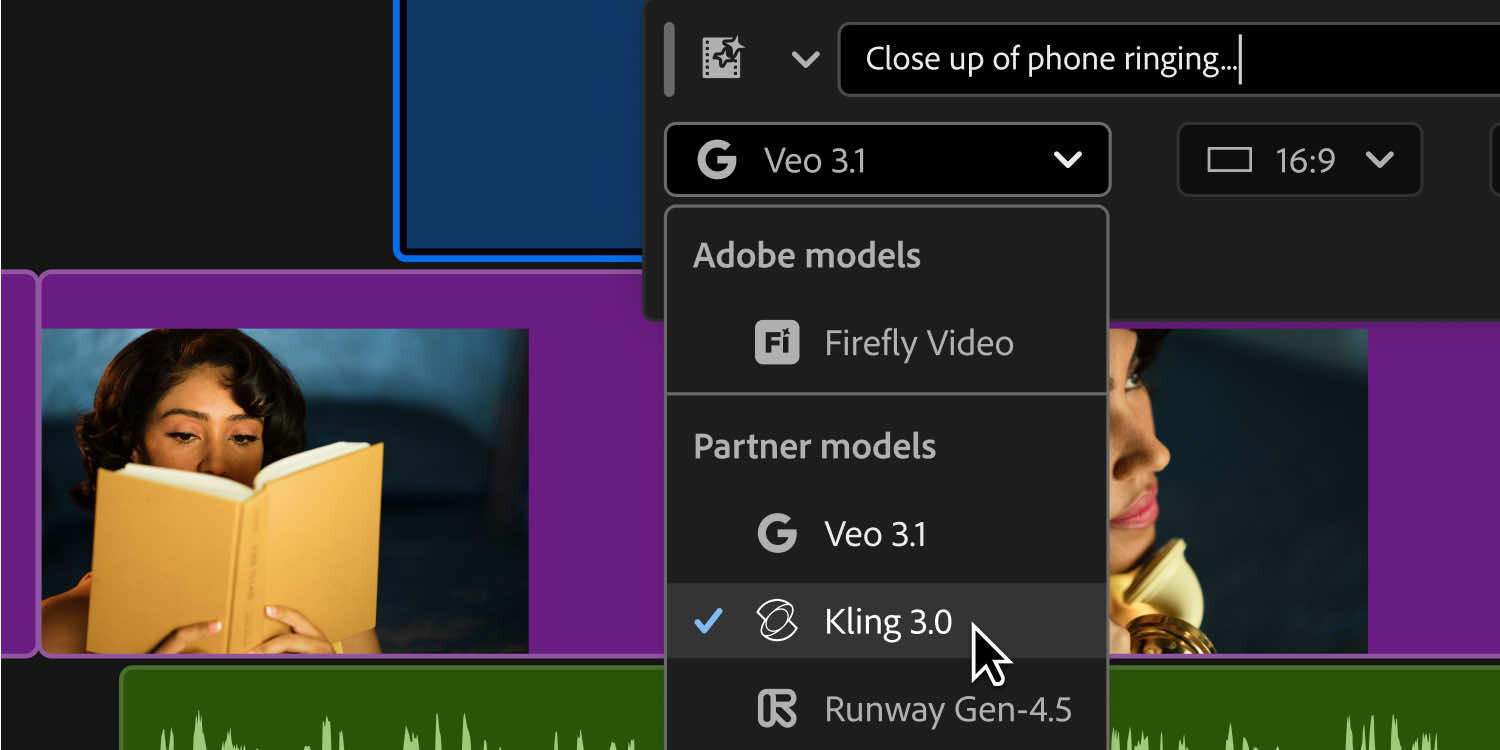
Adobe's new Generative Media tool is designed to reduce the amount of time editors spend moving between Premiere and external applications or media libraries.
Editors begin by selecting Generative Media and choosing where generated material should appear in the timeline. They can then describe the required content and generate editable video or audio without leaving the project.
The system supports Adobe Firefly as well as several third-party generative models, including Google Veo, Kling, Runway, and Luma. Rather than restricting editors to a single underlying model, Premiere allows them to select one depending on the particular task.
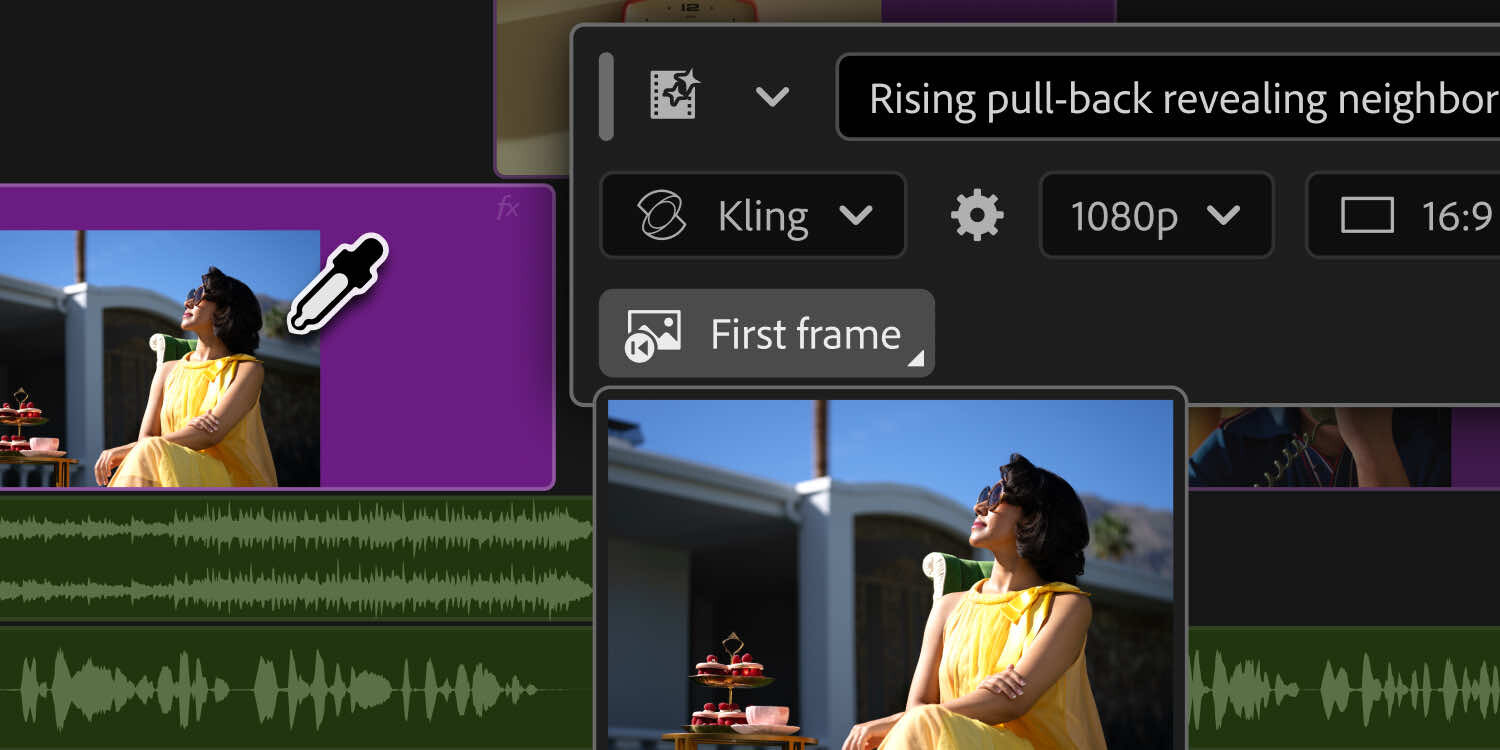
For video generation, Premiere can use reference frames sampled from the existing project to generate footage intended to fit more naturally with the surrounding edit. One obvious application is filling a gap for which appropriate b-roll is unavailable, though generated clips remain editable rather than being treated as a finished result.
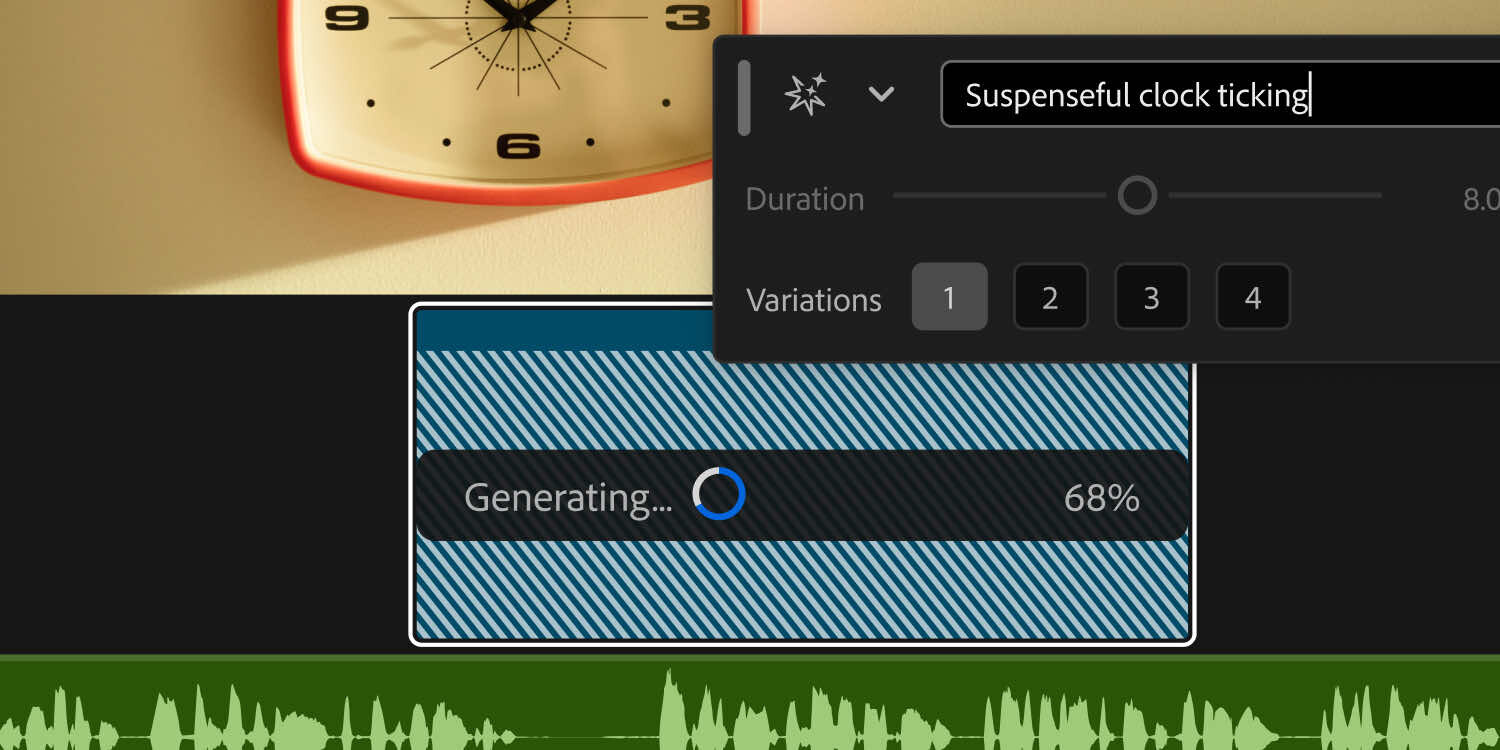
The Generative Media tool also extends beyond pictures. Editors can create sound effects directly inside Premiere, including using their voice to influence characteristics such as rhythm, timing, and intensity.
Adobe is additionally introducing two beta audio-generation features. Generate Soundscape can examine up to 15 seconds of video and create a combination of ambience and sound effects timed to the sequence. Adobe describes this as a starting point for an audio edit rather than an automatically finished soundtrack.
Generate Music, also in beta, produces original music with multiple variations and provides controls for tempo and looping. Adobe says music produced through the feature is commercially safe and includes synchronization rights for use across different types of media.
Key Features
The major additions announced for Premiere and After Effects include:
- Generative Media in Premiere: Generates video and audio directly within the editing timeline.
- Supported generative models: Adobe Firefly, Google Veo, Kling, Runway, and Luma.
- Generate Video: Creates footage to fill timeline gaps and can use reference frames from the existing project to better match surrounding footage.
- Generate Sound Effects: Produces sound effects directly in Premiere.
- Voice-guided sound generation: Allows an editor's voice to influence the rhythm, timing, and intensity of generated sound effects.
- Generate Soundscape: Beta feature that analyzes up to 15 seconds of video and produces synchronized ambience and sound-effect layers.
- Generate Music: Beta feature for creating original music with multiple variations.
- Music controls: Includes tempo and looping adjustments.
- Generated music licensing: Adobe says generated music is commercially safe and includes synchronization rights across media.
- Enhance Audio: Next-generation noise reduction building on Enhance Speech.
- Audio component controls: Provides independent adjustment of dialogue, music, ambience, and sound effects contained within a clip.
- Dialogue removal: Enhance Audio can mute dialogue while retaining other components of a recording.
- Separate Crosstalk: Public beta feature that separates two overlapping speakers into independent audio tracks.
- Dynamic Auto Ducking: Automatically balances dialogue, music, and other audio elements without requiring manually created keyframes.
- Updated audio speed processing: A new speed algorithm changes audio duration across a wider range while preserving pitch and timbre.
- AI Assistant for After Effects: Available in public beta and accepts plain-language instructions for multi-step workflows.
- Project-wide AI Assistant operation: Can work across an entire After Effects project rather than being restricted to the currently open composition.
- Project organization: Can reorganize projects containing thousands of layers.
- Technical troubleshooting: Can assist with identifying and resolving technical project issues.
- Expression creation: Can create motion-design expressions without requiring the user to write code.
- Composition and footage inspection: Can inspect project elements and execute tasks based on user instructions.
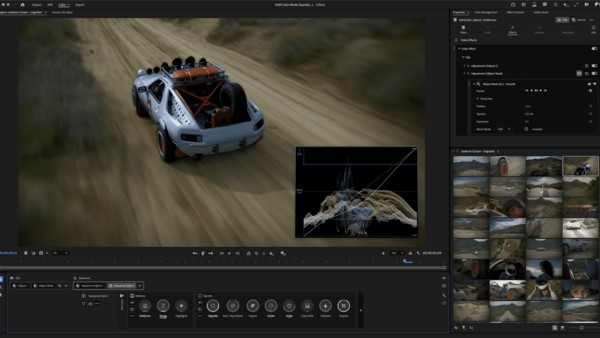
- Color Mode in Premiere: Beta color-grading environment intended to integrate grading more directly into editing.
- New Style Modules: Includes Vignette and Midtones.
- Auto Color: Corrects color temperature and exposure for an individual clip, a custom group, or an entire sequence.
- Redesigned Properties panel: Updated to provide faster navigation.
- Redesigned Effects panel: Updated alongside the Properties panel for faster access to editing controls.
- Frame.io Mounted Storage: Available to all accounts.
- Cloud media streaming: Frame.io Mounted Storage can stream full-resolution media directly into a Premiere timeline without first manually downloading it to local storage.
Premiere Gets More Sophisticated Audio Tools
Adobe is also expanding Premiere's audio tools, with several features entering public beta.
Enhance Audio builds on the existing Enhance Speech system but gives editors considerably more control over the different elements contained within a recording. Dialogue, music, ambience, and sound effects can be adjusted independently. An editor could, for example, reduce background ambience while retaining speech, or remove dialogue while preserving the rest of the recording.
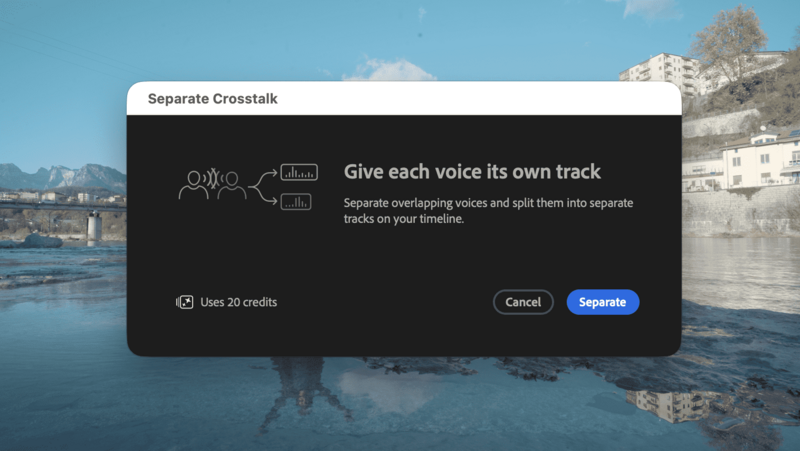
Separate Crosstalk addresses another common production problem: two people speaking simultaneously. The feature automatically divides two overlapping speakers into separate tracks so that each can be adjusted independently during the mix. That could be particularly useful for interviews, documentary work, podcasts, and unscripted productions where recording another take is impossible.
Dynamic Auto Ducking handles the familiar task of lowering music and other audio elements around dialogue. Rather than requiring an editor to create and adjust keyframes manually, Premiere can automatically balance those elements.
Adobe has also introduced a new audio-speed algorithm intended to produce more natural duration changes across a wider range while maintaining the original pitch and timbre.
After Effects Gets a Project-Wide AI Assistant
After introducing its AI Assistant technology in Premiere, Adobe is expanding the system into After Effects.
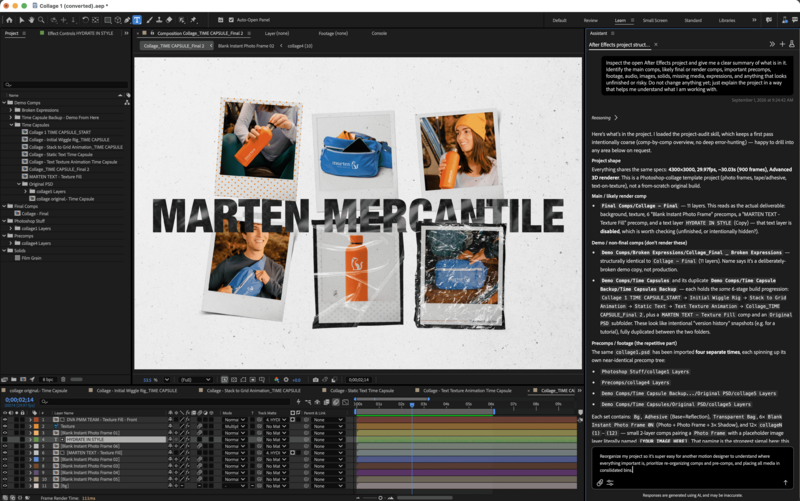
The After Effects implementation, currently in public beta, is designed less around generating finished visual content and more around carrying out technical and organizational work. Users can describe a task in normal language and have the assistant perform operations across a project.
Importantly, the AI Assistant is not confined to the active composition. It can operate across an entire project, including projects containing thousands of layers.
Adobe says it can help reorganize complicated projects, investigate and resolve technical problems, inspect footage and compositions, and build motion effects involving expressions without requiring users to write the underlying code themselves.
That could make the feature useful at two different levels. Less experienced After Effects users may be able to access functions they would otherwise struggle to locate or construct, while experienced motion designers could use it to offload repetitive setup and maintenance tasks.
The resulting work remains editable, so the assistant is effectively being positioned as another way of operating After Effects rather than as a system that produces a locked final result.
Color Mode Continues to Expand
Adobe is also updating Color Mode in Premiere, which remains in beta.
The interface is intended to provide editors with more substantial grading tools without requiring them to move away from the main editing workflow. The latest version adds Style Modules including Vignette and Midtones.
A new Auto Color function can automatically correct exposure and color temperature. It can be applied to a single clip, a custom collection of clips, or an entire sequence, potentially making it useful both for quick normalization and as a starting point for a more detailed grade.
The broader aim appears to be giving editors more control over finishing inside Premiere, particularly as individual creators increasingly handle editing, sound, color, and delivery themselves.
Smaller Workflow Changes
Not everything in Adobe's announcement revolves around generative AI.
The Properties and Effects panels have both been redesigned with the goal of making navigation faster. Those interface changes may not attract as much attention as generative video, but adjustments to tools that editors interact with constantly can have a significant effect on day-to-day efficiency.
Frame.io Mounted Storage is another notable addition. Adobe says it is now available to all accounts and allows full-resolution cloud media to be streamed directly into a Premiere timeline. That removes the requirement to manually download all source material before working with it and could reduce the amount of local storage required for cloud-based projects.
The Impact
For photographers who primarily work with still images, many of these announcements may initially seem aimed at a different market. In practice, though, the boundary between photography and video production continues to narrow. Commercial photographers are regularly expected to deliver short-form video, behind-the-scenes footage, interviews, social content, and other motion assets alongside still photographs.
The more consequential aspect of Adobe's announcement is therefore not simply that Premiere can generate video or music. It is that an increasing number of production tasks can now be completed without interrupting the edit.
Generating a temporary soundscape, separating overlapping speakers, correcting the baseline color of an entire sequence, reorganizing a complicated After Effects project, or streaming cloud-based source media directly into an edit all target relatively mundane production bottlenecks.
Generative features tend to receive the most attention, but tools that eliminate repetitive operations can have a more predictable impact on production time. Separate Crosstalk, Dynamic Auto Ducking, project-wide automation in After Effects, and Frame.io Mounted Storage may ultimately be more useful to some professionals than generated footage.
The addition of multiple generative models inside Premiere is also significant. Rather than requiring editors to commit to Adobe's own Firefly technology exclusively, the software can act as an interface for several different models. If that approach continues, choosing a generative model could increasingly become similar to choosing an effect or codec: a decision made according to the requirements of an individual shot rather than the application being used.
At the same time, generated media introduces practical questions for professional workflows, particularly around consistency, client policies, licensing requirements, and determining when synthetic material is appropriate. Adobe's announcement emphasizes editability and user control, but individual creators and production companies will still need to decide where these tools belong in their own pipelines.
Conclusion
Adobe's latest Premiere and After Effects updates cover a much wider range than generative video alone. Premiere is gaining integrated video, sound-effect, soundscape, and music generation, along with more capable audio separation and mixing tools. After Effects is receiving an AI Assistant capable of operating across entire projects, while Premiere's Color Mode, interface panels, and Frame.io integration are also being expanded.
The common theme is reducing the number of interruptions between an editor identifying a problem and solving it. Whether that means creating a missing piece of audio, separating an unusable recording, building an After Effects expression, correcting a sequence, or accessing footage stored in the cloud, Adobe is increasingly bringing those operations directly into the applications where the work is already taking place.
For working photographers, filmmakers, editors, and hybrid creators, the usefulness of these changes will ultimately depend less on the AI label and more on whether they save meaningful time during real productions.






Join the Fstoppers community for free
-
Post comments and join in the discussions
-
Browse the site ad-free
-
Share your work and get featured in the community
-
Compete in the photo contests for fun and prizes
No comments yet