Using text-to-image prompts in Adobe’s Firefly app is as simple as writing a one-sentence prompt and pressing Enter. Creating images that align precisely with your creative vision is more challenging. To give creators more control over AI-generated adjustments, Adobe integrates several third-party AI engines into their Creative Cloud apps.
Adobe has introduced several features designed to help users control the look and feel of AI-generated imagery. You can upload a dozen photographs to Firefly that show your preferences for elements such as subject matter, framing, depth of field, color palette, and focal length, and Firefly uses these photographs as composition and style references. Adobe also lets you choose which image model is used to create AI-generated creations and adjustments. You can choose from several models, including Ideogram, Runway, Eleven Labs, OpenAI, Forest Labs, Flux, Luma Ray3, Ideogram 3.0, Gemini 2.5, and Nano Banana AI.
I spoke with Stephen Nielsen, senior director of product management at Adobe, about the importance of integrating partner models across several apps in the Adobe Creative Cloud. The result is “so much more powerful,” according to Stephen.
One advantage of having a variety of AI models accessible through a single platform is that you don’t have to create or pay for multiple accounts. You don’t have to learn the intricacies of different platforms. If you’ve ever used a platform like Apple TV to access video-streaming services like HBO Max, Netflix, and Hulu, you are aware of how frustrating it can be to navigate the different ways each platform handles basic tasks like selecting a movie or turning on captions.
"Every model seems to have its own personality and strengths and weaknesses," said Stephen.
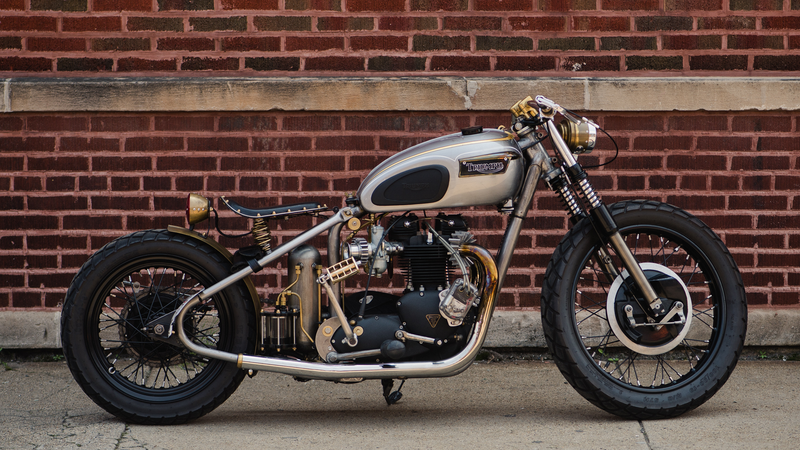
Accessing multiple AI platforms through a single interface offers the best chance of creating a final image that reflects your intention. In a demonstration provided to me, Stephen started with a photograph of a motorcycle.
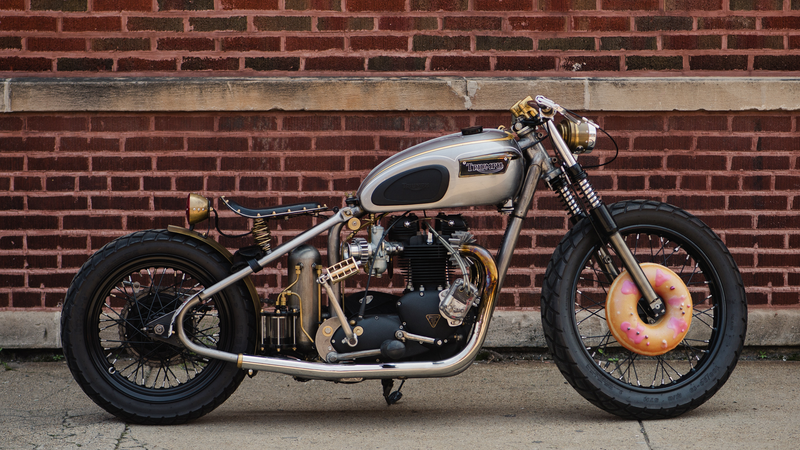
He selected the Flux Kontext engine and entered the prompt, “add a donut to the front wheel.” The resulting image showed a small donut embedded in it.
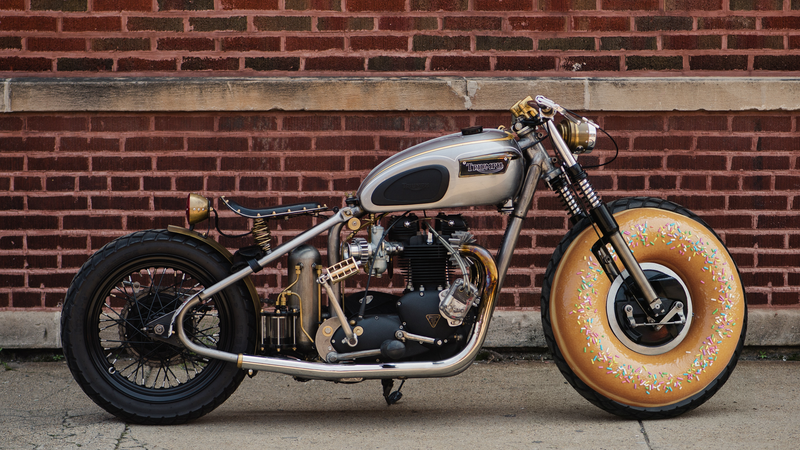
Next, he selected the Nano Banana engine. The resulting image was noticeably different from the first. Over time, you learn which models are likely to produce the result you desire. Each iteration is added to the image as a new layer. It is possible to combine results from different engines into a single image.
Having attended several MAX presentations in the past, the imagery shown tends to be colorful and whimsical. I have noticed a similar lean toward positivity when I use a royalty-free music site to score a short film. It is easy to find inspirational music, but difficult to find a dark, brooding theme for a villain’s entrance.
"That's a common approach when companies are showcasing a product. They want to stay positive," said Stephen.
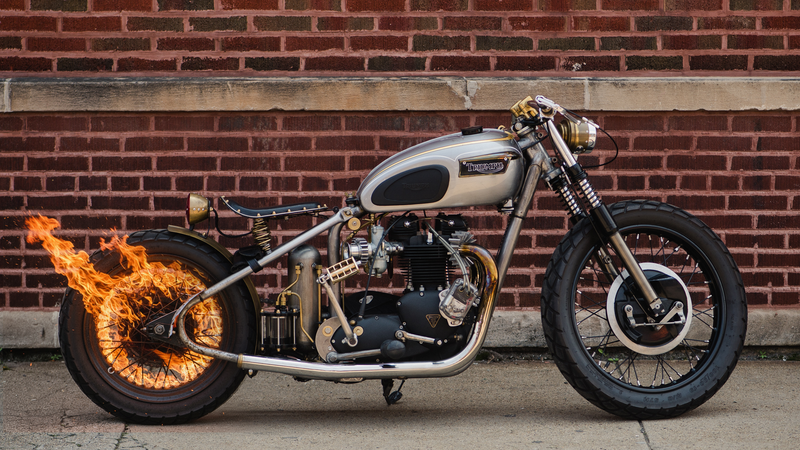
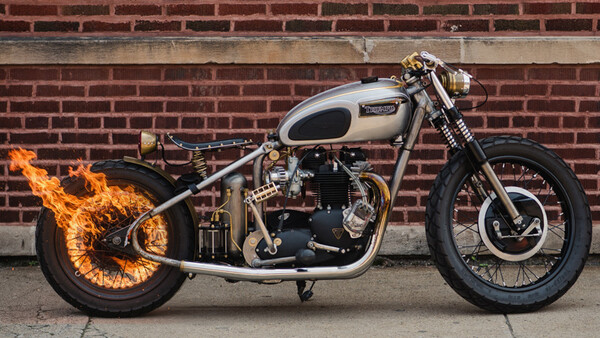
I asked Stephen if he could integrate fire into the image. He used the Nano Banana engine to set the back wheel ablaze, demonstrating that you can create something dramatically different from what you might have seen in Adobe’s demonstrations.


Join the Fstoppers community for free
-
Post comments and join in the discussions
-
Browse the site ad-free
-
Share your work and get featured in the community
-
Compete in the photo contests for fun and prizes
3 Comments
Hey I shot that photo! Fun to see a licensed image out in the wild especially on a site I regularly read.
Cool. I'm glad the photo was used properly.
And what is the $ cost of 3rd party generation/processing of these images?
60 generative credits for one GPT image, 10 credits to run Topaz denoise on an image or 25 if it is high res. It looks like extra credits (over you non-roll over plan credits) start at about 1.4 cents each .
I wonder what the Adobe/3rd Party split of the cost is.