Today begins the first day of Adobe MAX, a gathering attended by 10,000 creatives who travel to Los Angeles for a series of presentations, classes, and demonstrations of Adobe’s latest innovations. This morning’s keynote presentation offered a look at new additions to several apps and insight into where the company is headed. As we have come to expect, AI-based technology was at the center of the announcements.
Adobe’s innovations across its Creative Cloud suite over the past two years have reduced the learning curve required to master programs like Photoshop, Premiere Pro, and Lightroom. In the past, a person who was not willing to learn how to navigate a complex program like Photoshop would have to outsource all or part of their creative process. Adobe’s philosophy is that creative people should focus on creativity, not spend hours studying how to use software. The less time you spend learning the tools, the more time and energy you will have to refine your vision.
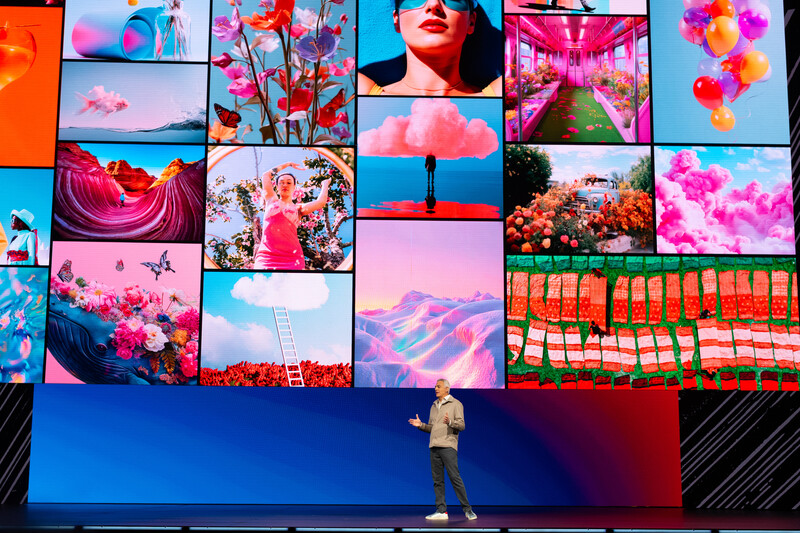
In his keynote address, David Wadhwani, President, Digital Media at Adobe, said, “The content you create has never been in more demand.” According to a recent Adobe and Adventist study, the shelf life of content continues to shrink. Eighty-two percent of companies refresh their creative at least weekly, and 30% update daily. The same study indicates that over 90% of creatives use generative AI regularly, with 48% of creative teams saying they are struggling to keep up with the volume of work they are being asked to do. Tools that simplify content creation will be welcomed by many.
Two years ago, when I first experimented with text-to-image generators, I found the process of creating an image to be easy but less than satisfying. I did not feel in control of what I was creating. If I used a prompt such as “dark-skinned woman with natural hair walking on an empty beach at sunset,” the resulting image would fit that description but did not always look like a photograph I would have taken had that option been available to me. Last year, Adobe introduced Image Style Transfer, which lets you upload an image that represents your shooting style and color palette preferences, then generates new photos that align with that style. The resulting images feel like your own creations.
As a photographer, I do not have much need to generate images from text prompts. It is helpful to use AI-generated imagery for the thumbnails that accompany the articles I write for Fstoppers. Photoshop’s Generative Fill, which allows you to add, remove, or alter elements in an image, is a feature I use daily. It is already hard to remember what retouching was like before this addition. I use it to simplify the tedious task of removing distracting background elements. I also use it for tasks beyond my retouching skills, like replacing the knot on a necktie that was not tied properly during a headshot session. Generative Fill can be hit or miss at times, but I am pleased with the results virtually every time I use it.
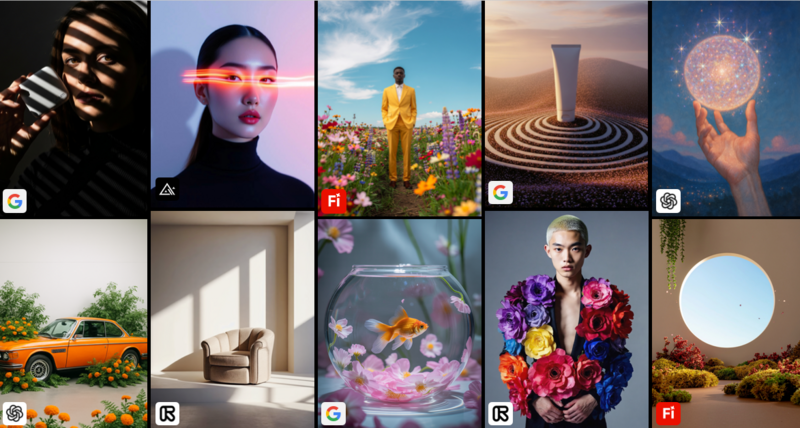
Adobe is adding several new AI partner models, allowing users to choose from several options when adding or modifying content, including Ideogram, Runway, Eleven Labs, OpenAI, Forest Labs, Flux, Luma Ray3, Ideogram 3.0, Gemini 2.5, and Nano Banana AI. If you were creating a scene of a hazy Los Angeles sunset boulevard, one engine might work best for the haze and another for the traffic. Having more options to experiment with increases the likelihood that the adjustments you make and the images you create will align with your creative vision. Although Adobe allows users to access other image models in its app, the company will continue to refine its own Firefly Design Model.
Also new to Photoshop is Generative Upscale, built on Topaz Labs technology. Low-resolution images can be upscaled to 4K resolution with realistic detail. This upscale is useful when combining images from a variety of sources, including old photographs that were taken or digitized years ago. Generative Upscale can also be used on AI-generated content initially rendered at low resolution so it blends seamlessly with content created at higher resolution.
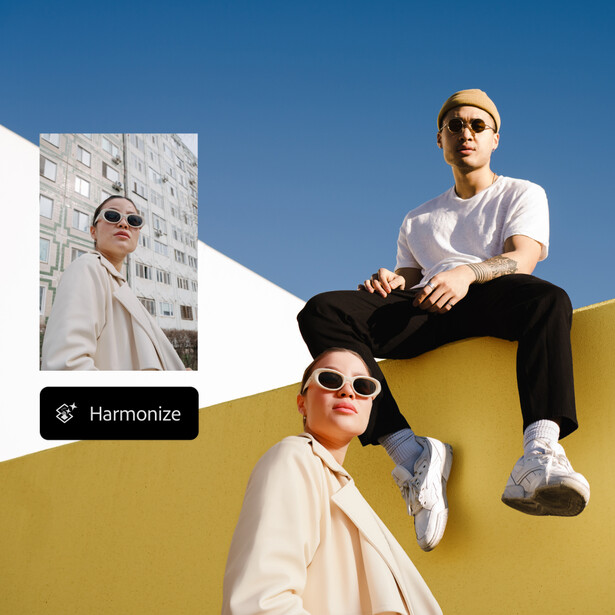
Adobe continues to improve Photoshop’s Harmonize feature, which helps you create natural-looking composites. Using Harmonize, a person or object from one image can be added to another, and the color, toning, lighting, shadows, and sharpness of the added element will blend smoothly with the other elements in the composite so that the final image looks natural.
New to Lightroom is Assisted Culling, offered today as a public beta. This customizable tool helps identify the best shots from a shoot. You can set criteria for filtering, such as sharpness, focus, and camera angles. Assisted Culling can also stack similar images so that your contact sheet requires minimal scrolling to show how many different photos you captured. According to Adobe, professional photographers have requested this feature. Culling is a process that I do not necessarily enjoy, but I accept it as part of my workflow.
I sometimes worry that as we automate so many menial tasks in photography, we will lose the beautiful love-hate relationship that often exists with the creative process. When I think back on my favorite memories from my days of shooting film, I do not think solely of the good shoots, magazine placements, or the celebrities I met and photographed. I also recall the fear I had opening a box of slides, afraid that something might have gone wrong and that all 36 slides would be blank. I think of driving into the photo district in Manhattan late at night when traffic was manageable and waiting for film to be developed at one of the many pro labs that stayed open until midnight to accommodate working professionals. I recall handwriting captions for hundreds of slides and mailing or messengering them to my clients. These tasks did not seem like fun at the time, but in hindsight, they are part of what made those days so special.
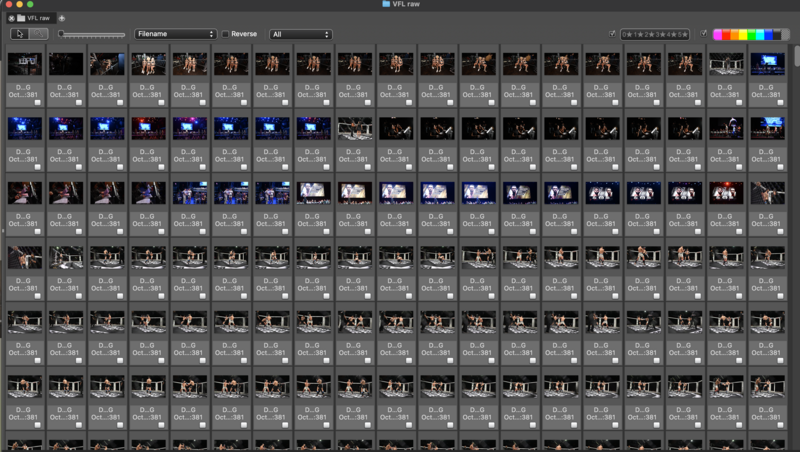
A few days ago, I used Photo Mechanic to cull through 4,000 images I shot at an MMA event. The event ended at 11 p.m., and by the time I finished the edit at home, it was close to 2 a.m. I welcome Lightroom’s addition, and I can see myself using the program in place of Photo Mechanic one day, but I cannot help but think that years from now, I will reminisce fondly about culling late at night.
Also new to Lightroom is Dust Removal, which you can find in the Distraction Removal panel alongside other options such as Reflection and People Removal. Now you can remove spots caused by dust on the camera’s sensor. The program eliminates spots that are immediately visible as well as those visible only under closer inspection.
All the updates mentioned in this article are designed to be accessible to casual Creative Cloud users. A user who understands how to select one element in an image and how to add that element to another image should have no problem understanding how to upscale that image.
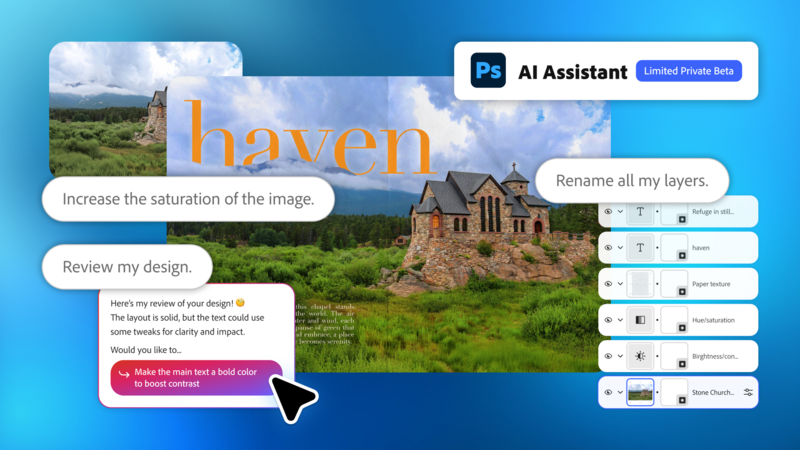
Next on the horizon is an AI Assistant (beta) in Adobe Express and Photoshop, bringing intelligent conversational support directly into these apps and aligning with the theme of reducing the need to master the program’s interface. The feature facilitates a conversational interaction where the user can type, “Remove the dark clouds from the sky, and make this photograph more colorful and vibrant.” Using natural language, you can make adjustments to individual elements in a design without altering the remaining elements, or you can make global adjustments. The AI Assistant can even follow up with context-based responses such as, “Would you like to change the font to match this new theme?” Of all Adobe’s Creative Cloud programs, Express has the broadest appeal and is the app most likely to be used by your neighbor who needs a flyer to promote a yard sale. Adobe’s decision to debut an AI Assistant on this platform rather than in a more specialized program like Photoshop suggests that this feature will have a minimal learning curve for most users.
Early in my career, I saw my role as a photographer primarily as that of a technician rather than an artist. Often, a fashion designer or art director would hire me to bring their vision to life through a photograph. Today, camera and software innovations appear regularly, and there is minimal need for someone whose primary skill lies in manipulating the tools of the trade, and more need for people with the vision to create something original. If your primary focus of late has been on your technical proficiency rather than on what you create, now might be a good time to shift your focus.
To view the full keynote, which includes many announcements not covered in this article, visit the Adobe MAX homepage.





Join the Fstoppers community for free
-
Post comments and join in the discussions
-
Browse the site ad-free
-
Share your work and get featured in the community
-
Compete in the photo contests for fun and prizes
4 Comments
In some ways, I love the new Nano Banana for its creativity; however, I do not like it as it takes away the technical skills that we have all come to love/hate in PS. I tried it out a couple of weeks ago to see what I could do with some zoo photos I had taken. I was amazed at how well it worked. I said to put the background in the jungle. It is low resolution, which I am sure Adobe will fix in time. The new PS does make it easier to edit images and create art, but where do you draw the line when using the new AI feature?
In a demonstration provided at MAX, the presenter was able to upscale images created by outside platforms like Nano Banana. if that feature isn't working properly right now, I would assume it will work in a few months. They are constantly refining how these integrations work.
This is such huge news. I've been saying for the last year that companies offering AI retouching, culling, and AI profiles are in trouble if Adobe ever offers this within Lightroom. It looks like that day is here and it also gives Adobe another subscription model to add to their struggling business model. It will be interesting to see how well this is implemented. If you can do all the AI actions in Lightroom alone without 3rd party exports and subscriptions, that will be a game changer for them.
Generative Fill works very well for something that was developed so recently. I'm confident Adobe will work out other new features as effectively as have done Generative Fill. The main program that I expect to have trouble in the coming years is Capture One.