Photoshop 27.6 dropped with 14 new features, and some of them are genuinely useful while others expose real limitations in Adobe's AI tools. Knowing what works and what doesn't before you spend credits on generative fills can save you a lot of frustration.
Coming to you from Unmesh Dinda of PiXimperfect, this thorough video has Dinda walking through every new feature in Photoshop 27.6, starting with reflection removal now being available directly in the main workspace. Previously, you had to use Camera Raw for this. Now it lives under Edit > Reflection Removal, though it only works on 8-bit files, so you'll need to convert first. The tool does a solid job, and it even isolates the reflection on a separate layer so you can blend it back in using blend modes or opacity. That said, Dinda is clear that Camera Raw still produces cleaner results when you're working with raw files, because more image data means fewer artifacts. The Photoshop workspace version gives you more flexibility post-processing, but if image quality is the priority, Camera Raw wins.
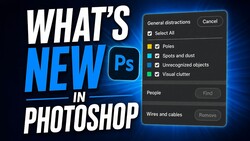
The distraction removal update is one of the more practical additions here. The Remove tool can now detect up to 26 types of distractions including cables, drain elements, vehicles, urban poles, vegetation, and even trash cans, and it marks them automatically when you click "Find Distractions." You can color-code categories, toggle them on and off, and modify the mask manually if the selection isn't quite right. Dinda does point out a real workflow gap: people in the background aren't included in the general distractions detection and require a separate step, which means running the process twice. Still, for simple cleanup jobs, this feature genuinely reduces the amount of manual work required.
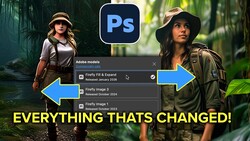
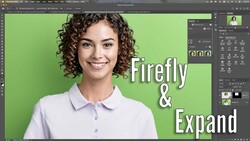
The new Firefly Image 5 model is now available inside the generative fill model picker, sitting alongside partner models like Gemini Nano. Dinda tests both on the same image and the comparison is telling. Nano produces more dramatic, artistic results but doesn't preserve facial features or fine detail reliably. Firefly Image 5 keeps faces and positioning more consistent but introduces what Dinda describes as a "reptile skin texture" across generated areas, visible when you push clarity. He also notes that zooming in on background details like statues and architectural elements reveals a clear quality drop in both models. Firefly Image 5 costs 10 credits per generation, while Nano Banana Pro runs 40 credits. The credit transparency improvements in this update let you hover over the Generate button to see the cost before committing, which is a meaningful step toward making the credit system less opaque.
The redesigned actions panel is arguably the strongest addition in this update. Actions are now non-destructive, searchable, customizable with thumbnails and descriptions, and include previews on hover. The video also covers updates to dynamic text, rotate object graduating from beta, the Firefly boards integration with Photoshop, and the new auto-rename layers feature along with its current limitations. Check out the video above for the full breakdown from Dinda.


1 Comment