Color grading shapes the mood of an image in a way that goes beyond simple editing. Small shifts in hue or saturation can change the entire feel of a photograph, giving you the ability to move from cinematic drama to soft romance with just a few adjustments. If you want more control over how your photos communicate emotion, learning how to do this in Photoshop is worth your time.
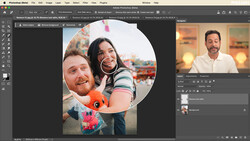
Coming to you from Aaron Nace with Phlearn, this detailed video walks you through using the Camera Raw filter in Photoshop for precise color grading. Instead of relying on global adjustments, you learn how to work with midtones, shadows, and highlights separately. Nace demonstrates how starting with midtones can give you a balanced foundation, then shows how to push shadows cooler or highlights warmer depending on the style you want. He emphasizes using saturation and luminance sliders in tandem, reminding you there’s no “correct” loo, only what feels right for the story of your photo.
The workflow also makes use of Photoshop’s smart objects, which means your adjustments remain editable at any point. This non-destructive setup is crucial when experimenting with color because your eyes adapt quickly and what looks good in the moment can feel heavy-handed later. Nace suggests stepping away from your image, even checking it on another device, before deciding if your grade holds up. The flexibility to toggle the effect on and off or revisit the settings through the Camera Raw filter ensures you’re never locked into a single look.
The video also introduces blending and balance controls inside the color grading panel. These allow you to shift the influence between shadows and highlights, creating subtle or dramatic emphasis where you want it. Beyond that, Nace highlights an overlooked trick: adjusting the opacity of the Camera Raw filter itself. This lets you keep the color work but dial back its strength without redoing the adjustments. It’s an effective way to refine your edits if you like the direction but prefer a softer application. Check out the video above for the full rundown from Nace.





Join the Fstoppers community for free
-
Post comments and join in the discussions
-
Browse the site ad-free
-
Share your work and get featured in the community
-
Compete in the photo contests for fun and prizes
1 Comment
Photoshop may be cool and fine but I'm not a big fan of Photoshop I'm not big fan of editing my photography mostly my photography be perfect without editing not once do I take the time to edit up beautiful photo I always believe that my first shot is my last shot. I don't get any other picture other than this one because you know what millions of people is next to the same person I'm taking pictures of with a cell phone and they got their eyes distracted I don't like studio photography maybe I like to be in the field I like to be out there. This is practically no editing in raw footage going to get one shot there's no time to edit these people want their pictures now. Not only that I want my money now sometimes I get paid before the job half and half but I got to do the job right and carrying a computer taking it to Lightroom and doing extra stuff it's just not me I'm quick on my feet and doing that right there or slow me down but great advice great program but I'm good I think I'm still the goat without it