Editing photos doesn't have to feel like a chore you dread. Instead, it's possible to streamline your approach and eliminate the clutter that's keeping you stuck at the desk.
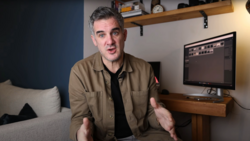
Coming to you from Rick Bebbington, this insightful video addresses the real reason editing can be draining: chaos. Bebbington argues the problem isn't editing itself, but rather the sheer number of unorganized images accumulating on your hard drive. Without a clear process, editing feels endless, leaving you with constant overwhelm. The solution starts by changing your approach before even pressing the shutter button. Bebbington suggests shooting with intentionality to avoid coming home with thousands of unnecessary photos.
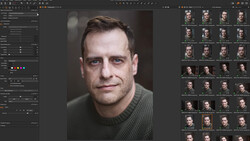
Next, Bebbington emphasizes the importance of ruthlessly culling your images as soon as possible. Rather than wasting time deciding what to import, quickly bring all images into Lightroom and then immediately delete duplicates, blurry shots, and weaker alternatives. He advises flagging rejections to quickly reduce visual clutter and emotional baggage. Making these decisions upfront significantly reduces the sense of overwhelm, enabling you to focus more effectively on images worth your attention. Bebbington's simple but strategic folder organization (by year, then month) makes it easier to maintain a structured and accessible photo library.
To further streamline your process, Bebbington recommends incorporating presets into your workflow, eliminating guilt around using them. Presets should function as practical tools, each suited to particular scenarios, rather than universal fixes. Creating your own presets can dramatically speed up editing, giving you a consistent starting point that still allows for customization. He explains that while using purchased presets can help you learn different editing styles, ultimately, your edits should reflect your preferences. Think of presets as time-savers rather than shortcuts. They're meant to help you maintain consistency, not remove your creative input.
Bebbington also encourages a mobile workflow, freeing editing from the confines of your desk. Lightroom Mobile allows you to cull images comfortably from anywhere, whether relaxing at home, commuting, or at a café. This approach helps reduce monotony and breaks down editing into manageable sessions, making the process less tedious. Mobile editing also encourages decisiveness by pushing you to quickly choose which images to keep or discard, reducing the chance you'll agonize over each photo later.
Overediting, Bebbington cautions, is another common trap that stems from perfectionism. He advises setting practical limits on your editing time, spending roughly three to five minutes per image—perhaps slightly longer for standout photos. Walking away at around 80% completion often yields better results than obsessive tweaking. Viewing your edits with fresh eyes after a break helps avoid excessive adjustments that diminish your image's impact. That's just the start, so check out the video above for the full rundown from Bebbington.




Join the Fstoppers community for free
-
Post comments and join in the discussions
-
Browse the site ad-free
-
Share your work and get featured in the community
-
Compete in the photo contests for fun and prizes