Printing your photos and holding a tactile representation of your hard work is a wonderful and exciting experience, but creating a proper print is a skill and area of knowledge unto itself. If you are just starting to print your photos and want to ensure you do not waste your money, check out this fantastic video tutorial that will show you five common mistakes beginners make when printing photos and how to avoid them.
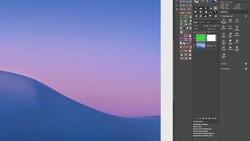
Coming to you from Evan Ranft, this great video tutorial will show you five common mistakes beginners make when printing their photos and how to fix or avoid them. One particularly salient point Ranft made that I am certainly guilty of running afoul of is not editing with the environment in which the print will be displayed in mind. Most of us edit in Lightroom or Photoshop with a dark gray background surrounding the photo, and that works perfectly well for most digital applications. However, what if you plan on hanging your print on a white wall? You will want to carefully consider just how different that will look (particularly near the edges) and adjust your editing process to match. Check out the video above for the full rundown from Ranft.


Join the Fstoppers community for free
-
Post comments and join in the discussions
-
Browse the site ad-free
-
Share your work and get featured in the community
-
Compete in the photo contests for fun and prizes
1 Comment
You shouldn't need to make any adjustments because a print is hanging on a white wall. I certainly have never needed to and I've about 40 A2 sized prints hanging all around my house. I have images which have no frame, images with white mattes in black frames, some have cream mattes, others have coloured frames. Some hang on white walls, some on yellow walls. I've got pictures lit by daylight, some with artificial light. I make a print, and it looks good.
Quality monitor calibration is key. And that goes beyond plopping a calibrator in front of the screen. The correct brightness is needed - alas something which seems oft forgotten by photographers.
And we're assuming the printer is profiled of course. Unfortunately many companies who provide this service use drum-based profiled readers which have a grey drum. I used to have a flat-bed type system where I could place my test strips on a black background paper, which gives a more accurate result. (Fortunately I have an ancient bit of software which allows me to tweak the ICC profile to compensate).
But doing different prints depending on the wall colour... heck no. How would that ever work for a client's prints?