
Applying your custom editing style to all of your raw files so every scene looks consistent can be exhausting. Lightroom presets can help, but with changing lighting conditions and variable exposure settings, you often still have to make tons of micro adjustments image by image. With the release of Aftershoot's Instant AI Profiles, you can now automate all of your presets quickly and easily.
The running joke among photographers is we spend maybe 10% of our time actually shooting images, and the rest of our time is spent on the less glamorous aspects of photography. Perhaps no single activity takes up more of our time than editing our images. If you are an event photographer or shoot anything that requires taking hundreds or thousands of images—like weddings, family portraits, or sports—you can literally spend half of your week just editing and culling your images. Being a professional photographer is a massive time commitment.
So when Aftershoot reached out to me to test drive their new Ai Profiles, I was curious to see what this new feature was capable of and what sort of time it could save me with my larger shooting sessions. If you want to try Aftershoot yourself, Fstoppers Readers can try it for free for 30 days. Also, save 15% off any Aftershoot subscription plan with the code "fstoppers15" upon checkout.
What Are Instant AI Profiles
So what exactly are Instant AI Profiles? Previously, Aftershoot really only had one way to use AI automation, and that was with their Professional AI Profiles. Professional profiles are the more complex and more accurate way Aftershoot can replicate your exact editing style. Basically, you have to upload 2,500 edited raw files from your Lightroom catalog(s), and Aftershoot's AI engine will learn exactly how you dial in the color and exposure of your entire catalog. I like to equate this to hiring a professional image editor and spending a week or so teaching them all of your editing preferences.
The upside with building a Professional AI Profile is that you can automate the editing of your future photo shoots to about 90% accuracy without having to manually edit the images yourself or hire an outside editor. The downside is that you need 2,500 unique images, all personally edited in your specific style, and if you are just getting started in photography or if you don't have huge catalogs with a large variety of images, having 2,500 images to train the software on can be difficult.
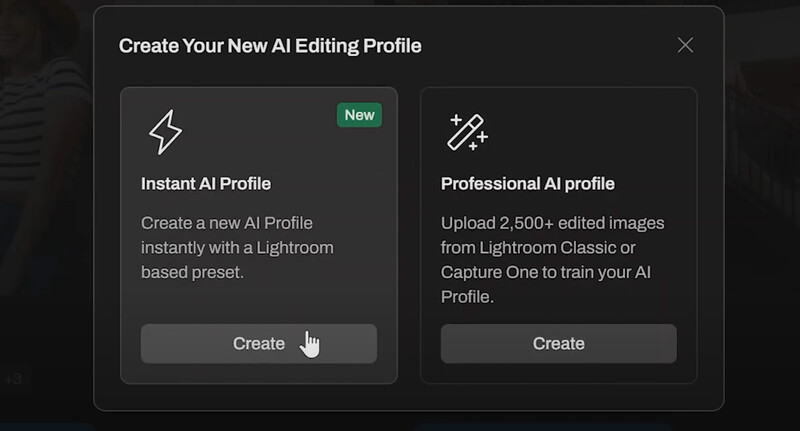
If only there were a way to build a custom AI Profile that could replicate a specific stylistic look without needing thousands of pre-edited images to train the system on! That is where Instant AI Profiles come into play. Instead of relying on your own personally edited catalogs of images, Instant AI Profiles can be trained using much more basic Lightroom presets. I like to think of the difference in terms of cooking. You can think of a Profile as a collection of data that might allow you to creatively cook like a master chef, whereas a Preset is more like having a single recipe for a specific dish. Ideally, we'd all like to be a Michelin chef in the kitchen, but sometimes just being able to whip out a single perfect dish is all the occasion calls for.
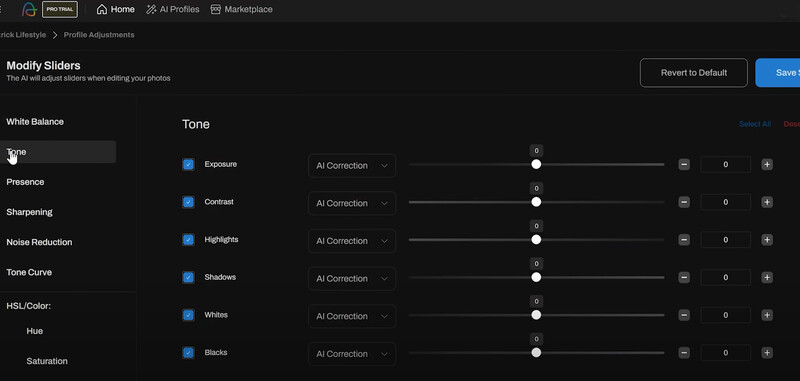
With an Instant AI Profile, Aftershoot can take an entire photo session and apply a single preset across the entire session nearly flawlessly. If you were to apply a simple preset to an entire outdoor portrait session, your photo editing program would simply copy and paste all of the exact settings to every single image without any regard to over- or underexposed images, wildly inaccurate white balance settings, or differences in natural lighting conditions. Having an AI engine attached to a preset means you can now have a preset that applies the same overall style to your entire photo shoot while also adjusting each image individually.
How Did Aftershoot Work For Me?
The best way to see the results I personally had is to watch the video above, but for those who prefer seeing the results in an article format, I've posted a few before-and-after images here. For an editorial or lifestyle shoot like this, I like to use my Lightroom preset simply called "Lifestyle." I've designed it to lift a lot of the shadows, push the highlights slightly brighter than normal, increase the contrast a bit, and set a pretty neutral white balance. However, as you can see below, the images from this indoor session still looked a little flat, and the white balance was too sterile. Once I applied Aftershoot's Instant AI Profile of my Lifestyle preset, the contrast and color were improved significantly. The image edited with Aftershoot still retains the overall feel and mood I based the Lifestyle preset on, but now it's simply better.
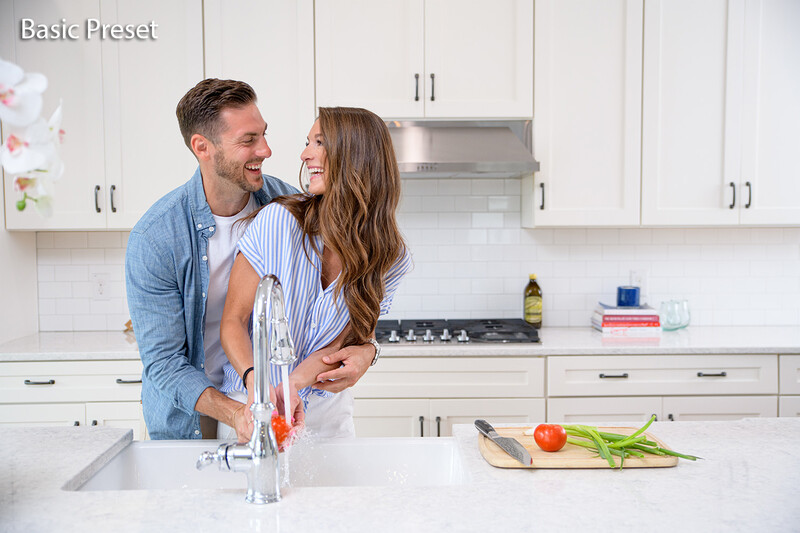
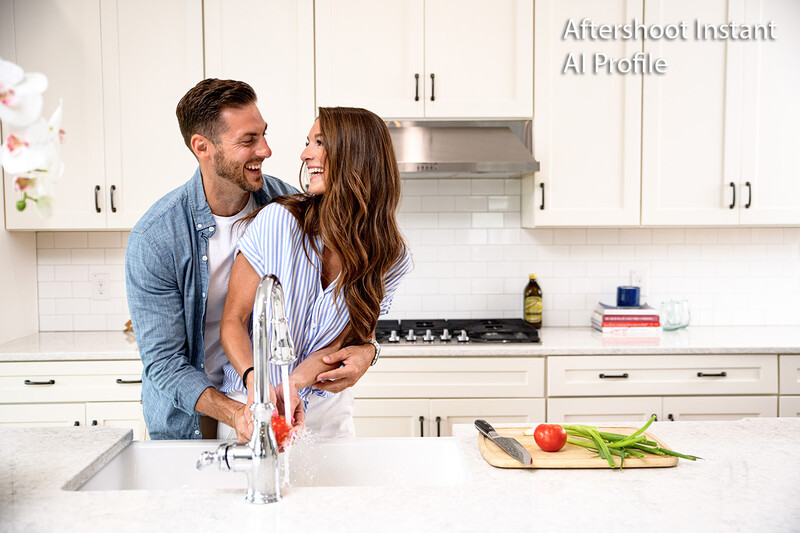
To really show you how Aftershoot's Instant AI Profile improves my preset, let's compare it to both the unedited raw file straight out of the camera and an edit where I just pasted my Lifestyle preset to it.
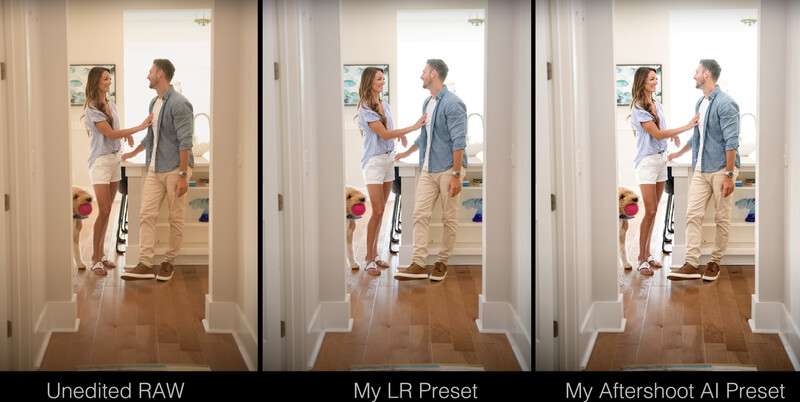
As you can see, my own preset improves the overall tonality greatly, but with the help of Aftershoot's AI engine, the Instant AI Profile version of that same preset looks even better. The highlights from the back window are blown out in a more flattering way, the blacks have more definition, the midtones in the clothing look much better, and the highlights on the couple's skin give just a little more definition. In the past, I would try to tweak my preset manually to make it look just a little better than what a simple copy-and-paste result would give, but I'm not sure I would ever get it quite as nice as what Aftershoot does using its AI processing.
Overall, I felt like Aftershoot improved every single image from this mini session when compared to simply applying my Lifestyle preset in Lightroom. However, there was one lighting setup I did where the Instant Profile still needed a little tweaking. The image below shows a scene where I used a flash placed outside to replicate the late-day setting sun.
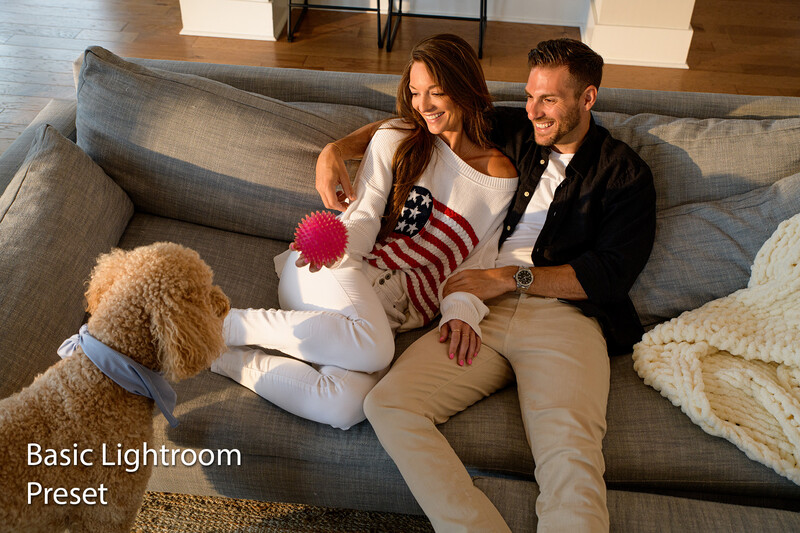
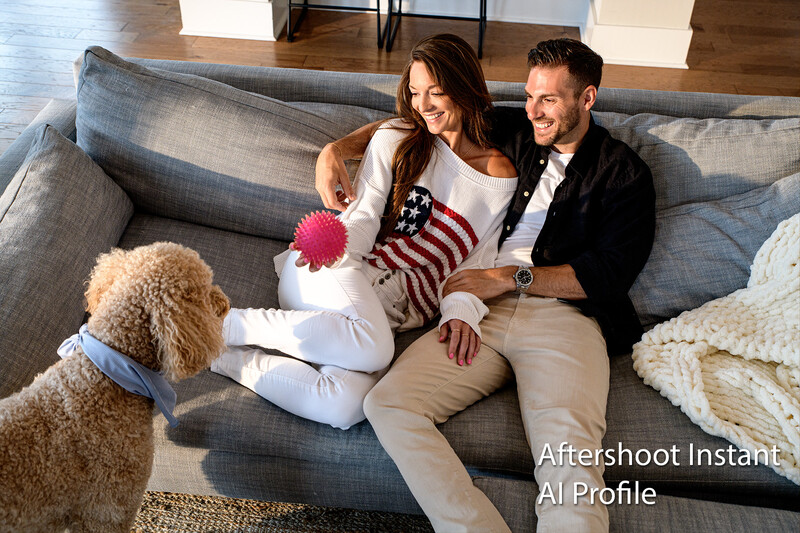
For this particular image, I think it works best when the white balance is pushed much warmer than what any AI algorithm would think is correct. In this one example, I definitely prefer the warmer white balance I set in camera compared to the cooler colors Aftershoot presented. That being said, adjusting these images to my preferred warmer white balance literally only required readjusting a single slider—the white balance slider—to a warmer temperature. All of the other adjustments made by Aftershoot were still better than what my basic Lightroom preset could accomplish.
Conclusion
Aftershoot is an extremely powerful and impressive editing tool for any photographer who shoots hundreds or thousands of images during their sessions. If you don't have a diverse photo set of 2,500 images that you have personally tweaked and edited yourself, this new Instant AI Profile option is a great way to jump into the world of AI batch editing. Also, if you are like me and have a dozen or so presets that you rely on for specific looks across various genres of photography, these Instant AI Profiles open up a lot of possibilities. Instead of having to commit to one preset, then tweak every image manually for perfect exposure and color, Aftershoot's Instant AI Profiles make it easy to jump between different looks without worrying about undoing all of your work. That alone is a huge game changer.
Aftershoot also uses my preferred business model where once you subscribe to one of their editing plans, you can run as many images through their software as you want. These pricing plans do change from time to time, and overall they might be just a little more expensive than competing AI editing software, but in my opinion, it's so incredibly nice to be able to edit thousands upon thousands of images each month without worrying about credits or having to adjust your client fees based on how many images are delivered, edited, or re-edited.
Finally, it's worth mentioning that this article on editing your images with AI is just a small portion of what Aftershoot can do. Aftershoot also offers AI retouching (you can watch my review of their AI Retouch above) as well as AI Culling. Having the ability to make these time-consuming tasks automated or even semi-automated is perhaps the most exciting use of AI within the photography industry today. Back when I was shooting 20–30 weddings a year, I would have subscribed to Aftershoot's service immediately because not only would it have saved me so much time editing, but from the tests I've done, I know my clients’ final images would have looked even better than what I was delivering to them.
As I mentioned in the beginning of this article, Fstoppers has a working relationship with almost every photography company in the industry, including Aftershoot. If you want to try this powerful software out for yourself, Fstoppers readers can get a 30 day free trial by using this link, and if you wind up subscribing, use the discount code "fstoppers15" to save 15% on anything you add to your cart.



Join the Fstoppers community for free
-
Post comments and join in the discussions
-
Browse the site ad-free
-
Share your work and get featured in the community
-
Compete in the photo contests for fun and prizes