Dark Patterns: Why Subscriptions Are Worse Than Ever
One Adobe employee compared a Creative Cloud to heroin for the business. The subscription you rely on to do your job is also the one built hardest to leave.
In 2014, I was at Photokina in Cologne, Germany, which at the time was still one of those wonderfully overwhelming events where it seemed like the entire photography industry had temporarily relocated into a handful of enormous convention halls. I was there speaking on stages for DJI, Adobe, Fujifilm, and doing the usual Photokina routine: presentations, meetings, running into old friends, talking about photography for twelve hours straight, and consuming the quantity of coffee necessary to make all of that seem like a reasonable thing to do.
A new open-source typeface called ShieldFont looks like ordinary text when you read it, but hands AI scrapers a corrupted version of the same page. It swaps out select words in a site's source code so bots collect subtly wrong sentences while you see the real thing.
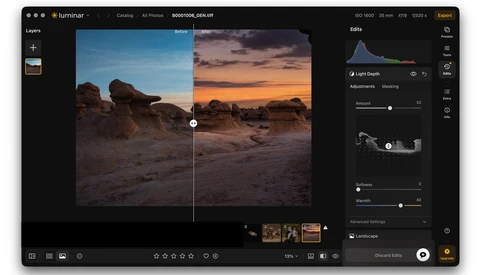
Luminar Neo users will see an update to their app today. It’s version 1.28.0. Skylum is also moving toward a new name for the app, which is actually the original name. Neo will be dropped, leaving just Luminar.
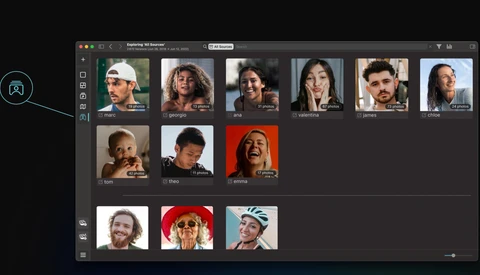
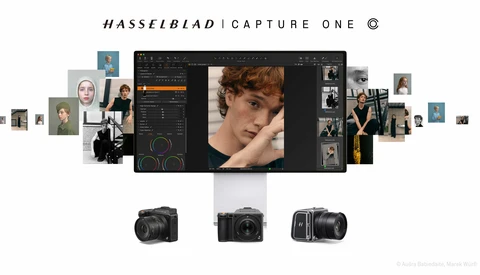
For years, the workflow gap between Hasselblad and Capture One was one of those quietly frustrating facts of professional life. If you shot medium format on a Hasselblad but preferred to edit in Capture One, you were stuck converting your raw files first, and every conversion chipped away at the color fidelity and editing latitude that were the whole point of shooting Hasselblad in the first place. That gap is now closed.
There's a lot of competition out there for photographers' attention with recent updates of editing software. The big target for competitors is Adobe's ecosystem of programs, and many of my pro photographer friends are pretty locked in on Adobe Lightroom.
AI software for photographers is getting so good that it is both incredible and a little horrifying. Every few months, a new app claims it can save us time, but most of them still only handle one piece of the job. Aftershoot’s newest update feels different.
Is the old way of retouching dead? With various AI plugins, the world of classical retouching is definitely changing. Recently, I tried out Retouch4Me and some of their plugins, and these are my thoughts as a working pro on whether it is something that would fit into my workflow or not, as well as where it excels and where I find it to struggle more. Retouch4Me has a suite of different plugins across frequency separation, dodging, burning, healing, cloning, fabric removal, dust removal on a backdrop, and many more.
If you use a Mac, you’ve probably hit this infuriating UI quirk: when you click "Upload," the macOS file picker displays microscopic thumbnails. Unlike a normal Finder window, there’s no slider to scale them up. Fortunately, there’s a permanent, 30-second fix. We just have to bypass the UI and tell macOS exactly what we want using Terminal.
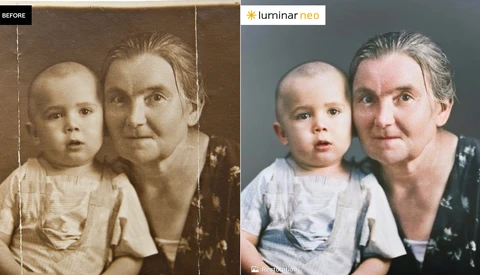
ON1 Photo Raw 2026.4 just landed, and the headline feature is Restore AI, a tool that can repair damaged prints, colorize old black-and-white images, and clean up degraded film scans. If you have a box of old family photos sitting around, this update is worth your attention.
Adobe's subscription model has pushed a lot of creators to look for alternatives, and for years the honest answer was that nothing quite covered everything. That gap is now closing fast.
Artificial intelligence has quickly become part of the workflow for many photographers. From culling thousands of images to automating complex edits, there's now a tool for almost every part of the process. But not all AI is built for the same job.
For most of the past decade, Adobe was not a choice. It was the default. Lightroom and Photoshop were where photographers learned to edit, where the workflows lived, where the presets came from, and where the entire industry quietly agreed to standardize. The price hikes were annoying. The subscription model was annoying. But the alternative was unthinkable, because there was no real alternative.
Choosing photo editing software is harder than it used to be. With Lightroom Classic no longer the only serious option, five credible alternatives now compete for your workflow, each with real tradeoffs in power, speed, and learning curve.
The Nik Collection of software tools goes way back to when Nik introduced some editing plug-ins for Photoshop in the 90s. Google bought the tools in 2013 and brought several of the tools together into a collection. But Google, as Google does, sold the collection off to DxO in 2017, and they began to rewrite everything with new code, and released a 7-app collection, adding an 8th shortly thereafter.
Artificial intelligence is transforming creative workflows across countless industries, including photography. From automated writing assistants to advanced image generators, there's now an AI tool for almost every task imaginable. While many AI platforms offer broad capabilities, relatively few are tailored to the specific demands of real estate photography. In a market where speed, accuracy, and visual consistency are critical, purpose-built solutions are required, and Fotello is positioning itself as one of the leading options in this space.
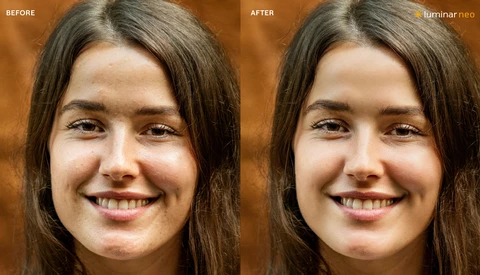
In a significant update to Luminar Neo, Skylum is focusing on AI-based portrait tools, as well as improving some of the included masking tools. This update is version 1.27.
If you've been paying for a Lightroom Classic subscription while quietly wondering whether it's still worth it, DxO PhotoLab 9 is a direct answer to that question. After roughly 15 years of Lightroom as his primary editing tool, Matt Day spent two months with PhotoLab 9 before canceling his Adobe subscription entirely.
DXO had a big announcement a few weeks ago with powerful new features in their raw image processor PureRAW 6. Now those features have been folded into their powerful image editor, PhotoLab, which gets a version bump to 9.6.
In what is a hot take only if you're an Adobe shareholder, the MacBook Neo is the biggest sign yet that Adobe's subscription model needs some major rethinking.
DxO PureRAW has been a go-to item in the workflow of photographers for years. PureRAW launched back in 2021, designed as a tool to preprocess Raw files before they go into an editor. The software de-noises your image, then corrects for defects in your optical path or the sensor. To do this, DxO maintains an extensive database of lenses and sensors so it can match your equipment to the corrections.
The new generative AI tools in Photoshop offer powerful features that can streamline your workflow and unlock new creative possibilities. In this article, I show you how to make the most of them.
Skylum has released an update for its popular Luminar Neo editor that is incremental but will please owners. It follows a major fall update that brought many new features to the editor.
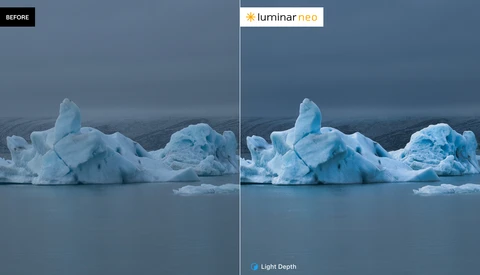
Every photographer has a collection of images that almost worked. The composition was there, the moment was right, but something about the light fell flat, or the exposure didn't quite capture what your eyes saw in person. We also tend to accumulate old family photographs in shoeboxes and drawers, images yellowed by time and marked by creases from decades of handling. These are the kinds of problems that used to require either significant manual work in Photoshop or simply acceptance that some photos couldn't be saved. Skylum's recent updates to Luminar Neo take direct aim at both challenges, and I've spent the past few weeks putting their newest tools through their paces with my own work.
When I first heard about the Dwarf Mini Smart Telescope, I have to admit I was skeptical. A smart telescope you can carry in a pocket (albeit a large pocket like a photographer's vest), plop down, and produce decent astrophotos seemed like a stretch. Smart telescopes have certainly evolved over the last few years, and I've reviewed a few of them.
Among the many AI-powered image enhancement tools, the one we show in this article is the first to come close to a one-click solution for print preparation, with nearly no additional cleanup required.
High-ISO files can look fine at thumbnail size, then fall apart the moment you zoom in and see the grit crawling through feathers, skin, or shadows. If you rely on noise reduction, the real question is what each tool does to detail when the file is already stressed at ISO 12,800.
Thirty years ago, photo editing meant painting and airbrushing prints by hand. Then Photoshop arrived and wiped out most of those jobs.
CYME has just announced Peakto 2.6, the latest version of its AI-powered media manager for Mac, introducing what is now the most comprehensive AI-driven culling and deduplication tool available for photographers and visual creators.
Apple announced Apple Creator Studio yesterdayay, and I don't think Adobe fully understands what just happened to them. For $12.99 per month, or $129 per year, Apple is bundling Final Cut Pro, Logic Pro, Pixelmator Pro, Motion, Compressor, and MainStage into a single subscription. The subscription also unlocks premium templates and intelligent features in Keynote, Pages, and Numbers across iPhone, iPad, and Mac, with Freeform joining later. Students and educators can get the entire bundle for $2.99 per month or $29.99 per year.
Apple has announced Apple Creator Studio, a new subscription bundle that combines several of the company’s professional creative applications into a single plan. The subscription is designed to cover video editing, music production, image editing, motion graphics, and general visual productivity across macOS, iPadOS, and iOS.
Current owners of Luminar Neo are getting a holiday update with some new and unique features. Besides the usual bug fixes and some speed increases, Neo has added what they call an AI Assistant.
The subscription fatigue is real. Every month, the same charges appear on your credit card statement, a persistent reminder that you're renting the tools of your trade rather than owning them. For many photographers and video creators, this model feels fundamentally wrong. The camera in your bag belongs to you. Your lenses belong to you. Why shouldn't your software?
Long before I ever started Fstoppers, I was a professional real estate photographer. It was a great job, but the editing was mind-numbing. Fotello can now edit the photos for me... and the results are incredible.
Black Friday is fast approaching, and hopefully your hearts and wallets are ready. A lot of sales are already ongoing, so let’s talk about some of our favorites.
DxO has been very active this year, and this month will not be an exception. The company is pumping out new, enhanced versions of three of its most popular photo-editing applications today.
I've gotten my hands on a beta of the new, and I have to say improved, Luminar Neo fall release from Skylum. It keeps everything that's good in the current version and adds a couple of new features that will likely get non-owners of the current product on board.
Skylum has announced a significant fall update for Luminar Neo coming in early November.
Pixieset has long been a go-to platform for photographers, offering a polished way to deliver client galleries, host portfolios, and sell images since pioneering this service in 2013. Fast forward to 2021, when Pixieset released their Studio Manager and has transformed into a comprehensive client management system that cuts down administrative tasks, streamlines client interactions, and optimizes workflows. This upgrade empowers photographers to focus on what matters, making their work life smoother and more productive, and getting paid faster. In this article, we explore what Pixieset is known for, how it’s changed, and why it’s an excellent all-in-one solution for photographers.
Zoner Studio is rolling out its highly anticipated fall update today, bringing a suite of intelligent features designed to help photographers spend less time culling and more time creating.
Peakto is releasing a 2.5 update to its excellent media management tool that frees it from the cloud while allowing robust search of all your media assets and enabling team sharing.
Applying your custom editing style to all of your raw files so every scene looks consistent can be exhausting. Lightroom presets can help, but with changing lighting conditions and variable exposure settings, you often still have to make tons of micro adjustments image by image. With the release of Aftershoot's Instant AI Profiles, you can now automate all of your presets quickly and easily.
While new lenses aim for perfection, many think they are too sterile. The flaws of vintage glass have become unexpectedly sought after. The problem is that shooting with them is an expensive and impractical endeavor. This new plugin for DaVinci Resolve aims to solve this problem. Can it deliver?
Apple has released new versions of its software platforms, bringing a redesigned interface, expanded Apple Intelligence features, and broad updates across apps and services. The updates are available today as free downloads.
DxO PhotoLab has been the editing choice for many photographers since 2017, specializing in correcting optical defects in camera bodies and lenses. It has a large following, but Adobe, with Photoshop and Lightroom, has always been the 800-pound gorilla commanding much of the market.
Zoner Studio has been named EISA Photo Software of the Year 2025–2026, an honor that highlights its balance of accessibility and professional-grade performance. The award, presented by the Expert Imaging and Sound Association (EISA), recognizes products that stand out for innovation, usability, and impact across the photo industry.
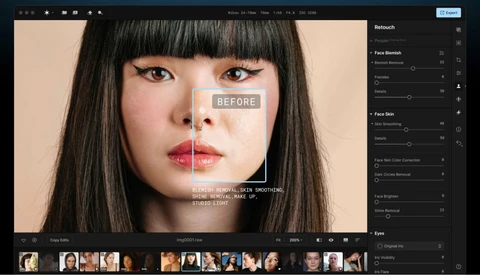
When it comes to retouching software, many photographers have felt disappointed by the promise of an easy yet professional editing solution. Could Evoto AI be the dream editing suite we have all been waiting for? Today we take a look under the hood.
VSCO has introduced VSCO Workspace, a studio and client-management platform that integrates the Táve Studio Manager CRM and adds new tools aimed at helping photographers run day-to-day operations in one place. The software is designed to scale from solo operators to multi-person studios, with an emphasis on workflow automation and business organization.
We talk a lot about sharpness and resolution, but when’s the last time your image made someone feel something?