Nikon and RED finally put a shared badge on a compact body that aims past vlogging specs and into serious production. You get internal R3D, a bright 4-inch screen, and a body that undercuts rivals on price while raising questions about ports, cards, and rigging needs.
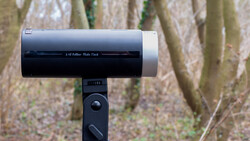
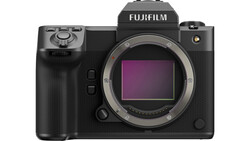
Coming to you from Gerald Undone, this incisive video focuses on the new Nikon ZR cinema camera. Gerald lays out the core pitch fast: internal REDCODE RAW, REDWideGamut/Log3G10 workflow, and sub-10 ms rolling shutter, making ZR a small, cheap way to match RED footage on set. He also calls out friction points you’ll notice the first day you rig it, like the micro HDMI port and the awkward bottom card door that hides a CFexpress Type B and a microSD slot. The screen is the win here at 4 inches, 1,000 nits, and 3.07 million dots, which actually changes how you monitor on a lightweight build.
Gerald compares usability against the Sony FX3 and says ZR feels closer to a souped-up Sony ZV-E1 in day-to-day handling. That’s not a knock on image quality; it’s about ergonomics, button logic, and I/O. You get a zoom rocker that can drive power-zoom, three top custom buttons, and quick boot, but the single bottom 1/4-20 mount and sideways EN-EL15c battery force cage solutions fast. Audio is the surprise: internal 32-bit float works with both the built-in capsule and the 3.5mm jack, which can save takes when gain is off, though the lack of a native XLR handle leaves a gap if you record dual-system often.
Key Specs
-
Lens Mount: Nikon Z
-
Sensor: 35.9 x 23.9 mm full frame CMOS, effective 24.5 MP
-
Stabilization: 5-axis sensor-shift
-
ISO: Dual base 800 / 6,400; native 100–64,000
-
Internal Recording:
-
ProRes RAW 12-bit up to UHD 6K 30p; DCI 4K up to 120p; UHD 4K up to 60p
-
REDCODE RAW 12-bit up to UHD 6K 60p; DCI 4K up to 120p; UHD 4K up to 120p
-
H.264 8-bit FHD up to 60p
-
H.265 8/10-bit up to 5.3K 60p, 4K 120p, FHD 240p
-
ProRes 422 HQ 10-bit up to 4K 60p, FHD 120p
-
-
Video Output: Micro-HDMI up to 3840 x 2160
-
Media: CFexpress Type B (Slot 1), microSD UHS-I (Slot 2)
-
Audio I/O: 3.5 mm mic in and headphone out; internal stereo mic; 32-bit float record
-
Connectivity: Wi-Fi/Bluetooth, USB-C (Power + USB 3.2 Gen 2 data), UVC 1080p60
-
Monitor: Articulating 4" touchscreen LCD
-
Power: Nikon EN-EL15c
-
Size/Weight: 5.2 x 3.2 x 1.9 in; 1.19 lb body only
You also get fast readout. Gerald measured approximately 9.1 ms rolling shutter in 6K R3D and sub-10 ms across modes, which keeps skew in check on whip pans and handheld moves. Dynamic range lands well in R3D with a 14-stop total and about 10.9 “clean” stops at 6K on a 6K timeline without NR, with a bump when you downsample to 4K, while H.265 looks softer from heavier noise reduction, so it’s best reserved for long-form runtimes where space trumps detail. ProRes 422 HQ is cleaner than H.265 but still shows more processing than raw, pushing ZR toward a “shoot raw first” mindset when image integrity is the priority.
The view-assist button behavior is inconsistent between touch and custom buttons, which slows on-set toggling. There’s also the two-hour-and-five-minute clip cap and the variable H.265 card-time estimate quirk that Gerald has criticized on other bodies, so plan media and power with margin, especially if you’re hovering around 470 MB/s at 6K60 R3D. On thermals, the fanless design held steady in summer temps in his tests, including multi-hour oversampled 4K60 while powered over USB-C.
If you’re coming from Nikon Z6 III, autofocus and stabilization behavior will feel familiar. Tracking disables when using Hi-Res Zoom, and IBIS is fine for static shots but not the steadiest when walking. The real hook is price-to-codec ratio and color pipeline parity with RED cameras, which makes ZR a compelling b-cam or crash cam when you need R3D in a small body without renting. Check out the video above for the full rundown.




Join the Fstoppers community for free
-
Post comments and join in the discussions
-
Browse the site ad-free
-
Share your work and get featured in the community
-
Compete in the photo contests for fun and prizes
1 Comment
This noice reduction on H.265 can be turned off in settings right? Or is it always soft despite noice reduction settings? 🤔