
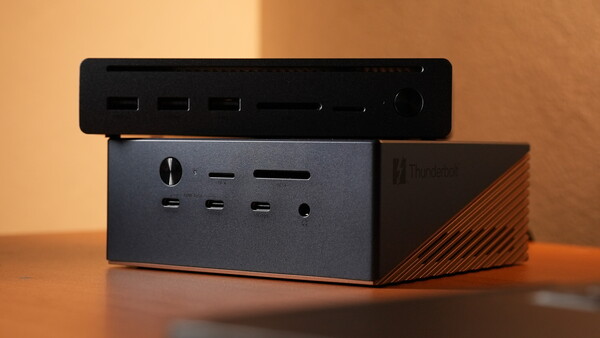
Just when you thought Thunderbolt™ 4 was fast, here comes the new generation that takes it further. UGREEN's new docking stations offer to upgrade your workflow if you're up for it.
Thunderbolt™ 5 brings a whole new level of speed and efficiency to compatible computers and accessories. One can have a whole range of high-speed storage and tools, but the one piece that would bring that all together is a docking station. Nowadays, it's not just a matter of making everything connected — it's about maximizing the speed at which they are, and these two new options from UGREEN's Revodok Maxidok line are some of the most compelling ones.
Thunderbolt™ 5 takes speed and connectivity to displays to a whole new level. From its predecessor, which could support 40 Gbps of bidirectional transfer, dual 4K or a single 8K display, as well as 100 W PD upstream charging, Thunderbolt™ 5 pushes the boundaries to up to 80 Gbps of bidirectional transfer, 120 Gbps of unidirectional transfer, supports either a single 8K display or up to three 4K displays, as well as a total power output of 240 W Power Delivery. While not all devices support it right now, TB5 is undoubtedly the future, and it is here.
The UGREEN Maxidok 10-in-1 Thunderbolt 5 Docking Station
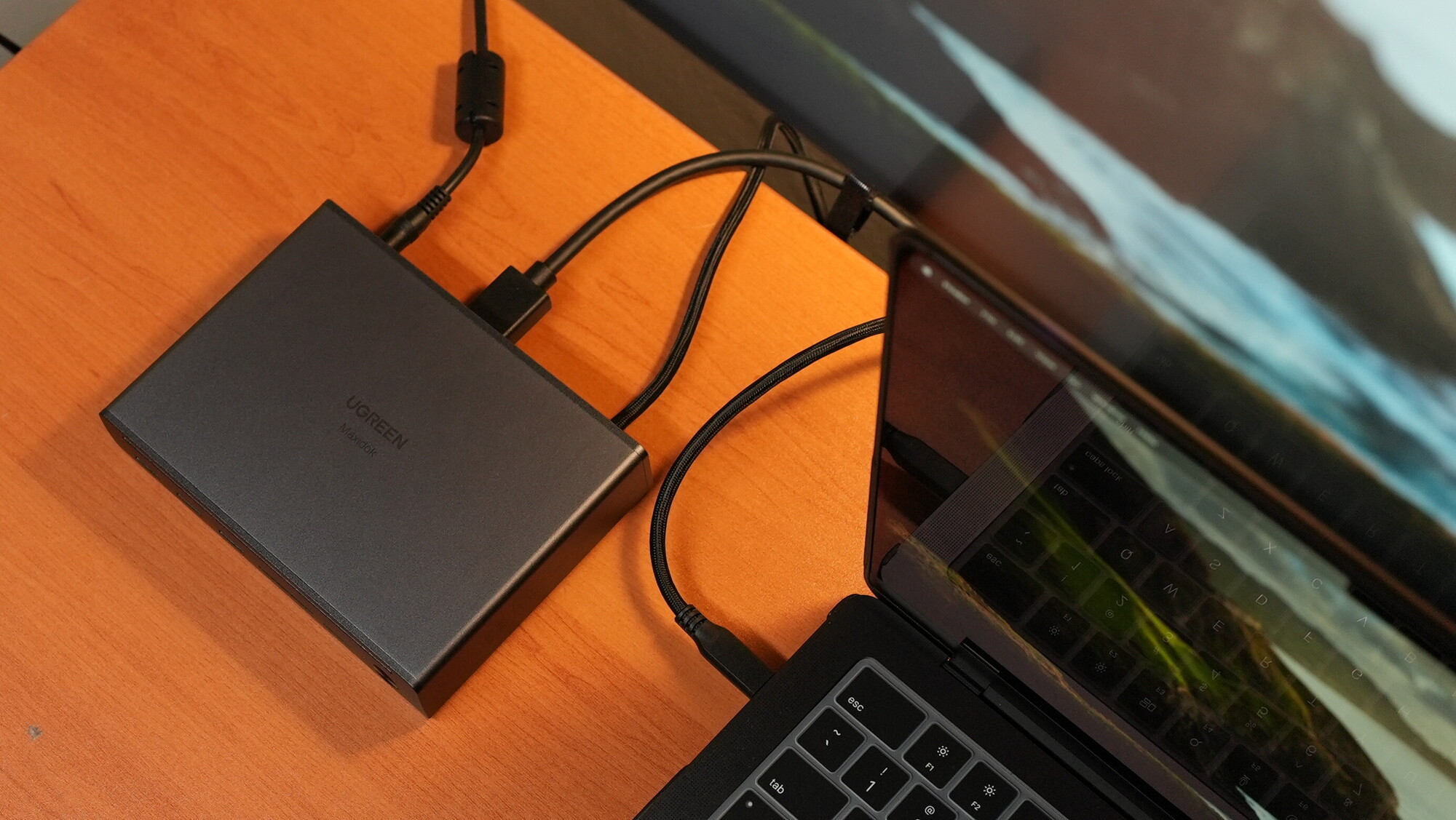
This UGREEN Revodok Maxidok 10-in-1 Thunderbolt™ 5 Docking Station offers a sleek yet professional-grade docking station that supports up to 120 Gbps of transfers unidirectionally or 80 Gbps bidirectionally — meaning both upload and download. For context, that would mean being able to transfer a 6 GB 4K video clip in just one second. It also supports either one 8K display or two simultaneous 6K displays while providing up to 100 W of power to the host computer. It's housed in an aluminum alloy casing that passively dissipates heat when working at full capacity.
Ports
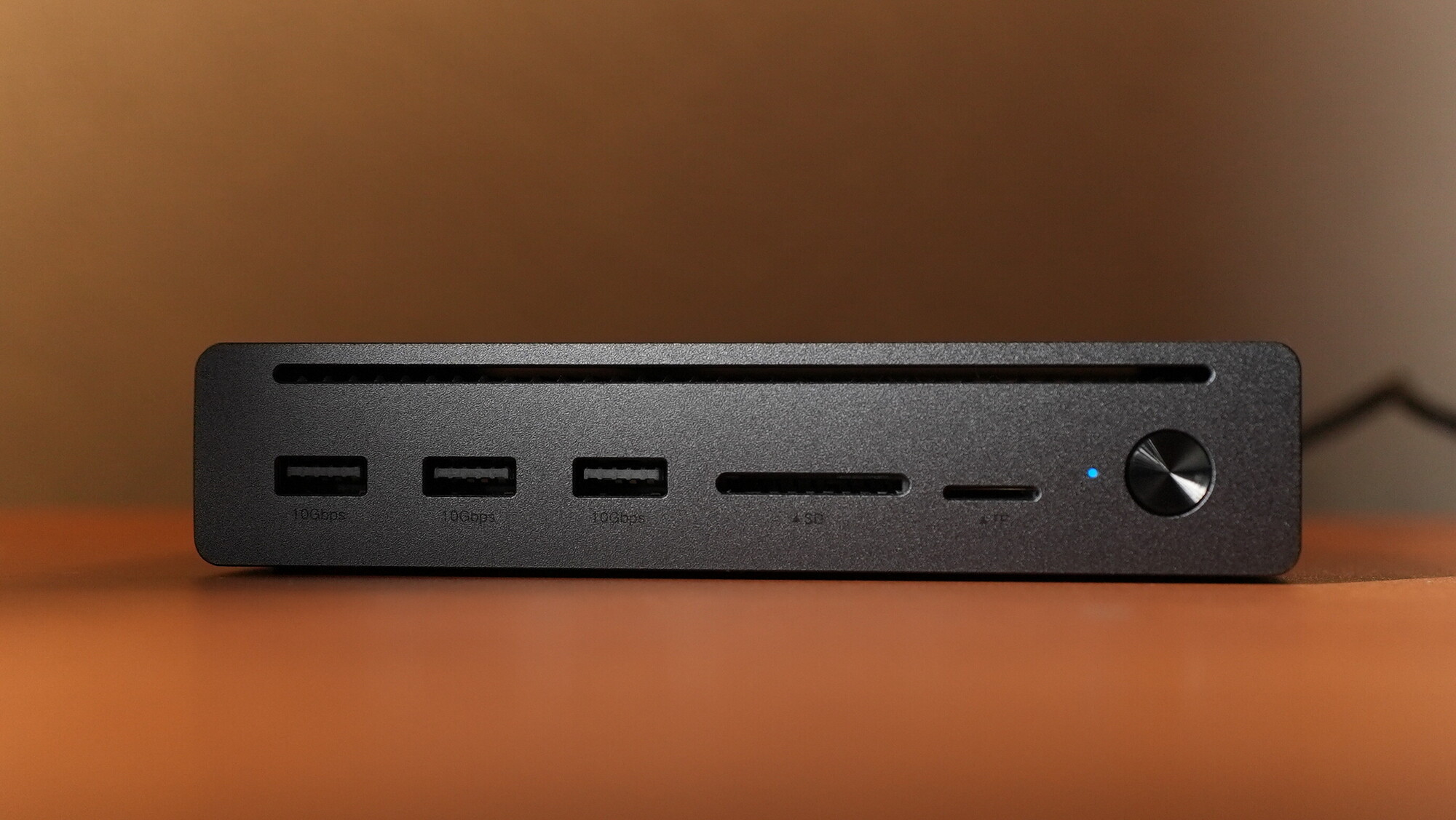
- Three front-facing USB-A 3.2 ports capable of 10 Gbps transfers each
- A pair of SD and TF (microSD) 3.0 slots capable of 170 MB/s transfers
- A single power button that functions both as a way to disconnect devices or cards and turn off external displays
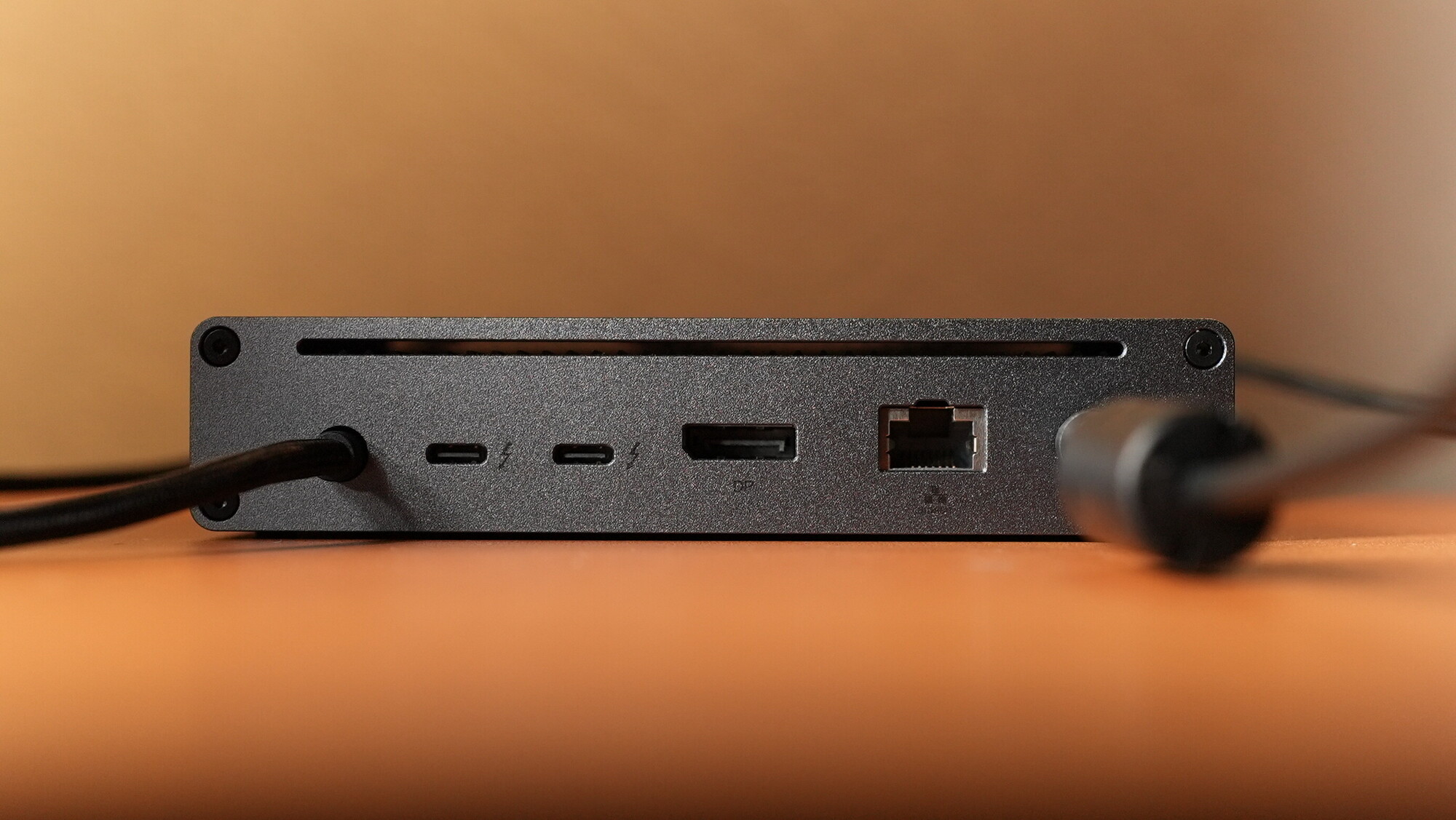
- A built-in Thunderbolt™ 5 host cable with a thick braided protective exterior, facilitating all device connections to the computer and up to 100 W of power delivery
- Two Thunderbolt™ 5 USB-C ports
- One DisplayPort capable of up to a single 8K display
- An RJ45 1 Gbps Ethernet port
- A combo 3.5 mm audio jack for both input and output
- A port for the 140 W GaN power brick included in the box
Displays
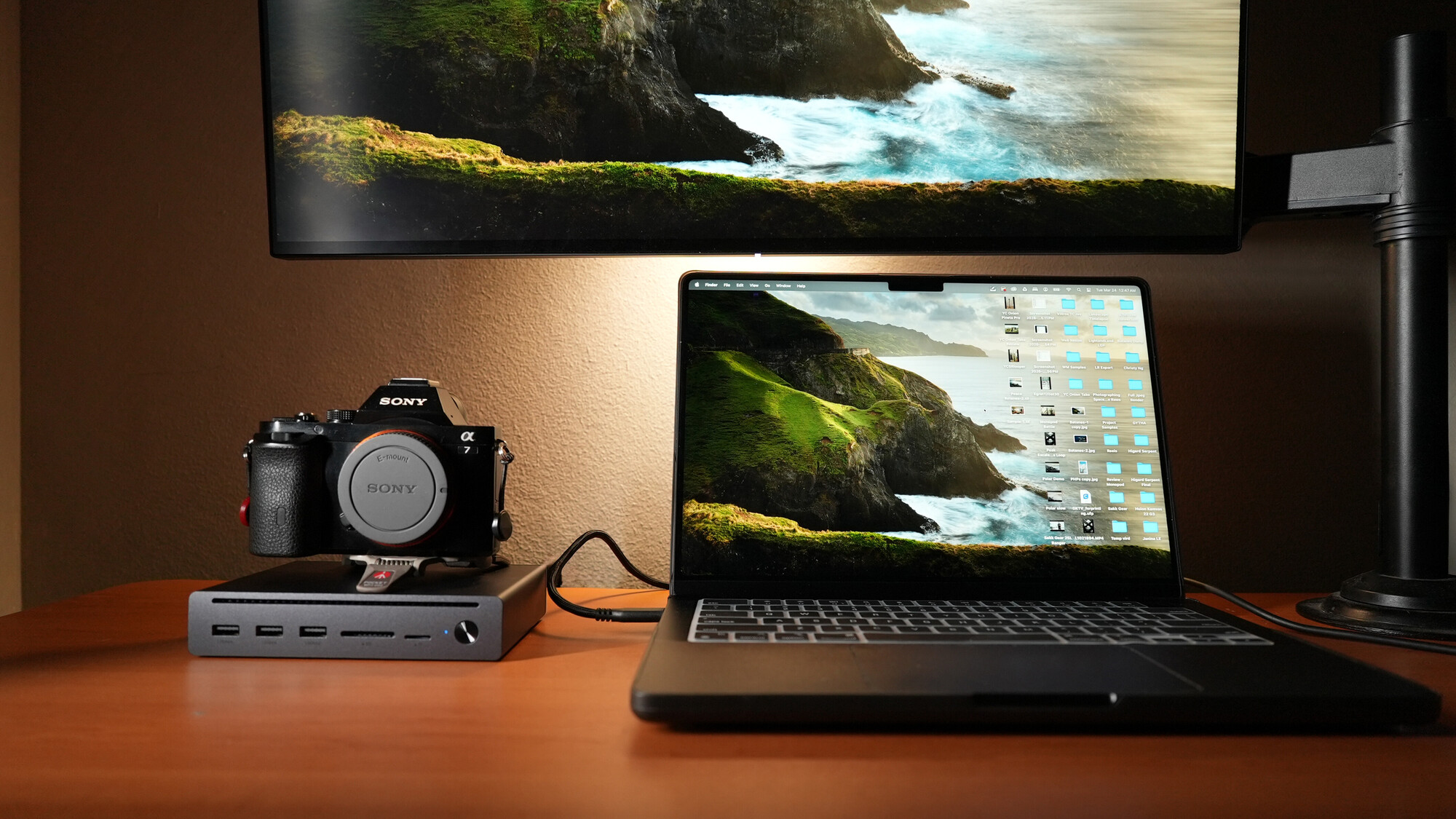
I don't really have an 8K display but you get the point
With the combination of the DisplayPort and the Thunderbolt™ 5 ports, the UGREEN Revodok Maxidok 10-in-1 Docking Station can support either a single 8K 60Hz display, two 8K 60Hz displays for Windows computers, or two 6K 60Hz displays on Mac.
This option on its own brings together a lot of the necessary peripherals that one would want to converge into a single cable to work seamlessly with a computer, and it does so in a slim and sleek form.
The UGREEN Maxidok 17-in-1 Thunderbolt™ 5 Docking Station
While the 10-in-1 variant offers a powerful entry-level option, this UGREEN Revodok Maxidok 17-in-1 Thunderbolt™ 5 Docking Station is positioned to be the flagship Thunderbolt™ 5 hub, taking all the capabilities to more functionality and expanded use cases.
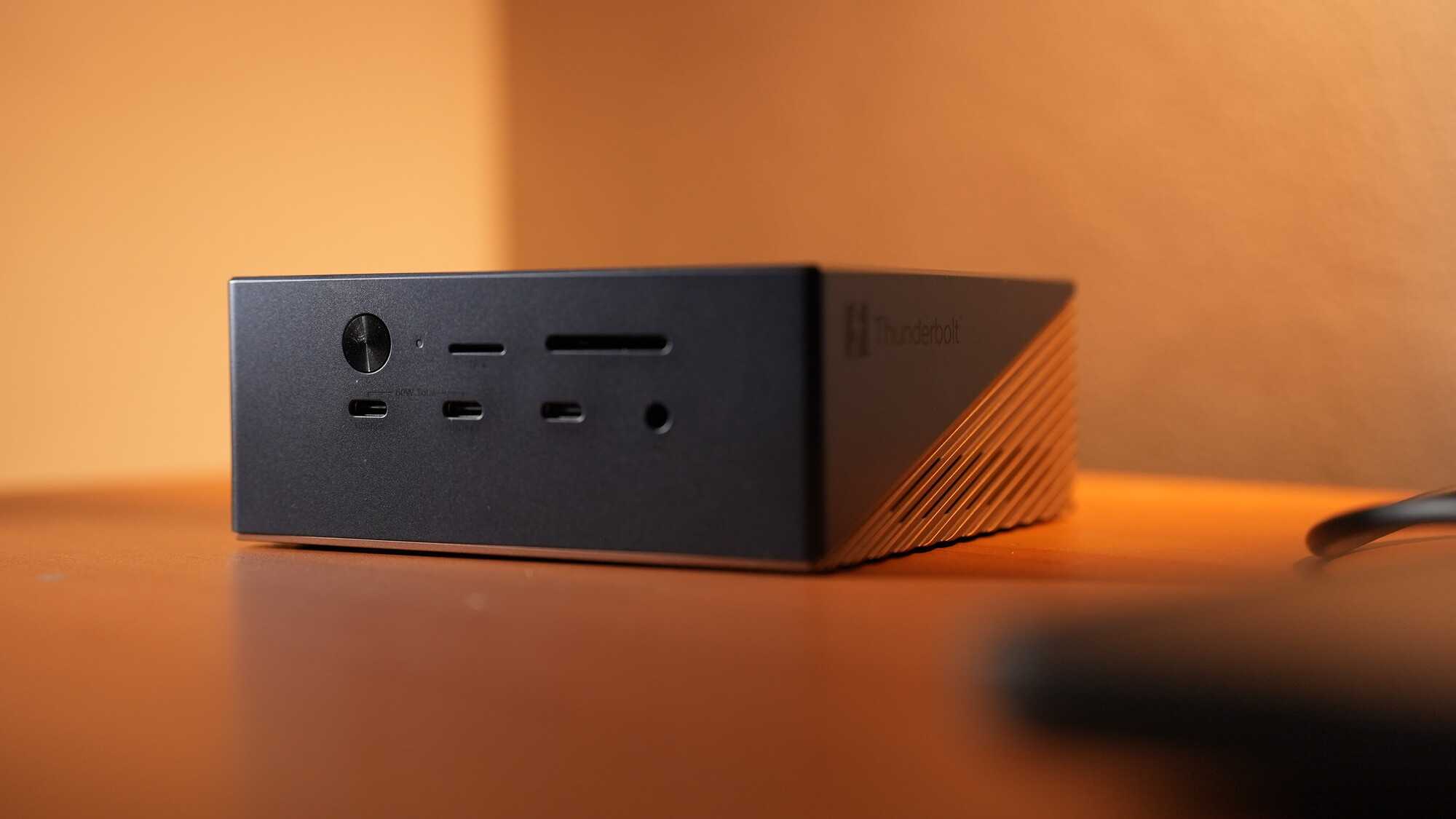
The Maxidok 17-in-1 docking station is also capable of up to 120 Gbps of unidirectional transfers and 80 Gbps of bidirectional transfers, and supports 8K displays. However, it goes further by offering a total of 240 W of power delivery and a convenient M.2 NVMe SSD slot that can hold up to 8 TB of storage, allowing it to function much like the laptop's internal drive. On top of that, it offers 2.5 GbE Ethernet and comes in a zinc alloy housing equipped with hybrid active and passive cooling triggered by temperature sensors.
Ports
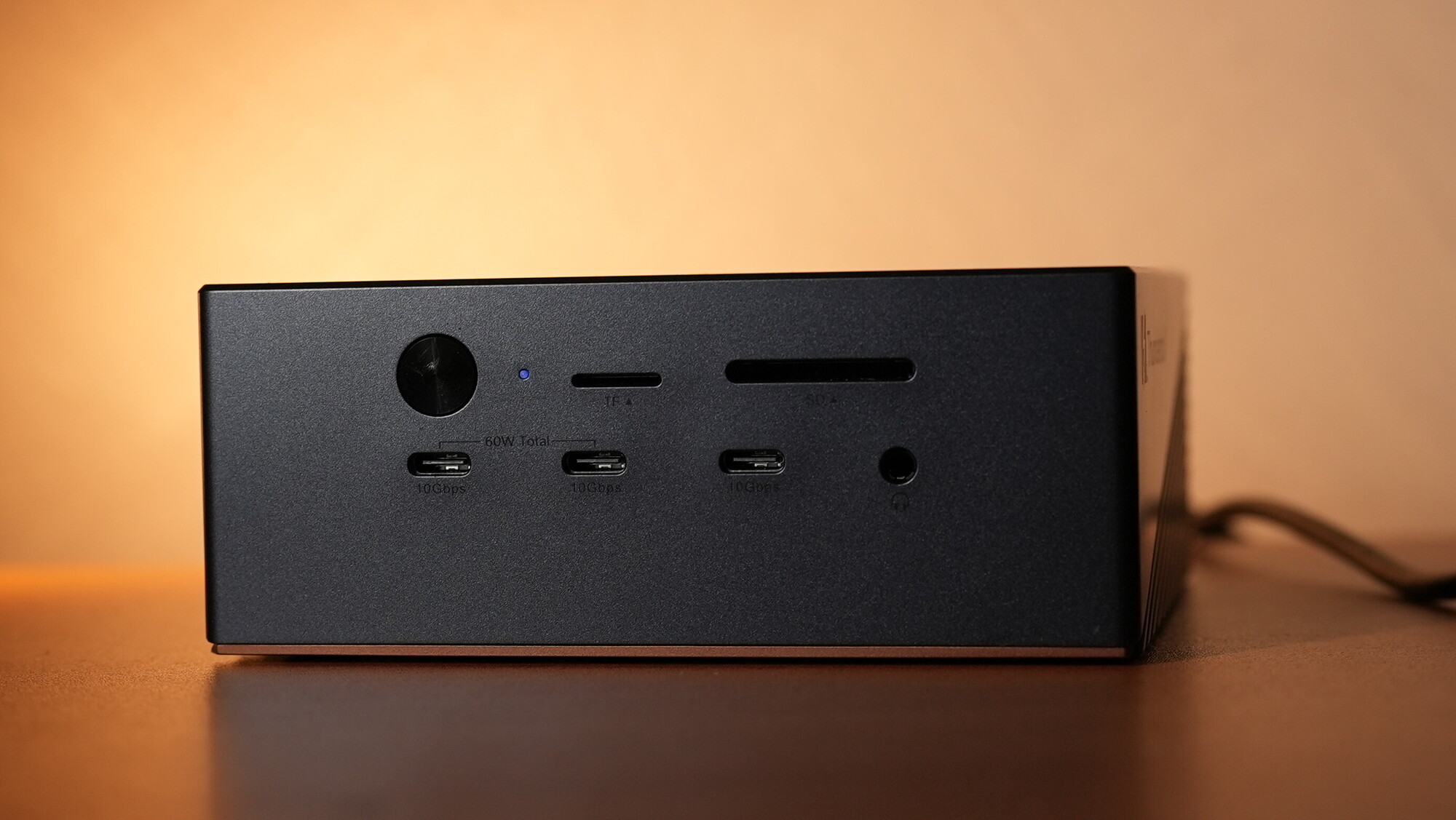
- A front-facing power button that serves as a quick switch for all connected devices and displays
- Three front-facing USB-C ports capable of 10 Gbps speeds individually
- An upgraded pair of SD/TF 4.0 slots capable of 312 MB/s transfers
- A 3.5 mm combo audio jack for both input and output on the front
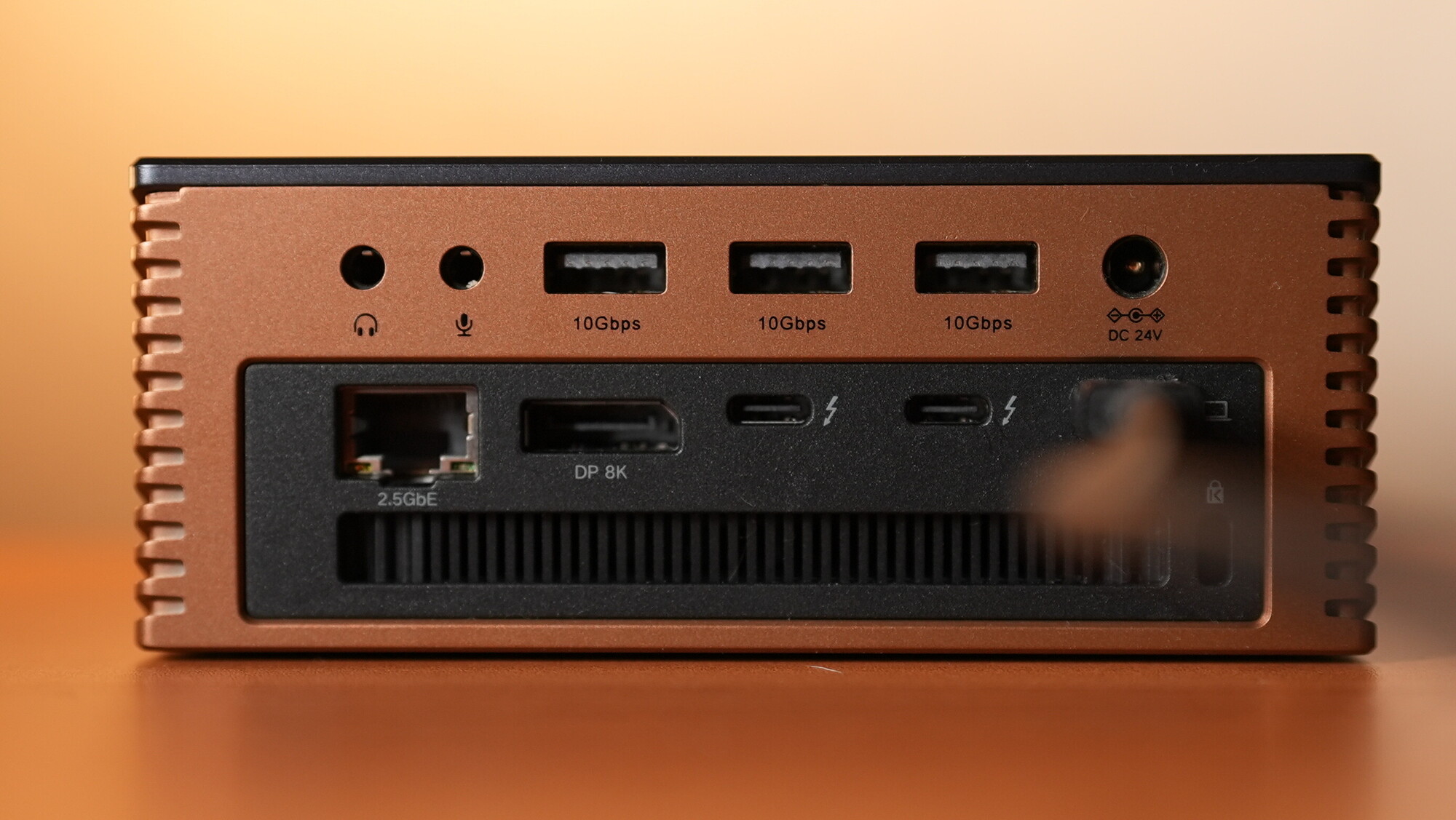
- A pair of 3.5 mm audio ports on the rear, separated as one for input and one for output (the input port supports 3.5 mm TRS cabled mics, including those on wireless mic systems)
- A pair of Thunderbolt™ 5 downstream ports for data transfer and/or charging
- Three rear USB-A ports capable of 10 Gbps
- A DisplayPort 2.1 supporting an 8K 60Hz display on this slot alone, supplementable with the Thunderbolt™ 5 ports for compatible displays
- A 2.5 GbE Ethernet port
- A built-in Thunderbolt™ 5 host cable providing full connectivity and 140 W of power delivery to the host computer
Displays
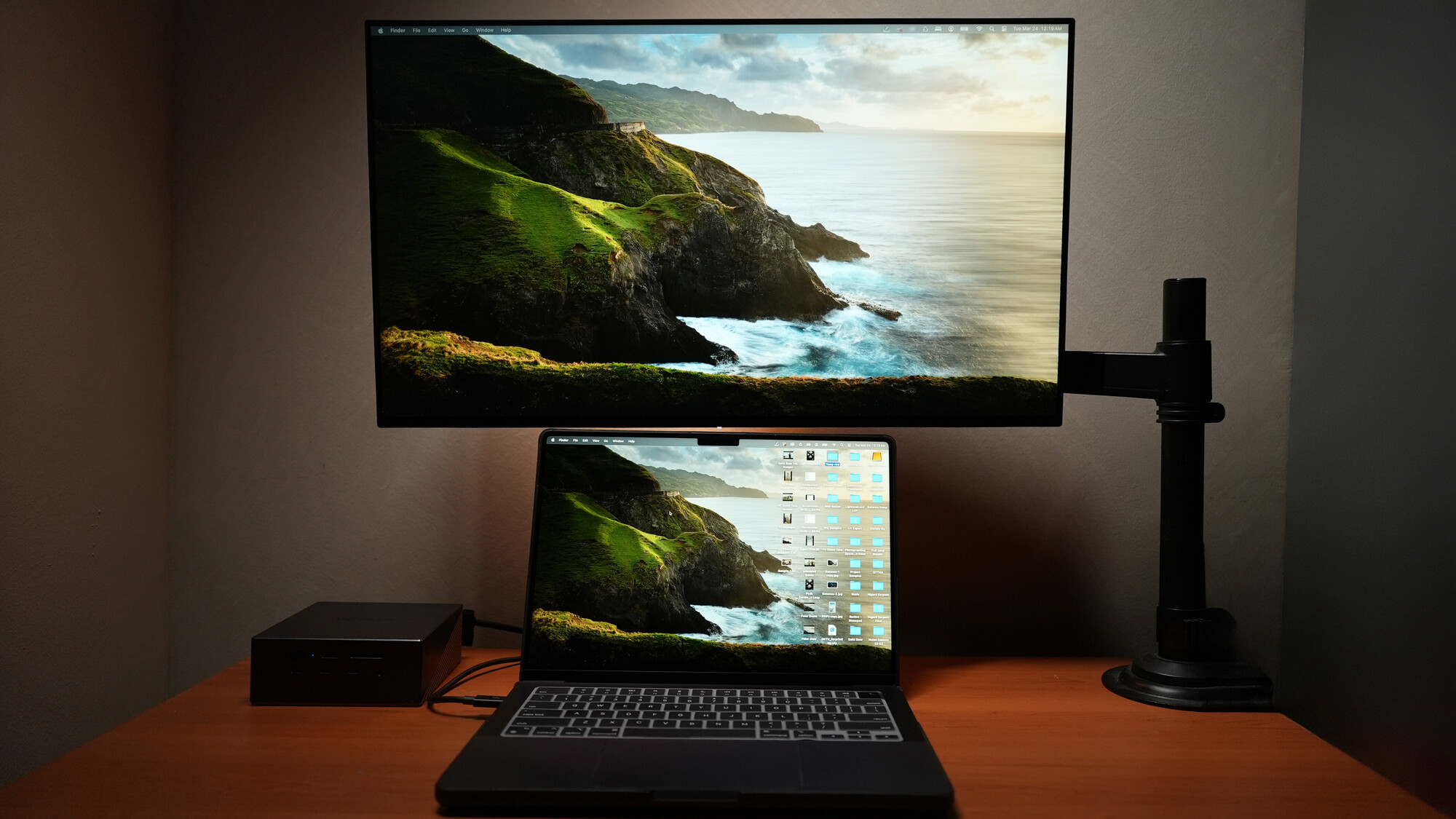
With the combination of the DisplayPort 2.1 and the Thunderbolt™ 5 ports, this can support 8K 60Hz as a single display, or a combination of either two 8K 60Hz displays for Windows computers or two 6K 60Hz displays for Mac.
Expansion
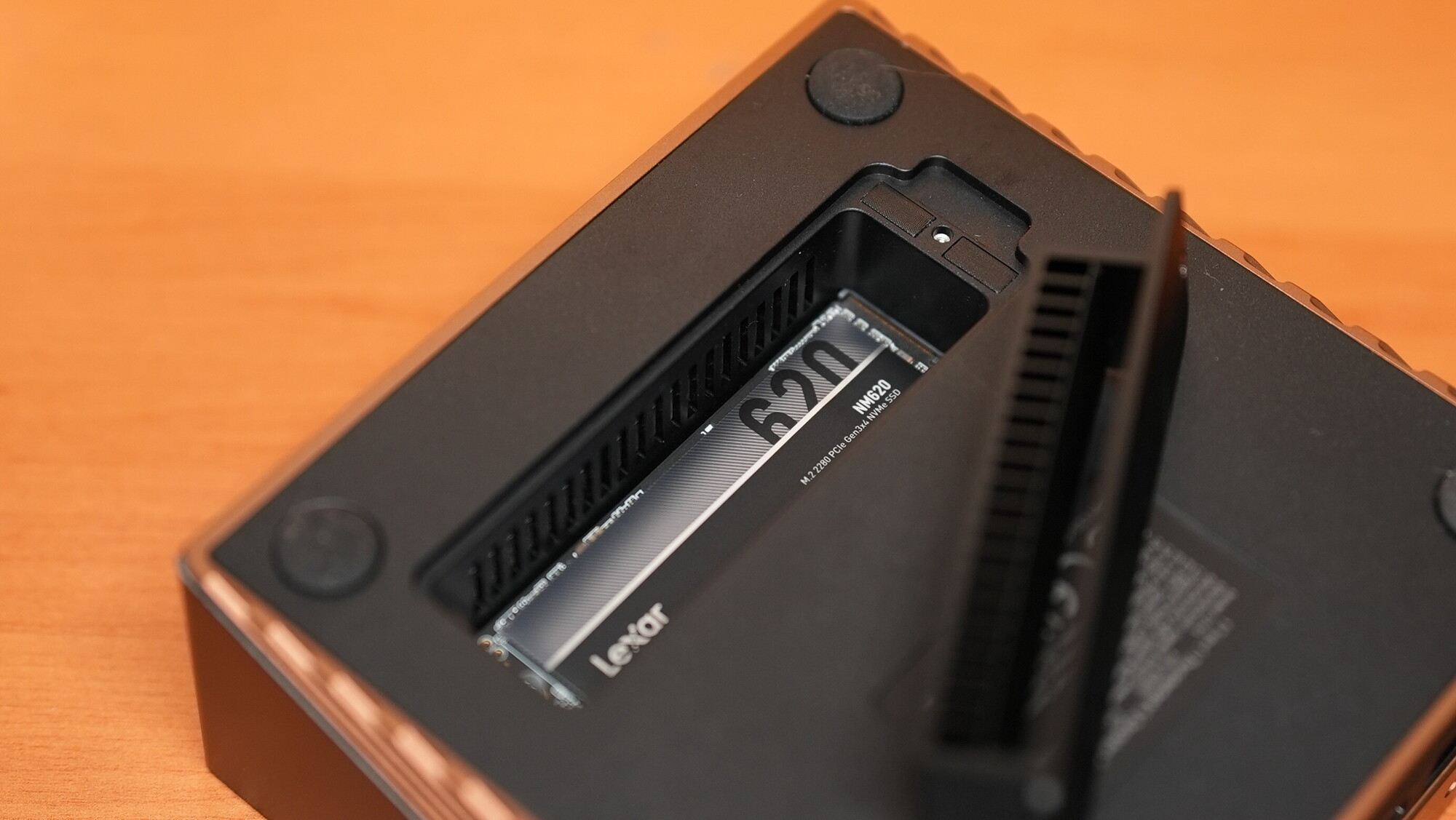
At the bottom of the hub is a door secured by a single screw that opens up the M.2 NVMe SSD slot, which is compatible with four sizes: 2230, 2242, 2260, and 2280.
Overall, these two versatile options bring the Thunderbolt™ 5 standard to professional users, regardless of whether they opt for the entry-level 10-in-1 hub or the maxed-out 17-in-1 docking station. These two hubs offer future-proof speeds and efficiency that should make working with multiple devices and peripherals much simpler and smoother. The Maxidok 17-in-1, however, is not just a docking station — it is on its own an expansion of the host computer's storage without having to plug in and power up a separate desk drive. Given how easy it is to fill up a computer's internal drives, this brings a world of convenience and flexibility to the user.
What I Liked
- Insane 120 Gbps transfer speeds
- Abundant Thunderbolt™ 5 and USB ports
- Multiple display support up to 8K
- Built-in M.2 SSD slot on the flagship option
What Can Be Improved
- It’s about time to also intergrate CFexpress reader slots





Join the Fstoppers community for free
-
Post comments and join in the discussions
-
Browse the site ad-free
-
Share your work and get featured in the community
-
Compete in the photo contests for fun and prizes
4 Comments
‘It’s about time to also intergrate CFexpress reader slots’
absolutely. Personally, I just can't even consider a hub or dock unless it has a CFexpress reader slot in it now.
These are great, cool that it has an integrated thunderbolt 5 cable for the host… I just wish they’d have more true Thunderbolt ports. At least 3!
These devices are the usual 'Swiss army knife' approach. Marketing sez, "someone out there will assuredly want a CF express reader slot, so let's put one in!" And before you know it, your device has 12 ports of various kinds. The average user doesn't need more than a couple, but marketing wants to cover all their bases. So you get these bloated, expensive, fussy boxes.
All I want from a Thunderbolt 4 or 5 expansion box is 1) more pass-through Thunderbolt ports and 2) some extra USB-C ports. That's it. If I need a card-reader, I'll plug one in (got a dozen of 'em in different flavors). If I need a USB-A port (much less these days) I'll use an -- no, I won't use an adapter, I'll use the right cable in the first place.
Simplicity. Slim, light weight, quiet, out of the way. Too much to ask of an expansion chassis?
The 10-in-1 only has 1 GbE Ethernet port and the 17-in-1 only has 2.5 GbE Ethernet port.