
One of the more practical uses I've found for AI in photography is product placement — specifically, dropping a product into a photo you've already taken. Not generating a scene from scratch, but salvaging or extending a shoot you already have.
Here's the scenario: you have a lifestyle shot with a model that would be perfect for a campaign, except the product isn't in it. Traditionally, you'd reshoot the product to match the angle and lighting, then composite it in Photoshop. With a tool like Nano Banana Pro, you can skip most of that and have the AI handle placement, scale, and lighting in one pass.
You don't even need a reference image of the product. You can name it — an old fashioned, an Aperol Spritz, a generic amber bottle — and the AI will build one into the scene.
How the Tools Compare
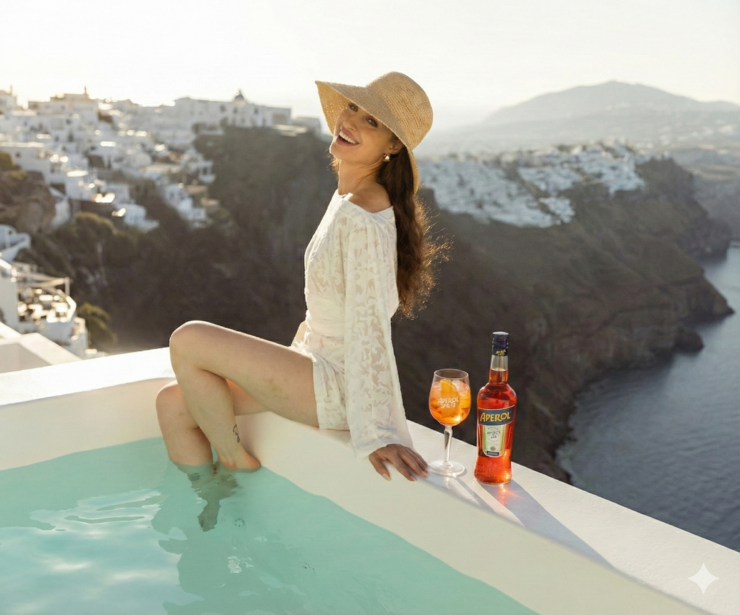
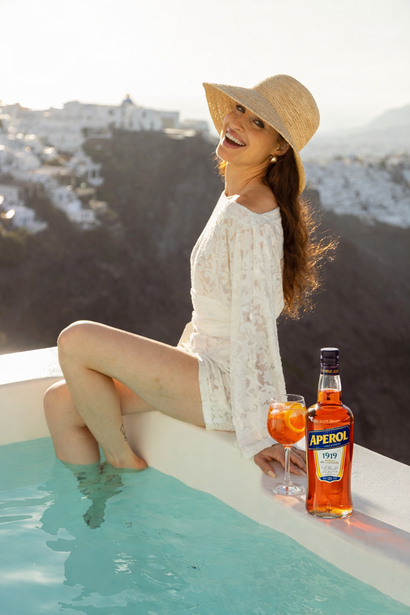
I tested this with Nano Banana Pro and ChatGPT 5 Image Generation Pro, asking both to place a glass of Aperol Spritz on the ledge of a pool in an existing shot. Both are capable, but Nano Banana Pro consistently produced a more natural result: better contact shadows, more believable reflections on the glass, and a cleaner integration when I asked it to add a bottle alongside the drink. ChatGPT's version was usable, but the glass read more as pasted-in than belonging to the scene.
Two Tips That Actually Help
Describe size changes as percentages. If the glass feels too big or the bottle too small, don't say "a little smaller." Say "reduce by 15%." This is the single most reliable way I've found to get predictable scale adjustments.
Treat the label as a separate job. Text on product labels almost always warps. It will usually say the right words, but the kerning, curvature, or clarity will be slightly off — enough that a viewer will sense something is wrong without knowing why. Either composite the real label in afterward in Photoshop, or accept that each re-prompt to fix the label tends to break something else in the frame. In my testing, by the time the label was correct, a shadow or a reflection had gone sideways.
Campaign Consistency Is Still Hard
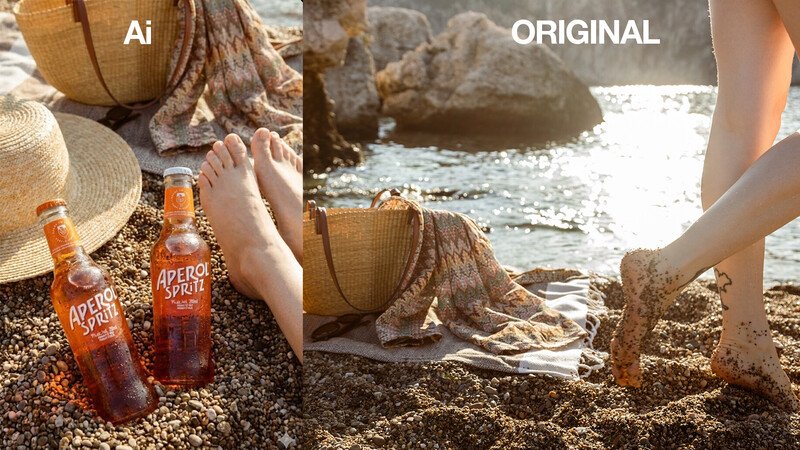
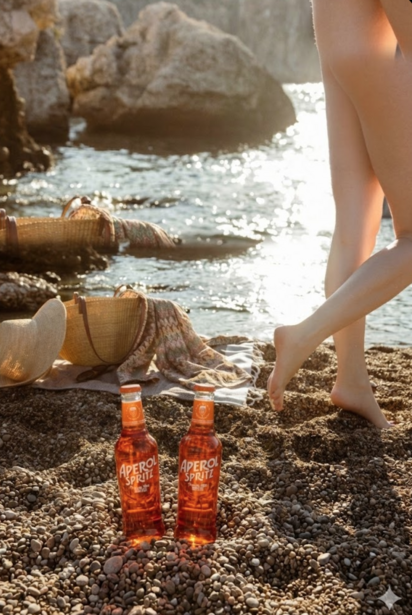
Where things got genuinely difficult was asking the AI to carry the product across multiple shots, the way you would for an ad campaign with varied poses and angles. Consistency drifted from frame to frame. In one attempt, I switched from the cocktail to a pre-mixed bottle, and the AI returned a completely different composition. In another, it silently changed the crop and produced something unintentionally funny — I'll admit I laughed out loud at one result.
Re-cropping to match the original reference hides most of the damage, but it's a reminder that you're directing a collaborator that doesn't quite understand continuity the way a photographer does.
The Verdict
You can get a usable lifestyle product shot this way, provided you have patience and a few rounds of prompting in you. Generating a scene from scratch with the product baked in tends to be smoother than inserting a product into an existing photo, but both are viable.
The real value isn't replacing product photography — it's insurance. If you wrap a campaign and realize the product wasn't in a key frame, that's no longer a reshoot. It's a prompt. And to the untrained eye, the difference is getting harder to spot.


Join the Fstoppers community for free
-
Post comments and join in the discussions
-
Browse the site ad-free
-
Share your work and get featured in the community
-
Compete in the photo contests for fun and prizes
No comments yet