
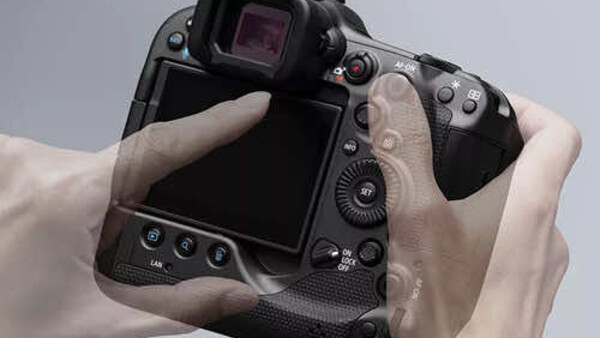
Every camera manufacturer in 2026 can build a sensor that resolves fine detail, an autofocus system that tracks a bird in flight, and a video engine that records 4K at 60 frames per second. The engineering on the headline specs is genuinely impressive across the board. And then you buy the camera, try to charge it from the same cable you use for your laptop, and scream into a pillow.
The gap between what camera manufacturers can do and what they choose to include is one of the most persistent frustrations in photography. Features that phones standardized years ago, that cost almost nothing to implement, and that would meaningfully improve the daily experience of using a camera remain absent from bodies that cost $1,000, $2,000, and sometimes more. These are not wish-list items. They are table stakes that every camera should ship with, and the fact that many still do not is a failure of priorities, not engineering.
1. USB-C Charging
Nearly every current laptop charges over USB-C. Nearly every current smartphone charges over USB-C (the EU now mandates it for new devices sold in member states). Tablets, portable speakers, drone controllers, and handheld gaming devices have largely converged on the same connector. The cable is functionally universal for most electronics a photographer carries.
And yet cameras still ship with proprietary battery chargers: single-purpose wall bricks that charge one specific battery from one specific manufacturer, take up space in the bag, require a wall outlet, and serve no other function in the photographer's life. Some manufacturers have stopped including the charger entirely, which means the photographer pays $2,000 for a camera body and then spends another $80 to $100 on a first-party charger that should have been in the box, or takes a chance on a third-party alternative with uncertain quality.
USB-C charging solves this completely. The cable you already carry for your laptop charges your camera. A portable power bank can extend your camera's shooting day significantly in the field, without a wall outlet, without a separate charger, without any additional equipment. A photographer on a 14-hour travel day can top off the camera battery from the same power bank that charges their phone during a layover, using the same cable, from the same port. You can even, gasp, transfer your images at the same time! It is a workflow transformation for anyone who shoots all day away from an outlet.
Most current mirrorless cameras from Canon, Nikon, Sony, and Fujifilm now support USB-C charging, which is progress. But some models still only charge over USB-C when powered off (meaning you cannot shoot while charging), some require specific USB-PD power adapters for in-body charging or continuous power delivery, and a few entry-level and older models still use Micro USB or lack in-body charging entirely. The standard should be simple: every camera charges over USB-C and supports power delivery during shooting from a compatible USB-PD source, so a power bank or laptop can keep the camera running through a long day. We are almost there, but not quite.
2. A Fully Articulating Screen
A tilting screen moves up and down. A fully articulating screen swings out to the side on a hinge and rotates to face any direction: forward for selfie and vlog framing, sideways for waist-level or ground-level shooting, upward for overhead shooting, and flat against the body for protection during transport. Tilting screens come in different configurations: some tilt on a single axis (up and down only), some tilt 180 degrees upward to face forward (as on the Sony a6400), and more advanced three-way tilting designs like the one on the Fujifilm X-T5 also accommodate waist-level and portrait-orientation shooting. The forward-tilting designs solve the selfie/vlog problem but are blocked by an external microphone or accessory mounted on the hot shoe. The three-way tilt designs handle multiple stills orientations but cannot face forward at all. No single tilting configuration covers every use case the way a fully articulating hinge does.
The advantage of three-way tilt designs is that they keep the screen aligned on the optical axis of the lens in both landscape and portrait orientations, which some stills photographers prefer because the screen stays directly behind the lens rather than offset to one side. A fully articulating screen, when swung out to the side, shifts the viewing surface off-axis, which can feel less natural for photographers accustomed to the screen sitting directly behind the lens. This is a genuine ergonomic tradeoff, not just a cost-saving measure, and it is the reason Fujifilm chose the three-way tilt for the stills-focused X-T5.
Despite this, the forward-facing limitation matters. Several current mirrorless cameras still ship without the ability to face the screen forward, which means they cannot be used for self-shot video or vlog framing without an external monitor. For photographers and creators who need both stills versatility and forward-facing capability, the fully articulating screen covers both use cases. The three-way tilt covers one.
For cameras aimed primarily at stills shooters who never need forward-facing video, the three-way tilt is a defensible choice. For every other camera, especially those marketed as hybrid stills/video tools, the fully articulating screen is the more versatile design, and it should be the default.
3. In-Body Image Stabilization
IBIS stabilizes every lens you mount on the camera. Every fast prime that has no optical stabilization, every adapted vintage lens, every third-party optic that predates the manufacturer's current IS system, every macro lens, and every telephoto that relies on the photographer's steady hands. The stabilization moves with the sensor, which means it works regardless of what glass is attached to the front of the body.
The cameras that omit IBIS force the photographer into a narrower set of choices. An unstabilized 85mm f/1.4 prime on a body without IBIS requires 1/125 or faster to guarantee sharp handheld images, which limits low-light shooting and forces higher ISO values. The same lens on a body with 5 or more stops of IBIS can be shot handheld at 1/15 or slower in many situations, which opens up indoor natural light, twilight, and dim-environment shooting that would otherwise require a tripod or a flash.

The Canon EOS R50, one of the most popular beginner mirrorless cameras on the market, has no IBIS. The Nikon Z50 II, another strong beginner option, also lacks it. Both cameras rely on lens-based optical stabilization when it is available and on the photographer's technique when it is not. For a beginner who buys a fast prime as their second lens (the single most common upgrade path), the absence of IBIS means the lens that should teach them about low-light shooting and shallow depth of field is harder to use handheld than it needs to be.
The cost argument for omitting IBIS is real: the sensor-shift mechanism adds engineering complexity, manufacturing cost, and some body thickness. But IBIS has been implemented in cameras at every price point by at least one manufacturer. The OM System OM-5 Mark II has 6.5 stops of body-only IBIS (up to 7.5 stops when paired with a compatible stabilized lens via Sync IS). The Sony a7 IV has 5.5 stops. If OM System can put class-leading IBIS in a sub-$1,200 body, the argument that IBIS is too expensive for a $900 APS-C camera is increasingly difficult to sustain.
4. Touchscreen AF Point Selection While Using the Viewfinder
Every phone lets you tap the screen to place the focus point. You see the subject, you tap it, and the camera focuses there. The interaction is instant, intuitive, and requires no explanation. A five-year-old can do it without being taught.
Many cameras offer this when composing on the rear screen, but the feature becomes critical in a different context: using the rear screen as a trackpad while your eye is on the viewfinder. This means you can look through the EVF, slide your thumb across the rear LCD, and the AF point moves in real time to wherever your thumb drags it. You never take your eye off the viewfinder. You never press a joystick or d-pad. You never navigate a menu. The AF point follows your thumb the way a cursor follows a mouse.
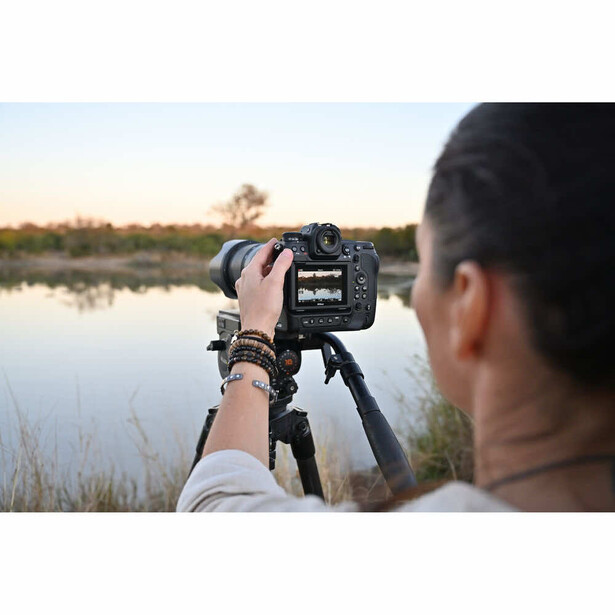
Sony, Canon, and Nikon all implement some version of touch-trackpad AF on their current bodies, but the implementations vary wildly in responsiveness, customization, and reliability. Some cameras restrict the trackpad to a portion of the screen to avoid nose interference (your nose touches the screen while your eye is on the viewfinder, dragging the AF point to the wrong location). Others let you configure which portion of the screen is active and which is dead zone. Some disable the touch-trackpad entirely when the eye sensor detects your face near the EVF, which defeats the purpose.
The standard should be straightforward: every camera with a touchscreen and an EVF should let the photographer slide the AF point with their thumb while looking through the viewfinder, with a configurable dead zone to prevent nose contact from moving the point. The joystick and d-pad should remain as alternatives for photographers who prefer physical controls, but the trackpad should be available, responsive, and enabled by default. The technology is already in the screen. It costs almost nothing additional to implement. The only barrier is software design, and the manufacturers who get it right make every other camera feel clumsy by comparison.
5. Built-In GPS
When you take a photo with your phone and location services are enabled for the camera app, the GPS coordinates are embedded in the image metadata automatically. With precise location enabled, accuracy is typically within a few meters; with approximate or balanced-power location modes, it can be coarser. But the default behavior on most smartphones is that photos are geotagged without any conscious effort from the user. You can search your photo library by location. You can view a decade of travel photography on a map. You can sort images by country, city, or neighborhood without ever tagging a single file manually.
Most dedicated cameras do not have GPS. The Nikon Z9 includes it. The Canon EOS R1 and Canon EOS R3 include it. Nearly everything else does not. Sony has never included built-in GPS in any of its mirrorless Alpha bodies. Fujifilm does not include it. The Nikon Z8, despite being positioned just below the Z9, requires an external GNSS device for location data. The feature exists almost exclusively on flagship professional bodies that cost $3,500 or more, as if knowing where a photograph was taken is a luxury rather than a basic organizational tool.
The workaround is Bluetooth pairing with a smartphone: the camera connects to the phone, pulls GPS data from the phone's receiver, and embeds the coordinates in the image metadata. Every major manufacturer offers this through their companion app (Nikon SnapBridge, Canon Camera Connect, Sony Creators' App, Fujifilm Camera Remote). In theory, this solves the problem without the cost, size, and battery drain of a built-in GPS module. In practice, the Bluetooth connection silently disconnects on many cameras after sleep cycles, power-off events, or extended idle periods. The photographer does not notice the disconnection until they are home reviewing images and discover that the last three hours of shooting have no location data. The reliability of phone-paired GPS varies by manufacturer and firmware version, but no implementation is as seamless and invisible as the GPS in a phone.
The result is that most dedicated camera shooters have thousands or tens of thousands of photos with no location data at all. For travel photographers, landscape photographers, and anyone who values the ability to search their archive by place rather than date, this is a genuine functional gap. A photograph taken in a Kyoto temple garden three years ago is findable in seconds on a phone. The same photograph taken with a dedicated camera requires the photographer to remember the date, find the folder, and hope the description in the filename is specific enough.
The counterarguments are real: built-in GPS adds cost, consumes battery, and adds a component that draws power even when the camera is off (to maintain satellite lock). But phones solved all three of these problems years ago with low-power GPS chips that consume minimal battery and acquire position in seconds. The engineering is mature, the components are inexpensive, and the feature would transform how photographers organize and retrieve their work. The reason it remains absent from most cameras is not technical limitation. It is a product management decision that treats location data as a premium feature rather than a baseline expectation.
The Common Thread
The five features on this list share a common trait: none of them are technically difficult. USB-C charging is a standard connector. Fully articulating screens are a hinge. IBIS is a sensor-shift mechanism that at least one manufacturer puts in a sub-$1,200 body. Touchscreen trackpad AF is software running on hardware the camera already has. GPS is a chip that costs a few dollars and fits in a phone one-tenth the size of a camera body.
The barrier in every case is not engineering. It is prioritization. Camera manufacturers allocate their development budgets toward the headline specs that drive reviews and launch-day excitement (megapixels, burst rate, video resolution, autofocus points) and treat the daily-use conveniences that determine whether the camera is pleasant to own as secondary concerns. The result is cameras that are extraordinary at capturing images and mediocre at everything else: charging, screen flexibility, stabilization across all lenses, focus point placement, and knowing where they are in the world.
Smartphones do not make this mistake. Every major flagship and mid-range smartphone ships with USB-C, a touchscreen, stabilization, tap-to-focus, and GPS, not because phone manufacturers are more generous but because phone buyers would not tolerate their absence. Camera buyers have tolerated the absence of these features for years, and manufacturers have responded by continuing to omit them. The cycle breaks when photographers stop treating these conveniences as bonuses and start treating them as requirements.
If you are building your camera skills and want to understand how the fundamentals of exposure, focus, and composition work regardless of what features your camera does or does not have, the Fstoppers Photography 101 tutorial covers those foundations in depth.



Join the Fstoppers community for free
-
Post comments and join in the discussions
-
Browse the site ad-free
-
Share your work and get featured in the community
-
Compete in the photo contests for fun and prizes
9 Comments
Amen. One other thing I would add - an icon driven interface with search capability, instead of the archaic text menus.
You forgot the most important one… Open Lens and hot shoe standard.
It is inexplicable why people today would buy into closed camera ecosystem's when they understand what that means in the long and short term…. Vendor lock-in mean’s, vendor created limited choices, excessive uncompetitive pricing🤬, captive & trapped audience😩, abrupt changes in product direction 😳 random product cancellations 😒and overall a long term lack of repair ability and flexibility .
In todays market when all contemporary cameras are virtually equal technologically, and whose differences are minute interface and maybe focusing options, it makes little sense to invest in Canon, Nikon or any closed systems.
It doesn’t matter if the R5 seems better, as it is immediately a lost cause, as long as you are trapped in canons walled garden…
We should all be pushing for open formats as it insures the value long term usability, repairability of our systems for years to come over multiple generations.
that is why i can put in new 35mm film, in a 60+ year old camera today. The converse is why I cannot easily find a lens for a 1980s Yashika 35mm body today.
Agreed, and that eventually drove me away from Canon. But...if you're a Canon shooter who has a large selection of glass, well...
Pairing your camera with your fun for GPS drains the battery immensely. My workaround is a bit different: I simply take a picture with my phone, save the location and apply this exact location to my camera pics in post. It works quite well even on hikes. Take 4-6 SP pics and from there I can easily spot the location of the other pics.
I wished Canon would include GPS with the R5(mkii) and R6 line-up, but I´m afraid battery concerns will never make it happen.
Well 1-4 already on the A7RV and A7S III. #3 on every Sony since 2014 with the Mod 2's and beyond before others went mirrorless. in 2017-18.
About the lenses when Canon and Nikon went mirrorless all followers of the brand had to give up both the camera and the lenses and start a new from the bottom. Yes adapters can be used but still a lens for the mirrorless would work better. Yes when I went Sony in 2014 with the A7SM1 and few lenses to choose from there were/are lens adapters for the old Canon FD lenses and the Canon APS-C lenses I could still use while my pockets refilled when more lenses came out all still good and use a lot just for playtimes. Oh! also how many of the other makers when they went mirrorless had on camera apps that took the place of lenses/apps to do timelapses, used in camera to not have to carry filters with the Digital Filter app so many others and also when PS and Lr cost $800+ for each and each full upgrade Sony offered the pro editing program of Capture One for just $20. Things not known or not lived with.
a note for #2 - fully articulating screens are something I have wanted (and have) on all my bodies...mostly because all my bodies (bar one - my original Olympus E500 DSLR) have been used for video as well as stills...so much easier to use!
BUT...and it is a big bugbear of a BUT...please manufacturers...make sure we can still access ports such as HDMI, USB, microphone when the screen at all angles available when swung out. Often when you have the ports in use you can no longer articulate the screen fully and conversely if the screen has full articulation you can't use some ports.
My Pentax K1MkII has GPS built in including a host of features a lot of modern cameras still don't have. From Pixel Shift to Astro photography features to aggressive weather sealing. Pentax is often overlooked in its progressive firsts on features. At 36MP I still get amazing images. Granted it's not mirrorless, and it is not fast in a lot of modern features such as frames per second but I don't need that in landscape photography. The future of Pentax under Ricoh is questionable but I still love this camera and the images it gives me. I surprise many photographers with more modern systems as to what I produce with this camera in retrospect to the modern age of mirrorless cameras that seem to outdate themselves every year with slightly improved versions that get to be more and more complicated to use.
The only thing I'm really missing for me is GPS.
I have an easy(?) workaround: record your session via Strava. Export the GPX file, import it onto Lightroom and use the auto-tag functionality.
But having it in camera would obviously be way better!
Even though cell phones have built-in GPS modules, they in fact use the cellular mobile network data for location. This is the reason why location data is always available there without extra battery consumption. It would be interesting to see cameras with built-in 4G/5G device supporting mobile network subscriptions!