
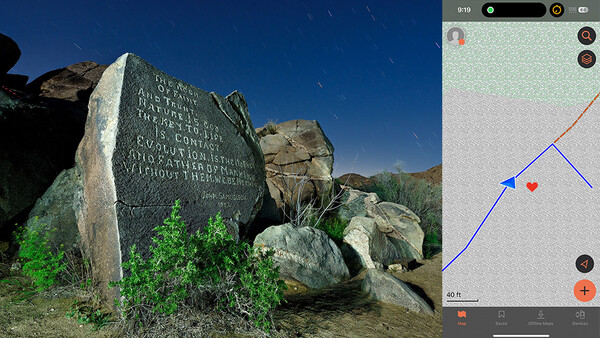
If I told you that there was a free app that allows you to navigate flawlessly without needing a cell signal, you'd be interested, wouldn't you? Given that I am a night photographer who frequently navigates in the dark, this is particularly useful. I wanted to share this in case it helps you as much as it has helped me.
My Previous Attempts at Navigation

I use Google Maps with downloaded maps for day-to-day driving directions. It generally works well for this.
It even works for car navigation on paved roads with limited or no cell signal most of the time. However, in the more remote wilderness, it gets sketchier, sometimes struggling even when you're on fire roads or well-trodden hiking trails. Sometimes, it gets "lost," and you'll see the icon that represents you drifting around the map. Not good.
I purchased a used Garmin GPSMAP 64, an older but effective device that does not pair with an app. This worked very well. I was able to use it to navigate effectively to obscure, remote locations. However, I grew dissatisfied with the clumsiness of the interface after using it for a while. To be transparent, I have ADHD, which can sometimes make remembering menu-intensive, outdated interfaces even more difficult and frustrating if not used regularly. It was also somewhat difficult to load new maps into the device. And of course, it was just one more device to keep in my camera backpack, competing for space and attention with all the other items that required batteries.
Looking at Other Navigation Options
I began to consider other updated devices such as the Garmin InReach. I was looking for something that was more intuitive to use. Along the way, I discovered that many of the Garmin devices paired with the Garmin Explore app (iPhone and Android).
And I discovered one more exciting thing: the Explore app actually works independently of the devices! I'll go through the bonuses and drawbacks of the app based on my usage so far.
The Bonuses of the Garmin Explore App (Free Version)
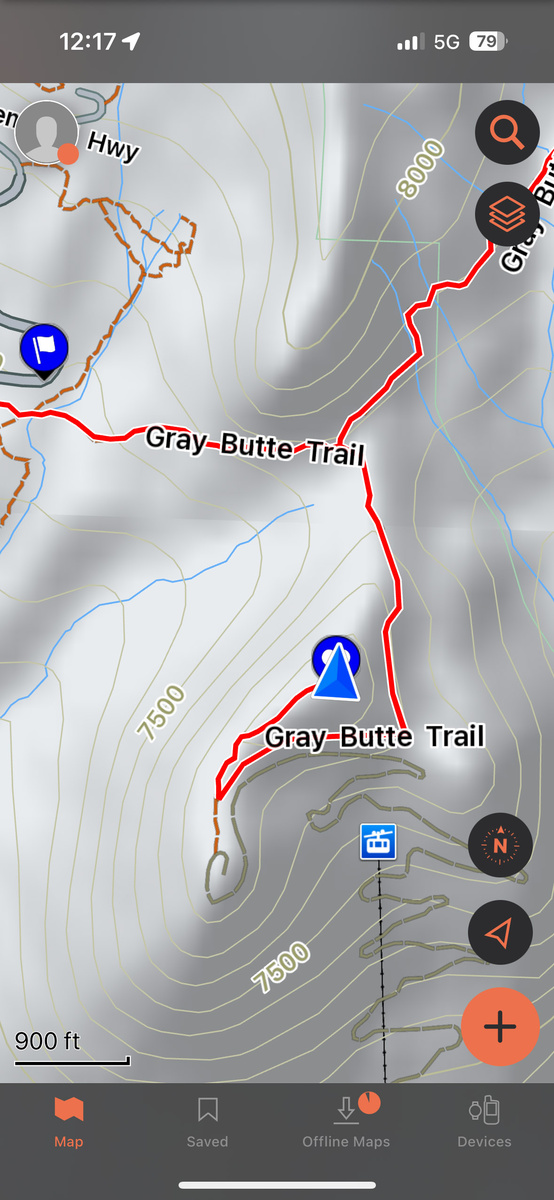
Navigates Extremely Well With No Cell Signal
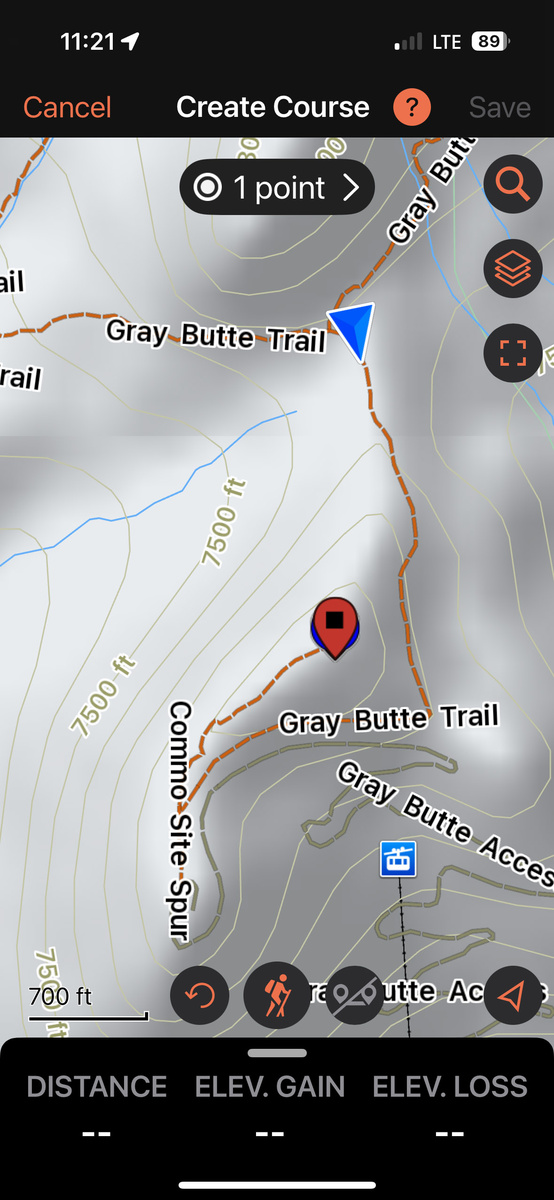
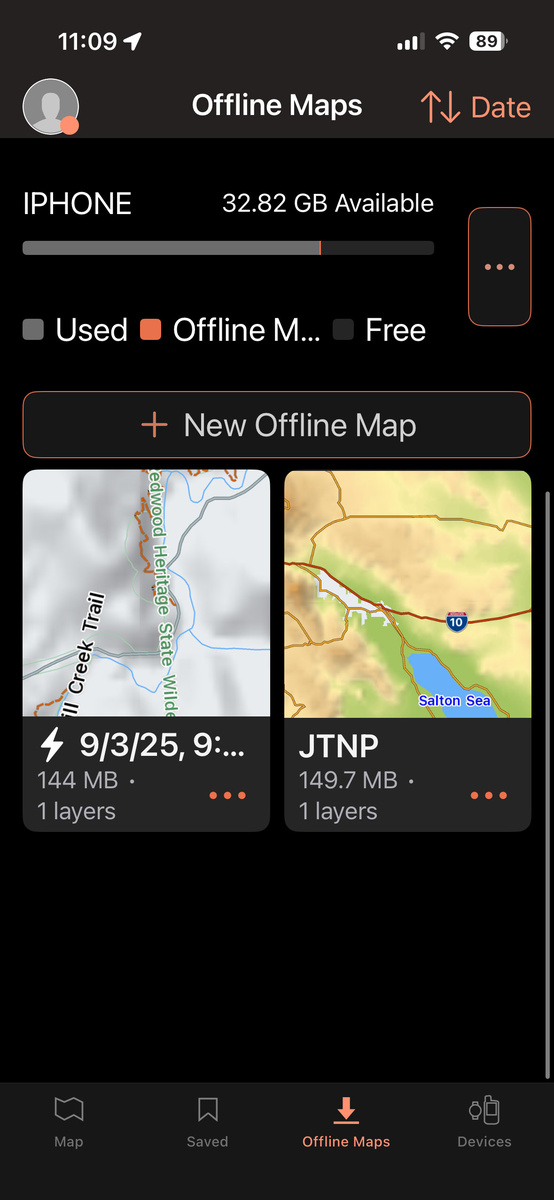
I'll start with the most exciting aspect of this app first. It navigates extremely well without internet or cell connection if you download maps. While I mentioned that other apps such as Google Maps also allow you to download maps for offline use, this app works extraordinarily well.
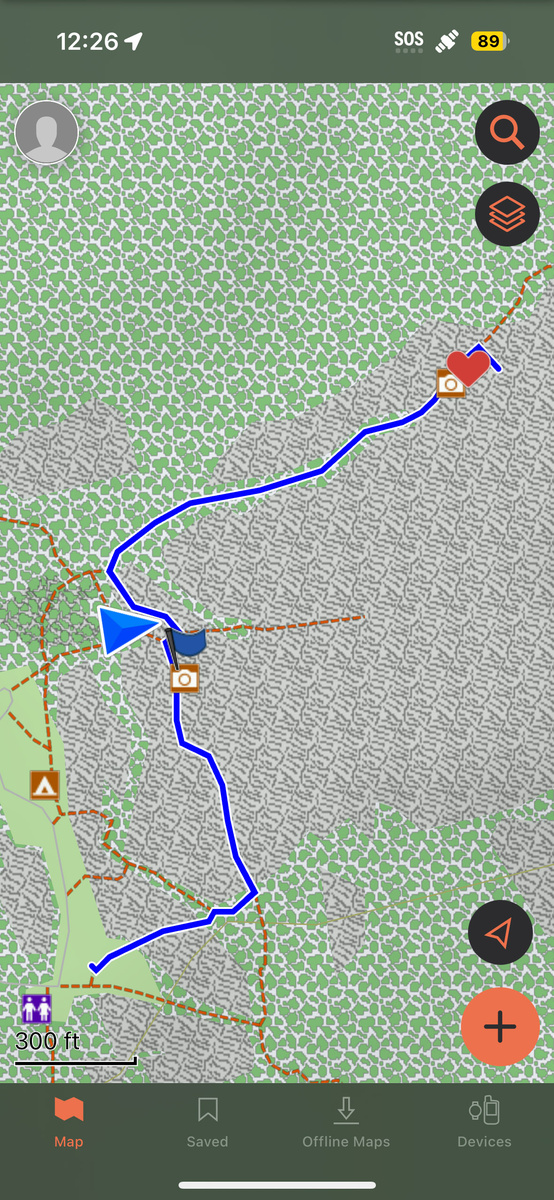
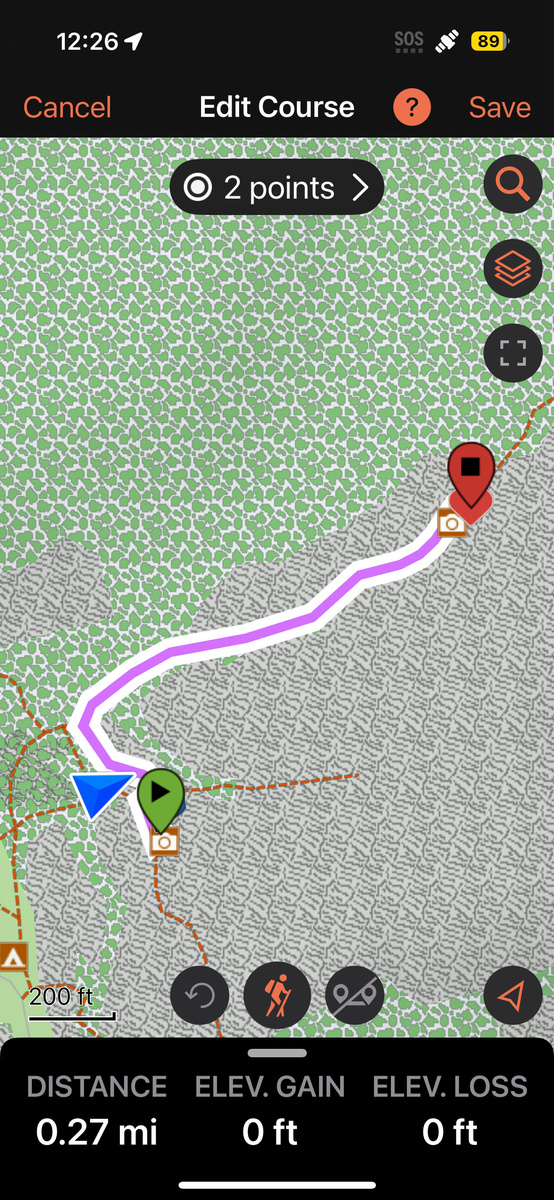
Route Planning
You can plan routes, mark waypoints, and create tracks on your phone or in the app. Furthermore, the user interface is intuitive and easy to remember. In my case, I was particularly happy that it didn't require various button pushes and was simple to load new maps. Furthermore, if I decide to get a Garmin device later, I could sync the app to it.
The Website and App Sync
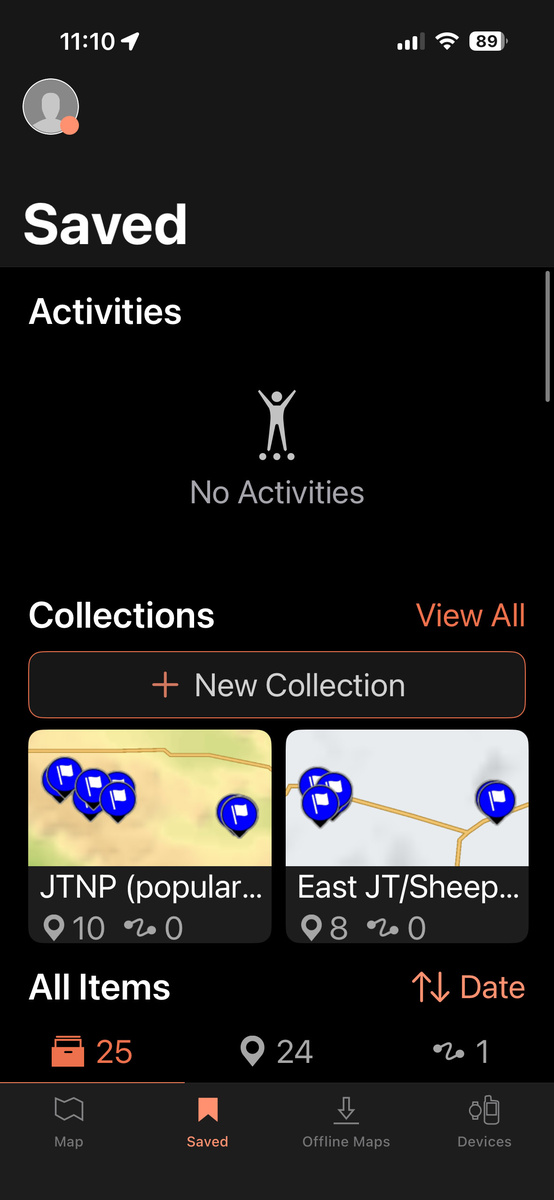
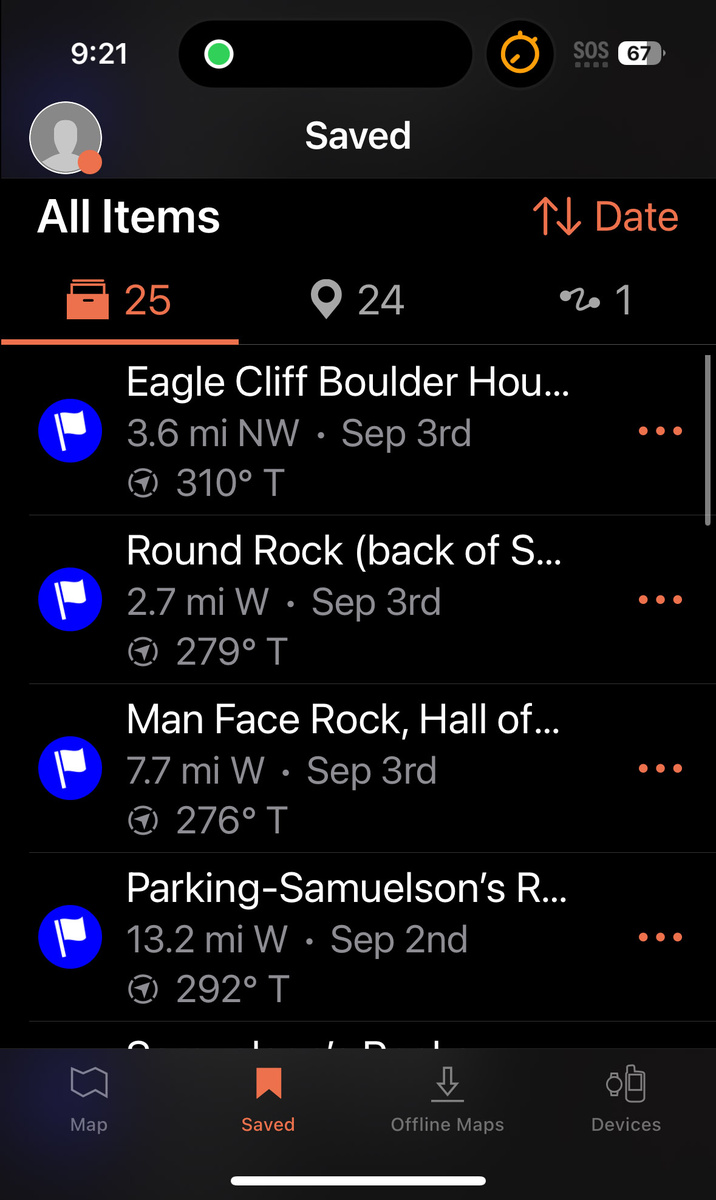
You may create an account with Garmin, and use their website to create Waypoints, Tracks, Routes, Courses, and others. You can organize these into Collections. And all of this will sync with your app. And of course, you can do the same with the app and the website will reflect this.
It's Free!!
The app is free to download and provides basic mapping, waypoint creation, and route management features without any cost. Even better, there are no advertisements or constant dialogue boxes nagging you to upgrade. The free version of the app supports TopoActive maps, satellite imagery, and USGS quadrangle maps for offline use. Additional map layers are available for offline use with an Outdoor Maps+ plan.
The Drawbacks of the Garmin Explore App (Free Version)
I'm not here to tell you that the way I use the Garmin Explore app is ideal. It's not. If you want something with all the features, you'll need to either pair this with a device and upgrade or use another, more feature-rich paid app. However, if you can live with some of these drawbacks, you can use an app that will get you to where you are going reliably.
Lack of Detail on Some Topographical Maps
If you are expecting that this app's offline maps will replace your detailed topographical paper maps, you'll be sorely disappointed. It's decent, but not incredibly detailed. I suspect that the Outdoor Maps+ plan would come much closer to that. Regardless, a very specialized app requiring a subscription such as Gaia GPS or AllTrails would likely offer more detailed, comprehensive maps.
That said, I've been in some remote locations, and there was enough detail in the mountains and various features that I had no issues. And regardless, the app has been incredibly accurate at leading me to all the extremely remote waypoints I have marked.
And did I mention that Garmin Explore is free?
Confusion About Terms
The terminology that Garmin uses can seem confusing at first because the phrases might sound similar. These are the definitions based on how Garmin uses them:
- Waypoints: A specific point. These are saved geographical coordinates (latitude/longitude) marking points of interest, such as trailheads, campsites, or landmarks.
- Tracks: These record the history of where you have gone in real time. Think of it as your app leaving "breadcrumbs" that are recorded automatically, showing exactly where you have already traveled.
- Routes: If you wish to plan out a path, this is what you want to use. This is a way to place waypoints (locations) in a specific order that you want to navigate to, typically creating turn-by-turn directions.
- Courses: A pre-defined path that you can follow, allowing you to follow a path or race against previous activity data.
In short, waypoints are points, tracks are histories, routes are planned paths, and courses are active guides.
Navigation Limitations
If you have a paired Garmin device, you may navigate to a specific waypoint. If there is no paired device and you are using the app, what I've been doing is simply creating a course when in the area by pressing the "+" button, then walking toward the waypoint. Creating the course enables you to see where you are, represented by a blue arrow.
Quirks
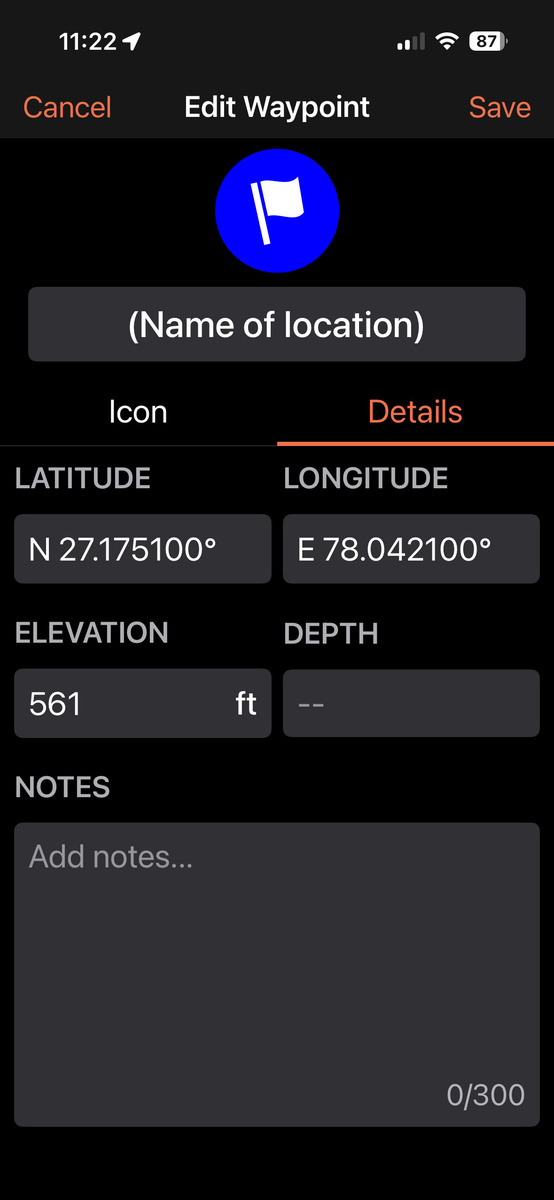
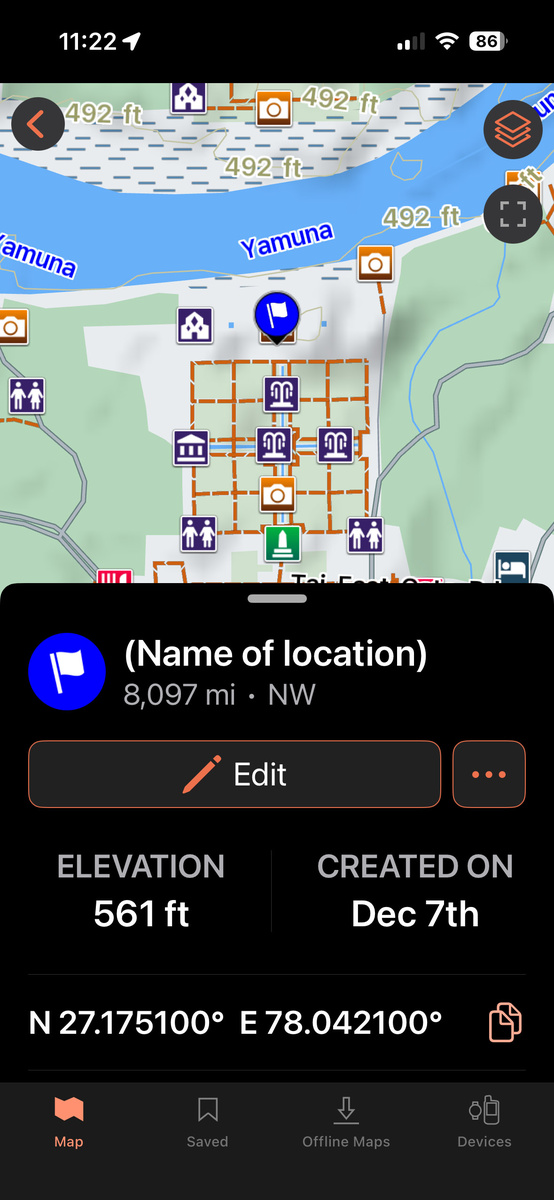
The app is not without its odd aspects. I encountered one of these while creating a waypoint, which is otherwise simple. To create a waypoint using my phone app, I press the "+" icon, customize the name, icon, notes, and if necessary, location, and then save it. Or I save it by long-pressing on a map that I have open, press "Mark," and fill in the rest of the fields.
Battery and Offline Limitations
As with all smartphone GPS apps, battery drain while navigating and tracking offline can be significant over long trips. Since it runs off a phone, it lacks the extended battery life of dedicated handheld GPS units. You should take extra precautions with this, as you are using a device that does many other things. I bring along a couple of charging devices when in the wilderness.
And I should point out that a paper topographical map doesn't ever run out of batteries. If you are truly out in the wilderness, I would always advise you to bring a paper map, even if you end up not using it.
To save time, I attempted to use voice for the name and some of the notes. On older versions of the app, this would instantly disable the "Save" function, ghosting it. However, on the updated app, I am happy to report that it no longer does this.

Wrapping It All Up
The Garmin Explore app is a surprisingly powerful, genuinely useful free tool for photographers, hikers, and anyone who regularly wanders beyond cell coverage. It won't replace a full-featured Garmin device (paired with the app, if you wish) or dedicated backcountry apps like Gaia. However, it offers accurate, no-frills offline navigation, easy waypoint creation and management, and a clean interface that feels modern. For most of us photographers, this free app might be just enough for most of our navigation scenarios.






Join the Fstoppers community for free
-
Post comments and join in the discussions
-
Browse the site ad-free
-
Share your work and get featured in the community
-
Compete in the photo contests for fun and prizes
No comments yet