Nobody has ever ruined a shoot because their camera had 24 MP instead of 45 MP. They have ruined shoots by arriving with one battery, a dust-speckled sensor, and a card reader that takes 40 minutes to copy a wedding. The gear that decides whether a day goes well is boring, cheap by comparison, and almost never discussed, because there is no drama in a rubber bulb full of air. That is exactly why it gets skipped.
This guide covers the unglamorous kit that keeps working photographers working: the things that move files faster, keep glass and sensors clean, keep the camera powered, level, and dry, and tell you where your bag went. Three questions decide every pick. Does it prevent a real failure, does it save time on a task you repeat hundreds of times a year, and will it survive a decade of being thrown into a bag? Anything that fails one of those does not belong in a kit no matter how clever it looks.
The picks run from a blower that costs less than lunch to a dock that costs more than a lens. Every specification here was checked against current manufacturer documentation and a live retailer listing.
At a Glance
- Best Card Reader: ProGrade Digital CFexpress Type B and SDXC Dual-Slot Card Reader
- Best Blower and Cleaning Kit: Giottos Rocket Air Blaster (Large)
- Best Lens Cleaner: LensPen Original Lens Cleaner
- Best Battery Charger: Watson Duo LCD Battery Charger II
- Best L-Bracket: Leofoto UL-01T Universal Titanium L Plate
- Best Rain Cover: Think Tank Photo Hydrophobia D 70-200 V3.0
- Best Gear Tracker: Apple AirTag (2nd Gen, 4-Pack)
- Best Dock: CalDigit TS5 Plus Thunderbolt 5 Dock
Best Card Reader: ProGrade Digital CFexpress Type B and SDXC Dual-Slot Card Reader
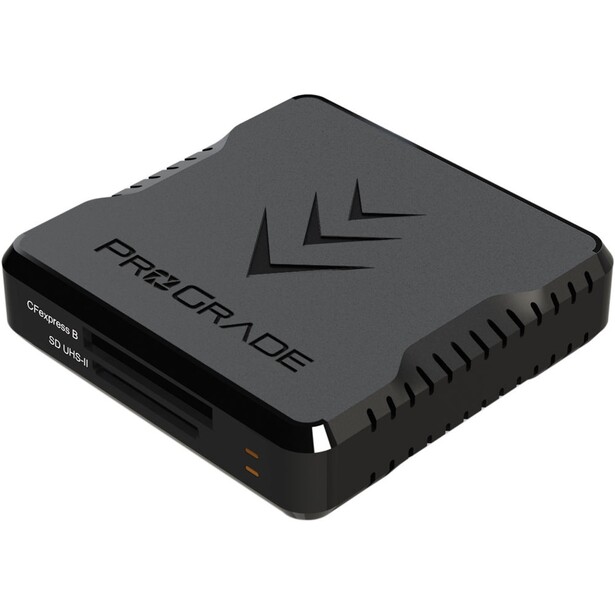
- Type: Dual-slot desktop card reader
- Works with: CFexpress Type B and SD/SDXC UHS-II cards, both slots usable at once
- Key specs: USB 3.2 Gen 2 on a 10 Gb/s bus, transfers up to 1.25 GB/s, updatable firmware
- In the box: Reader, adhesive metal plate for the magnetic base, 18-inch USB-C to USB-C and USB-C to USB-A cables; two-year warranty
- Price: $84.99 (B&H)
Buy a fast card, read it through the free dongle that came in the box, and you have paid for speed you will never see. The ProGrade Digital dual-slot reader is the fix, and it has been the default among working shooters for years for entirely unromantic reasons. It saturates a 10 Gb/s USB 3.2 Gen 2 connection at up to 1.25 GB/s, it takes a CFexpress Type B card and an SD card at once so you can dump both slots of a dual-card body in one pass, and it does not stutter halfway through a 512 GB offload the way cheap readers do once they warm up.
The detail that earns its keep is the magnetic base. An adhesive metal plate sticks to a laptop lid or a desk and the reader snaps onto it, which sounds like a gimmick until you have worked out of a car and watched a bus-powered reader get yanked off the seat by its own cable. ProGrade also ships firmware updates for its readers, which is not something you can say about the anonymous plastic ones, and the reader carries a two-year warranty.
The honest limitation is the bus. USB 3.2 Gen 2 tops out at 1.25 GB/s, and the newest CFexpress 4.0 cards read faster than that, so this reader will bottleneck the quickest cards on the market. ProGrade's answer is a USB 4.0 version of the same dual-slot design, rated up to 5 GB/s with a heat sink and a fan, though stock has been thin since it went on sale in late May 2026. For the photographer copying a couple of cards after a wedding, the USB 3.2 model is the sane buy, as our memory cards guide explains. Check the current price of the ProGrade Digital CFexpress Type B and SDXC Dual-Slot Card Reader at B&H. Also consider the ProGrade Digital USB 4.0 dual-slot reader if your cards are CFexpress 4.0 and your computer has a USB4 or Thunderbolt port.
What We Like
- Saturates the USB 3.2 Gen 2 bus at up to 1.25 GB/s
- Reads CFexpress Type B and SD simultaneously
- Magnetic base plate anchors it to a laptop or desk
- Firmware is updatable, unlike most no-name readers
What Could Be Better
- The USB 3.2 bus bottlenecks the fastest CFexpress 4.0 cards
- No CFexpress Type A support, so Sony shooters need a different model
- Passive cooling only, unlike the newer USB 4.0 version
Best Blower and Cleaning Kit: Giottos Rocket Air Blaster (Large)
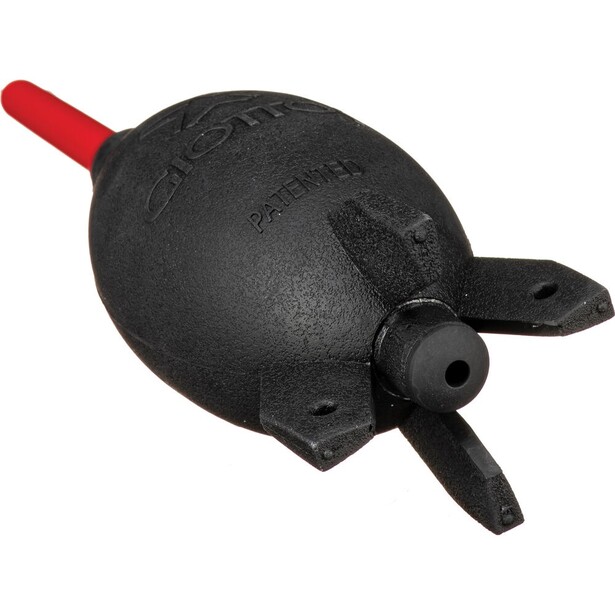
- Type: Manual air blower
- Works with: Sensors, lens elements, filters, viewfinders, camera bodies
- Key specs: 7.5 in tall with a 2.4 in body and a 2.25 in nozzle, 90 g, rubber bulb with an ABS nozzle, one-way intake valve, self-standing base, removable nozzle
- In the box: Blower with removable nozzle
- Price: $21.95 (B&H)
Every cleaning session should start here, and most should end here too. The Giottos Rocket Air Blaster in its large size has been sitting in professional bags for two decades, and the reason is a design detail cheaper blowers skip: a one-way valve in the base. Air enters through the bottom and leaves through the nozzle, so the blower is not inhaling the dust it just displaced and firing it back at your sensor on the next squeeze. The nozzle is shaped to avoid whistling and pops off for cleaning, and the finned base means it stands on a table rather than rolling under the couch.
Use it before you touch anything to your glass or your sensor, because most of what lands on a front element is loose grit, and grit plus a cloth equals fine scratches. Hold the body face down so gravity helps, open the shutter in the camera's sensor-cleaning mode, and blow from a short distance without ever putting the nozzle inside the chamber, where a hard tip can meet a shutter curtain. Get the large model, not the small one: four or five squeezes do what 20 pumps of the pocket version manage. At 90 g and 7.5 in tall it is a product photographers replace only when they lose it.
Air will not fix everything, and that is its honest weakness. Oil spatter from a shutter mechanism, or the welded-on spot that appears after a humid day, needs a wet clean, and the kit for that is the Photographic Solutions Sensor Swab ULTRA Kit, whose individually sealed swabs and fast-drying Eclipse fluid are what repair shops have used for years. Match the swab width to your sensor format, since the 24mm Type 3 is for full frame and an APS-C body needs the narrower type. The VSGO full frame kit is the cheaper alternative with an alcohol-free fluid. The blower stays the thing you reach for first, so check the current price of the Giottos Rocket Air Blaster at B&H and buy two, one for the bag and one for the desk. Never substitute a can of compressed air, which sprays propellant onto the sensor and can freeze it.
What We Like
- One-way valve means it does not recirculate the dust it just moved
- Large bulb shifts real volume in a few squeezes
- Stands upright, and the nozzle is removable for cleaning
- Costs almost nothing and lasts for years
What Could Be Better
- Bulky for a jacket pocket or a small sling
- Does nothing about oil spots or welded-on grime
- The rubber bulb picks up lint in a dusty bag
Best Lens Cleaner: LensPen Original Lens Cleaner
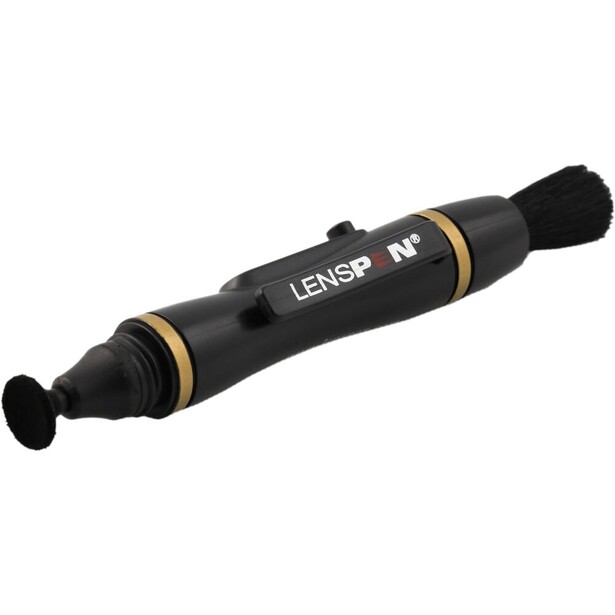
- Type: Dry lens cleaner with a carbon compound tip
- Works with: Lens front and rear elements, filters, viewfinders; never sensors
- Key specs: 12 mm concave carbon tip rated for up to 500 cleanings, retractable dust brush at the opposite end, 11 cm long, no liquid
- In the box: LensPen with retractable brush, carbon tip, and cap
- Price: $12.99 (B&H)
Fingerprints are the problem a microfiber cloth cannot solve. Skin oil smears rather than lifts, so a dry cloth spreads it into a haze that catches every backlit highlight, and the LensPen exists for exactly that. One end is a retractable brush for loose grit, the other a soft tip charged with a carbon compound that absorbs oil off the glass instead of pushing it around. It works dry, so nothing can seep past an element's edge into the barrel, and there is nothing to leak in a hot bag in July.
The routine is quick. Brush first, always, because carbon pressed on top of a grain of sand is an expensive mistake. Then press the tip flat to the glass and work from the center outward in small circles until the smudge is gone, twisting the cap to recharge the tip afterward. The 12 mm tip is slightly concave to match the curve of a front element, it is rated for up to 500 cleanings, which for most photographers is years, and the 11 cm pen is small enough to live in the same pocket as a spare battery.
It is not a universal cleaner, and treating it like one causes damage. Never take it near a sensor, where the carbon compound has no business. Do not use it on a wet or heavily contaminated element, since a soaked tip stops absorbing and starts smearing. Salt spray on a front element is a job for a fluid and a fresh microfiber cloth, which is why the ZEISS Lens Cleaning Kit deserves a slot in the bag alongside it. The two tools cover different failures rather than competing. For the daily job of getting a thumbprint off a 35mm lens, nothing else is this quick, so check the current price of the LensPen Original Lens Cleaner at B&H.
What We Like
- Removes fingerprints properly, which a dry cloth cannot
- Dry system, so nothing can leak into the lens' barrel or your bag
- Brush and cleaning tip in one pocketable tool
- Rated for up to 500 cleanings
What Could Be Better
- Useless on wet or salt-sprayed glass
- Must never be used on a sensor
- Skipping the brush step can drag grit across an element
Best Battery Charger: Watson Duo LCD Battery Charger II
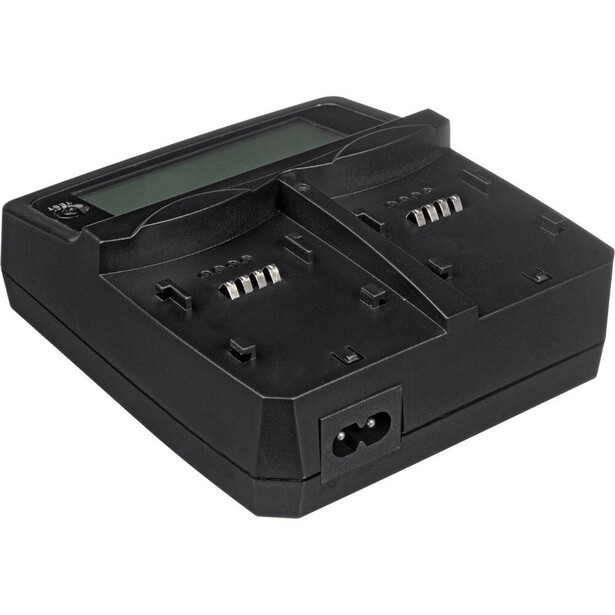
- Type: Two-bay charger with interchangeable battery plates
- Works with: Most camera batteries through Watson plates, sold separately; charges two different battery types at once
- Key specs: 100 to 240 VAC input, LCD charge-percentage read-out, test button that reports charge while unplugged, USB Type-A port, overheat and short-circuit protection
- In the box: Charger, AC power cord, 12 VDC car charger; battery plates sold separately
- Price: $98.75 (B&H)
Most photographers own one charger for every camera they have ever bought, all of them different, all single-bay, none able to tell you anything beyond a blinking light. The Watson Duo LCD Battery Charger II replaces the drawer. Two bays take swappable plates, so a Sony body and a Nikon body charge side by side on one brick, and switching systems in two years costs you a plate rather than another charger. The LCD changes how you pack: press the test button on an unplugged charger and it reports the percentage left in a cell, so a pile of batteries gets sorted into full and flat before the shoot rather than during the ceremony.
It runs off a car's 12 VDC socket with the included adapter, which matters if you shoot weddings or wildlife and live between locations. The AC side takes 100 to 240 VAC, so it travels without a voltage converter, and a 5 VDC USB-A port on the side tops up a phone from the same brick. Watson quotes two to six hours for a full charge depending on the cell.
Two things keep it from being perfect. It charges from AC or 12 V, not USB-C, so it cannot run off the power bank in your backpack, which in 2026 is a genuine omission. The plates also cost extra, so the true price is the charger plus two plates. As for the batteries themselves, buy the manufacturer's cells for your main bodies. Third-party batteries have improved, but camera makers keep tightening firmware against them, and Sony's FX30 is the documented case: after firmware 3.00, a non-Sony cell triggers a warning screen and the camera stops reporting a charge percentage for it. Save the aftermarket batteries for backup bodies, and check the current price of the Watson Duo LCD Battery Charger II at B&H. Also consider the Nitecore USN4 Pro if you are Sony-only and want a dual-slot charger you can run from a power bank in the field.
What We Like
- Two bays, and it charges two different battery types at once
- Swappable plates outlive any single camera system
- LCD reports charge percentage even when unplugged
- Ships with a 12 VDC car adapter and a USB port for your phone
What Could Be Better
- No USB-C input, so it cannot run from a power bank
- Battery plates are a separate purchase, which hides the real cost
- Slower than the fast chargers some manufacturers now bundle
Best L-Bracket: Leofoto UL-01T Universal Titanium L Plate
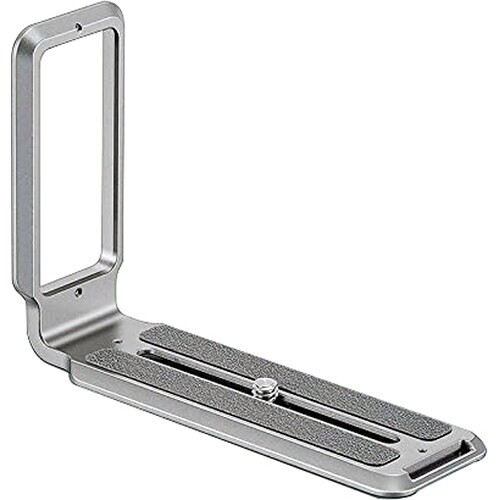
- Type: Universal Arca-Swiss L plate
- Works with: Most DSLR and mirrorless bodies with a standard 1/4"-20 tripod socket; Arca-Swiss clamps and ball heads
- Key specs: Titanium alloy, 88 g, 120 mm long by 85 mm tall by 38 mm wide, 6 mm plate thickness, Arca-Swiss dovetail on both the base and the upright, 1/4"-20 titanium camera stud riding in an 80 mm slot, cutaway in the upright for cables, anti-slip rubber on the camera side
- In the box: The plate; Leofoto lists no additional accessories
- Price: $103.20 (B&H)
Shooting vertical on a tripod without an L-bracket means dropping the ball head into its notch, which throws the camera off the center of the column, shifts your composition, and turns a stable setup into a lever arm for the wind to push on. An L-bracket gives the camera an Arca-Swiss dovetail on the bottom and on the side, so you unclamp, rotate, and reclamp with the lens staying roughly where it was. The Leofoto UL-01T does that job for any body you own now and any body you buy next, which is the argument for a universal plate over a machined one.
Titanium is the interesting choice here. Leofoto could have cut this out of aluminum for less money, and instead it milled a 6 mm plate out of titanium alloy that weighs 88 g and shrugs off the corrosion that eventually pits an anodized bracket used near salt water. The camera stud is titanium too, and it slides along an 80 mm slot, which is what lets one plate center a small mirrorless body and a chunky DSLR alike. Both faces are cut as true Arca-Swiss dovetails, so the plate drops into a clamp in either orientation without an adapter. The upright is not a solid wall of metal: there is a large cutaway through it, so a remote release or an HDMI cable can still reach the side of the camera with the plate fitted. A strip of anti-slip rubber on the camera side keeps the body from creeping under torque. If you are still choosing the head this clamps into, our tripods guide covers that decision.
Now the compromise, which is real and worth understanding before you spend the money. A universal plate is held by one screw and indexed against nothing. A bracket machined for a specific camera wraps that camera's baseplate, keys against its edges, and physically cannot rotate. This one can be nudged out of square if you tighten it while the body is sitting crooked, and the upright sits where you put it rather than where the manufacturer decided the ports are, so on some cameras it will cover a door or crowd a cable you actually wanted. The battery hatch is the usual casualty: depending on the body, you may have to loosen the stud and slide the plate aside to swap a cell. It also costs more than the aluminum universal plates it sits next to on the shelf, and titanium buys you durability, not extra rigidity. A landscape photographer who works in wind, or anyone hanging a long telephoto off the setup, should still buy a model-specific bracket from SmallRig at the affordable end or Really Right Stuff at the top. For the photographer who owns two bodies, or expects to switch systems inside five years, one plate that migrates is the better spend, so check the current price of the Leofoto UL-01T Universal Titanium L Plate at B&H.
What We Like
- Titanium alloy at 88 g, with genuine Arca-Swiss dovetails on both the base and the upright
- The 80 mm slot lets one plate fit almost any body, from small mirrorless to a big DSLR
- Cutaway upright leaves room for a cable or a remote release
- Corrosion resistance that an anodized aluminum bracket does not have
- Moves to your next camera instead of becoming obsolete when you switch
What Could Be Better
- A single stud means it can twist out of square if you tighten it carelessly
- The upright can block a port or a door depending on the body, and battery access often means sliding the plate
- Not as rigid or as snug as a bracket machined for one specific camera
- Costs more than the aluminum universal plates alongside it
Best Rain Cover: Think Tank Photo Hydrophobia D 70-200 V3.0
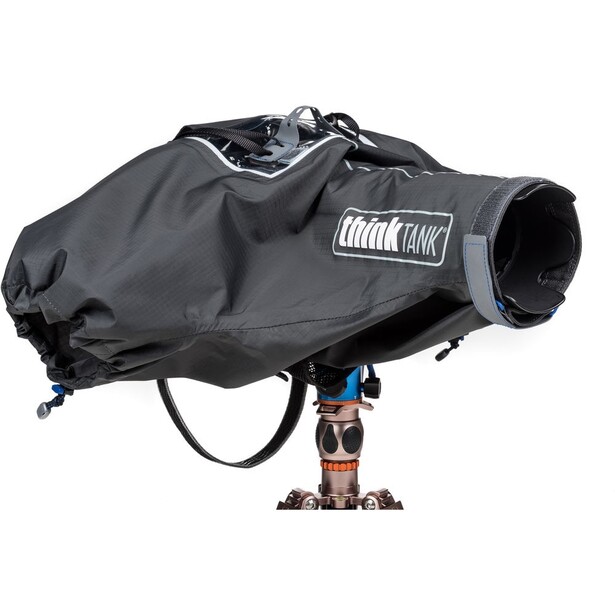
- Type: Seam-sealed rain cover
- Works with: DSLR and mirrorless bodies with lenses from 24-70mm f/2.8 to 70-200mm f/2.8, including 100-400mm zooms
- Key specs: Three-layer 210T seam-sealed rip-stop with polyurethane film and 70D nylon tricot, polyurethane seam tape, weather-resistant zippers, 18.1 in long, 300 g, two cinchable arm sleeves, waterproof shoulder strap
- In the box: Rain cover, rainproof front element cover, carrying pouch; the camera-specific eyepiece is required and sold separately
- Price: $151.75 (B&H)
Weather-sealing is a marketing word with no standard behind it, and photographers tend to learn that in a downpour at hour three of a football game. A real rain cover is the difference between shooting the storm and packing up, and the Think Tank Hydrophobia is the one that keeps turning up on the sidelines. The fabric is a three-layer sandwich: seam-sealed 210T rip-stop, polyurethane film, and 70D nylon tricot, with polyurethane tape over the stitching and weather-resistant zippers. It behaves like a rain shell, staying pliable in the cold instead of going brittle the way plastic does.
The design solves the practical problem of operating a camera you cannot see. Two cinchable sleeves let both hands inside to reach the controls, the eyepiece pocket lines your viewfinder up with the real world instead of a sheet of vinyl, and a rainproof cover slips over the front element between shots so you are not wiping water off the glass every 30 seconds. At 300 g and 18.1 in long it is not kit you forget you brought, but it packs into its own pouch. Think Tank lists it for bodies wearing anything from a 24-70mm f/2.8 to a 70-200mm f/2.8 or a 100-400mm zoom.
Then comes the catch that annoys everybody: the eyepiece is mandatory, camera-specific, and sold separately, so order it at the same time and check the fit list first. The cover is also overkill for a passing shower, and the honest answer for a bag-bottom emergency is the far cheaper OP/TECH USA Rainsleeve, a polyethylene sleeve that weighs nothing and will get you through 20 minutes of drizzle before it tears. Buy the sleeve for the bag and the Hydrophobia for the day you know you are going to get soaked, and check the current price of the Think Tank Photo Hydrophobia D 70-200 V3.0 at B&H.
What We Like
- Genuinely waterproof three-layer, seam-sealed construction
- Two arm sleeves give both hands access to the controls
- Front element cover and waterproof shoulder strap included
- Stays flexible in the cold, unlike plastic covers
What Could Be Better
- The required eyepiece is camera-specific and sold separately
- Bulky and slow to deploy for a sudden shower
- Fit depends on your exact lens and eyepiece combination
Best Gear Tracker: Apple AirTag (2nd Gen, 4-Pack)
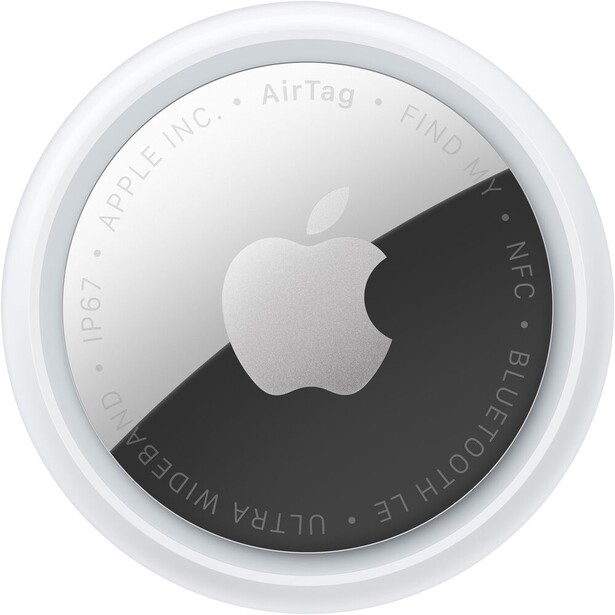
- Type: Ultra Wideband and Bluetooth item tracker
- Works with: The Apple Find My network; the full Precision Finding range needs an iPhone Air or an iPhone 15 or later (Apple excludes the iPhone 16e and 17e), and Precision Finding now runs on Apple Watch Series 9 or later and Apple Watch Ultra 2 or later
- Key specs: Second-generation Ultra Wideband chip, Precision Finding from up to 50% farther away than the first AirTag, speaker 50% louder and audible from up to twice as far, IP67 rating, unwanted-tracking alerts on iOS and Android
- In the box: Four AirTags with user-replaceable CR2032 batteries Apple rates at more than a year of everyday use; no keyring or holder
- Price: $99 (B&H)
Camera gear gets stolen out of cars and left in overhead bins, and the cheapest insurance against both is a coin-sized tracker buried in the lining of every bag you own. Apple shipped the second-generation AirTag in January 2026, and the changes target the moment that matters. The new Ultra Wideband chip extends Precision Finding, the arrow-and-distance mode that walks you to within inches of an item, to roughly 50% farther out than the original managed, and the speaker is 50% louder, which is the difference between hearing a bag under a pile of coats and not.
What sells it to photographers is the network rather than the hardware. Any passing iPhone acts as a relay, so an AirTag in a stolen backpack can report its position from a street you have never been to, encrypted and anonymized. Drop one in each camera bag, one in the roller case, one in checked luggage, and you have something close to a location log for your kit. Precision Finding now works from an Apple Watch Series 9 or later, or an Ultra 2 or later, which turns out to matter when both hands are full of camera. The tag is IP67 rated to a meter for 30 minutes, and the CR2032 battery is user-replaceable and good for more than a year.
Be realistic about what it is. This is a finding aid, not a recovery service: Apple's own guidance is to call the police rather than knock on a door, and a thief carrying your tag around will eventually get an unwanted-tracking alert. There is still no hole in the thing, so part of your money quietly goes toward a keyring or an adhesive mount. Android users are not the audience, and their equivalent is a Find Hub tracker such as the Chipolo POP, which enrolls in either Apple's or Google's network, one at a time. If you already own first-generation tags, there is little reason to upgrade, since the gains are incremental. If you own zero trackers and a bag full of lenses, check the current price of the Apple AirTag (2nd Gen, 4-Pack) at B&H and put one in every bag, a habit our camera backpacks guide assumes you already have.
What We Like
- The Find My network turns every passing iPhone into a relay for your bag
- Precision Finding reaches up to 50% farther than the original AirTag
- Speaker is 50% louder, which helps when the bag is buried
- IP67 rating and a replaceable CR2032 battery rated for more than a year
What Could Be Better
- No mounting hole, so a holder is an extra purchase
- Useless to Android users
- Anti-stalking alerts also warn the person who took your bag
- First-generation owners gain little by upgrading
Best Dock: CalDigit TS5 Plus Thunderbolt 5 Dock
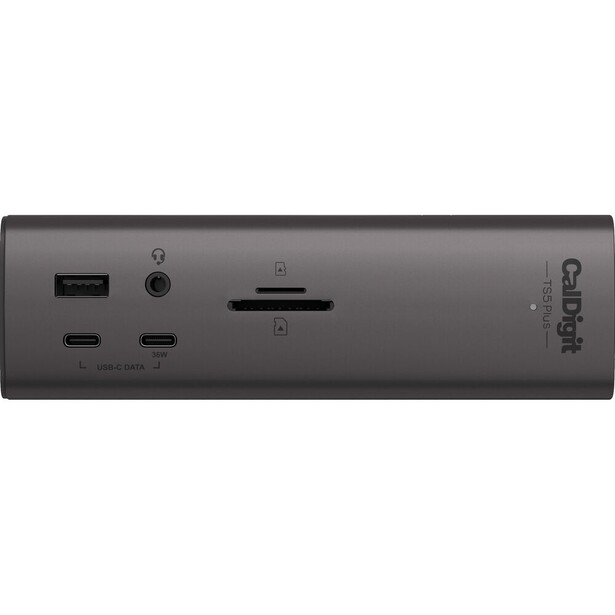
- Type: Thunderbolt 5 desktop dock
- Works with: Thunderbolt 5, Thunderbolt 4, and USB4 computers, Mac and Windows
- Key specs: 20 ports including three Thunderbolt 5 connections at 80 Gb/s, five USB-C and five USB-A at 10 Gb/s on dual USB controllers, 10 Gigabit Ethernet, DisplayPort 2.1, simultaneous SD 4.0 and microSD 4.0 UHS-II readers, 140 W host charging, 0.90 kg
- In the box: Dock, 1.0 m Thunderbolt 5 cable, 330 W external power supply
- Price: $499.99 (B&H)
The daily tax on a laptop editing setup is the plugging in: display, drives, ethernet, card reader, power, four cables every morning and four every night, each one a chance to knock a bus-powered SSD offline mid-write. A dock collapses that into one cable, and the CalDigit TS5 Plus is the version of the idea with no compromises left in it: 20 ports usable at once, three Thunderbolt 5 connections, 10 Gigabit Ethernet fast enough to make a NAS worth owning, and 140 W of charging back to a laptop working under load.
The photographer-specific detail sits on the front. An SD 4.0 UHS-II reader and a microSD 4.0 UHS-II reader work simultaneously, and they are quick enough that the card, not the dock, is the limit. CalDigit also gives the dock two separate 10 Gb/s USB controllers rather than hanging everything off one, so a card offloading to an external SSD is not fighting the rest of your desk for the same slice of bandwidth. The downstream Thunderbolt 5 ports and the front USB-C port each deliver 36 W, enough to keep a tablet or a second phone alive without another charger on the desk.
It is expensive, and it arrives with a 330 W power brick roughly the size of the dock. There is no CFexpress slot, so a Type B shooter still needs the ProGrade reader from the top of this guide hanging off a USB-C port. The full benefit also only lands if your computer actually speaks Thunderbolt 5; on a Thunderbolt 4 machine you are buying headroom for your next laptop rather than speed today. Studio shooters should budget for a proper tethering cable while they are here, since a Tether Tools TetherPro USB-C cable in 15 ft is the standard answer to the question of why Capture One keeps dropping the camera. If your desk is where you actually work, check the current price of the CalDigit TS5 Plus at B&H. Also consider the Anker Prime Thunderbolt 5 dock if you want most of the connectivity for less money.
What We Like
- Twenty ports, all usable at once, on one cable to the laptop
- UHS-II SD and microSD readers on the front, usable simultaneously
- 10 Gigabit Ethernet and 140 W of host charging
- Dual 10 Gb/s USB controllers keep card offloads from bottlenecking
What Could Be Better
- Expensive, and the 330 W power supply is enormous
- No CFexpress slot of any type
- Full speed only on a Thunderbolt 5 host
How to Choose Camera Accessories
Start by naming the failure you actually have. Photographers buy accessories the way they buy lenses, aspirationally, then wonder why the drawer is full and the same problems keep happening. A dust blob at f/16 is a cleaning problem, and no card reader will fix it. Write down the last three times gear cost you time or a frame, and buy against that list in order.
Separate the consumables from the durables. Swabs, wipes, and fluids get used up, so buy them by cost per use and buy what professional shops use, since the downside of a cheap swab is a scratched sensor rather than a wasted dollar. Durables like a bracket, a rain cover, or a dock get bought once and used for a decade, so build, weight, and warranty are what matter, and the cheap version gets replaced twice.
The specification people underestimate is the interface, not the device. A card reader is only as fast as the bus it hangs on, and a fast card in a USB 2.0 reader is a slow card, which is why so many photographers conclude their expensive CFexpress cards were a waste. Look at the reader's interface, look at your computer's port, and assume the slower of the two is your real speed. The specification people overrate is raw capacity, whether that is a 20-slot card wallet or a dock with ports you will never fill.
Finally, buy for the shoot you are dreading, not the one you enjoy. Nobody regrets a rain cover, a spare battery, and a tracker in the bag. They regret the third strap and the clever gadget that promised to change everything. Clean glass, charged batteries, and safe files cover more real failures than any lens upgrade, and together they cost less than the filter you already own.
What We're Looking For
We select accessories on four criteria: whether the product prevents a real failure, whether it saves time on a task done hundreds of times a year, whether it survives years rather than months in a bag, and whether its price makes sense against the consequence of not owning it. Every specification, product name, and availability claim was verified against current manufacturer documentation and a live retailer listing at the time of writing, and anything that could not be confirmed is not stated as fact. On testing, we are being straight with you: where the text describes how a product behaves, that comes from the published specification or from the product's documented design, not from a claim of hands-on testing we have not done. Most picks in our buying guides come from gear our writers have used and reviewed hands-on, and where they have not, we say so in the entry rather than dressing a spec sheet up as experience.
Frequently Asked Questions
Are Third-Party Camera Batteries Safe to Use?
They are generally safe from reputable brands, but they carry a different risk: camera makers periodically ship firmware that turns hostile toward non-original cells. Sony's FX30 firmware 3.00 is the documented example, and owners who updated found their third-party batteries throwing a warning screen and no longer reporting a charge percentage. Use the manufacturer's batteries in your main body and save the aftermarket cells for a backup.
Do I Need a Card Reader if My Laptop Has an SD Slot?
Yes, if you shoot CFexpress, and probably yes even if you do not. Built-in laptop slots are often slower than the card itself, and they cannot read CFexpress Type B at all. A dedicated reader on a USB 3.2 Gen 2 or faster port will move a full card in a fraction of the time, which compounds across every job you shoot.
Is It Safe to Clean Your Own Camera Sensor?
Yes, with the right supplies and a calm hand. Blow the loose dust out first, and reach for a wet swab only if a mark survives that. Use a single-use swab sized for your sensor format, two drops of fluid, and one light pass in each direction. What you touch is a protective filter over the sensor, not exposed silicon, which is why repair shops do this daily.
Do AirTags Actually Help Recover Stolen Camera Gear?
Sometimes, and they are cheap enough to be worth it anyway. An AirTag reports its position through any nearby iPhone, so a stolen bag can surface on a map days later. It is not a guarantee: a thief will eventually receive an unwanted-tracking alert, and Apple's own advice is to involve law enforcement rather than go retrieve the bag yourself.
What Accessory Should a Photographer Buy First?
A blower and a spare battery, in that order, then a card reader. Those three cover the failures that most often cost photographers frames: dust on the sensor, a dead camera partway through the day, and a transfer that eats an evening. Everything else in this guide solves a more specific problem you will recognize when you have it.
Fstoppers may earn a commission from purchases made through links in this article. Our picks are made independently by our editorial team.