A four-ink EcoTank with dye-based color and a single matte black is about the last printer most people would pick for fine art prints. Its refillable tanks make ink cheap, though, so if the prints hold up, it becomes an inexpensive way to experiment with papers and profiles at home.
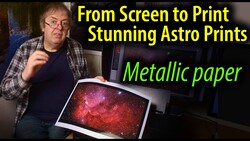
Keith Cooper of Northlight Images put an Epson EcoTank ET-2950, also sold as the ET-2959 in white and as the L4360 in some regions, through a stack of A4 papers to find out. The ink set is a pigment matte black plus dye cyan, magenta, and yellow, and conventional wisdom says that combination should be hopeless for serious printing. Matte black doesn't work on photo papers, so glossy, luster, and satin sheets get only the three dye colors, and the profile has to do most of the work of building neutrals and shadows. Cooper had already found that the related ET-2850 could produce good-looking prints with the right papers and custom profiles, so he printed and measured two-sheet targets of about 2,000 patches for paper after paper. On a budget satin sheet and on Epson's own Premium Glossy and Premium Luster papers, the results were reasonable, though he stops short of calling them good next to the better printers in his studio.
Cooper normally builds profiles from full spectral measurements with ultraviolet included, and he says he would never usually choose a UV-cut mode. With this ink set, almost every profile looked far better when he measured the targets in UV-cut mode, on the three-ink glossy papers and on matte papers, where all four inks come into play. He hasn't pinned down why and puts it down to these particular inks, so the profiles he shares come in pairs, with notes on which to try first. On Epson Premium Glossy, the UV-cut version looked slightly better and gave better black and white, though black and white on three dye inks is still a stretch, and you should expect color tints. For color images, he suggests trying relative colorimetric with black point compensation, which matte papers need, against perceptual, which has it built in, and keeping whichever looks better.
Most photo papers whiten their base with optical brightening agents, which absorb invisible ultraviolet light and re-emit it as blue, so the same sheet looks different depending on how much UV is in the light falling on it. The ISO 13655 measurement standard has formalized that difference since 2009 with separate conditions: M1 includes UV to approximate daylight, while M2 excludes it, which tends to suit prints that will hang under indoor lighting with little UV in it. Brighteners also break down over years of light exposure, so a paper made without them tends to keep its white point longer. A cheap 365 nm UV flashlight shows you in seconds whether a paper contains brighteners, because treated sheets glow under it. Cooper also uses one to read the faint yellow lines on nozzle checks, a trick that works on any inkjet.
Matte papers are where this printer did best. Epson Fine Art Cotton Textured Natural, which has no optical brighteners, produced superb prints, though as a thick sheet it needed a push to feed, as did a few other stiff papers. Cooper expects the smooth version of the same cotton paper to work well too. PermaJet Matte Plus, Canon's Pro Premium Matte PM-101, Epson Archival Matte, and Epson Matte Heavyweight all worked well, and so did several inexpensive papers from brands he hadn't heard of until he checked what sells well on Amazon. Some of the matte papers should also handle black and white reasonably well, which the glossy papers mostly can't.
The printer, which also has a built-in scanner, has been on offer in the U.K. for just over £200, and Cooper sees it as a good way to experiment without spending much on ink or paper. If you print from a Mac with Epson Print Layout, he notes that version 1.5.17 has issues with the latest macOS, so you may need an older version. Cooper is continuing to build profiles for the six-ink Epson EcoTank Photo ET-8550, which he uses for his own printing.
Cooper's side-by-side prints from the paired profiles are in the video above.



Join the Fstoppers community for free
-
Post comments and join in the discussions
-
Browse the site ad-free
-
Share your work and get featured in the community
-
Compete in the photo contests for fun and prizes