

I'm at Apple's launch event at Columbia Square in Hollywood, and I just spent time hands-on with the new 16-inch MacBook Pro with PROLED XDR Display. I'm a huge display snob, and its tandem OLED screen is just stunning in person.
Apple announced the new MacBook Pro today with a tandem OLED display, touch support for the first time on a Mac, and the Dynamic Island, and it came in 14-inch and 16-inch sizes with M5 Pro and M5 Max chips. The venue has its own history with screens. Columbia Square opened in 1938 as CBS's West Coast headquarters, on the site of the Nestor Film Company, Hollywood's first movie studio, and it served as home to CBS's Los Angeles radio and television operations until 2007.
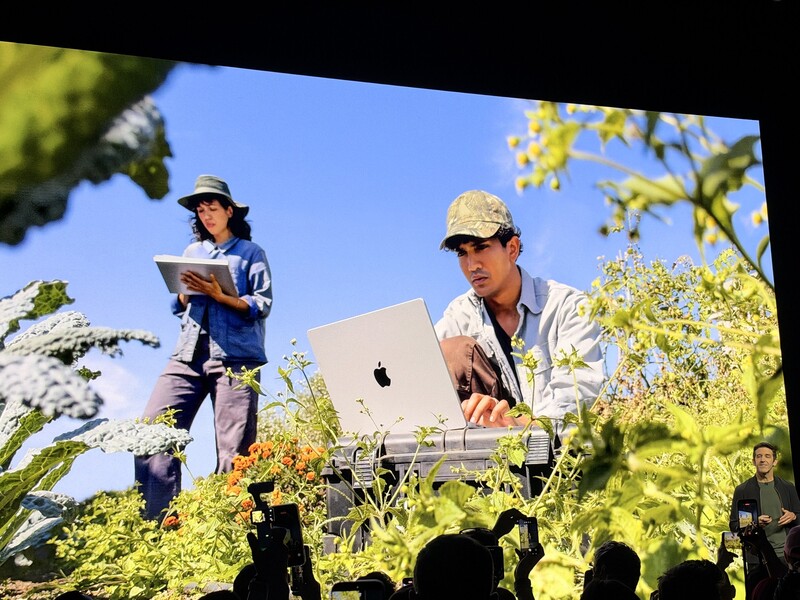
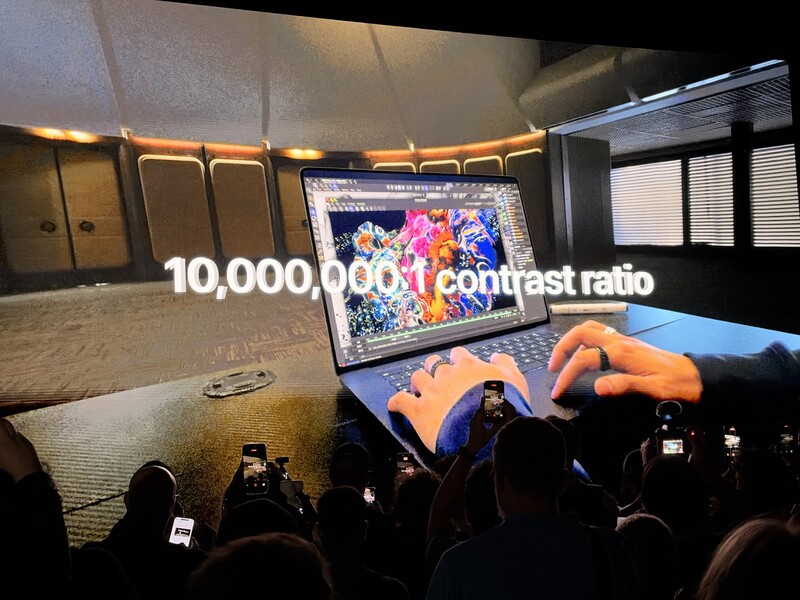
During the keynote, a video ran through the display's numbers one at a time, with the most notable PROLED XDR Display specs being its up to 2,000 nits of peak brightness and a 10,000,000:1 contrast ratio. When the OLED demo started, the audience let out a collective "oooooo." Apple also showed people working with their fingers directly on the screen in 3D apps and put up the rest of the headline figures, including up to 128 GB of unified memory, up to 16 TB of storage, and a 14-inch model that weighs 3 pounds.
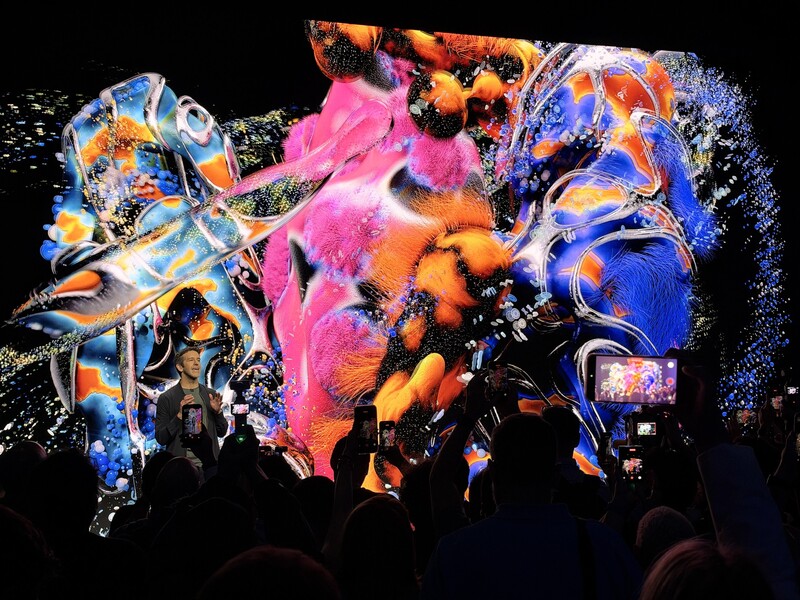
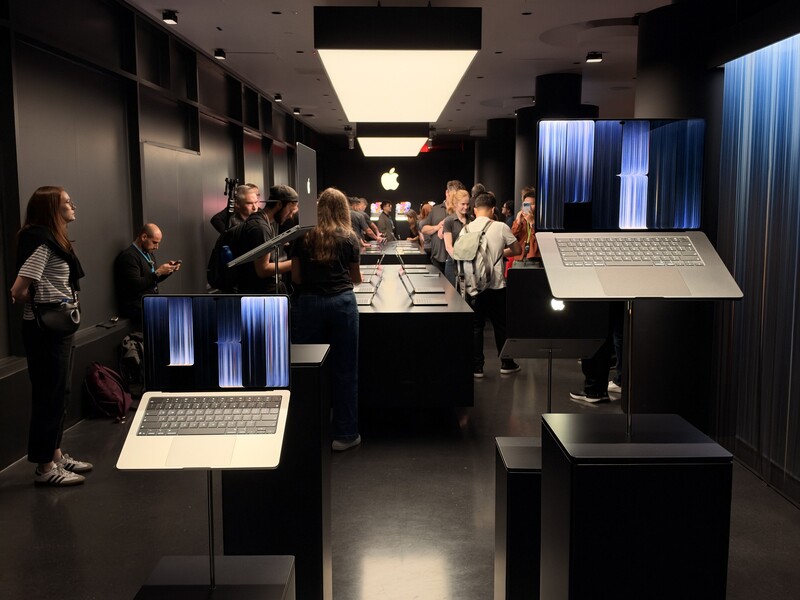
After the keynote, I got my own hands on the 16-inch MacBook Pro in the demo area, where Apple had the new laptops lined up under a glowing Apple logo.

The Display Is the Star
I adore the tandem OLED on my iPad, and this version is just incredible. Tandem OLED stacks two layers of light-emitting pixels, and Apple says it reworked every layer of this panel to keep brightness and grayscale even across the whole screen and to cut the internal reflections common in older OLED designs. And that's apparent: even the non-Nano-texture impressively rejected reflections from all angles, which is great news for anyone who enjoys a glossier display. Behind the panel, the display engine adjusts the color and brightness of every pixel in real time, compensating for the content, the temperature, and how much each pixel has been used over time, and Apple calibrates every panel at the factory so one MacBook Pro matches the next.

Apple quotes a 10,000,000:1 contrast ratio and up to 2,000 nits of peak brightness, and I saw what those numbers mean in a glassblowing clip in Final Cut Pro. The way the display rendered the shadows of the dark room right alongside the fire-bright glass was truly impressive. Scenes like that, with deep shadows and a blazing highlight in the same frame, are hard for displays that rely on a backlight, because light from the bright areas spills into the dark ones. With OLED, every pixel makes its own light, so blacks stay truly black right next to the brightest highlights.

Color is as deep and stunning as I've ever seen. The panel covers Adobe RGB as well as P3, reaches further into greens and cyans, and covers more than 80% of Rec. 2020, and that wider gamut really shows in blues and greens, which are notably vibrant. I didn't see any glare or reflections on the screen in the demo area, either. An antireflective coating comes standard, and the optional Nano-texture finish is now etched directly into the cover glass to cut reflections even further.

Apple's spec sheets show how big a jump this is over the mini-LED Liquid Retina XDR display, which stays on sale in the rest of the MacBook Pro lineup. That screen peaks at 1,600 nits on HDR content only and has a 1,000,000:1 contrast ratio. The PROLED XDR display holds 1,000 nits across the full screen, reaches 2,000 nits on HDR content and on SDR content outdoors, drops as low as 1 nit for a dark room, and has 10 times the contrast ratio. ProMotion now runs from 10 Hz to 120 Hz, too. I'm enough of a display snob that I insist on watching TV on an LG OLED, and this looks leaps and bounds beyond it.
What It Means for Photographers
For photographers who print, the Adobe RGB coverage is exciting for the MacBook Pro. It isn't new to laptops, but every MacBook Pro screen until now has stopped at P3. P3 suits HDR video and color grading, while Adobe RGB is the space many photographers work in when their images are headed to print, so Mac users no longer have to choose between Apple's HDR display and print-oriented color. It also explains the noticeably vibrant and nuanced blues and greens I saw. Apple puts both color spaces in a single default preset, and the reference modes include Adobe RGB versions of the Photography and Design and Print modes, plus a new HDR Photography mode. The Apple Pro Display Calibrator lets you calibrate the screen to your own targets, and Apple pitches the whole package as a portable reference display.
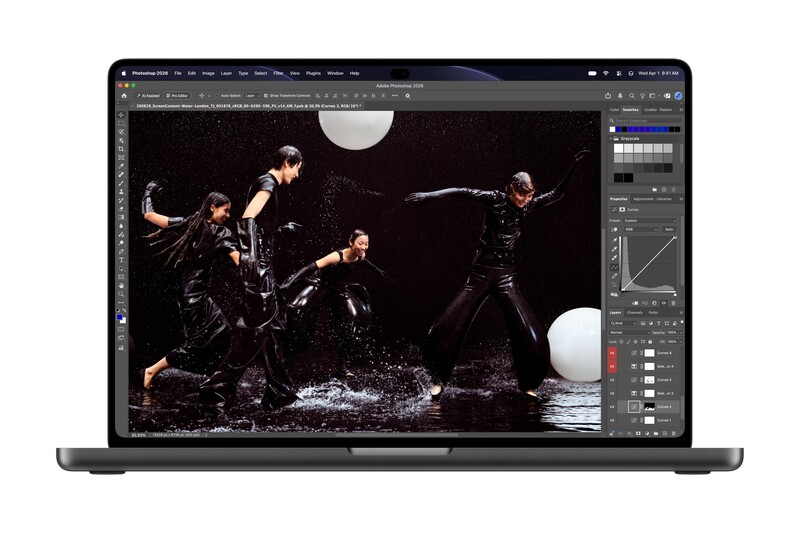
The rest of the machine suits photo work, too. The SDXC card slot stays, along with HDMI, MagSafe 3, a headphone jack, and three Thunderbolt 5 ports, and 2,000 nits of SDR brightness outdoors makes it a much better screen for reviewing images in the field. Adobe Lightroom and DaVinci Resolve are both among the third-party apps adding touch support, and pinching to zoom in on a photo is one of the everyday gestures Apple built in. For video shooters, genlock support syncs the display's refresh rate to a camera's capture, which cuts ghosting and tearing on set and in virtual production.

Touch Feels Like It Belongs
The touch experience is excellent. Apple builds the touch sensor directly into the display panel to cut latency, and it felt as smooth as an iPhone or iPad. The redesigned hinge is meant to keep the screen steady while you use it, and it did: there was no wobble or play when I tapped the screen. That's a small but crucial to using a touch device, and Apple put notable effort into ensuring it's a smooth experience. Reaching up to the display felt natural, and I could definitely see myself using it. What impressed me most is how well Apple has integrated touch into macOS. It feels like a natural part of the operating system, not an add-on.

Many existing apps work with touch right away, because macOS translates touches into clicks, and Apple has added gesture APIs so developers can design experiences specifically for touch. You can swipe to scroll, pinch to zoom, drag slides from one presentation to another, double-tap a window to fill the screen, or flick a window to tile it into place, and all of it works alongside the keyboard shortcuts and trackpad gestures you already use. The Dynamic Island also comes to the Mac as the home for Spotlight, Live Activities, and Siri AI, so you can search, check a live update, or accept an AirDrop request with a tap. I was particularly fond of flicking windows to the sides of the screen to tile them; it was convenient, quick, and fun, almost like tossing the windows where I wanted.
The fact that macOS translates touches to clicks by default is important. While the new touch input opportunities will certainly be exciting for users and developers, whenever there's a major shift in a device paradigm, the major concern is always how existing apps will handle it, and Apple has ensured the transition is seamless.
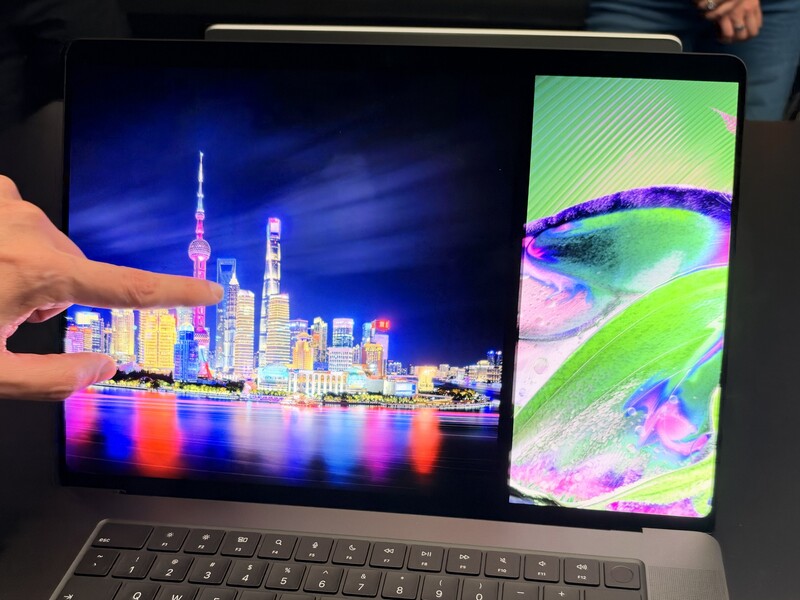


I'm super pleased to see Dynamic Island on the new model as well. As someone who likes to keep an eye on things like baseball scores while I work, it's always a welcome addition, and the ability to swipe down for addition context from Siri AI at anytime without leaving the app you're in helps keep you focused on your work.
Editing and Music
I tried some editing on it, as well, and I was impressed with how naturally it works. You can draw directly on the screen and combine touch with keyboard commands, such as using the keyboard to start a copy and a finger to drag it into place. Apple's own apps lean into this. In Pixelmator Pro, you can draw, paint, and select directly on the canvas, and in Final Cut Pro, you can mark ranges, drop clips into place, and pinch to zoom in on a cut.


As a musician, I thought tapping right into the sequencer in Logic Pro was pretty darn cool. Logic Pro now offers a Multi-Touch keyboard for playing software instruments, along with chord and drum pads you can tap onscreen, which makes the laptop itself something you can play. There are some practices where touch is the more intuitive entry modality: moving sliders, sequencing drums, drawing edits, etc., and it was lovely to use what felt like the natural, human way to perform tasks.


Stunningly Light
The 16-inch model is the one I tried, and holy fudge, it's legitimately, noticeably light. I was actually stunned at how light it felt when I picked it up. On paper, it weighs 4 pounds (1.82 kg), 0.7 pounds less than the previous 16-inch model, and it's nearly a millimeter thinner, thanks to OLED's slimmer display stack. Slimmer borders also grow the screen to 16.3 inches, at 3,472 x 2,266 pixels and 254 ppi. The 14-inch MacBook Pro drops half a pound, to 3 pounds (1.38 kg). For context, that's just a couple ounces more than a 13-inch MacBook Air. Impressive.

I'm also particularly impressed by the battery life Apple quotes, given that it's OLED: up to 24 hours of video streaming on the 16-inch M5 Pro model, from a 100 Wh battery, and up to 22 hours with M5 Max. A redesigned thermal system keeps the same sustained performance from M5 Pro and M5 Max in the lighter body while directing warm air away from the display to keep it comfortable to touch, and the six-speaker sound system gets new woofers with 50% deeper bass.
Which Model Makes Sense
The display is the same PROLED XDR technology with touch in every configuration, so the choice comes down to size and chip. The 14-inch MacBook Pro starts with an M5 Pro with a 15-core CPU and 16-core GPU, while the 16-inch MacBook Pro starts with an M5 Pro with an 18-core CPU and 20-core GPU. M5 Max models start at 36 GB of memory and 2 TB of storage and go up to 128 GB and 16 TB, which matters most for 8K video, large 3D scenes, and running big AI models locally. If you want Apple silicon in a MacBook Pro without the new display, the mini-LED models stay on sale, including the M6 version of the 14-inch model Apple announced yesterday.

The Bottom Line
Touch is a great, neat way to interact with the computer, and I'm sure I'll start using it more and more, but for me, it's the screen. At the end of the day, anyone who demands the very best screen quality, whether for demanding creative work or for the best content consumption experience, won't be disappointed. This tandem OLED display is truly unlike anything else out there.
Key Specs: 16-Inch MacBook Pro With PROLED XDR Display
- Display: 16.3-inch tandem OLED with touch, 3,472 x 2,266, 254 ppi
- Brightness: 1,000 nits full screen, 2,000 nits peak (HDR, and SDR outdoors), 1 nit minimum
- Contrast ratio: 10,000,000:1
- Color: P3 and Adobe RGB, more than 80% of Rec. 2020
- Display glass: antireflective coating standard, nano-texture optional
- Refresh rate: ProMotion from 10 Hz to 120 Hz
- Chips: M5 Pro (18-core CPU, 20-core GPU) or M5 Max (18-core CPU, 32-core or 40-core GPU)
- Memory: 24 GB to 128 GB unified memory
- Storage: 1 TB to 16 TB
- Ports: three Thunderbolt 5, HDMI, SDXC card slot, MagSafe 3, headphone jack
- Battery: 100 Wh, up to 24 hours (M5 Pro) or 22 hours (M5 Max) of video streaming
- Size and weight: 1.60 cm thin, 4 pounds (1.82 kg) with M5 Pro or 4.1 pounds (1.84 kg) with M5 Max
Key Specs: 14-Inch MacBook Pro With PROLED XDR Display
- Display: 14.2-inch tandem OLED with touch, 3,024 x 1,986, 254 ppi
- Brightness: 1,000 nits full screen, 2,000 nits peak (HDR, and SDR outdoors), 1 nit minimum
- Contrast ratio: 10,000,000:1
- Color: P3 and Adobe RGB, more than 80% of Rec. 2020
- Display glass: antireflective coating standard, nano-texture optional
- Refresh rate: ProMotion from 10 Hz to 120 Hz
- Chips: M5 Pro (15-core CPU and 16-core GPU, or 18-core CPU and 20-core GPU) or M5 Max (18-core CPU, 32-core or 40-core GPU)
- Memory: 24 GB to 128 GB unified memory
- Storage: 1 TB to 16 TB
- Ports: three Thunderbolt 5, HDMI, SDXC card slot, MagSafe 3, headphone jack
- Battery: 72.6 Wh, up to 22 hours (M5 Pro) or 20 hours (M5 Max) of video streaming
- Size and weight: 1.50 cm thin, 3 pounds (1.38 kg) with M5 Pro or 3.1 pounds (1.40 kg) with M5 Max
The 16-inch MacBook Pro starts at $3,399 with M5 Pro and $4,799 with M5 Max, and the 14-inch MacBook Pro starts at $2,899 with M5 Pro and $4,499 with M5 Max, with preorders open now ahead of November 6 availability.



Join the Fstoppers community for free
-
Post comments and join in the discussions
-
Browse the site ad-free
-
Share your work and get featured in the community
-
Compete in the photo contests for fun and prizes