Lightroom Classic 15.3 adds more Adobe Firefly integration than most people realize, and some of it costs more credits than you'd expect. If you shoot high-ISO work or do any bulk AI processing, at least one of these updates will change how you work.
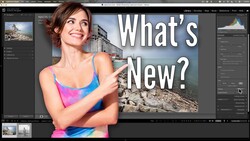
Coming to you from Anthony Morganti, this detailed walkthrough covers every new feature in Lightroom Classic 15.3, starting with the expanded Firefly integration. The "Generate Using Firefly" menu, first introduced in version 15.2, now includes a third option alongside "Edit Photo" and "Generate Video from Photo": "Start a Mood Board." Morganti walks through the Edit Photo workflow live, prompting Firefly to add a seagull to a sky, and the result is surprisingly convincing. What's less convincing is the credit cost: that single image generation ran 40 credits, with no variations offered and no refunds if you don't like the result.
The video-from-still feature is where the credit math gets serious. Using the VO3.1 fast model, an 8-second video costs 80 credits. Switch to the standard VO3.1 model and that jumps to 400 credits for the same clip. Morganti generated a video of a boat leaving a harbor, and the footage looks realistic, though it plays back in slow motion, which he found odd. He also walks through a useful advanced setting: the seed function, which locks the motion of a previously generated video so you can add new prompt elements without losing what you already had.
Version 15.3 also adds 12 new built-in presets under a group called "Style: Film Inspired." These aren't tied to specific film stocks like Kodachrome or Fuji Superior; they're general looks with names like Warm Gold, Faded Blue, Deep Sage, and Bold Black and White. Morganti previews several of them and flags Warm Gold as a standout. They're not groundbreaking, but they're a solid addition to the default preset library, and hovering over any of them gives you a live preview before you commit. For the Mood Board feature, Morganti gives an honest overview: he's never built one before, covers the basic layout options (rows, columns, mosaic, alignment), and plans to do a dedicated video once he's had time to work with it properly.
The feature Morganti calls a potential game-changer is the background processing update for AI tools in the Detail panel. Denoise, Raw Details, and Super Resolution now run in the background instead of locking up Lightroom Classic with a blocking dialog. You can select 100 high-ISO images, kick off Denoise, and keep editing other shots while it works. A small animated icon shows you which images are actively processing. For anyone who shoots events, weddings, or anything with mixed ISO across a large set, this removes one of the most frustrating bottlenecks in the AI editing workflow.
Check out the video above for the full rundown from Morganti, including his live Firefly demonstrations and the complete Mood Board overview.




Join the Fstoppers community for free
-
Post comments and join in the discussions
-
Browse the site ad-free
-
Share your work and get featured in the community
-
Compete in the photo contests for fun and prizes
2 Comments
OK, kinda like auto art. I do not understand the cost by credits. also reminds me of all the presets pro photographers sell and when editing you go over presets to see the change, those cost and like a lazy photographer to edit and to add what's not really there. I know all photography taken with raw files is just art with the sliders as brushes and we do have today area like sky, foreground or even subject editing. Reminds me of Capture One way back when I first used it looking like todays Lrc but a big down fall of Capture One is file handling and for a long time there was no way to separate a photo from the entire file.
I keep all my image in a year, day and subject file and I aways put an edited image in a sperate file system my the same editor year, day, subject. With Capture One I delete all edits and as well completed edits exported, Yes I live no images in Capture One as a edit or a final edit and do the same with Lrc that way I have a clean editor at the start and not a lot of images stored in Lrc the reason WHY? is I have been doing digital since the 2000's and with having to get a new computer about every three years and then many SW's need to be replaced and up graded. I have redundant HD now SD of two per year in different safes and you may ask why. First I am a hobbyist and do not need to have access to image at any minute. Second when would I need to do a additional edit to something already done. Third I like to start at the beginning and any new SW tricks like when dust removal came out I could just start over also you never get the same image even doing again just after an image your mind see another thing to use it never fails you want to just try something else. But old image now you have great NR, framing, LC's.
It is like back in 2015 when I started MW's and had a perfect little lens but sucked into the new greatest Rokinon lens that had elongated stars in the corners but the worst was the horizon mustache and no leveling of course it was unchipped also It was a time when others advised to take 10 image without camera NR on and stack to denoise well I sort of did the same but I from the HDR DSLR days did some bracketing not knowing camera NR was turned off when doing long exposure so for a couple years I had entire nights of play that were unmediatable but when SW noise reduction and Lrc got LC for unchipped lenses, WOW a month of fun going back.
But I have all my original files untouched as well as edited stored separately not having to copy a catalog over to a new computer and get the newest SW at the start. I like clean and uncluttered.
But do remember all the preset offered by pros and I think it was just lazy!
Edwin, I do the same thing, I keep all my RAW photos separated by year, month, day - edit I do the same thing...one thing I do in LRC is edit on a virtual copy, and as I am editing, I see something that I want to try, I recreate a new virtual copy and start over and add into what I thought I had wanted to add...
Although there are a lot of good pre-sets out there, I prefer not to use them because they are not mine...I prefer to just work my own photos...