Lightroom is full of small controls that can quietly ruin your images if you don’t understand how they interact. The difference between an artificial edit and a clean, natural one often comes down to how you balance the simplest tools. When you know which sliders are tricking you, you can stop fighting the program and start getting results that feel intentional.
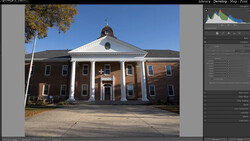
Coming to you from Gerard Needham, this practical video breaks down five Lightroom sliders that most people are using incorrectly. It starts with exposure and contrast, which sound simple but actually pull against each other in unexpected ways. Push exposure up and you’ll notice the image loses contrast and saturation, even though those sliders haven’t been touched. Lower exposure and suddenly both contrast and color deepen. The point here is that these two controls aren’t independent. They’re meant to be adjusted together if you want your photo to stay balanced. Needham even shows how he “jailbroke” Lightroom with a preset trick to lift or lower both at once, something the program doesn’t allow by default. That alone can save you from the common problem of images that feel washed out or overly crunchy.
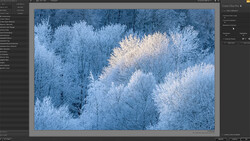
The video then moves into the texture, clarity, and dehaze sliders, which carry more subtlety than their names suggest. Use clarity too aggressively and you end up with a harsh, clinical feel. Drop it and the frame melts into something soft and dreamy, almost like a lens smeared with Vaseline. By balancing negative clarity with positive texture, Needham shows how you can mimic the gentle rendering of vintage lenses while keeping important micro-contrast intact. The demonstration makes it clear how much character you can add or subtract depending on how these tools are combined.
Another interesting point comes when he uses the dehaze slider not to fix atmospheric haze, but to reveal dust on the sensor. Pushing it to the extreme brings every spot forward, making cleanup far easier before you print. Tricks like this are reminders that Lightroom’s tools often do more than what the labels imply. Small shifts in how you approach them can make the difference between an edit that looks natural and one that screams “overprocessed.” Check out the video above for the full rundown from Needham.




Join the Fstoppers community for free
-
Post comments and join in the discussions
-
Browse the site ad-free
-
Share your work and get featured in the community
-
Compete in the photo contests for fun and prizes
No comments yet