
I still use AI. I'm not out here trying to churn butter by hand in a cabin while yelling at electricity. I use the tools. I test the tools. I've built workflows around the tools when they save time, cut friction, or keep me from doing some repetitive task that makes my soul feel like it got trapped in a printer jam. I'm not precious about it. If a tool works, I use it.
But someone saying I should just prompt an image instead of shooting one is the kind of statement that smells like someone microwaved fish in an office breakroom, wandered back to their desk like nothing happened, and left the rest of us standing there wondering how we all ended up breathing the same air as a person who clearly peaked in a group chat. I've heard the argument enough times now that I can mouth along with it like a bad karaoke track. "Why drag gear into the desert? Why sweat through your shirt? Why fight the wind?" Because the wind is the point, you walnut. The sweat is the point. The part where nothing goes according to plan and you have to actually make a decision with your hands and your brain at the same time — that's the whole job. That's what a prompt box will never touch.
I’ve Been Tempted. Of Course I Have.
I'm not some noble craftsman standing on a hill with a leather camera strap and a moral superiority complex. I like convenience as much as the next over-caffeinated mammal pretending his inbox is under control. I've sat down with generators. I've typed prompts. I've watched something appear in under ten seconds and thought, "Huh. That's actually not deeply terrible," which is exactly the problem, because "not terrible" is the ceiling and I'm moderately convinced it will always be the ceiling. AI can mock up a direction, explore a mood, rough out a concept before anyone starts spending real money. That part is useful. I'm not going to pretend it isn't just so I can cosplay as a purist who still light meters by candlelight.
But the moment anyone confuses that with the actual act of making the thing, we've left the building. What AI generates is a clean, frictionless fantasy where the light behaves, the subject cooperates, the setting has no logistical problems, and nobody forgot the one prop that was apparently central to the entire campaign even though it was only mentioned once in a text thread three weeks ago. A prompt box doesn't know what it's like when the plan meets the location and the location wins for a while. It just conveniently skips straight to the part where everything looks nice without having had to fight for its place at the dinner table.
And I want to be specific about this, because "I use AI" is a vague enough statement to mean almost anything in 2026. Narrative handles my culling and cataloging, and it's genuinely good at it. The AI healing tools in Lightroom get used on almost every edit I touch. Photoshop's version of the same thing shows up when I need it. AI-powered noise reduction and image scaling from Adobe and DxO are solidly in the rotation, and they've gotten scary good. I use Claude to help me look at my own images and pull out keywords and topical themes I might not have thought of. I use AI heavily to study my analytics and figure out what's actually worth publishing. I've built my own tools for managing SEO. None of that is hypothetical. That's my actual Tuesday.
What I don't use it for, almost at all, is generating the image itself. Everything I just listed happens before the shoot or after the shoot. The middle part, the part where I'm standing somewhere with a camera and a plan that's already falling apart, that's still mine. That's the line. And I think it matters that I can tell you exactly where I drew it instead of just gesturing vaguely at the concept of "real photography" and hoping you trust me.
The Mess Is Where the Photograph Gets Its Spine
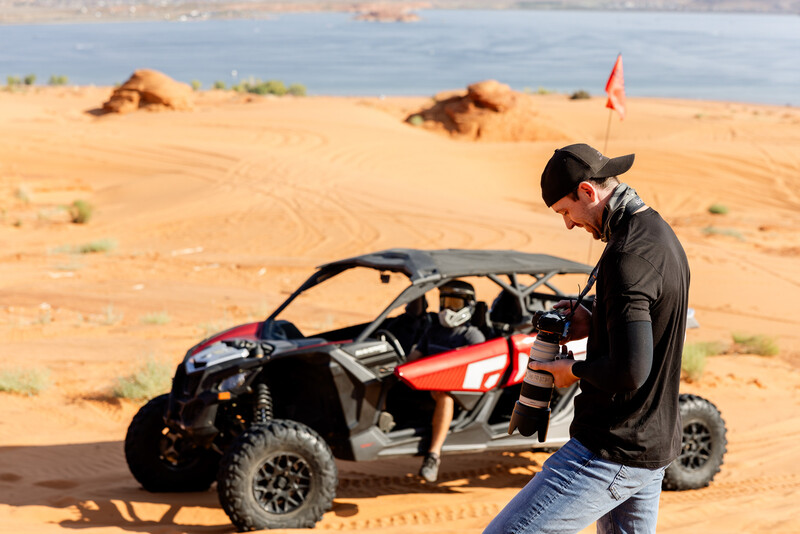
A photoshoot has weather. It has time. It has people getting tired, awkward, distracted, nervous, or suddenly brilliant when you least expect it. It has the client loosening up three minutes after I thought the moment was dead. It has the light doing something useful for once. It has me actually remembering to pack all my batteries and a memory card, like a raccoon accidentally solving a math problem. It has the location fighting me like a shopping cart with one busted wheel, and me standing there with my expensive little anxiety rectangle, trying to make a real decision before the whole situation evaporates.
None of that is a flaw. That's the raw material. Photographs aren't assembled from visual ingredients the way a prompt box stacks pixels. They're made from pressure, timing, trust, boredom, adjustment, failure, and the specific kind of recovery that only happens when you're physically standing in a situation that doesn't care about your mood board. I've taken bad photos. Plenty of them. Blown the exposure, botched the timing, picked the wrong lens and had to improvise something that almost worked. But even the worst photo I've ever taken has something an AI image doesn't: a person was there, making choices, in a moment that was never going to happen again.
Not every image needs that. Some images are disposable. Some are placeholders. Some are basically visual paper towels, and nobody needs to frame the Bounty. But the work I still care about carries evidence of contact. Somebody stood there. Somebody noticed something. Somebody made a call, and you can feel it in the frame even if you can't explain why.
What I'm Actually Protecting
I'm not protecting photography from AI. Photography doesn't need me to defend it. What I'm protecting is the part of the work that requires me to show up, pay attention, and deal with whatever actually happens instead of whatever I wish would happen. That's the part that makes the work mine. That's the part that earns the frame. If you're still building that craft across disciplines, The Well-Rounded Photographer: 8 Instructors Teach 8 Genres of Photography is worth a look — eight different ways of showing up for the real thing.
AI can make a picture. I've seen it do it. It's fast and it's getting better and I don't care, because speed was never the thing I was chasing. I was chasing the moment where the plan falls apart and something better walks in uninvited, badly timed, gone in four seconds, and I either catch it or I don't.
And honestly, if AI ever gets there — if the machine figures out how to do the part I don't believe it can — I'm not sure whether I'd fully embrace it or just quietly disappear. I don't have a comfortable answer for that one.
I still want the scar tissue. The real, the raw, the experience. For me, that's what makes it fun and worth doing.
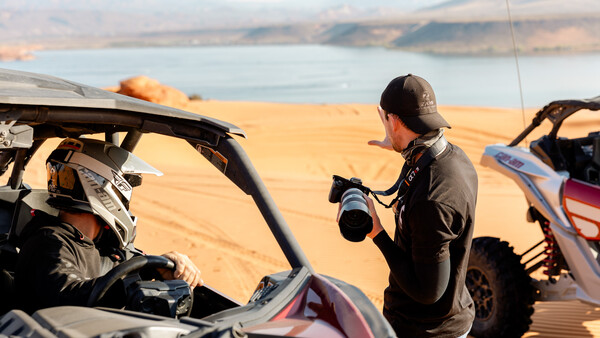
Behind-the-scenes images of me on location, by Melissa Hill, used with permission.


Join the Fstoppers community for free
-
Post comments and join in the discussions
-
Browse the site ad-free
-
Share your work and get featured in the community
-
Compete in the photo contests for fun and prizes
2 Comments
Given that the definition of photography is creating through the manipulation of light, an AI image isn't a photograph. No light is shined in the creation of an AI image. Everything you mentioned is true Rex, though icing on the cake.
AI term is overused and also a mixed term. A program by any name on a computer is just that a program. Now with a program gathering images of many the same images and making an image from all is not really right!
Many photographers today have not lived through the years or decades of digital photo programs getting better most every day.
How many photographers still every night go to a home or hotel bathroom about an hour after the shower has stopped running and with a swap and magnifying glass look and focus on the sensor looking for particles called dust. How many do the f/22 long exposure in a circular motion in front of a poster white board to see the particles.
Does anyone remember the day when Lr came out with seeing dust and dust removal of an image. Noise removal does anyone remember the many ways used to remove noise, the white plastic little boards you held in front of a lens that also was used to get a lens profile.
Lens profiles where today with all the makes and models how do you not first go to your lens profile made my your editing program, tricks by a human that looks at many images made with not only the lens but also the camera used - the not thought of real person needed to see it all come together perfectly. Yes a real person has sat for hours using programs to make the corrections but only through their eyes and programing.
Does anyone remember having to use a camera makers editing program while PS and Lr both cost $800+ each and for each full update, then when a new model comes out the makers editing program no longer works for your camera of only a few years. Or the less than $100 programs for editing that game programmers of like DOOM made on the side to make affordable photo editing for mainly the hobbyist, they made a lot of money. Like Trey Ratcliff one photo of those years is in the Smithsonian Museum using HDR skill.
Some have lived in the history and the pain of slow computers.
Photographers have more at their finger tips today! Learn to manual focus with a film camera.
Lastly few if any know about using the AUTO mode/s or that jpegs are edited in camera with built in programing.
Most do not know also the image on the camera rear LCD/eye is a jpeg image and most just use camera auto for colors you see BUT you can pre select a WB as well as a few other settings to see what you are capturing matches what you see. Also in Lrc in the main box there are 4 blocks click on it and you can select a profile to start with as well as the Color picker both save time in editing.
Also get the 600+ page book or PDF on your camera you will find things that you will never see on a YouTube video!
1. "MW under parking lot lights" How does a camera using aperture mode capture the colors and images of the sky as well as the foreground colors and sharpness. How many test captures in manual mode would be needed to get this image. You paid for it for it is in the camera why not use it and it comes out al most perfect in RAW or Jpeg also.
2. "Milky Way over Town" How many know (not many of the Sony Reps even) about the in camera apps of Sony A7/R/S of mod 1's and 2's (and a few other Sony cameras) all just a few $ that could be down loaded this using "Digital Filter" you select any of the camera settings you want for sky and foreground both get merged in camera also have a horizon alinement before sending to SD card with output in RAW or jpeg or both, ask if the used camera you are buying if the apps are on it, this app also has selectable presets to use for that fast sunset/rise.
3. MW above Walkway, A surprise in post just using aperture mode also captured a crescent moon rising as a crescent moon when zooming in, How does the camera do it on its own?