
Old photos are some of the most precious things we hold onto, as they often carry priceless memories that we can no longer go back to. Yet they rarely survive the passage of time unscathed, especially for those in physical prints that are more prone to becoming faded or scratched. Having lower-resolution digital images that lack details from the early 2000s doesn’t help either, leaving us hoping we could see more to relive the memories.
That’s where AI enters the picture. VideoProc Converter AI positions itself as more than just a photo restoration tool. It is an easy-to-use, all-in-one media toolkit with zero learning curve, designed to enhance both images and videos using AI. Beyond converting, editing, and downloading media, its “Image AI” module promises to upscale old photos to 4K, 8K, even 10K, remove noise, restore missing details, retouch faces, and colorize faded or black-and-white images.
Old photos are some of the most precious things we hold onto, as they often carry priceless memories that we can no longer go back to. Yet they rarely survive the passage of time unscathed, especially for those in physical prints that are more prone to becoming faded or scratched. Even early digital photos from the 2000s often suffer from low resolution and lack of detail, leaving us hoping we could see more to relive the memories.
That’s where AI enters the picture. VideoProc Converter AI presents itself as more than just a photo restoration tool. It is an easy-to-use, all-in-one media toolkit with zero learning curve, designed to enhance both images and videos using AI. Beyond converting, editing, and downloading media, its “Image AI” module promises to upscale old photos to 4K, 8K, even 10K, remove noise, restore missing details, retouch faces, and colorize faded or black-and-white images.
VideoProc Converter AI can be free downloaded to restore old photos for evaluation. For those who want the full power of its AI enhancement and media toolkit, a paid license is also available — and right now, there’s a special discounted offer. This makes it a timely moment to test how VideoProc Converter AI performs and see if it fits into your workflow.
Special Limited-Time Offer for Fstoppers Readers
We may not be able to retake the past, but with modern AI technology, we can bring old photos back to life. The best part? AI tools don’t have to be costly or complicated, as VideoProc Converter AI proves this with its current special offer with a lifetime license at a fraction of its regular price, making it very accessible whether you’re a casual user or a creative professional.
A lifetime license is now available at just $39.95 instead of the regular $89.95. For $20 more, you can get the lifetime license for 5 PCs or 5 Macs at up to 62% off — ideal for multiple devices and family use.
Both plans unlock lifetime full access, free updates, and include four bonus tools, making it an exceptional value.
Features for AI Photo Restoration
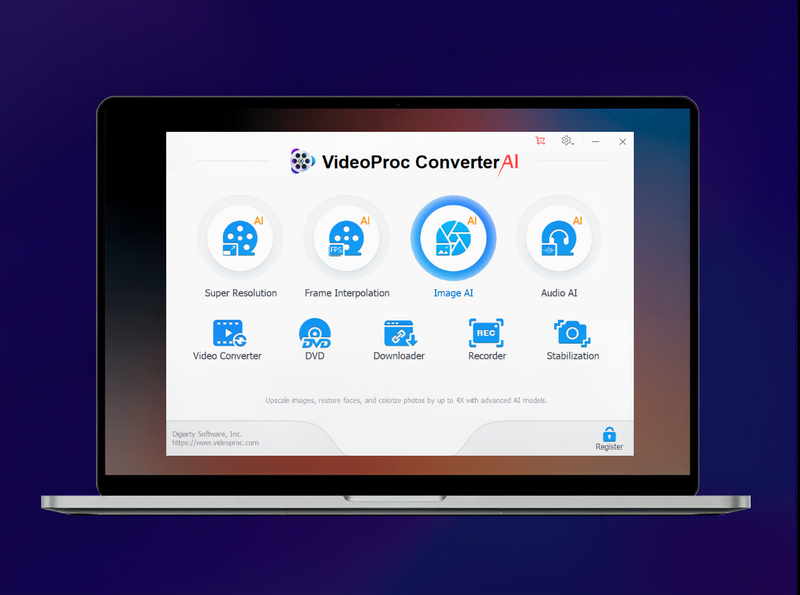
All of VideoProc Converter AI’s photo restoration tools live inside a single, easy-to-navigate Image AI module. The module combines AI-driven Super Resolution, Face Restoration, and Colorizing. Each is designed to address a specific problem, but together they form a complete AI toolkit for tackling three of the most common challenges in old photos: low resolution or quality, blurry or blemished faces, and faded or black-and-white images. By combining all three AI modules, it also allows you to fix all issues in one step instead of a multi-step process.
Super Resolution in Image AI
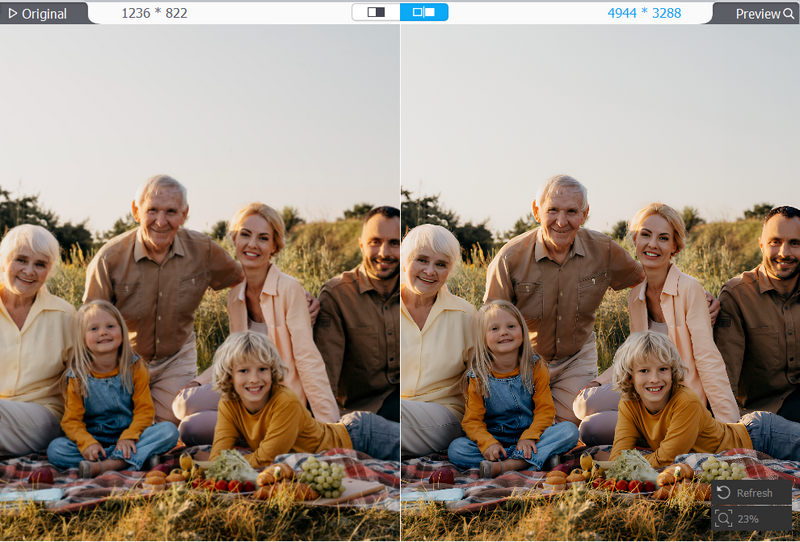
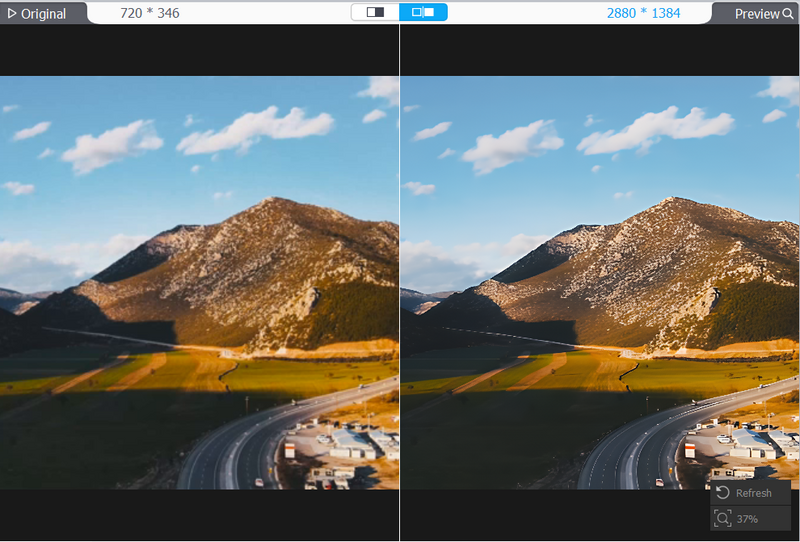
One of the most powerful tools in the Image AI module is Super Resolution, designed to upscale and enhance images of all kinds. The latest V3 AI models are trained to tackle common issues found in old or low-quality photos, such as low resolution, noise, blurriness, and loss of detail.
Upscaling
Enlarge low-resolution images by 2x, 3x, or 4x for sharing, archiving, printing, or repurposing, while keeping fine details intact.
Denoising
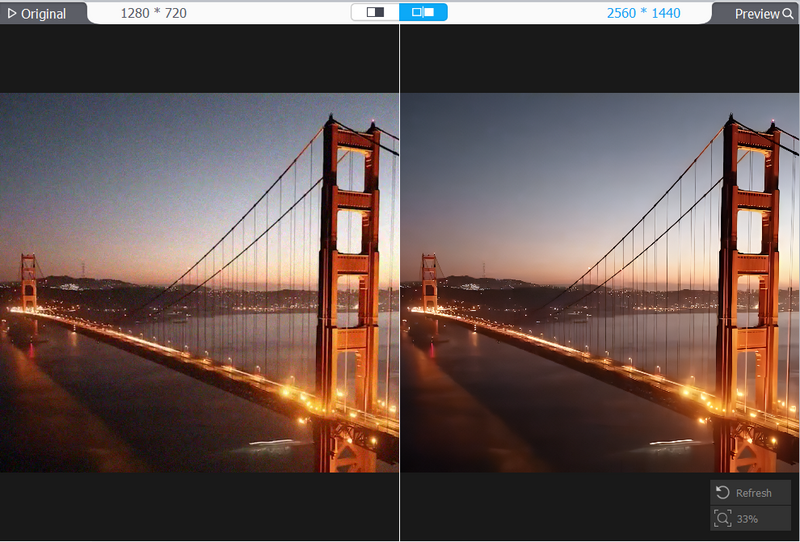
Restore clarity to photos captured in low-light or high-ISO conditions by effectively reducing noise without smudging textures.
Deblurring
Recover sharpness in photos taken with early digital cameras, old mobile phones, or scanned film prints.
Detail generation
Refine edges, restore textures, and even recreate natural details that may have been lost to time or compression.
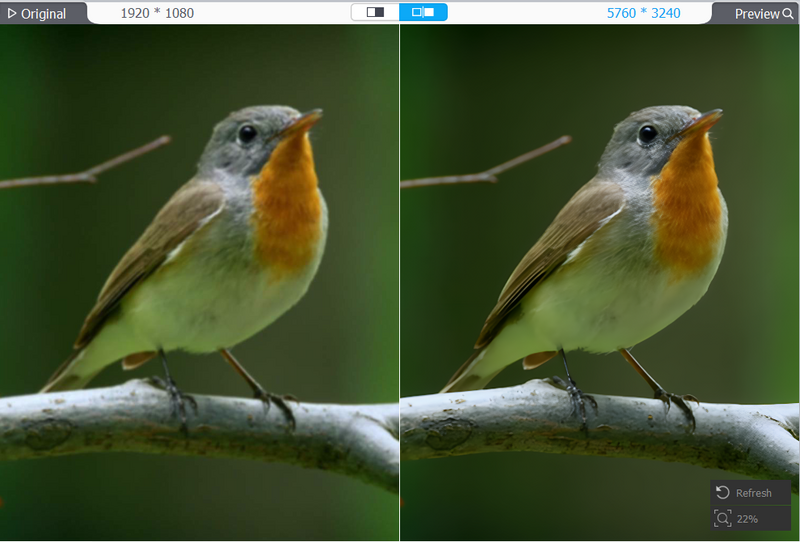
With just a few clicks, you can upscale old photos all the way up to 10K resolution — no advanced editing skills required. The results are often striking, turning pixelated or compressed images into crisp, high-definition versions that look stunning on modern displays.
AI Face Restoration
hen looking back at old portraits or old family group images, the biggest frustration is often in the loss of details on their faces. They are usually faded, scratched, or simply lacking the detail that makes them recognizable in the frame. AI Face Restoration is designed to tackle exactly that.
With just a few clicks, the AI tool can unblur, fix blemishes, and restore key features like eyes, lips, and hair, creating portraits that look far more natural and lifelike. It is especially effective in restoring old portraits, group shots, selfies, and even damaged or scratched photographs that would otherwise be left in poor condition. For anyone working with personal archives or family albums, this feature can turn faded or flawed portraits into something worth framing again.

AI Colorizing
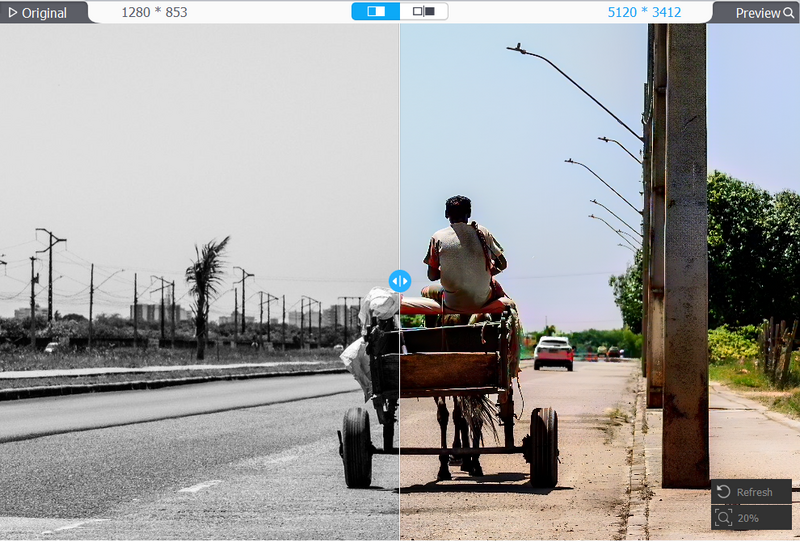
Although black-and-white images carry a certain kind of timeless charm, sometimes it is hard not to wonder what those moments might have looked like in color. AI Colorizing offers a quick and easy way to answer that question by adding natural, vibrant tones to monochrome or faded images. The smart AI algorithm analyzes the images to accurately colorize them without the mismatched hues or oversaturation that often happens in automated colorization.
This feature is best used for historic photos, aged family portraits, or any monochrome shot where a touch of color could bring out new layers of emotion and storytelling. A faded wedding picture, for example, suddenly feels more immediate when the flowers, suits, and skin tones return to life.
Tutorial and Best Practices for Old Photo Restoration
Restoring old photos using the Image AI module in VideoProc Converter AI is simple, even for beginners.
Step 1. Download VideoProc Converter AI, install, and select “Image AI” on the main interface.
Step 2. Import your photo, then select Super Resolution to upscale and restore details.
By default, Gen Detail v3 is selected, but you can experiment with other AI models. Choose to upscale by scale or resolution, or enhance the image while keeping its original size. Generally, Super Resolution is used to upscale and restore the detail of your old photos.
Step 3. For extra refinement, tick Face Restoration and/or Colorizing Monochrome Image.
In the example below, the image was upscaled by 2X under Super Resolution and colorized using Hypercolor.

Step 4. Adjust export settings (format, image quality, and DPI), then click Run to process.
That’s it: no steep learning curve, just a few clicks to restore your old photos. For a more detailed guideline, you may watch this tutorial video:
https://www.youtube.com/watch?v=u86Twtcg_hE
Bonus Features: Enhance Old Videos
While the Image AI module is the highlight for photo restoration, VideoProc Converter AI also brings AI tools for video enhancement, making it useful for videographers or anyone owning legacy and low-quality footage.
With Super Resolution, you can upscale vintage or low-res clips to sharp 2K or 4K, restoring detail in videos from old phones, camcorders, or VHS tapes.
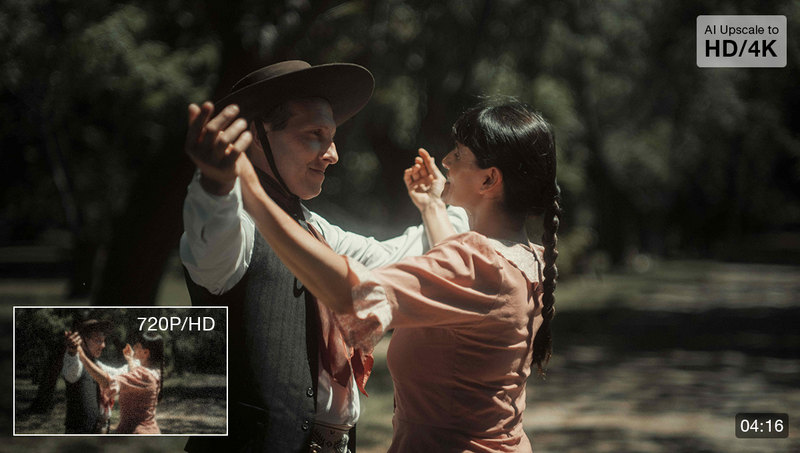
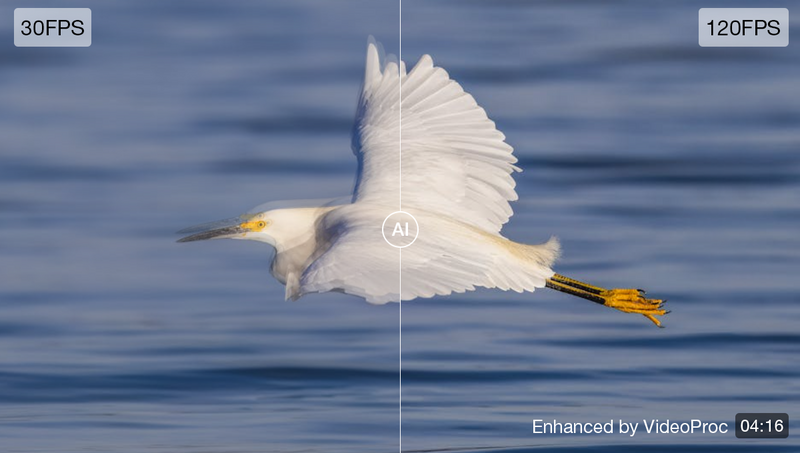
Meanwhile, Frame Interpolation boosts frame rates up to 120 fps, 240 fps, or even 300 fps, delivering ultra-smooth playback for old footage taken by old camcorders, GoPro or downloaded online.
You can also smooth out shakes and jitters in footage shot with GoPros, drones, smartphones, or dashcams, using the Stabilization feature, with customizable control over precision and processing speed.
And it’s not just AI, VideoProc functions as a complete media toolkit. It includes a reliable video and audio converter, a lightweight editor for quick trims or adjustments, a media downloader for saving content, and even a screen recorder for tutorials or presentations. In short, while its AI features make it stand out, the value of VideoProc lies in being an all-in-one toolbox for both images and videos.
Final Words
While AI will never be able to replace the emotional weight of an original photograph, tools like VideoProc Converter AI show just how far technology has come in helping us preserve and reimagine the past. With its ability to upscale resolution, restore faces, and colorize faded or black-and-white images, it turns old, imperfect photos into files that look decent on today’s high-resolution screens and prints. Add these on top of its video enhancement capabilities, and it becomes clear how VideoProc positions itself as more than just another image app and, most importantly, as an all-in-one media toolkit.
For anyone interested in exploring how AI can enhance their creative workflow, this is the perfect moment to give it a try — the lifetime license is now available at a special offer.





Join the Fstoppers community for free
-
Post comments and join in the discussions
-
Browse the site ad-free
-
Share your work and get featured in the community
-
Compete in the photo contests for fun and prizes
3 Comments
Would it not make a fine article if you would artificially degrade perfect images (de-saturate, scale down, add noise etc.) and see how closely the AI-"restauration" matches the original image?
My educated guess would be that the AI tries to create pixels in a way that match what typical pictures of dogs/birds/humans tend to look like. All individuality or deviations from the norm tend to get lost.
Whenever I see the colorations of historical b/w images I wonder how the AI decides to color any particular suit or dress. Even if the algorythm was informed about typical availabilities of garments in particular areas of the world, it fricking doesn't know if that lady in the background had the odd luck of finding some fancy purple cloth from some street vendor traveling through her city.
So, it is always a made-up image, something that tends to be statistically about right but never true.
Good idea! I actually did a restoration myself using a bw blue hour image. I am actually surprise by how the AI get to differentiate it being a blue hour or night time. I think they have some smart algorithm in guessing what shade are those bw tones.
I use the Aiarty Image Enhancer, made by the same company, but optimized for still images.
It does a great job… most of the time.
But it struggles with multi-image panoramas. I cannot discern the "stitch" in such panoramas, but quite often, the image enhancer will "enhance" the stitch to such a degree that I went back to the original.
In other cases, it made a real mess of faces in a way that makes a soft original more appealing.
In both these examples, the original was a film scan, rather than a digital original.
That said, I still use it, but I check its output carefully before discarding the original!