Adobe now runs on subscriptions, and that monthly bill adds up fast. If you rely on Photoshop and Premiere Pro to get paid work done, the idea of switching feels risky, but staying put can feel just as uncomfortable.
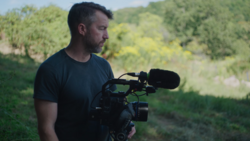
Coming to you from Brent Hall, this candid video walks through what happens when you seriously try to leave Adobe behind. Hall breaks down the Creative Cloud cost in a way most people avoid. When you pay $75 a month for the full suite but only use Premiere Pro, Photoshop, and Bridge, the math gets hard to ignore. Roughly $55 of that goes toward Premiere Pro alone. That stings when you realize you never actually own the software. Hall cancels his subscription and gets offered two free months, which buys him time to test alternatives without pressure.
On the video side, Hall moves to DaVinci Resolve Studio, after testing the free version of DaVinci Resolve. The free version is shockingly capable, but it has limits. If you shoot high-end codecs like 4:2:2 10-bit or capture 6K, 7K, or 8K footage, you will hit those limits fast. The free version also caps timelines above 4K. Resolve Studio costs $300 once. No subscription. After about six months, it pays for itself compared to a Premiere Pro subscription. Hall admits there is a learning curve, but he also says the switch is realistic, even for paid client work.
The photography side is harder. Hall does not use Lightroom as a primary editor. Instead, he relies on Bridge and Photoshop, leaning on Camera Raw inside Bridge for adjustments before moving into Photoshop. If you did not know that Bridge includes the same raw engine as Lightroom, that detail alone changes how you think about the $20 Photography plan. Lightroom becomes optional in that setup.
Hall tests Affinity Photo after Canva makes it free. On paper, it looks like the obvious Photoshop replacement. In practice, it falls short for his workflow. Certain tools feel different. Some processes take longer. Years of muscle memory matter more than feature lists. He also depends on Luminar Neo as a Photoshop plug-in, which complicates leaving. Luminar Neo can run as a standalone editor, but combining it with Affinity Photo does not replicate the smooth handoff he gets inside Photoshop.
One of the more useful parts of the discussion is not the gear or the pricing. It is the shift in advice. Hall says that five years ago he would have told anyone starting out to just commit to Adobe. Now he is comfortable suggesting Affinity Photo or Luminar Neo as legitimate starting points. That does not mean Photoshop is suddenly weak. It means the gap has narrowed enough that you have options, especially if you are not locked into a decade of habits.
In the end, Hall keeps Photoshop and Bridge under the $20 plan and drops Premiere Pro for Resolve. That hybrid approach cuts the monthly bill without blowing up a working system. You may not make the same choice, but seeing the numbers laid out forces you to look at your own setup more honestly. Check out the video above for the full rundown from Hall.




Join the Fstoppers community for free
-
Post comments and join in the discussions
-
Browse the site ad-free
-
Share your work and get featured in the community
-
Compete in the photo contests for fun and prizes
4 Comments
Adobe has never been as dominant in video editing as it is for still photo software. There are many more cost effective alternatives to Premiere Pro or the full Adobe CC suite. Purely or stills editing, Adobe's Lr + Ps Photography plan is still a better option compared to most other others. This is especially true if you were fortunate enough to get grandfathered into the original $10/mo plan rate. For new subscribers who have to pay $20/mo, Adobe's photo plan is definitely less appealing.
For me, a big reason for sticking with Adobe is that there are thousands of YouTube videos to teach me how to use the program. Plus, whenever Adobe updates the software, several YouTubers who have received advance releases are ready to go with the latest news, demos, and advice. That content is very valuable to me as I'm always looking for info that will improve my workflow. But, to be honest, I know virtually nothing about Adobe alternatives and their support environment. Do the other products have that same level of YouTube support?
I use Luminar Neo (standalone) and Exposure X-7. Happy with both. I ditched Adobe due to the subscription model.
One thing that often gets overlooked in these Adobe vs alternative debates is output intent.
A lot of photographers don’t realize how much their editing decisions depend on whether the final image is going to Instagram, a website, or a physical print. The biggest confusion I’ve seen (especially with clients) isn’t actually about editing tools — it’s about export settings and resolution for print. That’s where a lot of quality issues happen, regardless of what software you use. The software choice matters, but understanding output requirements matters more. As a quick alternative I ended up building PrintSizeChecker.com as a free utility for the community just to standardize that process.