Shooting wildlife in low light means pushing your ISO to uncomfortable limits. Here's how to handle the images in post.
Coming to you from Matt Shannon, this detailed video walks through a real-world high-ISO recovery workflow using images Shannon shot of hummingbirds in rainy, dark conditions in British Columbia. The centerpiece of the workflow is DxO Pure Raw 6, which Shannon uses as a first pass before bringing images back into Lightroom for final editing. The integration is straightforward: you export directly from Lightroom into Pure Raw 6, it processes the raw file, and you reimport the result. One thing worth knowing upfront is that any adjustments you've already made in Lightroom won't carry over, since Pure Raw 6 works on the original raw file.
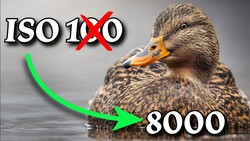
Shannon tests the software across a range of ISO values, starting at ISO 6,400 with a mallard shot and working up to ISO 25,600. At each level, he shows the before and after side by side, zoomed in to 600%, so you can see exactly what the denoising is and isn't doing to fine detail like feathers and water droplets. He also explains the difference between the D Prime 3 and D Prime XD3 processing modes. The XD3 mode adds a bit more sharpening and is better suited to extreme ISOs, while D Prime 3 is faster and more practical when you're batching a large number of files. Shannon also points out that Pure Raw 6 builds lens and camera body profiles, so it accounted for the fact that he was shooting with an OM System OM-1 Mark II paired with a 100-400mm lens, rather than applying a generic correction.
Beyond noise removal, Shannon also covers post-processing in Lightroom after the DxO pass, including how he uses linear gradients, radial gradients, and selective adjustments to add depth and direct the viewer's eye through the image. It's worth watching just to see how much the combination of denoising and intentional light shaping can change the feel of a shot taken in flat, overcast conditions. He also spends time on DxO Photo Lab 9, which he positions as a standalone alternative to Lightroom for users who want to skip the subscription entirely. Photo Lab 9 includes a high-fidelity compression feature that can reduce raw file sizes by up to four times without sacrificing image quality, which is a real consideration if you shoot high-volume wildlife or sports and storage costs are adding up. Shannon walks through the interface and compares its subject selection tool directly against Lightroom's, with a clear opinion on which one performs better.
Check out the video above for the full breakdown from Shannon, including the Photo Lab 9 walkthrough and how he handles the trickiest high-ISO shots in the set.

3 Comments
Yes, the power of current noise reduction software is mindboggling. I use Lightroom Classic denoise. I wished I had it years ago when low light noise killed many of my shots. However, I'm also aware that it's not exactly what some might think. A noisy pixel is a pixel empty of real image information. Nothing can restore that information. Noise reduction cunningly blurs over that empty pixel with information from adjoining pixels. It's really smoke and mirrors but the results are amazing. Of course, better would be to minimise noise at the source.
Getting rid of noise in images has been so hard in past years ! As for Astro Milky Ways way back to 2015 it was recommended to not use in camera NR, mainly for the extra 30s or less of the camera being in dark mode for the 1s or more capture time. The solution was to take an additional 10+ captures and stack them and use a program to get rid of the noise, I never did that!!! But getting rid of noise in an image as been the struggle of many and mainly since mirrorless cameras came with High ISO's and those makers started to have dual ISO's where no noise (basically) at certain ISO's even better than the basic ISO's. I have played a lot and also have found Dxo PureRaw (now) 6 to be great thanks to great programmer's today.
Lrc also has come a log way. Yes you can do a noise control in Lrc and then send to Dxo PureRaw and back again as well as even do the noise control in Dxo PhotoLab 9 and send to Dxo PureRaw and back. It is fun to play and see results.
As seen in the video there are many sections in the upper right corner you can select to improve an out come as well as select the file type, the DNG selection I think is better than just a TIFF and this is my first seeing DNG output also you can name each file vs a basic name.
A real test is like some of my old 2015 or so image where I did HDR bracketing of 3 at +/- 1EV not knowing that in camera NR is off when SS is 1s or slower. I did a couple of nights that way. what I got was all kinds of noise including color noise as well as Hot pixels (white) and Dead pixels (red and other colors). even doing just one image was trouble. But today going back to those images and playing with you see what progress has been made. Even then Capture One could not get rid of you had to use a white plastic devise in front of the lens that basically was like a camera NR function.
The batch option is great for those night images of different exposures. Lrc does the same thing use either! But before doing the HDR portion of combining. The biggest problem even today was my lens at the time was not chipped so not till Lrc added some unchipped lenses (Rokinon/Samyang) could things be edited.
The second image was one of a night full of images all done with a Rokinon 14mm f/2.8 and doing a bracketed capture it took more than two year before I could edit and of several nights wasted. The lens had a bad mustache on the left side of the horizon. This was done in Lrc. I will do one with Dxo PureRAW to see if I can select the lens!
Just having fun!
The first image is using Dxo PureRAW, A bracketed 3 at +/- 1EV, meaning no in camera NR. More noise. OK, you need to have have the Lens info in Metadata for Dxo PureRAW or Dxo PhotoLab to do a LC, yes even if you import an image without Dxo PhotoLab will give you a choice of what it detects but even then when you select an image without lens info in metadata you have no LC place to select a LC choice even if you selected one on import!
So if using a unchipped lens you can export from Lrc to Dxo PureRAW any edits before will not be seen in Dxo PureRAW but on return to Lrc LC and all other edits can be applied.
The first image was done from Lrc and Dxo PureRAW did a great job of NR and if you want to do more Lrc will do more.
Dxo PureRAW got rid of all noise, color and hot and dead pixels. With the new NR that was only for Apple images DeepPRIME XD3 All comes out great.
I think you mean:
> Can DxO Pure Raw 6 take an ISO 25,600 Wildlife Shot and generate a new, better looking one?