Shooting mistakes rarely look like mistakes in the moment. They look like habits you repeat while the scene moves on, especially when you think the “right” setup is already locked in.
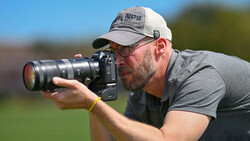
Coming to you from Matt Shannon, this practical video runs through 11 field mistakes and techniques that working pros have either fixed or learned to avoid. The first one hits hard if you tend to camp on a long lens: “tunnel vision.” The video shares a situation in Denali where everyone stayed glued to a 400mm lens or 600mm lens, grabbed tight frames, and missed the story. A swap to a shorter focal length and got the environmental frame with the animals sharing the same scene, which is the kind of image people remember. If you only practice “closer is better,” you get fast at cropping life out of your own photos.
Shannon then shifts into the part that quietly saves hours later: shoot in a way that makes editing easier. The point is blunt: software is for finishing, not manufacturing the photo from scratch. That shows up as small decisions you make before you press the shutter, like protecting highlights, choosing a cleaner background, and leaving room to crop without panic. Nick Page takes a different angle and calls out the mental version of tunnel vision: showing up with one planned shot and ignoring what the light and weather are actually doing. That mindset makes you walk past better frames while you chase the one you promised yourself days earlier, and it often ends with a memory card full of “almost.”
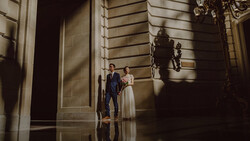
The video then adds two ideas that can change how you plan trips without telling you to travel less. First, light can matter more than location, which is uncomfortable if you’ve been treating iconic spots like guaranteed wins. Second, don’t force the photograph when conditions refuse to cooperate, because stubbornness usually looks like flat light, messy color, and pointless effort. It pushes it further with a specific kind of discipline: skip the safe shot and commit early to the risky one that might actually be different. His example is extreme in the best way, involving a camera sealed in an underwater housing on a tripod, left working for days to nail a single frame that most people would not even attempt.
The more technical middle of the video is where a lot of people quietly realize they have been making things harder than necessary. It explains stacking, bracketing, and panoramas without treating a tripod as mandatory, as long as you shoot fast enough to keep frames aligned. That includes focus stacking instead of stopping down to f/22, where diffraction can soften the result, and it can include handheld exposure brackets when shutter speed is high enough to freeze your own movement. He also connects stitching to wildlife, not just landscapes. Then he gets into focus modes as a deliberate choice, not a default, and why sometimes you should bail out of automation and go manual with focus peaking when branches, water, or chaos keep stealing focus. Check out the video above for the full rundown from Shannon.

Join the Fstoppers community for free
-
Post comments and join in the discussions
-
Browse the site ad-free
-
Share your work and get featured in the community
-
Compete in the photo contests for fun and prizes
1 Comment
Hobbyist not a Pro but learning is 90% of photography and this video is worth rewatching often because memory of things may fade when an occasion is pops. First study his camera rear LCD screen the cross over points are the Golden Ratio Center Points that just came with Sony's update 4.0 as well as other great adds BUT you have to learn with your imagination to see the shell center areas and yes Lrc as the ability to use with the shell and letting you crop to those 4 points.
Jumping around first about the panoramas on Amazon there is now a $100+ model made in China under different names that comes with its own carry bag and other items Neewer or Cavix Gimbal Head Panoramic Head not available right now on Amazon but under different makers, easy carry bag or you can pre assemble and carry in a photo vest front pocket great for doing MW Arch capture reason is you select degree points to stop at! Selecting the correct point for your mm lens will make putting all images together. i made the mistake of using a 10mm lens using degree setting. Or you can use a 10mm lens to get a pano looking image. One thing to note is a super wide lens things far away are really far away BUT a reason for one is to get more stars above the Arch area to make an image look like a 3:2 image. Or even find a used A7RM2 or mod 2 Sony it has panorama on the selection dial.
Two things you will probably never see is sky with clouds in fall colors photos due to blown out clouds not during down exposure to -3 or even -5 for colors are best on a cloudy day but with highlights using zebra to turn down to rid most you will get texture in clouds. 2. Dark foreground MW photos, what most do is edit for what you see and not what the camera captures, first most all of todays cameras have ISO Invariance and lower noise at high ISO but many think they need to capture at a lower ISO but in post all you have to do is just increase exposure in post and you will get a day like night with stars and to top it off just use Lrc's NR to rid any unwanted noise and even for your old images Lrc will get those images that in the past not using in camera NR and you have white and red spots it will rid color noise also no having to do multi image stacking and doing all that extra post processing to get rid of colors noise, the biggest advice is to use camera NR for the result is just seconds of the shot long and with a higher MP camera and using a wide f/1.4 or f/1.8 lens using PhotoPills app Spot stars you will find the need a SS of as low as 5s to 8s but even using an old f/4 or f/2.8 what is 20s or 15s anyway.
I know many more photographers can add more things!