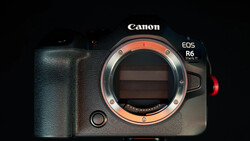
The Canon EOS R6 Mark III goes from snow-covered trails to handheld tests that expose what stabilization really looks like in motion in this video. If you shoot while walking or vlog in changing light, this test hits the questions you actually ask.
Coming to you from Anthony Gugliotta, this practical video puts the Canon EOS R6 Mark III through a street-level shakedown while answering the questions you actually care about. You see what happens when you run older LP-E6 batteries versus the newer Canon LP-E6P, including the hit to networking and accessory support. You also get clarity on frame rates and formats, including 7K, open gate, 60p, and 120p. Burst shooting takes the penalty with legacy packs, so set expectations before you walk into an event. The advice stays simple: shoot full raw, stick to the mechanical shutter for 14-bit files, and don’t expect the new IBIS rating to change physics.
The wobble question gets real airtime because you actually see it. Wide at 15–17mm exaggerates corner sway if you one-hand it and march at full clip, while 24–35mm with two-hand bracing calms the edges and keeps the center steady. Digital IS can help but looks processed. Gugliotta compares the feel across brands in plain terms: Canon tends to hold the center, but edges get weird, while some rivals look uniformly shakier. None of this ruins footage if you work the focal length and technique. If you want an easy vlogging option with optical stabilization, a pocket cam makes more sense.
Rolling shutter gets a clean A/B. In 4K Fine (7K oversample to 4K), readout slows and bending can show during fast moves. Regular 4K tightens the readout and reduces skew. For slow walking shots and detail-rich scenes, 4K Fine looks great. If you’re whipping the camera, drop to standard 4K. This is the kind of practical toggle you want ready on a button when switching from a calm pan to a quick reframing mid-shoot.
Custom picture options go deeper than basic profiles. You can build C-Log 2 or C-Log 3 looks, load a LUT for monitoring, then record clean so you’re not baking it into footage. Pre-shooting can be assigned to a custom button. Movie crop is elective, not forced, and there’s no automatic crop in 7K/60p or 4K/120p. External monitoring works while recording internally, so tossing an HDMI feed to a Hollyland monitor or an Atomos is straightforward, with view assist routed independently to LCD and HDMI.
You also get straight talk on where the R6 Mark III sits against siblings. For pure photos, the EOS R6 Mark II still makes sense if you don’t need the newest buffer behavior or card speed, since 24 MP already clears social and most client needs. If you live in the timeline, the R6 Mark III’s video features push it ahead. Against the EOS R5 and EOS R5 Mark II, you weigh megapixels, build, flash sync options, and readout speed against the R6 Mark III’s codecs and logs. Cinema-leaning users should eye the Canon EOS C50 for heat headroom, long-record features, and anamorphic tools the R6 Mark III lacks.
Overheating gets tested with numbers, not vibes. In 4K/60 Fine at 73 °F and 40% RH, a battery-powered run ended at 1:33 because the pack died, not the camera. With USB-C power, the camera went 3:15 and filled the CFexpress Type B card. Dual-recording to CFexpress and an SD card reached 5:00 before media filled. Your mileage will vary in summer or sun, but the baseline is strong for weddings and run-and-gun. Check out the video above for the full rundown from Gugliotta.


Join the Fstoppers community for free
-
Post comments and join in the discussions
-
Browse the site ad-free
-
Share your work and get featured in the community
-
Compete in the photo contests for fun and prizes
1 Comment
How is the rolling shutter when using FullHD? I am not really interested in 4k, but rolling shutter is somehing I care about… also, how is FullHD quality out of the camera? It used to be not great (due to missing oversampling?)… how is it now?