

The ProArt P16 pairs a stunning 4K OLED display with desktop-rivaling performance in a surprisingly portable package. Here's what two months of real-world use revealed.
Introduction
For years, creative professionals working on Windows have faced an annoying tradeoff: you could have a laptop with serious GPU horsepower, but it would look and feel like it was designed for a LAN party. Alternatively, you could get something sleek and professional, but it would choke the moment you threw a complex Premiere Pro timeline or a high-resolution Photoshop composite at it. ASUS has been chipping away at that gap with the ProArt line for a while now, and with the ProArt P16, they may have finally cracked it.
I've had the top-spec configuration (the one with the RTX 5090 Laptop GPU) for roughly two months, and I've put it through the full range of tasks that make up my working life: bulk raw processing, multi-layer composites in Photoshop, 4K video editing in Premiere Pro and DaVinci Resolve, and everything in between. What follows is a thorough accounting of where this machine excels and where it falls short.
Key Specifications (As Tested)
- Processor: AMD Ryzen AI 9 HX 370 (12 cores, 24 threads, up to 5.1 GHz, 50 TOPS NPU)
- Graphics: NVIDIA GeForce RTX 5090 Laptop GPU (24 GB GDDR7 VRAM)
- Memory: 64 GB LPDDR5X (on-board)
- Storage: 2 TB + 2 TB M.2 NVMe PCIe 4.0 SSD (4 TB total)
- Display: 16" 4K (3,840 x 2,400) 120 Hz Tandem OLED touchscreen, 16:10, 100% DCI-P3, Delta E < 1, PANTONE Validated, up to 1,600 nits peak brightness, VRR
- OS: Windows 11 Pro
- Battery: 90 Wh, 4-cell Li-ion
- Connectivity: Wi-Fi 7 (802.11be, triple band) 2x2, Bluetooth 5.4
- Ports: 1x USB 4 Type-C (40 Gbps), 1x USB 3.2 Gen 2 Type-C (10 Gbps), 2x USB 3.2 Gen 2 Type-A, 1x HDMI 2.1 FRL, SD Express 7.0, 3.5 mm combo audio, DC-in
- Audio: 6 speakers, Dolby Atmos, Smart Amplifier, 3-mic array with AI noise suppression
- Camera: FHD with IR (Windows Hello)
- Dimensions: 13.97" x 9.72" x 0.59"–0.72"
- Weight: 4.30 lbs (1.95 kg)
- Durability: MIL-STD 810H certified
- Power Supply: 240 W AC adapter
- MSRP (as tested): $4,499.99
Design and Build Quality
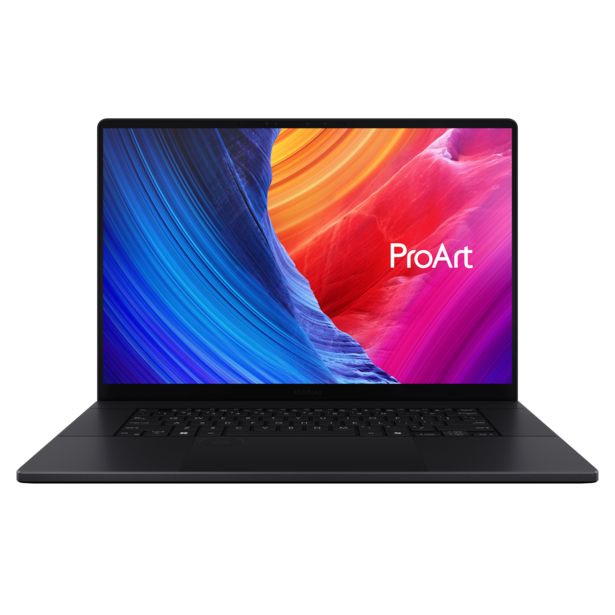
The ProArt P16 is a genuinely attractive machine. ASUS calls the finish "Nano Black," and in practice it's a deep matte that resists fingerprints thanks to an anti-fingerprint (AFM) coating. The chassis is aluminum throughout, and the whole thing feels solid without being heavy. At 4.30 pounds and just under 15 mm thick, it's remarkably easy to toss in a bag for a location shoot or a coffee-shop editing session, especially when you consider the hardware inside.
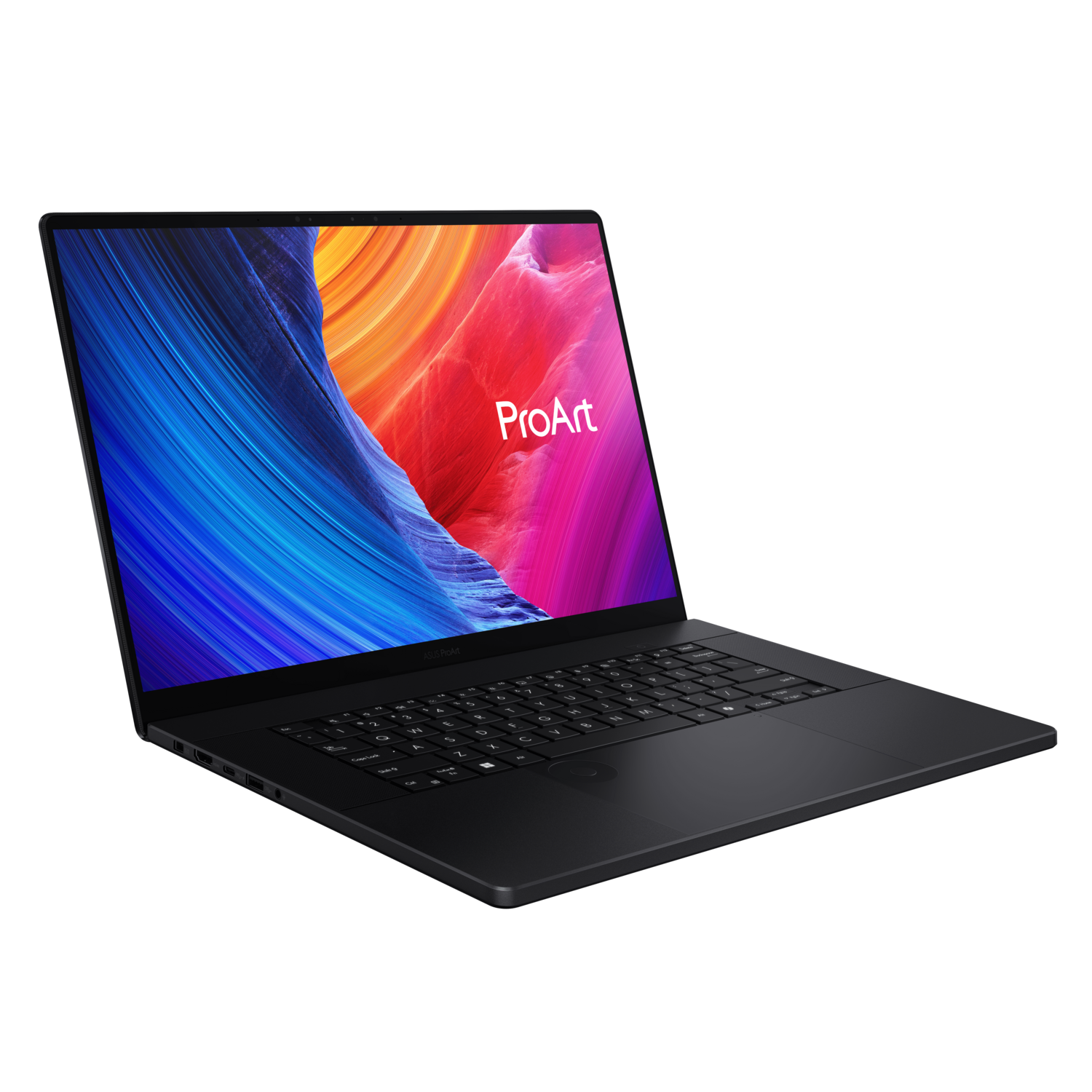


This is one of the ProArt P16's most underrated strengths. Laptops packing an RTX 5090 typically announce that fact with aggressive vents, RGB lighting, and angular design language that screams "gaming." The ProArt P16 looks like it belongs in a studio or a boardroom. It's understated and professional, and I appreciate that more than I expected to.
The ASUS DialPad, a capacitive rotary control built into the trackpad area, deserves special mention. It's not a gimmick. In Premiere Pro, I used it constantly for timeline scrubbing and parameter adjustments, and in Photoshop it's a quick way to resize brushes or step through undo history. It works with a range of creative apps, including CapCut and Lightroom Classic, and you can customize its functions through the ProArt Creator Hub software. I found myself reaching for it instinctively by the end of the first week.
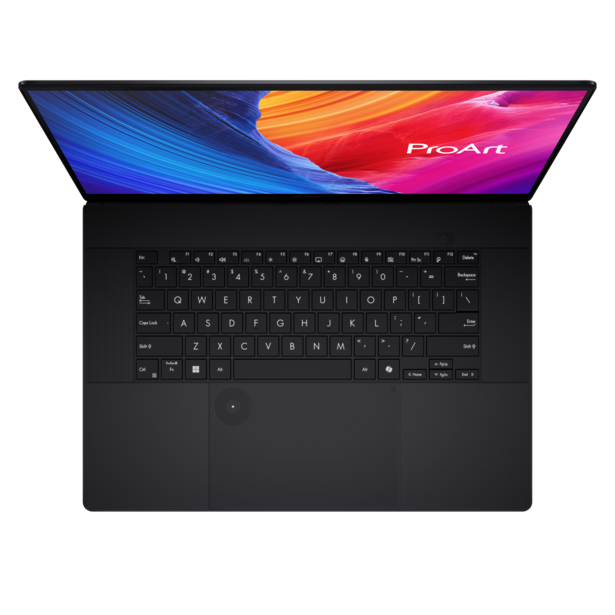
The keyboard is comfortable for extended typing sessions, with good key travel and a responsive feel. The trackpad is large and accurate; standard fare for a premium laptop, but well-executed. I didn't have any issues with palm rejection while typing.
ASUS also claims MIL-STD 810H certification across nine test methods and twelve test procedures, covering extremes of temperature, humidity, altitude, sand and dust exposure, vibration, and thermal shock. I didn't test any of those conditions specifically, but the certification provides some reassurance for photographers and videographers who regularly work in demanding outdoor environments. The build quality certainly feels like it could handle rough treatment.
Display
The display is, without exaggeration, one of the best panels I've used on a laptop. It's a 16-inch, 16:10, 4K (3,840 x 2,400) Tandem OLED touchscreen running at 120 Hz with variable refresh rate support. ASUS brands it "Lumina Pro OLED," and the numbers back up the marketing: 100% DCI-P3 coverage, Delta E under 1, PANTONE Validated color accuracy, and peak HDR brightness up to 1,600 nits. It's also VESA DisplayHDR True Black 1000 certified, which means the blacks are absolute and the contrast ratio is essentially infinite.
In practice, this translates to an editing experience where you trust what you see on screen. Colors are vivid without being oversaturated, gradients are smooth, and shadow detail is preserved beautifully. The 120 Hz refresh rate, while less critical for photo editing, makes the interface feel buttery smooth and is a genuine advantage when scrubbing through video timelines.

ASUS also includes support for customizable color gamuts (you can switch between DCI-P3, Display-P3, Native, and sRGB), which is exactly what you need when working across different output targets. The display supports stylus input at up to 4,096 pressure levels (MPP 2.0), and the touchscreen was responsive and useful for quick panning and zooming, though I wouldn't call it a primary input method for precise work.
Blue light is reduced by 70% compared to typical LCDs, and the panel is TUV Rheinland certified for eye care, which is great for anyone spending a lot of time in front of a screen.
Performance
The review unit pairs the AMD Ryzen AI 9 HX 370 processor with an NVIDIA GeForce RTX 5090 Laptop GPU backed by 24 GB of GDDR7 VRAM. It's paired with 64 GB of LPDDR5X RAM and a total of 4 TB of fast NVMe storage across two M.2 slots. On paper, this is about as much power as you can currently cram into a 16-inch laptop chassis, and the ProArt P16 delivers on that promise.
To put some numbers on it: in Geekbench 6, the ProArt P16 posted a single-core CPU score of 2,930, a multi-core score of 15,540, and a GPU compute score of 197,112. The single-core number is among the highest you'll find in any Windows laptop right now, and the multi-core result reflects the Ryzen AI 9 HX 370's 12-core, 24-thread architecture doing exactly what it should. But the GPU score is the real headline. At 197,112, this is firmly in desktop-replacement territory; that number would have been exceptional for a full tower workstation just a couple of years ago, and the ProArt P16 is delivering it in a chassis you can carry in a backpack. For context, competing Windows creator laptops with RTX 5070 GPUs typically land in the 130,000 to 150,000 range on the same test, so the jump to the 5090 is substantial and well worth it if GPU-accelerated tasks like neural filters in Photoshop, GPU-based exports in Premiere Pro, and AI denoise operations are central to your workflow.

Those benchmark numbers translated directly into real-world creative performance. In Lightroom Classic, slider adjustments on 50+ megapixel Raw files were instant, with no lag even while applying heavy noise reduction or sharpening. Batch exports were noticeably faster than what I'm used to. Photoshop handled enormous multi-layer composites without hesitation, and applying compute-heavy neural filters to large files was impressively quick. But it was in video editing where the RTX 5090 really flexed. In Premiere Pro, 4K H.265 timelines with multiple effects layers and color grading played back in real time without dropping frames, and exports were remarkably fast. The RTX 5090's support for 10-bit 4:2:2 encoding and decoding in both H.264 and H.265 is a meaningful upgrade for videographers working with high-quality codecs. The machine's two hardware decoders and three encoders make a tangible difference in real-world export speeds.
What really sold me, though, was how the ProArt P16 handled my typical workday. My daily workflow involves writing long-form articles with 20-50+ browser tabs open for research, processing and editing photos, deep data analysis with massive data sets, programming, managing cloud syncs across multiple services, and constantly switching between all of it. On many laptops, this kind of sustained multitasking eventually introduces lag or forces you to close something. The ProArt P16 never flinched. The 64 GB of RAM is a big part of that; you can have a Lightroom catalog open alongside a Photoshop composite, a Premiere Pro project, and more Chrome tabs than you'd care to admit, and the machine simply waits for you. There's an ever-present sense that you are the bottleneck, not the hardware. For those of us who don't have the luxury of working on one task at a time, that kind of headroom matters more than any benchmark number.
The Ryzen AI 9 HX 370's NPU delivers up to 50 TOPS of AI processing power, making this a certified Windows 11 AI PC. AI-accelerated features in apps like Premiere Pro (speech-to-text transcription, auto sequence framing, scene edit detection) ran smoothly and quickly. It's still early days for NPU-dependent workflows, but this machine is well-positioned for that future.
Storage performance deserves a mention here too. The dual M.2 slots in the review unit were populated with two 2 TB NVMe drives for a total of 4 TB of fast local storage. That's enough room and speed for a substantial working library of raw files, project files, and rendered output without needing to manage an external drive. For photographers shooting 50+ megapixel files or videographers working with high-bitrate footage while out of town, having this much fast storage built in is a genuine workflow advantage.
The 80 W CPU TDP and 120 W GPU TGP mean the cooling system is doing real work, and I'll address that in a moment.
Thermals and Fan Noise
ASUS uses what they call "IceCool Pro" thermal technology here, combining a vapor chamber, liquid metal thermal compound (from Thermal Grizzly), an inward airflow design, a stealth air outlet that directs heat away from the screen, and a built-in dust filter. For the most part, the system does its job; sustained performance under heavy loads was consistent, and I didn't notice significant thermal throttling during extended export or rendering sessions.
However, the fan noise under load can be a smidgen loud. When you're pushing the RTX 5090 hard (and if you're buying this machine, you probably will be), the fans spin up to a level that's clearly audible and occasionally distracting. It's not the worst I've experienced, but if you work in a quiet environment or record audio at your desk, it's worth noting.
ASUS does offer a 0 dB Ambient Cooling mode in the Manual performance profile, which disables the fans entirely for lighter workloads. For photo editing, basic document work, or web browsing, it works as advertised: the machine is completely silent. It's a welcome option for those quieter moments, and it makes the ProArt P16 a surprisingly pleasant machine for audio editing or video calls. But the moment you push into heavier tasks, the fans are coming on, and they're not always shy about it.
Connectivity and Ports
The port selection is generally strong. You get an SD Express 7.0 card reader capable of 985 MB/s (a must-have for photographers), along with HDMI 2.1 FRL for 8K video output, two USB 3.2 Gen 2 Type-A ports, a USB 3.2 Gen 2 Type-C, and a 3.5 mm audio combo jack. Wi-Fi 7 with Bluetooth 5.4 rounds out the wireless connectivity, and transfer speeds were consistently excellent.
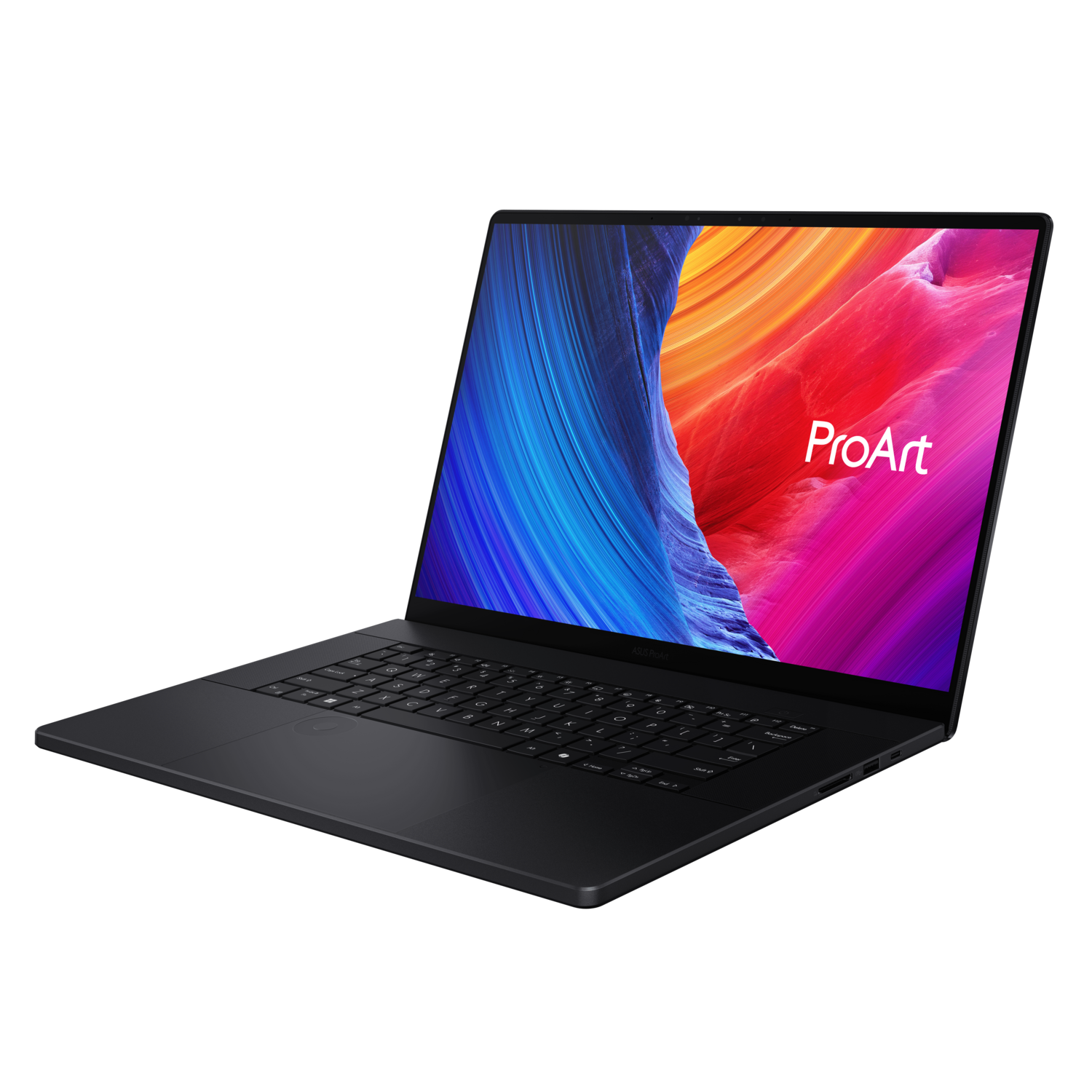

My one notable gripe is that there's only a single USB 4 Type-C port. For a $4,500 creator-focused laptop in 2025, I'd expect at least two. USB 4 is increasingly important for high-speed external storage, Thunderbolt docks, and external displays, and having only one means you're choosing between peripherals rather than connecting them all simultaneously. It's not a dealbreaker, but it's a limitation for users with more complex desk setups.
Battery Life
The 90 Wh battery is generous for this class of machine, and in practice it delivered about what I expected. Under heavy creative workloads (sustained Photoshop or Premiere Pro use with the display at full brightness), I got roughly 3-4 hours. That's enough to get through an editing session on location, but you'll want the 240 W charger nearby for anything longer.
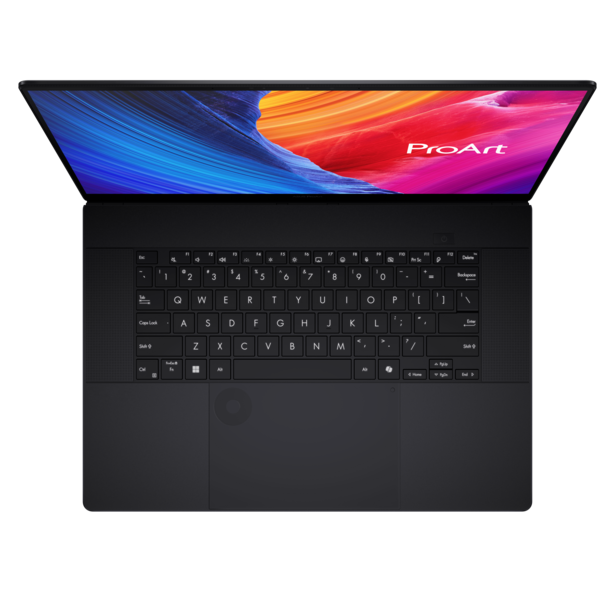
With lighter tasks (web browsing, writing, email, casual photo culling in Lightroom), battery life stretched closer to eight hours, which is respectable for a machine with this much performance headroom, particularly a Windows machine. The OLED panel's power-saving characteristics help here, especially when displaying darker UI themes.
Audio and Webcam
The six-speaker array with Dolby Atmos support is quite good for a laptop. Sound is clear, reasonably full, and has more spatial presence than you'd expect from such a thin chassis. I wouldn't mix audio on the built-in speakers, but for reviewing footage, watching reference material, or just listening to music while you work, they're well above average.
The three-microphone array with AI noise suppression worked well for video calls, even in noisier environments. The FHD webcam with IR supports Windows Hello and produces a clean, usable image.
Software
The ProArt P16 ships with several ASUS-exclusive applications: ProArt Creator Hub, MuseTree (an AI image generation tool), and StoryCube (an AI-powered file management app). ProArt Creator Hub is the most useful of the bunch; it provides a dashboard for monitoring system performance, managing fan profiles, and, most importantly, handling color management with Pantone integration. It's well-designed and worth using.
MuseTree and StoryCube are interesting ideas, but in two months of testing, I didn't find myself reaching for either one as part of any real workflow. They're not intrusive (they're preinstalled but don't push themselves on you), so their presence isn't a negative, just not a selling point for me personally.
The machine also ships with a Copilot key for Microsoft's AI assistant, a six-month CapCut membership, and a three-month Adobe Creative Cloud subscription. The Adobe bundle in particular is a nice sweetener for new buyers, though I find myself using CapCut more and more these days.
Who Is This For?
The ASUS ProArt P16 is aimed squarely at creative professionals who need serious horsepower in a portable, professional-looking package. Photographers who process large volumes of high-resolution files, video editors working in 4K and beyond, 3D artists who need real-time ray tracing on the go, and anyone who's been frustrated by the "gaming aesthetic" of most high-performance Windows laptops: this machine was built for you.
At $4,499.99 for the top-spec RTX 5090 configuration I tested, it's not cheap, but it's competitive with other high-end creator laptops at this performance tier. The lineup starts around $2,000 with RTX 40-series GPUs, which may be a more practical entry point for photographers who don't need the extreme GPU power.
What I Liked
- The 4K 120 Hz Tandem OLED display with color accuracy you can trust for print work
- RTX 5090 GPU performance is in desktop-replacement territory]
- Sleek, professional design that doesn't look like a gaming laptop despite packing flagship hardware
- The DialPad is a legitimately useful creative tool, not a gimmick
- 64 GB of RAM handles heavy multitasking without breaking a sweat
- 4 TB of fast NVMe storage across two M.2 slots means no external drive juggling
- Excellent six-speaker system with Dolby Atmos
- SD Express 7.0 card reader at 985 MB/s
- MIL-STD 810H durability certification
- 0 dB Ambient Cooling mode for silent operation during lighter tasks
What I Didn't Like
- Fan noise under heavy GPU load is clearly audible and occasionally distracting
- Only one USB 4 port
- Battery life tops out around four hours under sustained creative workloads
- RTX 5070 model drops to a 60 Hz display
Conclusion
The ASUS ProArt P16 (H7606) is the most complete creator laptop I've used on the Windows side. The display is outstanding, the performance is tremendous, the design is sleek and professional, the DialPad is a genuinely useful creative tool, and the build quality inspires confidence. The speaker system punches above its weight, and the port selection, while not perfect, covers the essentials with an excellent SD card reader and full-size HDMI.
The fan noise under heavy load and the single USB 4 port are the only two issues that gave me consistent pause over two months of use. Neither is a dealbreaker, but both are worth weighing depending on your workflow and desk setup.
If you're a Windows-based creative professional looking for a laptop that can handle everything from batch Raw processing to 4K video editing to 3D rendering, and you want it in a chassis that doesn't look like it was designed for esports, the ProArt P16 belongs at the top of your shortlist.
The ProArt P16 lineup spans a wide range of budgets. The most affordable configurations pair RTX 40-series GPUs with 32 GB of RAM, starting in the low $2,000 range: the RTX 4060 model opens at $1,999.99 and the RTX 4070 at $2,299.99. These still share the same 4K OLED touchscreen, the same Ryzen AI 9 HX 370 processor, and the same build quality as the higher-end models, making them a strong entry point for photographers focused on stills work. Step up to the RTX 5070 Copilot+ PC model at $2,999.99 and you get 64 GB of RAM and Windows 11 Pro, though it's worth noting that model uses a 60 Hz OLED panel rather than the 120 Hz VRR display on the RTX 5090, so video editors in particular may want to factor that in. The RTX 5090 configuration reviewed here sits at $4,499.99 and is the one to get if you're doing heavy video or 3D work and want the best mobile GPU currently available.






Join the Fstoppers community for free
-
Post comments and join in the discussions
-
Browse the site ad-free
-
Share your work and get featured in the community
-
Compete in the photo contests for fun and prizes
2 Comments
3-4 hours...
The only problem with it is that it's running Microslop Winblows.