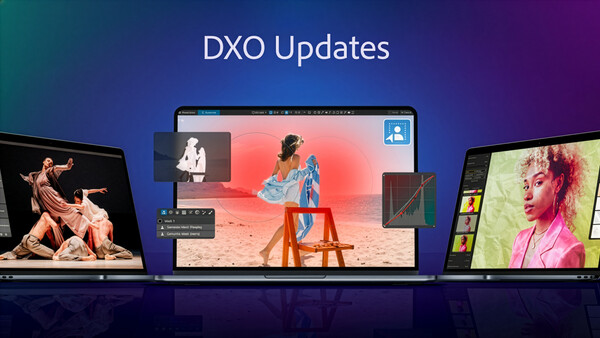
DxO has been very active this year, and this month will not be an exception. The company is pumping out new, enhanced versions of three of its most popular photo-editing applications today.
PhotoLab 9.2
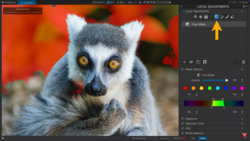
What DxO calls the premier Raw editing tool, PhotoLab 9 gets masks that become even more powerful thanks to improved matting and an upgraded sensitivity threshold for cleaner, more accurate edges around complex subjects.
The result is an AI masking system that feels smarter, faster, and more intuitive than ever. There are also several workflow improvements:
-
Reorganizable masks with improved labeling — With this update, users gain even greater control over their local adjustments. Masks and sub-masks can now be freely reordered, making it easier to keep complex edits organized and intuitive. In addition, when a mask is duplicated, the software automatically labels the new version with a sequential number, saving time and avoiding confusion. These refinements streamline workflows and help photographers stay focused on the creative process rather than on file management.
-
New PhotoLibrary filters — File management and image curation become even more efficient in DxO PhotoLab 9.2 thanks to the addition of three new filters designed to speed up the way photographers locate their work. Alongside the existing options, users can now instantly display only Unedited Images, quickly isolate Edited Images, or focus specifically on Edited Images featuring Local corrections. Whether you want to return to untouched Raw files, review your overall edits, or check exactly where you applied selective adjustments, these new filters make it faster and simpler to navigate even the largest photo libraries.
-
Improved History panel for Windows — Already available on macOS, the History panel now remembers every step of an edit even after the software is closed and reopened. Windows users can now step back to any point in their editing workflow across multiple sessions, ensuring complete editing continuity.
Price and Availability
DxO PhotoLab 9.2 is available today from the DxO website for macOS and Windows machines:
-
New license: $239.99 / €239.99 / £219.99
-
Upgrade from DxO PhotoLab 7 or 8: $119.99 / €119.99 / £109.99
A 30-day trial is available from here. Version 9.2 is available as a free update to owners of DxO PhotoLab 9.
PureRAW 5.5
There's a major update here too, and even before this update PureRAW is really the best-in-class app for refining Raw files before they undergo editing in apps like Lightroom, Photoshop, and, of course, PhotoLab.
This latest version introduces integration with Adobe Photoshop. With the ability to work as a Photoshop Smart Filter, DxO PureRAW now gives photographers direct access to its world-class Raw conversion tools — including the recently released DeepPRIME 3 and DeepPRIME XD3 for X-Trans sensors — without ever leaving Photoshop.
Until now, Photoshop users have relied on Adobe Camera Raw to handle the first stage of Raw development. With DxO PureRAW 5.5, they gain an alternative that seamlessly slots into their workflow, offering unmatched noise reduction, detail recovery, and optical corrections. The new Smart Filter integration means PureRAW can be applied non-destructively, with the flexibility to return and fine-tune processing at any point in the editing journey.
Price and Availability
DxO PureRAW 5.5 is available today from the DxO website for macOS and Windows machines:
-
New license: $129.99 / €119.99 / £109.99
-
Upgrade from DxO PureRAW 3 or 4: $89.99 / €79.99 / £69.99
A 14-day free trial is available here. Version 5.5 is available as a free update to owners of DxO PureRAW 5.
NIK Collection 8.2
The Nik Collection has been a popular set of filters for years, that can transform color images to mono, apply analog and HDR effects, and more.
This new version introduces a fresh set of authentic paper textures, expanding the creative possibilities for artists who want to give their images unique depth, tactility, and character. With Nik Collection’s filters and effects already helping photographers transform their work, the addition of paper textures brings a whole new dimension. From fine-art matte finishes to richly grained watercolor surfaces, these textures let users add subtle atmosphere or bold artistic style with just a few clicks.
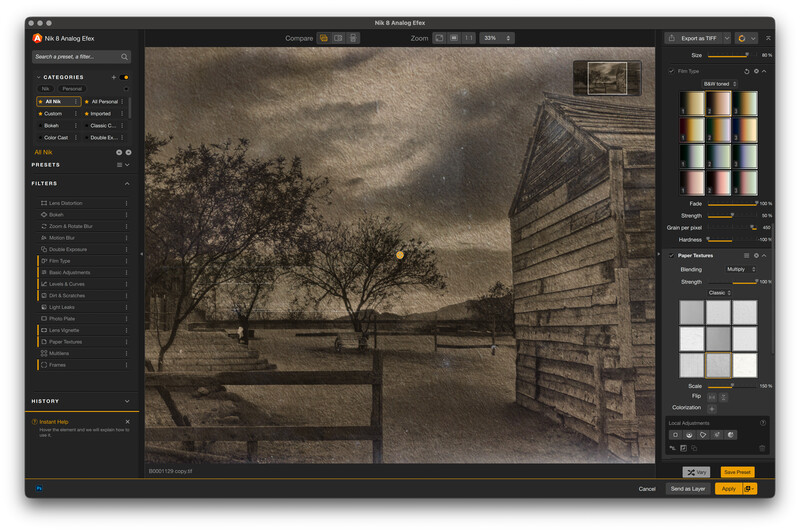
The new tool for adding paper textures offers:
-
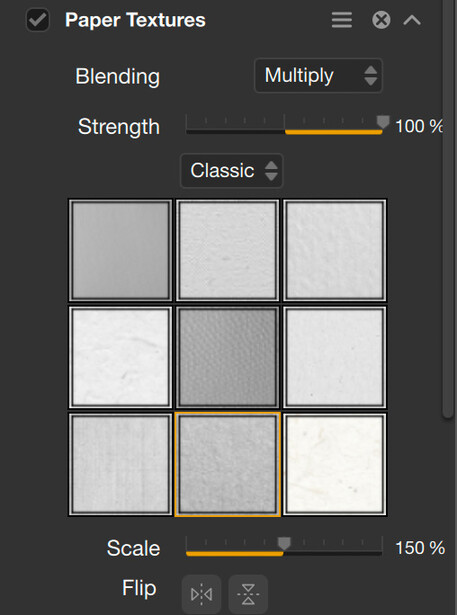
More than 30 authentic paper surfaces — Inspired by traditional photographic, artistic, and antique papers, the new textures add grain, depth, and character to images.
-
Fine control — Adjust intensity, blend modes, and tonal integration to achieve everything from subtle mood to striking artistic impact.
-
Effortless workflow — Nik Collection 8 integrates effortlessly with Adobe Photoshop, and works efficiently alongside DxO PhotoLab, Adobe Lightroom Classic, and Affinity Photo.
Price and Availability
Nik Collection 8.2 is available today from the DxO website for macOS and Windows machines:
-
New license: $169.99 / €159.99 / £144.99
-
Upgrade from Nik Collection 6 or 7: $99.99 / €89.99 / £79.99
A 30-day trial is available here. Version 8.2 is available as a free update to owners of Nik Collection 8.


Join the Fstoppers community for free
-
Post comments and join in the discussions
-
Browse the site ad-free
-
Share your work and get featured in the community
-
Compete in the photo contests for fun and prizes
1 Comment
Dxo saved the Nik Collection and has added more. NIK HDR Efex was and is one of the programs even before Dxo saved it that could put together bracketing of 5 at +/- 3EV, yes I know not many do it but many do a sharp moon above a city of house and also want to get the inside of a lit building showing rooms and what is in them as well as out side all very clear.
All images captured in 2015 with the A7SM1 + FE 24-240mm at 24mm A reason I went A7SM1 was the 5 at +/- 3EV now all Sony cameras do but few editing SW can prosses.
Also in works inside to outside views.