
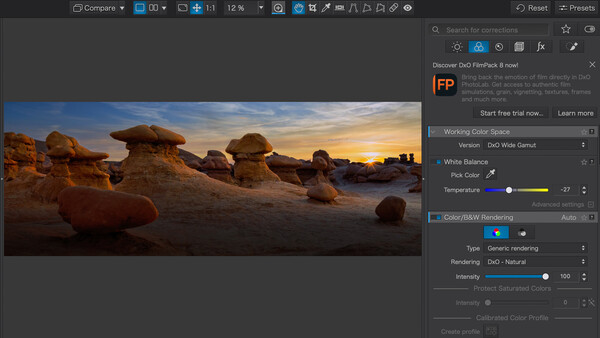
DxO is making PhotoLab 10 available today, with some solid new features and improvements to the existing ones. PhotoLab has become increasingly popular among raw editors because of its power and the inclusion of the DxO technology that adjusts for specific lens and camera combinations. These corrections are applied automatically upon opening a file if you use the default DxO Style – Natural preset, providing a sharp, geometrically accurate starting point before manual editing.
I've heard from more than a few professional photographers who have switched from the more popular editors, mainly Adobe, for a variety of reasons, including subscriptions and issues with support.
Here's some of what's new in PhotoLab 10, and I'll have my thoughts as well:
Depth Masks
DxO PhotoLab 10 introduces Depth Masks, a new way to create local adjustments based on distance from the camera rather than shape or color. Using AI to analyze the image and generate a detailed depth map, Depth Masks allow photographers to precisely target foreground, midground, or background elements without requiring embedded depth data.
After applying a filter or adjustment, photographers can use intuitive sliders and adjustable feathering handles to refine exactly where the effect appears within the scene. The result is smooth, natural transitions and highly precise selective edits that would otherwise require complex and time-consuming manual masking.
Advanced Color Grading
A streamlined interface centered around a single color wheel allows photographers to independently adjust shadows, midtones, highlights, and overall color balance, making it easy to shape the mood and atmosphere of an image.
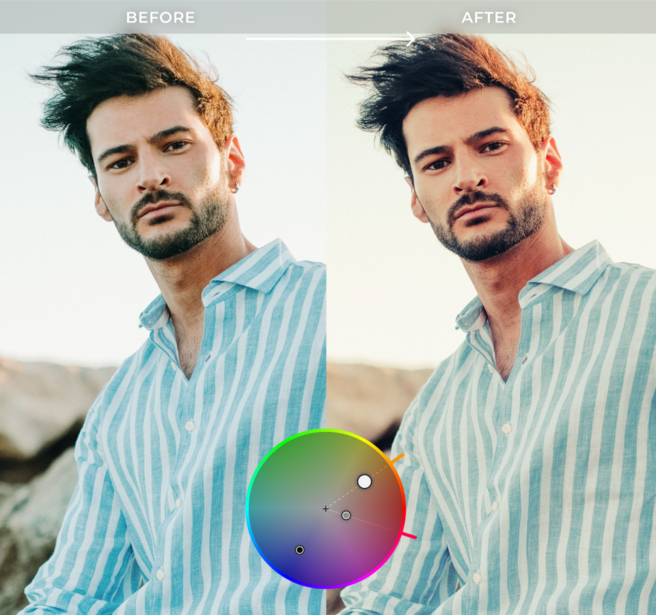
For even greater creative control, color adjustments can be linked across tonal ranges, preserving their relative relationship while exploring different looks. The result is a faster, more intuitive approach to color grading that offers both flexibility and consistency.
New AI Features
Individual People Selection
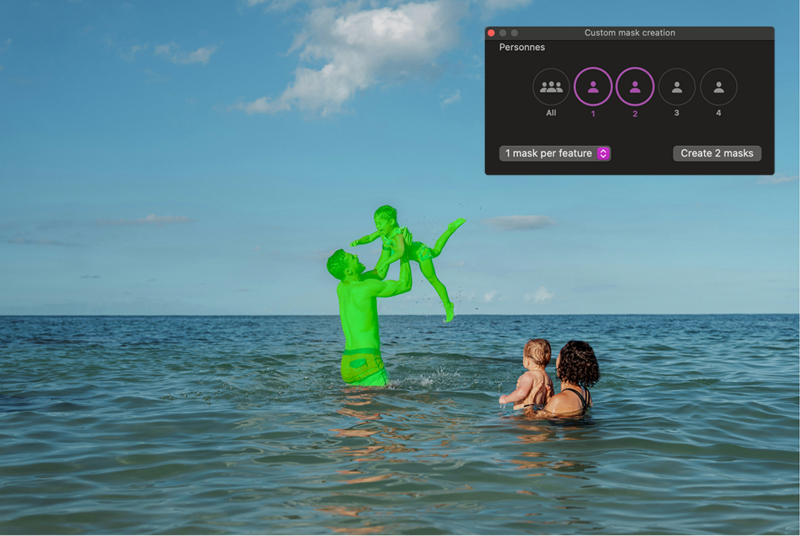
AI Masks can now identify every person within a scene, allowing photographers to create a single mask for all people, combine selected people into one mask, or generate individual masks for as many people—or individual features of people such as eyes, hair, and lips—as needed. This makes group portraits and complex scenes faster and easier to refine.
Face Segmentation
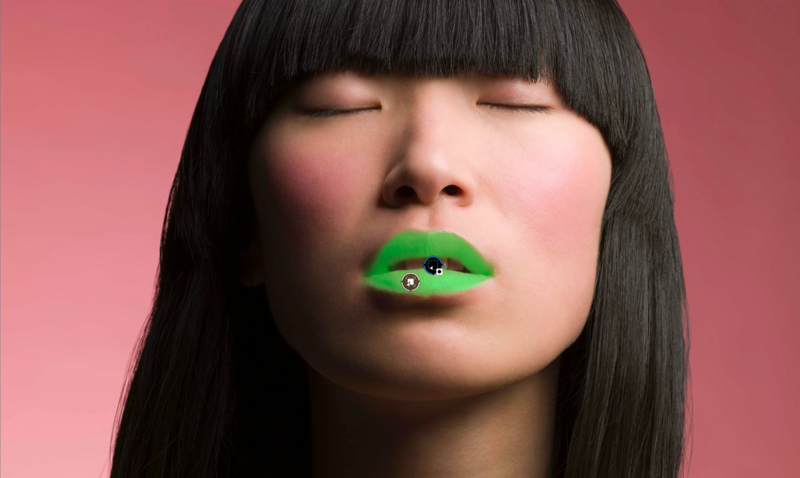
Face segmentation brings new precision to portrait editing, adding eyebrows, eyes, iris and pupil, sclera, teeth, facial hair, facial skin, and lips to the list of selectable AI Mask categories. Alongside existing options such as sky, subject, background, people, animals, flowers, and vehicles, these new categories help photographers target detailed adjustments more efficiently.
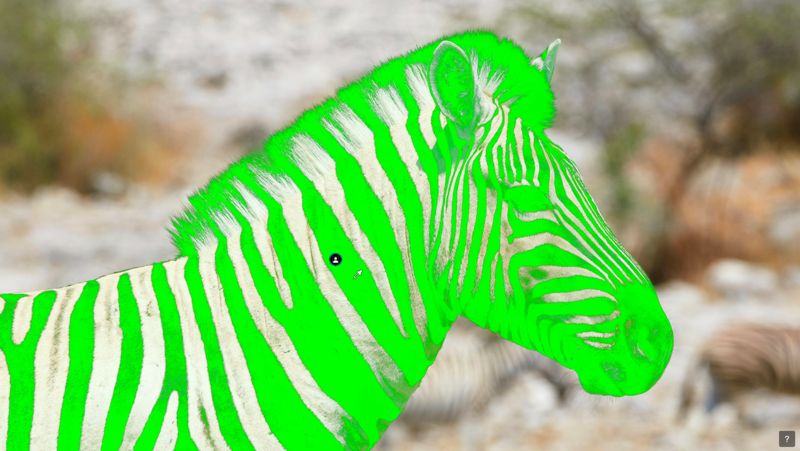
U Point™ Functionality in AI Masks
AI Masks can now be refined using DxO’s renowned U Point technology, which intelligently selects areas based on color and luminosity. After creating an AI-powered selection, photographers can use the familiar U Point eyedropper to expand or contract the selection, making it easy to fine-tune complex selections without resorting to manual painting.
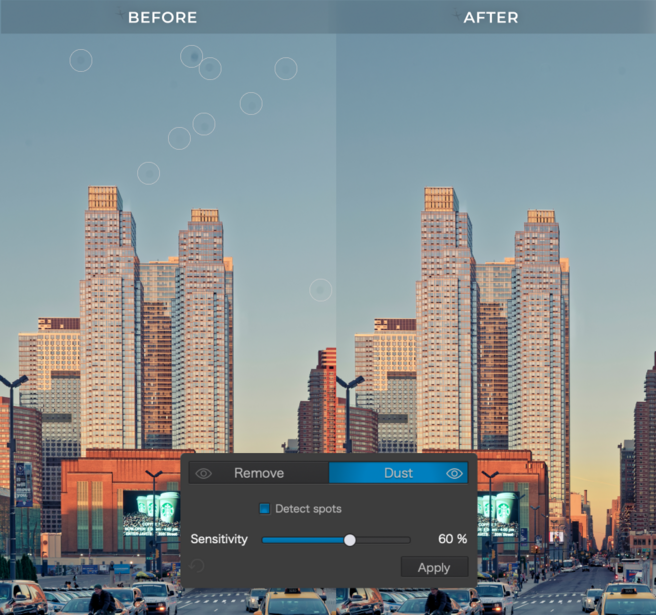
Automatic Sensor Dust Removal
DxO PhotoLab 10 also introduces AI-powered dust removal at the raw level, automatically detecting and removing sensor dust and small imperfections before they interrupt the editing process.
Improved Local Adjustment Tools
DxO PhotoLab 10 expands these capabilities with a new Control Brush and the ability to switch Control Points from circular to elliptical, giving photographers greater flexibility when creating local adjustments. The Control Brush combines the familiarity of traditional brush painting with U Point’s intelligent color- and luminosity-based selection, while elliptical Control Points provide a more natural fit for many subjects. Combined with AI Masks and the new Depth Masks, these tools allow photographers to choose the most effective selection method for every image, then refine masks using whichever technology best suits the task. Sophisticated local adjustments become faster, more intuitive, and more precise.
My Thoughts
Reviewers got an advance copy of the software, and I've had one update as release day approached. I've been impressed with PhotoLab for a few years since I first started using the software. It takes some getting used to if you've spent your life in Lightroom or Photoshop, but after a while you get the hang of it.
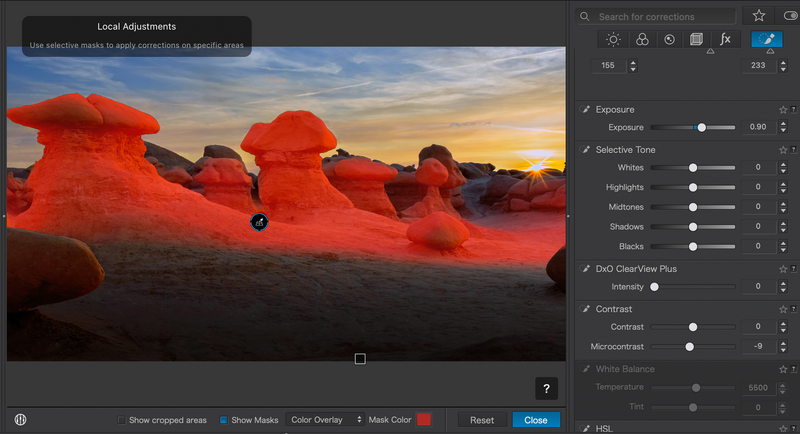
I was very impressed with the Depth Masks feature. It is easy to select where you want to adjust lighting because of the DxO advanced AI selections. I also have liked the Luminar Neo lighting depth adjustments, and it has a very easy on-screen way to adjust the light, but PhotoLab is very easy to use and gives you more power to make adjustments.
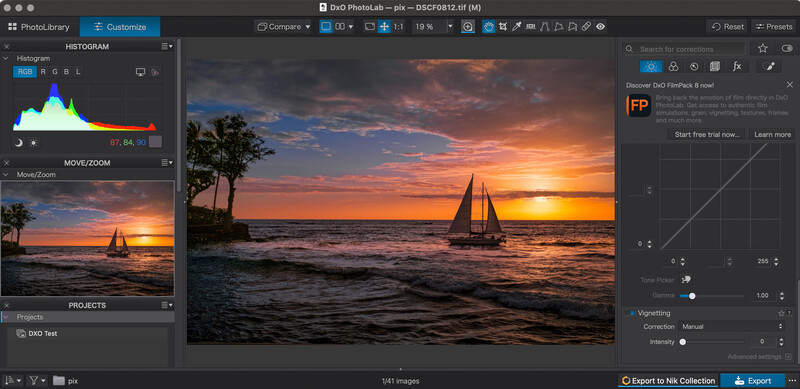
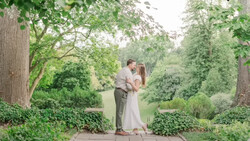
Here I've used PhotoLab AI to select the areas I want to adjust:
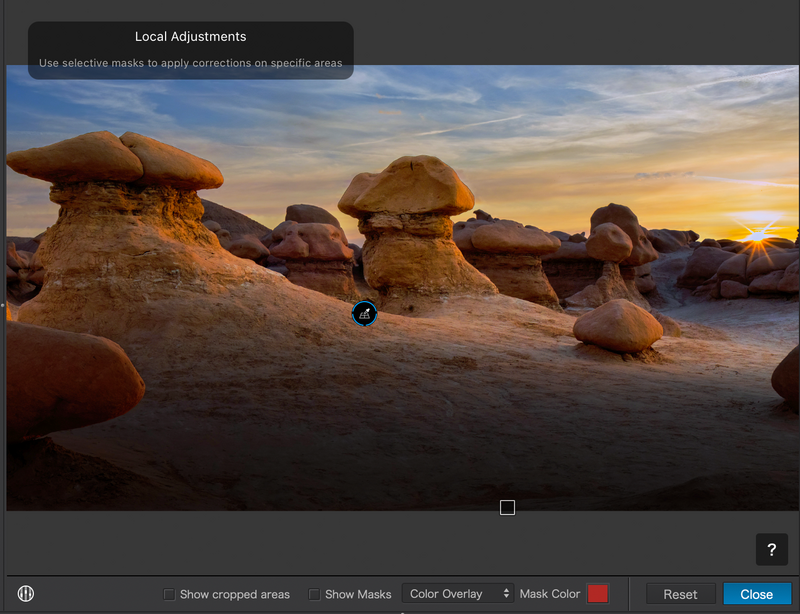
Then, using the sliders, it was easy to change the lighting:
PhotoLab has all the usual sliders seen in other raw editors, so there's not much to say there. Color grading is easy with the color wheel GUI, but color grading does take practice, and it's not hard to get into trouble.
PhotoLab advertises AI, and that is used mainly for smart selections and masking. You won't find generative AI here or the ability Adobe has to create something from nothing in your images. That will be a negative to some editors, a positive to others. So, no sky replacement, generative erase, etc. DxO focuses on technical image purity and traditional editing.
One thing I didn't like was advertising within the interface. Several times I was offered a chance to buy DxO products like its film-emulation product FilmPack. That stuff just doesn't belong in a pro-level editor, and I hope they stop doing it.
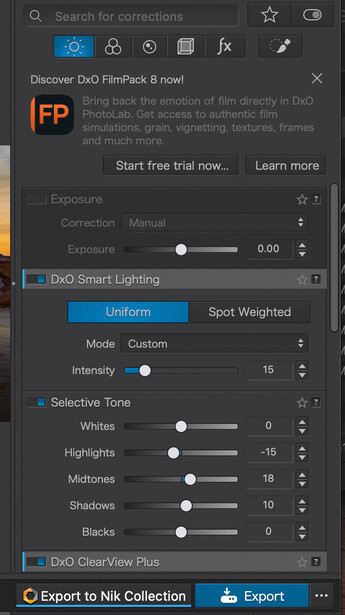
DxO isn't a click-on-it-and-you-are-ready-to-go editor. There's a lot on screen, and the controls aren't always consistent. Sometimes I have to click on a control to turn it off. Sometimes the Escape key exits the function.
Still, PhotoLab 10 is an extremely powerful editor, and with power comes some complicated operations. I'd love to see the overall user interface simplified a bit more, but there's no denying this is one very powerful and elegant editor.
What I Like
- Even my beta was reliable with no surprises
- The feature set is incredible, and you'll take some time learning all it can do
- It is unsurpassed in doing complicated masking selections, and it makes the selections painless
- Color controls and noise reduction are best in class, as are the tools for lens and camera matching
- The depth masking is a game changer, surpassing anything on offer elsewhere and giving you control of lighting
Room for Improvement
- Would like to see more beginner tutorials from DxO to ease the transition to this software
- A rethink of the user interface would be positive. Some icons are very small, and controls can be hard to find
- Having ads in the user interface was a bad decision. There are better ways to learn about the other fine DxO products
Finally
Make no mistake, this very powerful raw editor has made a significant leap forward in version 10. Yes, I have a few niggles here and there, but as a landscape photographer, I can really turn out photos I am proud of. Kudos to the DxO team for offering a powerful alternative to other raw editors on the market.
How to Get PhotoLab 10
DxO PhotoLab 10 is available today from the DxO website for macOS and Windows computers:
- A new license costs $249.99 / €249.99 / £229.99
- An upgrade from DxO PhotoLab 8 or 9 is $129.99 / €129.99 / £114.99
- A 30-day free trial is available here.


Join the Fstoppers community for free
-
Post comments and join in the discussions
-
Browse the site ad-free
-
Share your work and get featured in the community
-
Compete in the photo contests for fun and prizes
3 Comments
Having used Photoshop/adobe products since PS 3.0, I bailed when they went subscription.
I've relied on DxO>Affinity since then. If I'm not mistaken, this version of Photolab will export directly to Affinity. That makes my process much easier. Excellent!
Well I upgraded from Photolab 7 Elite to Photolab 9 Elite last year and I think I have reached the limit of my home built Windows 11 PC and I have Luminar Neo which is about to be updated very soon, so I don't think I need anymore upgrades for quite a while if at all.
I guess my question whenever an updated version comes out, why no pixel-shifting editing? It seems to me that the first phase of editing an image any more is combining raws, whether pixel-sift, focus stack, HDR, or pans. I do like DxO however it seems like a lot of improvements are redundant in a typical DxO>Affinity workflow. I first need to combine raws before I want to work on color or masks