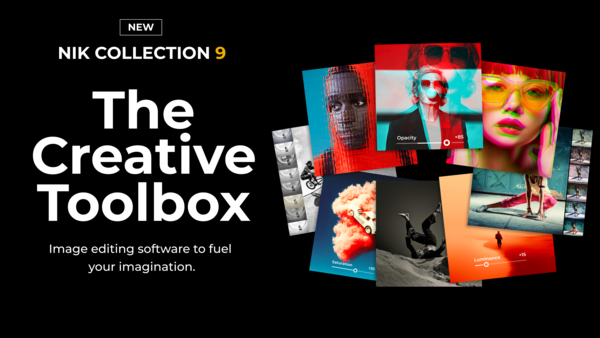
The Nik Collection of software tools goes way back to when Nik introduced some editing plug-ins for Photoshop in the 90s. Google bought the tools in 2013 and brought several of the tools together into a collection. But Google, as Google does, sold the collection off to DxO in 2017, and they began to rewrite everything with new code, and released a 7-app collection, adding an 8th shortly thereafter.
2023 marked the first release of the software using entirely DxO code, and that's pretty much the Nik Collection as we know it now.
My use of the software goes way back to the original days with Nik, and I've watched the software evolve over the years.
There have been many updates and editions, but I do think this new version 9 is a dramatic improvement, with many new features that photo editors will want. Existing owners will likely want to upgrade, and I expect it will bring some new business as well, as this is an ambitious and highly useful update.
The software can run standalone, or as a plug-in to Adobe Photoshop and Lightroom, Affinity, and DxO PhotoLab.
What's in Nik Collection 9?
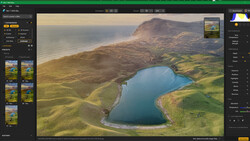
First of all, it combines powerful new AI-enhanced masking tools with a fresh approach to color grading and a range of new filters. Depth Masks and AI Masks make precise local adjustments faster and more intuitive, while the new Color Grading tool introduces a streamlined way to shape color across shadows, midtones, and highlights. Alongside these major additions, new effects including Halation, Chromatic Shift, and Glass Effect expand the suite's expressive range, supported by workflow improvements designed to make editing smoother and more flexible than ever.
According to the company, Nik Collection 9 introduces a new generation of AI-enhanced tools designed to make complex selections faster and more intuitive, while keeping photographers firmly in control of their edits.
Depth Masks
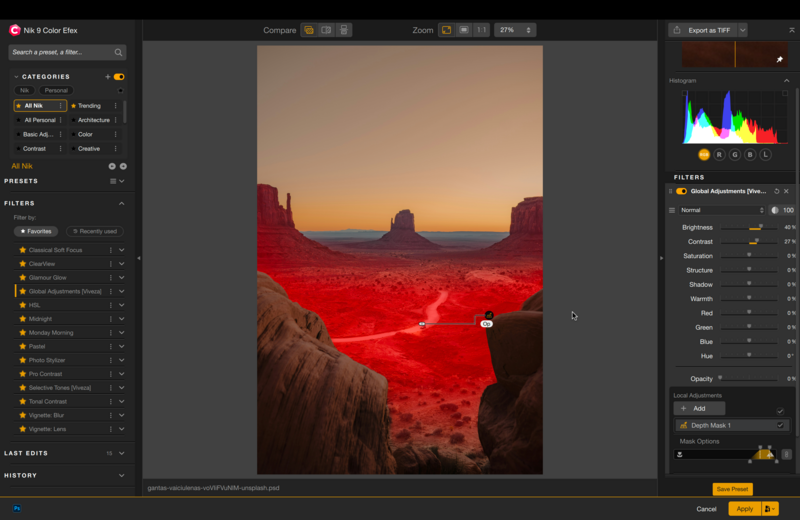
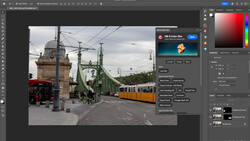
Depth Masks analyze the image and generate a detailed depth map, allowing creators to target adjustments based on distance from the camera, without requiring embedded depth data. After applying a filter or tool, users can create a Depth Mask to precisely control where the effect appears within the scene.
A set of intuitive sliders with adjustable feathering handles makes it easy to refine the exact depth range, from foreground to background. The result is natural, highly controllable transitions that would otherwise require time-consuming manual masking.
AI Masks
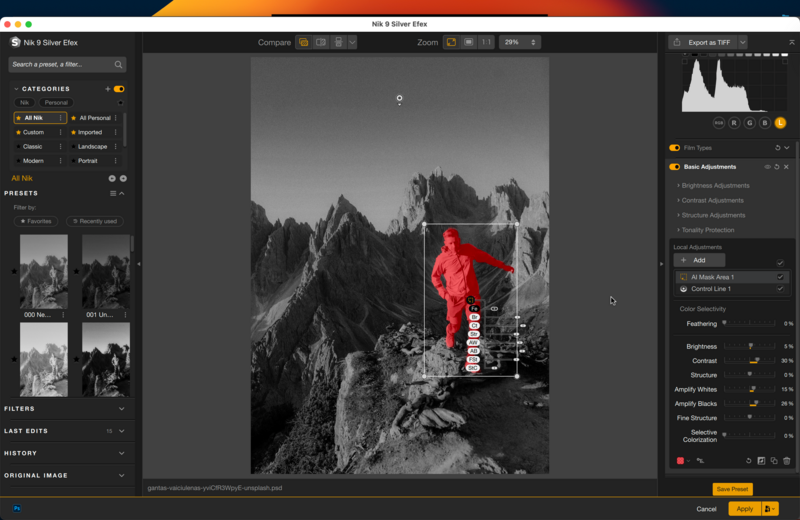
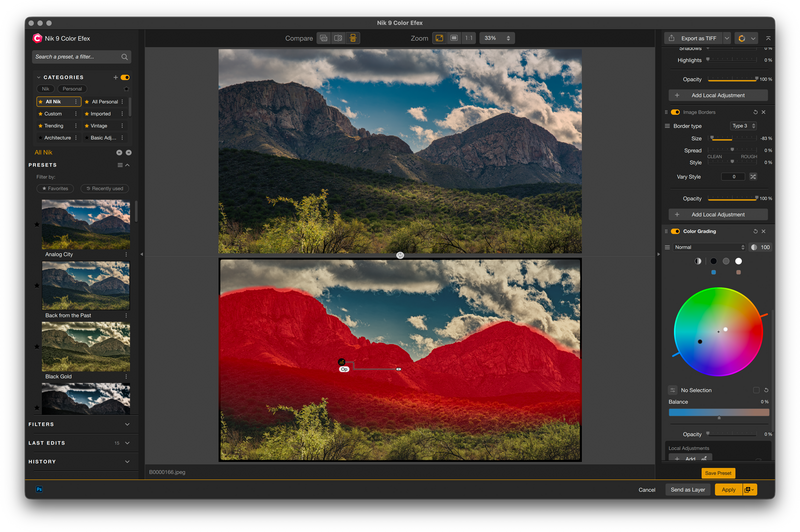
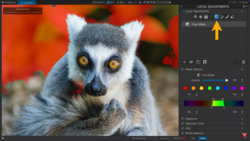
AI Masks offer pixel-precise subject selection in just seconds. Once a tool or filter has been applied, photographers can create an AI Mask to target specific elements within the frame. Subjects can be selected simply by clicking on them, or by drawing a bounding box to define the area of interest. These AI-enhanced tools sit alongside an extensive range of existing selection options, such as Nik Collection's U Point™ technology.
Color Grading
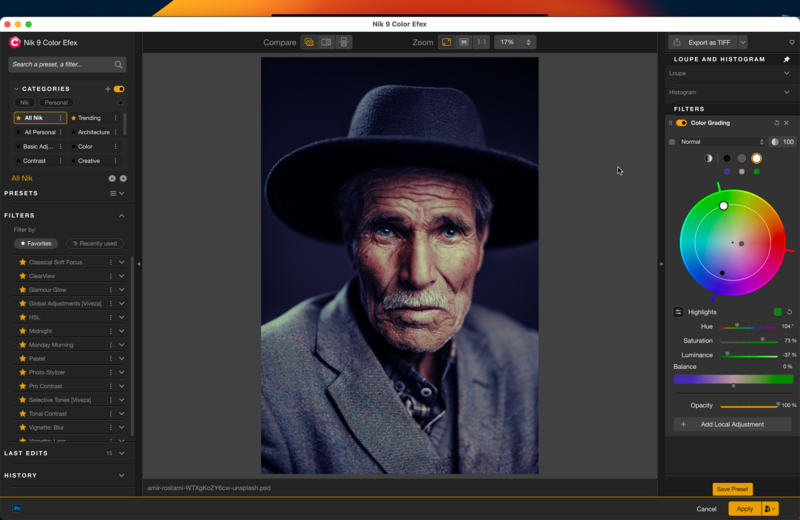
The new Color Grading tool in Nik Color Efex delivers exceptional control in an intuitive, streamlined interface. Instead of juggling multiple color wheels, photographers work with a single wheel that provides independent control over shadows, midtones, highlights, and global color. These tonal ranges can be adjusted individually or, in a feature that's unique to Nik Collection, selected colors can be locked together for synchronized changes. This means that users can choose colors for the Shadows, Midtones, and Highlights, and rotate all three together, maintaining the relative relationship between each point. Fine-tuning is handled via dedicated Hue, Saturation, and Luminance sliders, alongside opacity and tonal balance controls. Unique to Nik Color Efex, the entire tool can also be combined with Blending Modes for creative results not possible elsewhere. Looks can be saved as reusable mini-presets, and local adjustments — powered by U Point technology or the new AI Masks — allow precise placement of color grades within an image.
New Filters
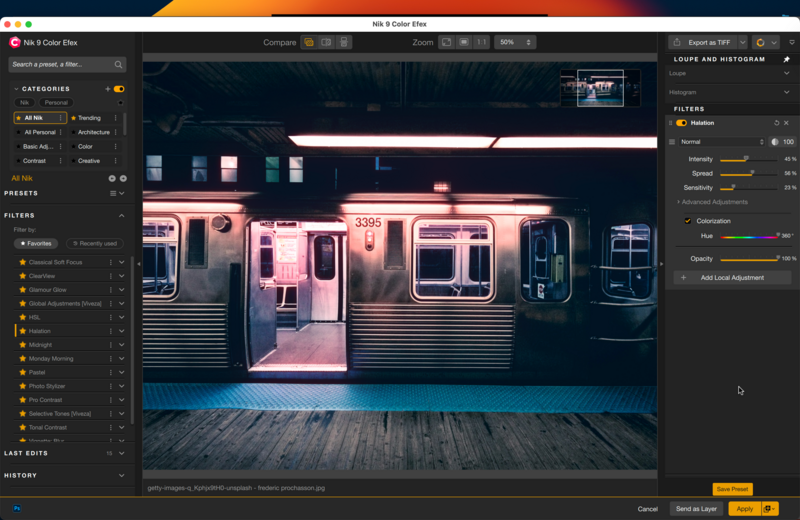
Version 9 also adds new filters to the suite of tools, including a new Halation tool in Nik Color Efex that faithfully recreates the glow seen in older analog film stocks, where bright highlights bleed softly into surrounding darker areas, often with a subtle reddish halo.
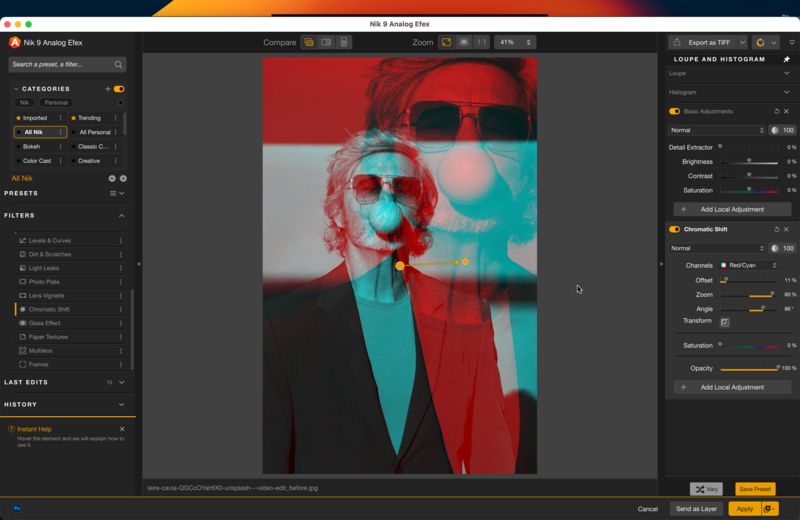
There is also a Chromatic Shift tool inspired by traditional offset printing; the Chromatic Shift tool in Nik Analog Efex recreates subtle ink misalignment for an authentic analog feel. Individual color layers are shifted to produce characteristic imperfections, with a choice of three palettes — red/cyan, magenta/green, or yellow/blue.
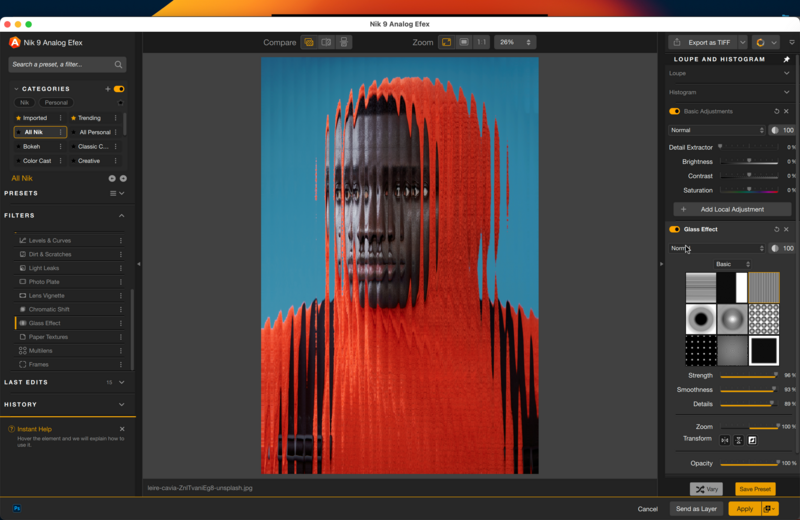
And there is a new Glass Effect, adding an extensive collection of glass-based distortion effects. A range of glass types can be selected, with controls for scale, distortion, and smoothness enabling highly customized results.
Blending Modes
Nik Color Efex and Nik Analog Efex now introduce Blending Modes, giving photographers new ways to control how tools and filters interact with an image. Similar to the approach familiar from Photoshop, Blending Modes change the mathematical relationship between the effect being applied and the image being edited, producing dramatically different visual results.
Workflow Improvements
- Mask Overlays provide a clear view of local adjustments without obscuring the image.
- Preset Hover Preview offers instant, real-time previews when browsing presets, eliminating the need for constant clicking.
- A new local adjustments palette consolidates all of the new tools and provides easier navigation.
- Local adjustments can now be copied and pasted between images using a simple keyboard shortcut.
My Thoughts
This is a big upgrade, the biggest I remember. I had an advance copy of the collection and could see the welcome changes and the power of the software. This isn't a full review of the suite, but the various improvements seemed to work well, and the old features weren't broken or regressed.
I especially liked the depth masking feature, which really gives you the ability to control lighting and other parameters in an image depending on the distance of the object you want to change.
I would say that unlike previous versions, the new features will take some time to learn, as they did not exist in previous editions of the Nik Collection. I expect there will be plenty of online videos from DxO and third parties to help users along.
Reviewers did not get complete documentation, but buyers will.
If you want to dig deeper into Nik's tools and broader DxO workflows, Mark Wallace's Mastering the Nik Collection is a thorough starting point.
Price and Availability
Nik Collection 9 is available today from the DxO website for macOS and
Windows computers:
- New license: $179.99 / €169.99 / £149.99
- Upgrade from Nik Collection 7 or 8: $99.99 / €89.99 / £79.99
A 30-day free trial is available from DXO.

1 Comment
Does Fstoppers have any plans to update its Nik Collection course to incorporate the substantial new features in this version?