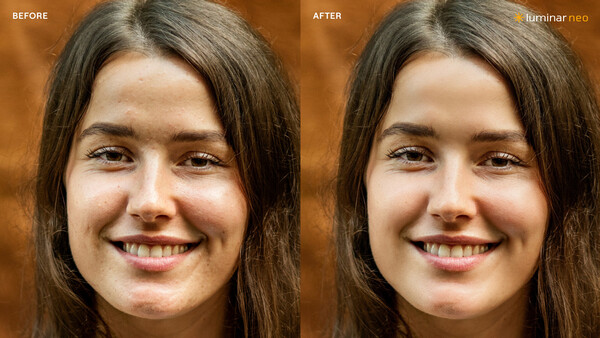
In a significant update to Luminar Neo, Skylum is focusing on AI-based portrait tools, as well as improving some of the included masking tools. This update is version 1.27.
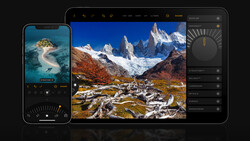
The newest release, scheduled for distribution on Thursday, has expanded to include portrait photography, enabling seamless editing of portraits, landscapes, and everyday moments with a robust set of tools and a cross-device workflow across desktop and mobile. With enhanced features such as dark circle removal, blemish removal, shine removal, and skin smoothing, photographers can perfect portraits quickly and naturally—without the complexity of other editing software. The new Bokeh AI also delivers realistic background blur for both people and objects, giving creators greater control over focus and depth while unlocking new creative possibilities.
Skin AI: More Precise Control Over Skin Retouching
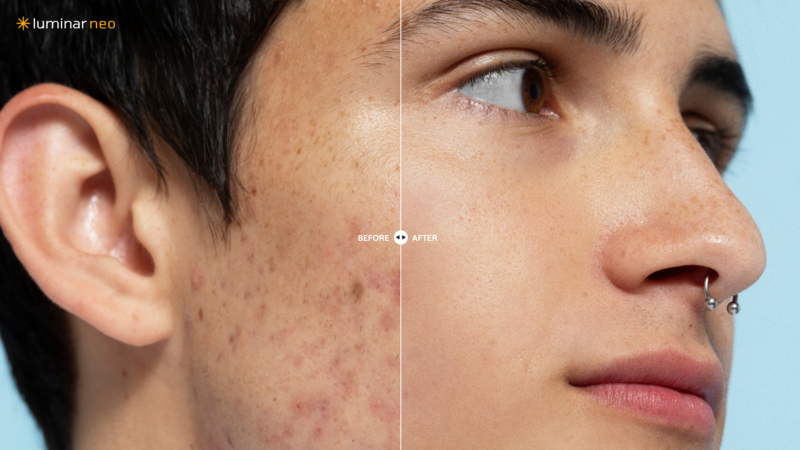
Portrait editing has been significantly enhanced with a revamped Skin AI feature. Skin AI now offers separate controls for skin and face retouching, allowing users to work with much greater precision. In addition, a new Blemish Removal slider replaces the previous checkbox for removing skin imperfections. Users can now reduce blemishes with greater precision—achieving a natural balance between realistic skin texture and a smoother appearance.
Face AI: Removal of Dark Circles
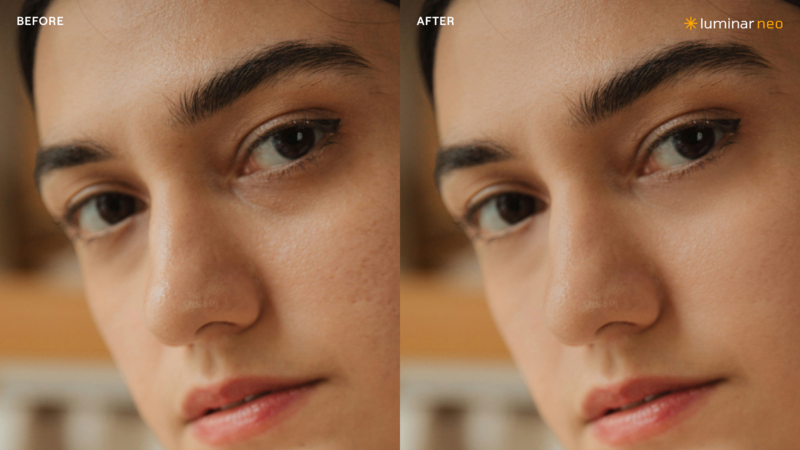
The intelligent portrait tool Face AI has also been expanded. A new feature allows for targeted correction of dark circles under the eyes. Face AI automatically detects the face, eyes, and mouth—even with slightly turned faces—and allows for targeted adjustments. The new feature for reducing dark circles makes portraits look even more natural and fresh.
Mask Feather: More Natural Transitions for Local Adjustments
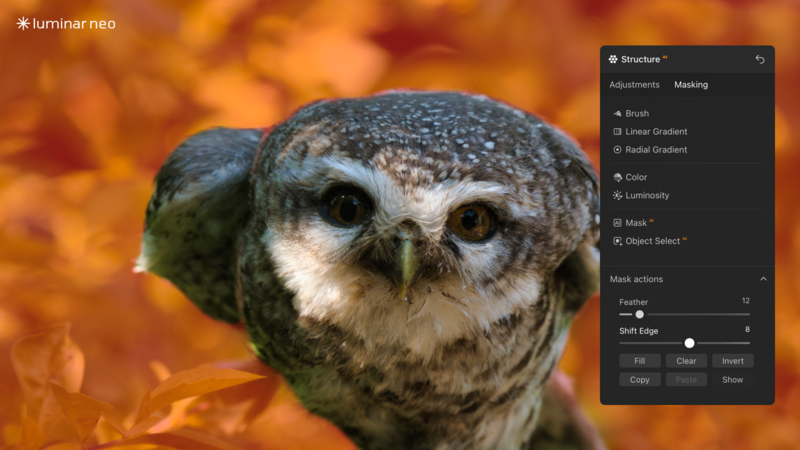
The new Mask Feather feature ensures smoother transitions for local adjustments and reduces visible editing edges. This makes local adjustments such as brightness corrections, skin retouching, or background changes look more realistic.
Bokeh 2.0: Now for Every Object
Bokeh AI recreates the look of professional optics—bringing natural depth, soft background blur, and luminous highlights to every image photographers take, from portraits to wildlife, crafted scenes, or more. It leverages multi-stage depth map prediction to accurately understand scene geometry and subject separation—so users can effortlessly achieve cinematic, natural results while keeping full creative control.

Improved Cross-Device Workflow Across Desktop and Mobile
Luminar 1.27 also improves the cross-device experience by ensuring that the latest editing enhancements, including the updated portrait tools, Mask Feather, and Bokeh AI, are consistently available on both desktop and mobile. With better synchronization of edits and features, photographers can move more smoothly between devices and continue their work with the same tools and results, creating a more reliable and unified workflow.
Trying It Out
I had a brief but limited look at the beta supplied to reviewers. It is solid with no crashes in my tests. Although I'm primarily a landscape and night sky photographer, I tried some of the portrait tools and found them effective and time-saving. It's good to see Skylum address portrait photographers in this update, as most of the Neo tools have been aimed at landscape photographers. I didn't get to the mobile tool, but that's not the focus of my workflow. I can see where they would be a powerful addition to the Luminar Neo tools for some, however.
Availability
The update will be available to new and existing customers starting April 9, 2026. Existing users will receive access via the regular product update.
Pricing and more information are available on the Skylum website.





No comments yet